

A PDF is supposed to be finished. Then a signed page turns up late, a client asks for a cover sheet, or a scanned exhibit has to sit between pages six and seven, and you need to insert a page into a document you did not build.
The short answer: insert is not merge. Merge joins two documents end to end. Insert puts one or more pages at a chosen position inside an existing document and leaves every other page where it was. Most people reach for a merge tool, then fix the order afterwards. Inserting is one step.
Three Kinds of Pages You Can Insert
- A blank page. A spacer, a sign-off sheet, a page to write on. The editor creates an empty page at the current size.
- Pages from another PDF. A cover letter, a corrected page, an appendix. You pick the source file, and often which of its pages.
- An image or a scan. A photographed signature, a receipt. It arrives as a picture, so the page stays unsearchable until OCR runs on it.
Position Is the Part People Get Wrong
"Insert at page 7" is ambiguous, and most editors never ask for a page number. They act on the thumbnail you have selected and place the new page after it. Others insert before the selection; some show a location picker. Check which convention yours uses before trusting the result.
What a New Page Changes Downstream
Nothing else in the file is renumbered for you.
- Printed page numbers. Stamped numbers are ordinary text. They do not shift when a page lands in front of them, so the sheet now eighth in the stack is still labelled 7.
- Bookmarks and the outline. A bookmark titled "Page 12" still resolves, to whatever is there now.
- Cross-references. "See page 12" in the body text is now wrong, and nothing flags it.
- Print imposition. Booklets need page counts in multiples of four; one extra page re-pairs every spread.
- Digital signatures. Inserting a page changes the file, so a signature that covered the original stops being valid. If the signature matters, ask for a re-sign instead of editing.
How to Insert a Page in Five Steps
Step 1: Decide What the Page Is and Where It Goes
Say it in one sentence first: "a blank page after page 6", or "page 3 of contract-v2.pdf, before the signature page". Guessing produces a second round of edits.
Step 2: Work on a Copy
Open the PDF, save a duplicate under a new name, and edit that. A misplaced insert is easy to abandon and awkward to undo in place.
Step 3: Select the Anchor Page, Then Insert
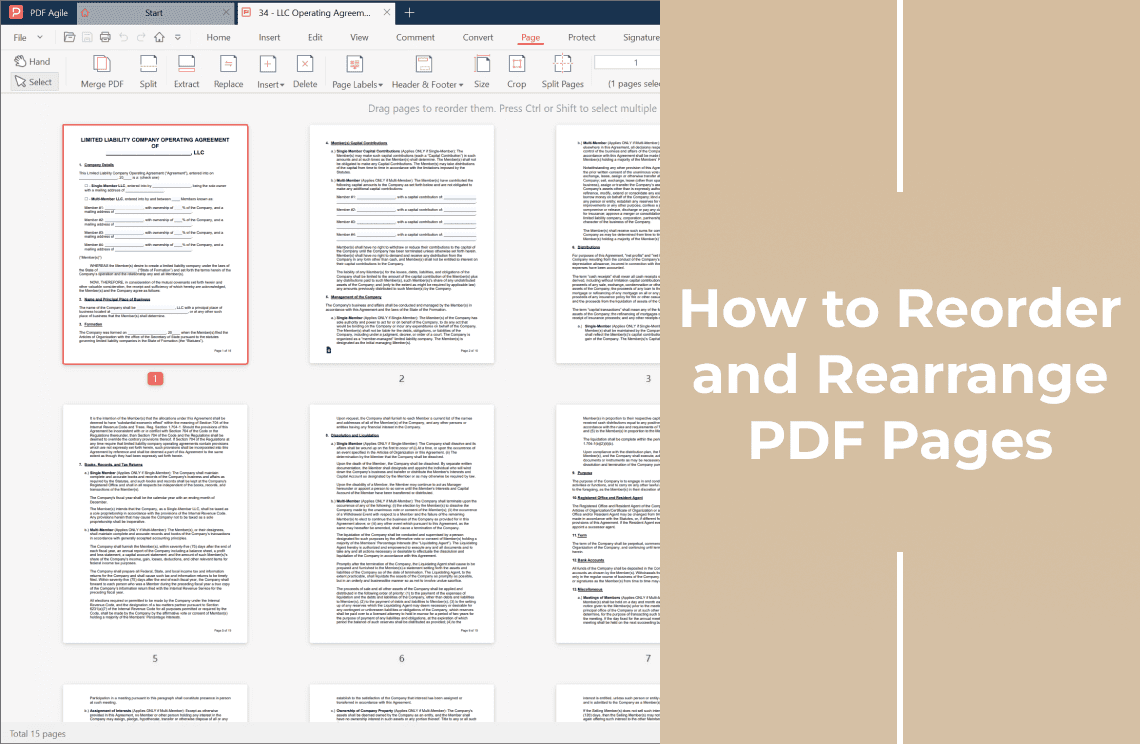
Show the page thumbnails, click the page the new one should sit beside, then use the insert command for the type you need: blank page, page from a file, or image. PDF Agile, a desktop editor for Windows, covers all three from its Insert and Page menus and works locally, so the document never leaves your machine.
Step 4: Save as a New File
Save-as, not save-over. Keep the original next to the new version until the edited file has been accepted.
Step 5: Check the Result Before You Send It
Confirm the page count, scroll the thumbnails in order, follow links that point to a page, and print the affected spread if it goes to a printer.
When the Insert Option Is Greyed Out
- The file is encrypted or permission-locked. An owner can allow printing and still block page changes. Remove protection only on documents you own.
- The PDF is certified. It declares itself final and refuses structural edits.
- It is a dynamic XFA form. The page structure comes from the form definition, not the page tree.
- The file sits in a synced cloud folder and has not downloaded yet. Copy it to a local disk first.
FAQ
Do inserted pages change the page numbers already printed on my PDF?
No. Stamped numbers are text sitting on the page. If numbering has to stay correct, add it after inserting, or use live page-number fields.
Can I insert a page from a Word document?
Export that page to PDF first, then insert it as a page from a file. Most PDF editors will not take a .docx directly.
Is it safe to insert pages with a free online tool?
Only if the content is not sensitive: an online tool means uploading the whole document to someone else's server.
Will inserting a page invalidate a digital signature?
Yes, if the file was already signed. Any structural change breaks the signature, so a signed document should be re-signed rather than edited.
Insert first, verify second, send third. In that order, every other page in the document stays exactly as it was.