Rotate PDF

Rotate PDF Online for Free

How to Rotate a PDF online?

1. Click “Select File”. If your PDF is protected, we suggest you unlock it first.

2. If you want to rotate the entire document, simply click “Select All” and choose the direction — clockwise or counterclockwise — to fix all pages at once. If you only need to adjust specific pages, select the individual thumbnails you want to rotate or enter a page range (e.g., 1–3), then choose the direction. Your updated PDF will be ready instantly.

Quick tip: To rotate multiple consecutive pages (for example, pages 3 to 8), click page 3, hold the Shift key, then click page 8 to select the range in one step.

3. Tap "Apply" once all pages are correctly oriented.

4. Download your rotated file when it's done If you need to edit your PDF file, try our desktop version to unlock more features.

Why choose us to rotate your PDF files?

  • Rotate PDFs online fast

    Our PDF rotation tool allows you to easily and rapidly correct upside-down or misaligned pages. Simply upload your PDF file, select one of the modes that best suits your needs, and our program will handle the rest. It runs well, is free to use, and requires no sign-ups or learning curves.

  • Remove files from the server

    For your privacy and security, we do not keep original or rotated files on our servers for long. All files are automatically removed within 24 hours, protecting your data from password loss or other security risks.

  • Rotate individual pages or the Whole File

    Easily rotate your PDFs with two flexible modes. Choose Page Mode to rotate individual pages, or File Mode to rotate the entire document at once—giving you full control over your PDF’s orientation.

  • Secure online rotating PDF

    Rotate your PDFs safely and efficiently with our secure online tool. Protected by 256-bit SSL encryption, your files remain private while you rotate individual pages or entire documents with ease—no downloads required. Fast, reliable, and fully secure for all your PDF adjustments.

  • Flip PDFs on any device

    Flip your PDFs effortlessly on any device, anytime. Whether you’re using a desktop, tablet, or smartphone, quickly rotate pages, switch orientations, and adjust layouts with a few simple clicks—no software installation required.

  • Maintain format and layout

    Rotate your PDFs without worrying about losing their original look. Our tool preserves all text, images, fonts, and layouts, ensuring every page stays exactly as designed - even after rotation. Enjoy precise adjustments while keeping your documents flawless.

More Than an Agile PDF Flipper

  • All-in-one PDF converter

    Convert PDFs to and from any popular format with ease. Our all-in-one PDF converter supports Word, Excel, PPT, TXT, JPG, and more, preserving layout, fonts, and quality with every conversion. Simplify your workflow and manage all your document needs in one powerful tool.

  • Instant e-signing, no delays

    Sign PDFs instantly with no delays. Add legally binding signatures without hassle, complete forms, and approve documents in seconds—streamlining your workflow while keeping all files secure. Fast, reliable, and completely digital.

  • Make scanned PDFs searchable and editable (OCR)

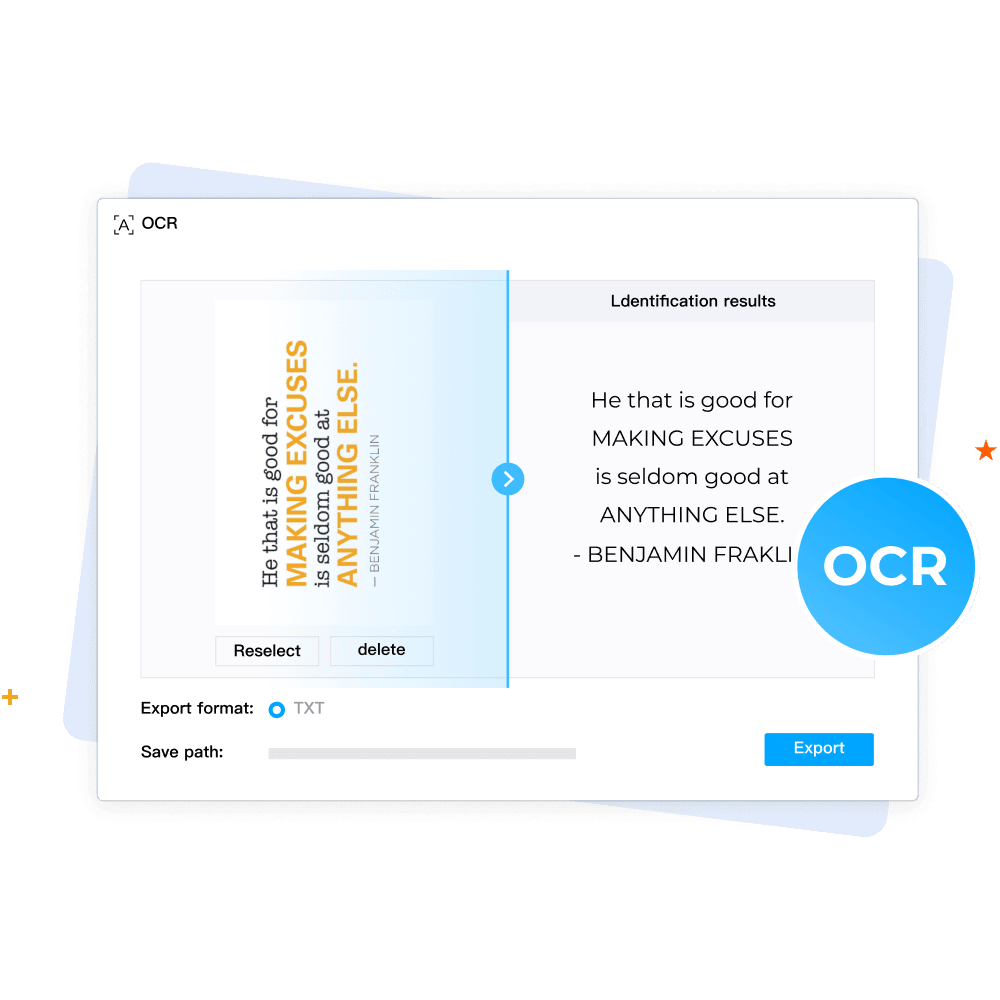
    Transform scanned PDFs into searchable and editable documents with the newest OCR technology. Instantly recognize text from images or scanned files while preserving layout and formatting, making your documents easy to edit, copy, and share.

  • More tools for every PDF task

    Get all the tools you need to handle any PDF task easily and seamlessly. From merging, splitting, and compressing to rotating, cropping, and converting, our comprehensive suite helps you manage, edit, and optimize PDFs efficiently—everything in one place.

Your Ultimate PDF Solution

Your Ultimate PDF Solution.png

FAQs about Rotating PDFs

Is there a free way to rotate a PDF without downloading software?

Will rotating my PDF mess up the text, formatting, or links?

Can I rotate just one page in a multi-page PDF, or does it rotate the entire document?

What's the difference between rotating a PDF and just rotating the view?

Can I rotate a PDF on my phone?

Tips for Rotating PDFs

How-to & Tips5 Mins

How to Rotate Image in PDF by a Certain Degree

Do you want to know how to rotate images in PDF? Even though this may seem very technical, this article will show you the step-by-step process to do so easily using PDF Agile and Adobe Acrobat.

Read More >>

How-to & Tips4 Mins

How to Rotate a PDF Document

Learn how to rotate pages in PDF documents using PDF Agile's user-friendly interface. This guide also details steps for rotating PDFs with Adobe Acrobat.

Read More >>

How-to & Tips4 Mins

How to Rotate Text in Microsoft Word?

Learn how to rotate text in Word! This guide covers text boxes, tables, and WordArt, offering step-by-step instructions for creative document design.

Read More >>