

Every few months, a new “AI PDF assistant” appears with the same promise: upload a PDF, ask questions, get answers instantly, and save hours of reading. On the surface, that sounds simple enough. Most people do not love reading long PDFs. Lawyers do not want to dig through 80-page contracts. Students do not want to manually summarize research papers. Operators do not want to extract numbers from reports. Even founders and marketers are tired of copy-pasting text from PDFs into spreadsheets, Slack messages, emails, or project notes.
So yes, AI PDF assistants are solving a real problem. But the category is also becoming noisy. Some tools are genuinely useful. Some are just chatbots with a PDF upload button. And some are marketed as “agents” even though they stop after giving you a summary.
The future of AI PDF assistants will not be decided by who gives the prettiest answer. It will be decided by who can move from reading documents to completing document workflows.
That is the key difference.
Acrobat AI, ChatGPT, and agent-based tools all sit inside this shift, but they are not the same kind of product. Acrobat AI is close to the PDF itself. ChatGPT is strong at flexible reasoning and conversation across many document types. Agents are more workflow-oriented: they do not just answer questions about a PDF; they can help take the next step, such as routing the file, notifying a team, updating a tracker, or opening another tool.
That is why the answer to “future or hype?” is not a simple yes or no. AI PDF assistants are the future when they reduce real workflow friction. They are hype when they only turn a 40-page PDF into a confident paragraph that still requires the user to do all the work afterward.
Why PDFs Became the Perfect AI Target
PDFs are everywhere because they are stable. They preserve layout, signatures, page numbers, tables, images, exhibits, contracts, manuals, reports, filings, invoices, and formal documents. That stability is exactly why people use them.
But the same stability also makes PDFs frustrating. They are often harder to search, harder to edit, harder to extract from, and harder to connect with modern workflows. A PDF can contain text, scanned images, tables, forms, handwritten notes, signatures, or locked sections. The user sees one file, but the machine may see a complicated container.
That is why AI PDF assistants appeared so quickly. They promise to turn static documents into conversational knowledge.
Adobe says Acrobat AI Assistant can answer questions, generate summaries, provide cited references, summarize key contract terms, and compare differences between contracts. It also says Acrobat AI Assistant supports PDFs and documents in several languages, while noting limitations such as files over 100MB, documents over 600 pages, password-protected files, and permissions that prevent processing.
OpenAI’s file upload documentation describes PDF-related uses such as comparing documents, extracting information, finding references to a topic in a PDF, pulling out quotes, searching for mentions, and extracting metadata. ChatGPT’s own PDF use-case page positions PDF chat around contracts, research papers, manuals, summaries, clarification, analysis, and conversational follow-up.
So the demand is obvious. The real question is whether these tools are simply better readers or whether they are becoming a new interface for work.
The First Wave: “Chat With Your PDF”
The first wave of AI PDF assistants was simple: upload a document and ask questions.
For many users, that alone felt magical. Instead of searching a 70-page report, you could ask:
“What are the main risks?”
“Summarize the key findings.”
“What does this contract say about termination?”
“Find every mention of data retention.”
“Turn this into a client-friendly summary.”
This is useful. It reduces reading time. It gives people a starting point. It helps users who are overwhelmed by dense documents.
But it also has a ceiling.
A PDF assistant that only chats with one file is still basically a reading assistant. It does not know your full workflow. It may not know your company’s contract playbook, your compliance checklist, your preferred output format, your Slack channels, your document naming rules, or your approval process. It can summarize the PDF, but you still have to decide what to do next.
This is where hype starts.
If a tool says “AI PDF assistant” but only provides a generic summary, it may save a few minutes. But if the user then has to manually copy the summary, reformat it, paste it into Slack, open a PDF editor, make comments, rename the file, upload it to a shared folder, and update a tracker, the tool has not automated the workflow. It has only automated one step.
That is not useless. But it is not transformative either.
Acrobat AI: Best When the PDF Is the Center of the Work
Acrobat AI has a natural advantage: Adobe owns one of the most familiar PDF environments. For users who already live inside Acrobat, an AI assistant inside the PDF interface makes sense.
The strength of Acrobat AI is that it is close to the document. It is built around PDF reading, summarization, cited answers, document tasks, and PDF Spaces. Adobe describes PDF Spaces as an AI-powered conversational knowledge hub for consolidating multiple files, asking questions, summarizing content, comparing documents, and creating new material from collected files.
That makes Acrobat AI useful for people whose main problem is document comprehension inside a PDF-native environment. For example:
A lawyer wants to summarize a contract and jump to cited clauses.
A student wants to understand a long academic article.
A consultant wants to compare two reports.
A manager wants to extract the key recommendations from a board packet.
A finance user wants to ask questions about a PDF statement.
Acrobat AI is especially strong when users want the AI to remain tied to the source document. Adobe emphasizes summaries with citations that link directly to the source in the document, which matters because PDF review is often about trust and traceability.
But Acrobat AI is not always the best fit when the PDF is only one step in a broader process. If your workflow involves reading a PDF, updating a spreadsheet, sending Slack messages, triggering browser actions, comparing with external sources, and routing files through multiple apps, a PDF-native assistant may feel too narrow.
In short, Acrobat AI is strongest when the task is: understand and work with this PDF.
It is weaker when the task is: take this PDF and complete a multi-app workflow around it.
ChatGPT: Best When You Need Flexible Thinking Around the PDF
ChatGPT approaches PDFs differently. It is not primarily a PDF editor. It is a general reasoning and conversation interface that can work with uploaded files.
That makes it more flexible.
A user can upload a PDF contract and ask for a risk table. Then they can ask for a negotiation email. Then they can ask for a simplified version for a non-legal team. Then they can ask for a comparison against another uploaded contract. Then they can ask for a checklist or a memo.
This flexibility is why many people use ChatGPT as their default PDF assistant. It is not limited to one document style. It can help with contracts, reports, manuals, research papers, pitch decks, invoices, policies, transcripts, and internal documents.
OpenAI describes file uploads as supporting synthesis, transformation, and extraction tasks, including comparing documents and extracting information from PDFs. That broad range is the main advantage.
The weakness is that ChatGPT may not always feel like a full PDF workspace. It can reason about the content, but it is not necessarily where users finalize PDF edits, manage signatures, organize pages, or maintain formal document workflows. The user may still need another tool for editing, annotation, e-signature, OCR correction, page management, or final PDF packaging.
There is also the trust issue. For serious document workflows, users need to verify outputs. AI summaries can be useful, but they should not replace checking source text, especially in legal, financial, medical, or compliance contexts. NIST’s AI Risk Management Framework describes trustworthy AI in terms such as validity, reliability, safety, security, accountability, transparency, explainability, privacy enhancement, and fairness. Those principles matter when PDF assistants move from casual reading to professional decision-making.
In short, ChatGPT is strongest when the task is: think with me about this PDF and turn it into useful outputs.
It is weaker when the task is: complete the full operational workflow after the analysis.
Agents: Best When the PDF Is Only the Starting Point
The word “agent” gets overused, but the concept is important.
An AI agent is not just a chatbot. IBM defines an AI agent as a system that autonomously performs tasks by designing workflows with available tools. (OpenAI has also described agent-building tools that connect models to capabilities such as web search, file search, and computer use, and has described ChatGPT agent as a system that can choose from a toolbox of skills to complete tasks using its own computer.
That matters because PDF work is rarely just “read this PDF.” Real PDF workflows look more like this:
Receive a vendor contract.
Upload the PDF.
Extract key terms.
Compare against a playbook.
Flag risks.
Send the summary to Slack.
Open a PDF editor.
Add comments.
Save a marked-up copy.
Rename the file.
Upload it to the correct folder.
Update the contract tracker.
Notify the business owner.
A normal AI PDF assistant may help with the first half. An agent can help with the second half.
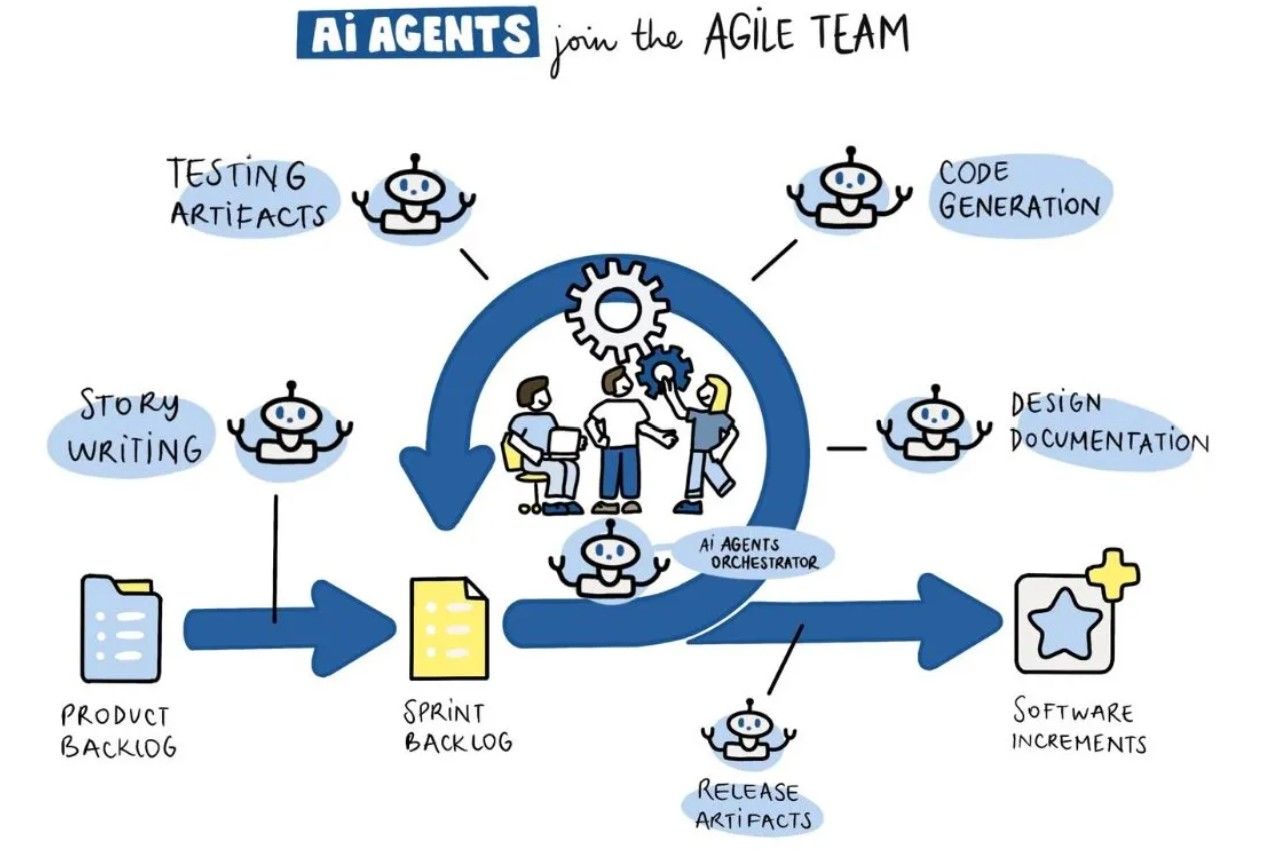
This is the real future of the category. The PDF assistant becomes less like a search box and more like an operations layer. It can read the file, understand the task, use tools, move information, and complete steps across apps.
But this is also where risk increases. The more an AI system can do, the more guardrails it needs. A summary error is annoying. A wrong automated filing, accidental data exposure, or incorrect client-facing message is much more serious.
That is why agents need permissions, logs, approval checkpoints, clear tool boundaries, and human review for high-stakes actions.
Comparison: Acrobat AI vs ChatGPT vs Agent
The difference between these three options is not simply “which one is smarter?” The better question is: where does the PDF sit in the workflow?
| Dimension | Acrobat AI | ChatGPT | Agent-Based Workflow |
|---|---|---|---|
| Best use case | Reading, summarizing, and working inside PDF-native tasks | Flexible analysis, rewriting, extraction, and multi-format reasoning | Completing multi-step workflows across tools |
| Strength | Close to the PDF, citations, PDF workspace features | Strong conversation and adaptable outputs | Can connect PDF analysis to action |
| Weakness | May feel narrow outside document workflows | May require separate tools for final PDF editing or routing | Needs stronger guardrails and permissions |
| Typical user | PDF-heavy professional, student, legal or business reviewer | Knowledge worker, researcher, lawyer, analyst, founder | Operator, legal ops, sales ops, compliance, admin-heavy teams |
| Output | Summary, answers, cited insights, PDF-related tasks | Summaries, tables, memos, emails, checklists, comparisons | Summaries plus Slack updates, file movement, browser actions, tracker updates |
| Main question | “What does this PDF say?” | “How should I understand and use this PDF?” | “What should happen next after this PDF is understood?” |
This comparison shows why the category is moving beyond “chat with PDF.” The value is shifting from comprehension to execution.
Where AI PDF Assistants Are Real Future
AI PDF assistants are not hype when they solve one of four real problems.
1. They reduce document overload
Many people do not need perfect legal-grade analysis. They need orientation. They need to know what a document is, what it says, and whether it deserves deeper attention.
For example, a founder reviewing a partnership agreement may ask for the main obligations, payment terms, termination rights, and unusual clauses. That first pass can make the document less intimidating.
2. They turn unstructured PDFs into structured outputs
This is where PDF assistants become genuinely valuable. A PDF is unstructured from the user’s workflow perspective. AI can turn it into:
A table.
A checklist.
A risk register.
A summary memo.
A Slack update.
A spreadsheet-ready extraction.
A negotiation issue list.
A project task list.
The output structure matters more than the summary itself.
3. They improve review consistency
Humans get tired. They skip sections. They search for the wrong phrase. They forget to check renewal terms. AI can apply the same checklist every time, at least as a first pass.
The ABA’s Law Technology Today article describes AI legal document review as using AI to analyze, sort, and identify key information from legal documents, helping streamline review by handling time-consuming tasks automatically. This is exactly where AI assistants can be useful: not replacing judgment, but improving review coverage.
4. They connect reading to workflow
The biggest gains come when a PDF assistant does not stop at the answer. It should help the user act on the answer.
That means sending a summary to Slack, opening the right editor, updating a tracker, routing the file, generating a follow-up email, creating a task, or saving the reviewed document in the correct place.
This is where agent workflows matter most.
Where the Hype Still Lives
The hype comes from pretending that PDF understanding is solved just because the AI can produce a smooth answer.
There are still obvious limitations.
PDFs can contain poor OCR, complex tables, scanned signatures, multi-column layouts, embedded images, handwritten notes, redlines, comments, attachments, and mixed languages. Even when the text is extracted correctly, the interpretation may still be wrong.
Another source of hype is overconfidence. A PDF assistant may summarize a clause beautifully while missing the one sentence that changes the meaning. It may answer based on a nearby section instead of the exact clause. It may fail to distinguish between draft language, exhibit language, and final agreement language.
The third source of hype is workflow shallowness. If the assistant gives you a summary but cannot help with the next step, the user still owns most of the work.
The fourth source is branding. Many tools call themselves agents, but some do not actually perform agentic work. A real agent should be able to use tools, follow instructions, complete steps, and operate within permissions. A chatbot that summarizes a PDF is not automatically an agent.
A Practical Example: Contract Review
Imagine a legal or business team receives a contract PDF from a vendor.
A basic AI PDF assistant can summarize it. That is helpful.
A better assistant can extract:
Parties
Effective date
Term
Payment terms
Termination rights
Liability cap
Indemnity
Governing law
Confidentiality obligations
Data processing language
Auto-renewal language
A more advanced assistant can compare those terms against a playbook:
Liability cap below standard.
No data processing agreement attached.
Auto-renewal notice window is too long.
Vendor has broad rights to use customer data.
Assignment clause may create M&A friction.
But the real workflow does not end there. Someone still needs to notify the team, edit the PDF, route it, track it, and follow up.
That is the gap between AI PDF assistant and AI PDF workflow.
EasyClaw Workflow Example: From PDF Summary to Action
EasyClaw is useful to mention here not as a magic PDF reader, but as an example of the agent layer around PDF work. Its site describes EasyClaw as a native desktop AI agent for Mac and Windows, with one-click installation, chat-app access, and automation capabilities such as local file read/write, terminal command execution, system-level computer control, browser automation, scheduled tasks, skills, and multi-agent collaboration. EasyClaw also lists supported chat apps including Slack, Google Chat, Microsoft Teams, WhatsApp, Telegram, Discord, Feishu, DingTalk, WeCom, and others.
Here is a practical workflow:
Contract PDF received
↓
AI PDF assistant summarizes key terms
↓
AI extracts risk points into a table
↓
Human reviewer confirms the important issues
↓
EasyClaw sends a Slack update to the legal/business channel
↓
EasyClaw opens the PDF editor or target folder
↓
Reviewer edits or annotates the PDF
↓
EasyClaw renames the file using matter/project rules
↓
EasyClaw moves the reviewed PDF to the correct folder
↓
EasyClaw updates the tracker and reminds the owner of next steps
The point is not that EasyClaw replaces Acrobat AI or ChatGPT. It sits in a different part of the workflow. Acrobat AI may be better for PDF-native interaction. ChatGPT may be better for flexible analysis and drafting. EasyClaw-style agents are more interesting when the task requires doing something after the PDF has been understood.
That is the future direction: PDF assistants become one component inside larger AI workflows.
How to Judge an AI PDF Assistant
Before choosing or writing about any AI PDF assistant, I would judge it with five questions.
First, does it give source-grounded answers? For professional use, citations, page references, and quote extraction matter. A smooth answer without source traceability is risky.
Second, does it handle the messy PDFs people actually use? Scans, long reports, tables, multi-document bundles, and locked files are where many assistants struggle.
Third, does it create structured outputs? A summary is nice. A table, checklist, issue log, or action plan is better.
Fourth, does it fit the next step? If the user needs to edit, route, notify, compare, or update another system, the assistant should not stop at comprehension.
Fifth, does it respect risk? Privacy, security, permissions, audit logs, and human approval become more important as the workflow becomes more automated.
These questions separate useful tools from demo tools.
So, Future or Hype?
AI PDF assistants are both.
They are hype when they are sold as magic readers that can replace careful review. They are hype when they produce generic summaries without citations. They are hype when they ignore source quality, OCR errors, legal nuance, or workflow reality. They are hype when “agent” is just a marketing word.
But they are absolutely the future when they become part of a serious document workflow.
The first stage was “chat with your PDF.”
The second stage is “reason across PDFs.”
The third stage is “turn PDFs into actions.”
That third stage is where things get interesting. A PDF assistant that can summarize a contract is useful. A PDF assistant that can summarize it, extract risks, compare against a playbook, notify Slack, help edit the file, route it, update the tracker, and keep a human approval step in the loop is much more valuable.
The winning products will not be the ones that simply read PDFs. They will be the ones that help people finish the work that PDFs create.