

For more than three decades the Portable Document Format (PDF) has been the standard way to exchange documents across devices, industries and borders. PDFs preserve layout and typography, making them ideal for contracts, invoices, academic papers, technical manuals and countless other uses. Yet the very qualities that make PDF ubiquitous – static layout, fixed fonts and embedded images – also make them notoriously difficult to work with. Traditional PDF workflows rely on a patchwork of software and manual steps: someone scans a document, another employee visually classifies it, someone else re‑keys data into a spreadsheet, and later a manager manually merges pages or extracts sections for a report. These repetitive tasks consume thousands of human hours and introduce errors at every step. Research into the hidden cost of manual document processing paints a stark picture: a 2025 industry study noted that manual data entry is time‑consuming, error‑prone and often costly, while workers spend hours sifting through forms only to have mistakes slip through and cause delays. Another report from OPEX notes that manual document management leads to inefficiencies, costly errors and lost productivity and that slow retrieval makes collaboration nearly impossible. In an era where digital transformation and AI capabilities are advancing exponentially, clinging to manual PDF workflows is unsustainable.
Against this backdrop, intelligent agents are emerging as the answer. Built on a combination of large language models (LLMs), computer vision and robotic process automation, AI agents can now read, understand, and manipulate PDFs without human supervision. Instead of clicking through menus or transcribing data line‑by‑line, users describe what they need in plain language: “Convert this scanned contract to an editable Word file,” or “Extract all tables from this annual report and summarise the revenue trends.” The agent processes the document, applies optical character recognition (OCR) and layout analysis, extracts the required information, and delivers results in seconds. A new generation of products – including platforms such as OpenClaw/ComPDF, LightPDF’s AI Agent, and The Drive AI workspace – integrate these agents into everyday workflows. This shift is not about replacing humans but about liberating them. By automating the rote parts of document handling, AI agents free knowledge workers to focus on analysis, creativity and decision‑making.
In this article we explore why traditional PDF workflows are struggling, identify the manual steps that slow productivity, and explain how AI agents can automate these processes. We draw on recent industry reports, press releases and technical articles from 2025–2026 to provide an up‑to‑date picture of the document automation landscape. We also discuss EasyClaw and ComPDF skills as an example of how agentic platforms enable high‑fidelity conversion, page manipulation, OCR, compression and document comparison. Finally, we offer guidance on evaluating AI automation solutions and preparing for a future where intelligent agents are co‑workers rather than tools.
Problems With Traditional PDF Workflows
Process inefficiencies and human bottlenecks
Traditional PDF workflows require people to perform tasks that computers could do more reliably. A single document may move through multiple hands for scanning, classification, data entry, editing, approval and archiving. Each handoff introduces delay and increases the chance of error. The OPEX report on manual document processes notes that manual tasks are often time‑consuming and demand a lot of attention from employees. Workers engaged in manual tasks lose opportunities to engage in more valuable work. Because different employees work at different speeds, waiting for someone else to finish one step before starting the next creates efficiency gaps; some workers have mountains of work while others wait idly. This mismatch between resource allocation and workload can create cascading delays.
Manual PDF workflows also scale poorly. What works when processing a few dozen documents quickly collapses when confronted with thousands. Traditional approaches require additional staff to handle the extra volume, but training new employees, ensuring quality control and managing inconsistent performance adds cost and complexity. The McKinsey Global AI Survey cited in Jenova’s 2026 workflow automation article reports that 94 % of companies still perform repetitive, time‑consuming tasks manually. Yet as organizations grow, the number of documents increases exponentially, and manual workflows become a bottleneck that constrains growth.
Error rates and data quality issues
Humans make mistakes. Fatigue, lack of training, complex instructions and time pressure all contribute to errors. The OPEX report points out that human error is a significant driver of document processing mistakes. Data entry errors alone can cost businesses trillions of dollars each year. Mistakes have cascading consequences: they waste time when errors must be corrected, damage customer relationships and degrade trust when a business appears unreliable. In the Parseur 2026 automation guide, a case study of a mid‑sized federal agency showed that employees spend up to 30 % of their time on manual administrative tasks such as data entry and document verification, and the average error rate for manual data entry is approximately 1 %, resulting in ten errors per 1,000 entries. Those errors can cause compliance violations, delayed payments and financial losses.
Error rates often increase when dealing with complex or poorly formatted PDFs. For example, multi‑column layouts, mixed fonts and scanned images confuse traditional OCR and manual processes. When employees copy and paste text from one application to another, hidden formatting issues can corrupt data. In a world where data quality is increasingly tied to business competitiveness, such inaccuracies are unacceptable.
Retrieval delays and collaboration barriers
Finding the correct document quickly is crucial for decision‑making, compliance and customer service. Paper‑based storage, scattered network folders or poorly organized cloud drives make retrieval difficult. According to OPEX, businesses lose productivity by relying on manual document retrieval; employees spend hours trying to locate information, leading to poor customer service, decision‑making delays and other adverse outcomes. Without a clear retrieval structure, employees can misplace information or lose it permanently. Collaboration suffers when team members cannot access the latest version of a document. Printing and sharing documents is time‑consuming, and timetables increase without proper digital tools, especially for teams working in different locations.
Manual workflows also lack visibility. Locating paper documents is challenging, and improper organization reduces visibility and makes tracking difficult. Manual document handling processes cannot monitor real‑time changes or provide quick navigation. Team members may not be aware of the most up‑to‑date versions, leading to decisions based on outdated information. As an organization grows, manual processes impede scalability and hinder the ability to respond to changing demands.
High operational costs
Manual PDF workflows are expensive. They involve costs for printing, paper, ink, scanners, filing cabinets and storage space. OPEX notes that physical documents require resources like ink, printers, paper, storage units and other expenses that quickly add up. Finding, printing and distributing materials takes significant time, and losing documents can result in fines or delays. When mistakes occur – such as data entry errors or misfiled documents – businesses incur additional costs to correct them. In the private sector, financial services firms lose more than £10 million annually due to manual agreement processing, with 47 % reporting financial losses tied to these inefficiencies.
Limited decision‑making and compliance risks
Manual workflows make it difficult to derive insights from documents because unstructured data remains hidden. Approximately 80 % of enterprise data remains untapped in unstructured forms such as scanned documents, emails and conversations. When employees must manually analyse historical documents, they may not have the experience or capacity to spot trends. OPEX warns that manually analysing historical documents is time‑consuming and can result in uninformed decisions; if workers make mistakes, the decisions may not be as impactful as those derived from accurate data. Lack of tracking or visibility exacerbates compliance risks. Without clear audit trails, businesses cannot easily prove compliance with regulations, which can lead to legal penalties or reputational damage.
In summary, traditional PDF workflows are plagued by inefficiency, errors, delays, costs and a lack of insight. These problems not only waste resources but also hinder innovation and growth. The next section outlines the specific manual tasks that contribute to these challenges.
Manual Steps in Handling PDFs
PDF workflows span a wide range of use cases, including contracts, invoices, research reports, purchase orders, insurance claims, marketing collateral and educational materials. Despite the variety, many of the steps involved remain remarkably similar and manual. Understanding these tasks highlights where automation can deliver the greatest impact.
Document collection and scanning
Manual processing often begins with physically collecting paper documents. Employees may pick up mail, gather forms from clients or print digital files before scanning them. Scanning requires selecting resolution settings, ensuring pages are in the correct order and feeding documents through scanners. For high‑volume operations, dedicated staff or service bureaus handle scanning, but smaller organizations often rely on administrative employees whose primary roles are elsewhere. This not only adds to labour costs but also delays availability of digital versions for downstream processes.
Classification and organisation
Once scanned, documents must be sorted into appropriate categories (e.g., invoice vs. purchase order) so that the right people or systems can process them. Historically this classification has been manual: employees look at each document, identify its type and route it to the correct department. Manual classification is slow, subjective and prone to error. Misclassification results in documents being sent to the wrong team, causing further delays. According to the Parseur guide, manual document processing often involves individuals reading and manually inputting data; this step implicitly includes identifying document type. The introduction of AI‑driven classification has shown that machine learning models can achieve classification accuracies approaching 99.85 %, vastly outperforming manual and rule‑based methods.
Data extraction and entry
The core of many PDF workflows involves extracting information – names, addresses, dates, amounts, clauses – and entering it into a database, spreadsheet or enterprise resource planning (ERP) system. This can be excruciatingly tedious when done by hand. For example, accounts payable staff might manually transcribe invoice numbers, invoice dates and payment amounts from PDF files into an accounting system. This process is error‑prone and requires verification to catch mistakes. The Parseur guide notes that manual data entry drains resources, creates bottlenecks and increases risk of human error. Even a 1 % error rate translates into hundreds or thousands of incorrect entries when processing high document volumes.
Manual extraction is particularly challenging when dealing with complex layouts, multi‑column text, tables, forms and scanned documents. For instance, splitting an annual report into separate tables or copying data from a borderless table requires careful alignment and attention to detail. Without software assistance, employees may resort to copy‑and‑paste operations that disrupt formatting and introduce errors.
Editing, merging and splitting
After data extraction, documents often need to be edited, merged or split. Editing tasks include updating dates, replacing logos, modifying clauses or adding watermarks. Merging involves combining multiple documents into a single PDF, such as attaching supporting documents to a proposal. Splitting may involve extracting specific pages (e.g., a summary section) or dividing a large manual into individual chapters. Traditional PDF tools are robust but often require a lot of clicking and manual selection. The Drive AI review of PDF tools underscores that filling forms means clicking through dozens of fields and editing locked PDFs can feel impossible. Many mainstream tools also rely on manual interfaces and do not fundamentally change the manual workflow. Users must open each document, select tools, highlight pages and save files individually – a process that quickly becomes exhausting when scaled across hundreds of documents.
Form filling and annotation
Businesses frequently need to fill PDF forms – tax forms, registration documents, claims forms – with data from spreadsheets or databases. Today, staff often type information field by field. They also annotate documents manually, adding comments, highlights or signatures. While digital signature tools exist, they still require manual actions to place signatures and check boxes. According to The Drive AI article, filling forms manually means clicking through dozens of fields. In high‑volume operations, such as onboarding hundreds of new employees or processing insurance claims, manual form filling becomes a full‑time job.
Comparison and verification
When multiple versions of a document exist – such as contract drafts or revised policies – people must compare them line by line to identify changes. This is a painstaking process prone to oversights and misinterpretation. Legal teams might miss subtle wording changes, finance staff may overlook small numerical differences and editors may miss formatting changes. The ComPDF article notes that tasks like lawyers reviewing contract changes or finance teams comparing report variances are time‑consuming, labor‑intensive and prone to human error when done line by line. Manual comparison is one of the least enjoyable aspects of document handling.
Retrieval, compliance and archiving
After documents are processed, they must be stored for retrieval. Without proper metadata and indexing, retrieval becomes a manual search process. Compliance requirements may mandate that certain documents be kept for specific periods, that they be retrievable on demand and that access be logged. In manual workflows, employees must track these requirements on spreadsheets or in their heads. As OPEX notes, manual document handling lacks the ability to monitor real‑time changes or provide quick navigation, making compliance audits time‑consuming and stressful. Manual archiving also carries the risk of misplacing or losing documents, which can have legal and financial consequences.
These manual steps collectively create a cumbersome workflow that drains productivity and morale. Organizations that rely on them face slower cycle times, higher costs, increased error rates and dissatisfied employees. Fortunately, the combination of AI technologies offers a path forward.
How AI Agents Automate PDF Workflows
Intelligent agents are more than just advanced OCR programs; they combine machine learning, natural language processing, computer vision and workflow orchestration to execute multi‑step document processes autonomously. Unlike traditional rule‑based automation that breaks when conditions change, AI agents understand context, learn from patterns and adapt to new situations. The following sections explain the key technologies and capabilities that enable AI to automate PDF workflows.
AI‑driven document understanding
Modern AI document automation starts with comprehensive document understanding. Traditional optical character recognition (OCR) simply converts printed characters into text. AI‑driven document understanding goes further, interpreting structure and meaning. The IBML 2026 trends report notes that modern systems combine machine learning, natural language processing and computer vision to classify documents, extract data and validate context. This contextual understanding allows systems to distinguish between similar data elements, detect anomalies and apply business rules automatically without human review. AI‑enhanced OCR systems now achieve extremely high accuracy and significantly reduce processing costs compared to manual entry.
Classification is a critical first step that AI now automates with high accuracy. Machine learning models trained on thousands of document types can identify whether a PDF is an invoice, a contract, a receipt or a medical record within milliseconds. Studies show classification accuracy approaching 99.85 % when using advanced algorithms such as K‑Nearest Neighbours. Once classified, AI can route documents to the correct downstream process or agent.
Data extraction and intelligent parsing
After understanding a document’s structure, AI agents extract data automatically. Deep learning models identify key fields, table structures, headings, paragraphs and even handwritten text. The Parseur guide highlights that document processing automates extraction from emails, PDFs, images and scanned documents, minimizing manual input and reducing human error. The process typically involves five core steps: document collection, classification, optical character recognition, data extraction and system integration. Businesses adopting document processing tools report significant time savings (up to 80 %) and reduced processing costs across departments.
AI extraction works not only on structured forms but also on complex tables and unstructured narratives. ComPDF’s high‑fidelity conversion capabilities illustrate this: integrated with OpenClaw, ComPDF can convert PDFs and images into formats such as Word, Excel or Markdown while preserving layout, tables and images. It accurately handles standard and merged cells in Excel and uses AI to analyse complex or borderless tables. By training on millions of documents, the conversion system improves accuracy by 98 %. Such technology means that a user can ask an agent to convert an annual report into Excel for revenue analysis, and the system will automatically identify all tables and produce a structured spreadsheet ready for pivot tables. Similarly, converting a scanned contract into Word yields an editable document with preserved layout and formatting. These capabilities eliminate hours of manual editing and data cleanup.
AI agents also extract and normalise data for integration with enterprise systems. They validate extracted values against business rules (e.g., ensuring invoice totals match the sum of line items) and can cross‑reference against known databases to ensure consistency. For example, in accounts payable automation, an AI agent can read a PDF invoice, extract vendor details and amounts, validate them against purchase orders and update an ERP system without human involvement.
Precision page manipulation and workflow operations
Editing, merging and splitting PDFs is another area where AI agents excel. The ComPDF article describes a suite of capabilities that allow agents to manipulate PDF pages through conversational commands. Users can extract specific pages, merge documents, delete unwanted pages and rotate scanned pages. Tasks like splitting a textbook into separate PDF files by chapter or extracting selected pages from multiple documents are performed automatically. The system’s ability to handle page ranges and perform page‑level operations without manual tools demonstrates how AI reduces friction in document compilation tasks.
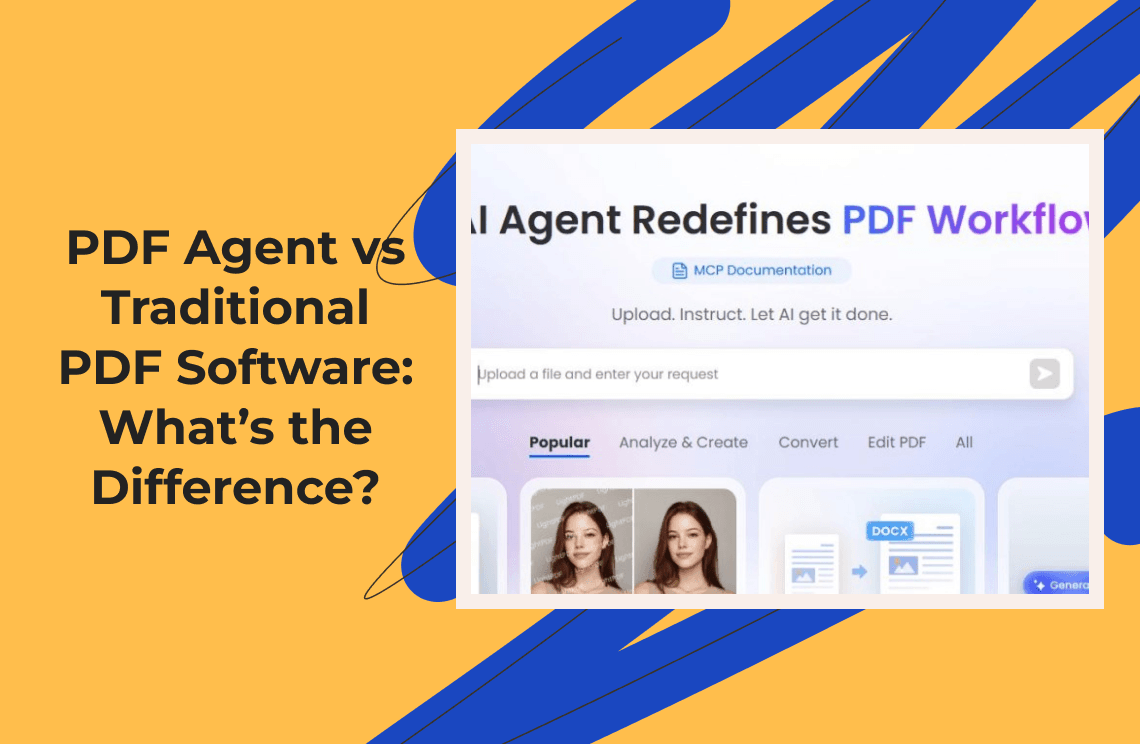
These operations are particularly powerful when combined with natural language interfaces. In The Drive AI workspace, users can simply say “Merge these five reports into one PDF, ordered by date,” “Extract pages 15–20 as a separate document,” or “Split this 100‑page manual into individual chapters,” and the AI completes the task. The workspace also allows complex operations such as compressing a file, converting formats or adding page numbers without the user needing to learn specialized software. This natural language interface lowers the barrier for adoption and speeds up workflows.
Automatic form filling and annotation
Form filling has long been one of the most tedious aspects of PDF work. AI agents change this by automatically identifying form fields, mapping them to data sources and populating them with appropriate values. The Drive AI article highlights that its AI tool can fill PDF forms automatically, even in scanned documents, and handle text fields, checkboxes, dropdowns, dates and signature blocks. Users can fill hundreds of forms in batch by simply instructing the agent to use data from a spreadsheet or CRM. For example, a user could say, “Fill out these 50 vendor forms using the data in the attached spreadsheet,” and the AI agent completes the forms with high accuracy.
LightPDF’s AI Agent press release further demonstrates how AI simplifies document workflows. The agent allows users to summarise lengthy PDFs, extract key data, convert or compress files and organise documents through AI commands. Users select the desired function – such as summarisation, data extraction or compression – and the system automatically generates the appropriate prompt and executes the task, eliminating manual prompt writing and reducing completion time. This intuitive interface extends to interactive question‑and‑answer: users can ask questions about a document and receive contextual answers. Such capabilities are particularly valuable for legal and academic professionals who need to understand long reports quickly.
OCR and intelligent recognition
Scanned documents and handwritten notes pose unique challenges because they contain images rather than machine‑readable text. Traditional OCR often fails on handwritten or multi‑lingual documents. AI agents incorporate advanced OCR and intelligent recognition to overcome these barriers. ComPDF’s OCR‑enhanced conversion supports recognition of scans, handwritten notes and mixed print/handwritten documents, with multi‑language support for more than 80 languages. It preserves layout logic – table structures, paragraph order and font styles – and supports OCR table recognition. This means that when converting scanned pages into digital documents, the system not only extracts text but reconstructs the original structure, ensuring that tables and lists remain intact. The integration of OCR with AI layout analysis enables accurate processing of multi‑column documents and mixed fonts.
Advanced OCR technology also enables new automation scenarios. For example, a user might request, “Convert these scanned handwritten archives into a searchable PDF,” and the OCR engine will recognise the handwriting, generate an embedded text layer and produce a searchable document. Another scenario involves converting a Japanese technical manual in image format into an editable Word document for translation; the system recognises Japanese characters and preserves the document’s layout. These capabilities transform previously inaccessible documents into digital assets ready for analysis and reuse.
Security, compression and compliance
Security and resource consumption are important considerations when processing documents with large language models. AI agents address these issues by integrating security features and compression tools. ComPDF skills include smart PDF compression that pre‑processes documents to reduce token consumption before sending them to a language model, thereby lowering processing costs. The same skills allow users to add text or image watermarks to protect intellectual property and support both adding and removing watermarks. In scenarios where processing a long document would be expensive, the agent can extract core textual content and key data to create a compressed version for summarisation. These tools help manage the cost of AI processing while ensuring that sensitive information is safeguarded.
Document comparison and change tracking
AI agents also automate the laborious task of comparing multiple PDF versions. The ComPDF article explains that integrating ComPDF skills into OpenClaw eliminates the friction of manual comparison. The comparison engine can identify additions, deletions and modifications down to individual characters, distinguish formatting and style changes, and even detect structural modifications such as image replacements or table adjustments. Visual presentation features include colour coding, side‑by‑side and overlay modes, and layer overlay directly on the original document. Use cases include legal contract review, compliance and regulatory tracking and academic manuscript revision. Rather than spending hours comparing documents line by line, users receive a clear, comprehensive difference report in seconds.
Hyperautomation and agentic workflows
The future of document processing lies not just in extracting and manipulating data but in orchestrating entire workflows. The IBML report identifies a shift from extraction to execution: automation systems now understand documents and trigger next actions autonomously. AI agents can initiate approvals, perform compliance checks and route exceptions without human intervention. Hyperautomation combines robotic process automation, AI, analytics and process orchestration to automate end‑to‑end workflows. Real‑time ingestion and event‑driven processing mean that documents trigger workflows instantly, moving enterprises from batch processing to real‑time responsiveness. Cloud‑native architectures enable scalable processing without infrastructure bottlenecks, and integration frameworks connect AI agents to enterprise systems like ERPs, CRMs and content management platforms.
These advances translate into measurable impact. Organizations adopting AI document automation experience increased throughput and operational speed, improved data quality, enhanced compliance and risk reduction, and unified visibility across workflows. The Rossum 2026 trends report underscores that the AI honeymoon is over; document automation now answers to one metric: return on investment (ROI). In a survey of 450 finance leaders, 61.6 % identified improving data accuracy as their top priority, 54.2 % were still working with legacy OCR solutions and 29.8 % cited strategic financial planning and analysis as the most needed skill. The same report notes that fewer manual steps and smarter decisions are becoming the norm; AI must now prove its impact on the bottom line.
Evaluating AI Document Automation Solutions
As AI document automation becomes mainstream, organizations need a framework for evaluating solutions. The IBML trends report outlines several criteria: scalability and performance, accuracy and intelligence, workflow orchestration, compliance and security, and integration. Below we offer practical guidance based on this framework.
Scalability and performance
Ensure that the platform can handle your organization’s document volume today and tomorrow. Scalability includes both the ability to process high volumes quickly and the capacity to manage peak loads without degradation. Cloud‑native architectures provide elastic processing capacity, allowing you to scale up during busy periods and scale down when demand is low. On‑premises or hybrid options may be necessary for highly sensitive environments but should still support horizontal scaling.
Accuracy and intelligence
Look for platforms that combine OCR, machine learning and natural language processing to understand context and extract data reliably. Ask vendors about accuracy rates on your document types. Ideally, systems should achieve near human‑level accuracy across printed and handwritten documents and support multiple languages. Intelligence also means the ability to learn from user feedback and adapt to new document formats without extensive retraining.
Workflow orchestration
The goal is not just to extract data but to automate entire processes. Evaluate whether the platform can execute multi‑step workflows, trigger approvals, handle exceptions and integrate with other enterprise systems. Agentic platforms like EasyClaw or The Drive AI enable users to orchestrate complex tasks via natural language commands. Ask whether you can build custom workflows and how exceptions are handled.
Compliance and security
Automated document processing touches sensitive data. Ensure the platform offers encryption in transit and at rest, access controls, audit trails and the ability to mask or redact sensitive information. Look for features like watermarking, document compression and configurable retention policies. Also consider where your data is processed: on‑device solutions provide more control, while cloud solutions may offer better scalability but require strict compliance measures.
Integration and ecosystem
Automation delivers the most value when integrated with existing tools. Evaluate whether the platform connects to your ERP, CRM, content management system and messaging apps. Agentic platforms that support browser automation, system‑level control and API integrations can bridge disparate systems. Also consider the vendor’s ecosystem: a rich marketplace of skills and connectors allows you to extend the platform without writing code.
The Human Impact of AI PDF Automation
The advent of AI PDF automation raises important questions about the future of work. Does it render certain roles obsolete? How does it change the day‑to‑day activities of knowledge workers? Evidence suggests that rather than replacing humans, AI agents augment human capabilities. By offloading repetitive tasks, employees can focus on analysis, creativity, relationship‑building and problem‑solving.
Redefining roles and responsibilities
In manual workflows, employees spend a significant portion of their time on low‑value tasks: scanning documents, classifying files, manually entering data, splitting pages and comparing drafts. Automation moves these tasks to software, freeing employees to concentrate on higher‑level activities. For instance, a finance analyst no longer spends hours transcribing invoices; instead, they analyse cash flow, identify trends and develop strategic recommendations. A legal assistant can focus on negotiation and client communication instead of line‑by‑line contract comparisons.
The Rossum trends report underscores that the conversation has shifted from what AI might do to what it delivers: fewer manual steps, fewer delays and smarter decisions. AI’s role is not to replace humans but to augment them, enabling “human + AI” teams that outperform humans alone. Individuals who embrace AI tools become more productive and valuable in their roles.
Addressing change management and training
Adopting AI automation requires change management. Employees may fear job displacement or struggle to trust automated systems. Transparent communication about AI’s role in augmenting rather than replacing staff is essential. Providing training on how to interact with AI agents – including how to phrase commands and interpret results – helps ensure adoption. Starting with pilot projects allows teams to experience quick wins, building confidence before scaling across the organization.
Ethical and governance considerations
Automating document workflows introduces ethical considerations. Who is responsible when an AI makes an incorrect decision? How do we ensure that AI systems uphold fairness, avoid bias and respect privacy? Governance frameworks should define accountability, set validation and testing protocols, and establish guidelines for human override. The Rossum report notes that AI governance is non‑negotiable; without trust, systems touching financial processes accelerate risk. Organizations must implement robust data governance, continuously monitor model performance and update models when new edge cases appear.
Conclusion
Manual PDF workflows are relics of a pre‑AI era. They are slow, error‑prone, costly and impede decision‑making. Employees waste countless hours scanning documents, entering data, editing pages and comparing drafts. Meanwhile, unstructured data remains locked away, limiting insight and hampering compliance. AI agents offer a transformative alternative. Through a combination of advanced OCR, natural language processing, machine learning and workflow orchestration, they automate the entire lifecycle of document processing: from classification and extraction to editing, comparison and routing. Platforms such as EasyClaw integrated with ComPDF skills demonstrate how these capabilities can be packaged into user‑friendly tools that anyone can use.
The benefits are clear: significant time savings, reduced error rates, lower costs, improved data quality, enhanced compliance and the ability to make faster, smarter decisions. However, organizations must evaluate solutions carefully, considering scalability, accuracy, workflow capabilities, security and integration. They must also manage change, upskill employees and establish governance frameworks to ensure responsible AI use.
In the coming years, AI agents will not only automate existing PDF workflows but also expand what is possible. They will integrate with enterprise systems, reason over document content, predict outcomes, detect fraud and orchestrate complex processes across departments. Far from eliminating jobs, they will elevate them, turning knowledge workers into strategists and innovators. The future of document processing is hands‑free and intelligent – and it begins by embracing AI agents today.