

Most knowledge workers do not need more productivity apps. They need fewer loose ends.
The modern workday is full of half-finished loops: a PDF you meant to summarize, a meeting you attended but never converted into action items, a long email thread you need to respond to, a market question you promised to research, a spreadsheet nobody wants to clean, a report that needs to be rewritten for three different audiences.
This is exactly where AI agents are becoming useful. Not as magical “digital employees” that replace judgment, but as practical work companions that can read, extract, compare, summarize, draft, organize, and sometimes take action across tools.
McKinsey has estimated that current generative AI and related technologies could automate activities that take up 60–70% of employees’ time, especially in knowledge-heavy tasks such as communication, information processing, and content creation. Microsoft’s Work Trend Index also found that many employees spend more time communicating than creating, with email, meetings, and chat taking a large share of the week.
That does not mean every task should be automated. It means knowledge workers should stop thinking of AI as a single chatbot and start thinking in terms of repeatable workflows.
Below are the seven AI agents I believe every serious knowledge worker will eventually need.
What Makes an AI Agent Different From a Normal AI Tool?
A normal AI tool responds to a prompt. You ask, it answers.
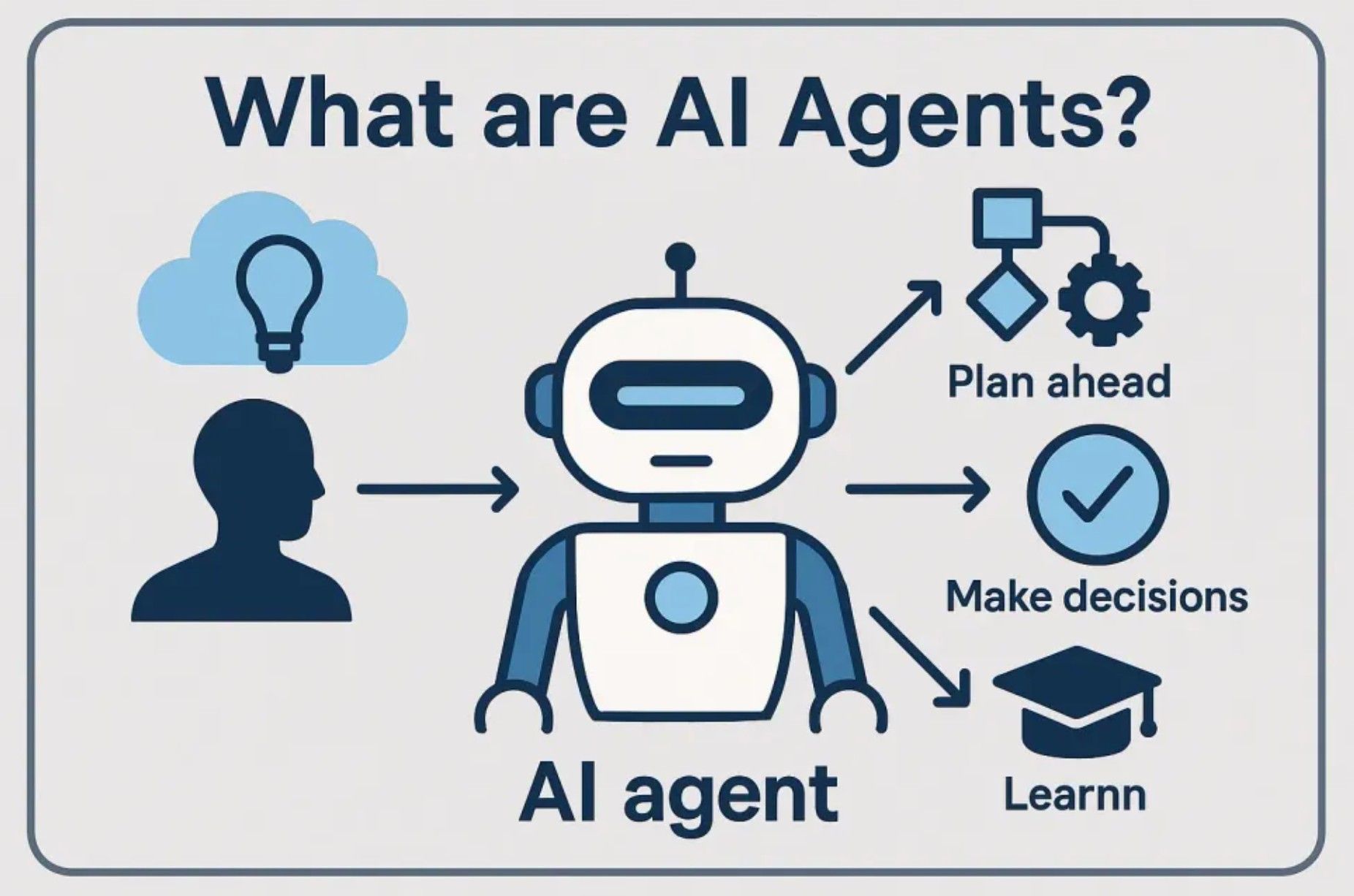
An AI agent goes a step further. It can usually hold a goal, work through multiple steps, use tools, interact with files or apps, and produce an output that is closer to a finished work artifact. In simple terms, an AI assistant helps you think. An AI agent helps you get a task done.
That distinction matters because the biggest pain in knowledge work is rarely one isolated question. The pain is the chain of actions around the question.
For example, “summarize this PDF” is helpful. But the actual job is often larger:
Read this PDF
↓
Extract the key arguments
↓
Find the risks
↓
Compare it with another document
↓
Create a one-page brief
↓
Send it to the team
↓
Store the output in the right folder
A chatbot can help with one or two steps. An agent is designed to handle more of the chain.
This is also why the AI agent market is noisy right now. Microsoft has described a shift toward “frontier firms” where humans work with AI agents as part of the organization’s operating model. Gartner has also predicted that task-specific AI agents will appear in a much larger share of enterprise applications. At the same time, Gartner has warned that many agentic AI projects may be abandoned because of cost, unclear value, or “agent washing,” where ordinary AI features are marketed as full agents.
So the question is not, “Should I use AI agents?”
The better question is:
Which parts of my work repeat often enough, involve enough information, and waste enough attention that an agent would actually help?
That is the lens for the seven agents below.
1. PDF Assistant Agent
The PDF Assistant is one of the most underrated AI agents for knowledge workers.
Almost every professional role still depends on PDFs: contracts, reports, white papers, resumes, invoices, product manuals, research papers, financial statements, policy documents, pitch decks exported as PDFs, scanned forms, and internal documentation.
The problem is that PDFs are usually treated as static containers. They hold important information, but they are not easy to work with. You have to open them, scroll through them, search keywords, copy fragments, compare sections, and manually turn the content into something usable.
A PDF Assistant Agent changes that workflow.
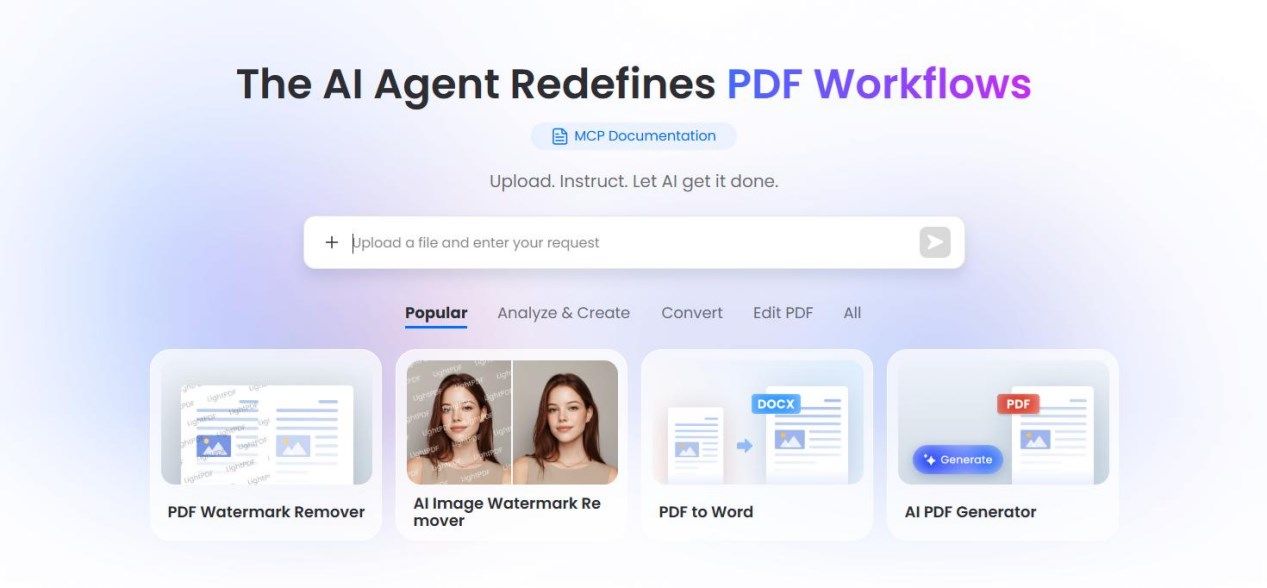
Instead of reading a 60-page document from beginning to end, you can ask the agent to extract the main claims, identify obligations, summarize risks, find tables, compare versions, or generate a structured report. Adobe’s Acrobat AI Assistant, for example, focuses on document summaries, citations linked to the source document, contract analysis, and conversational interaction with PDFs.
But a PDF Agent becomes more powerful when it does not stop at “chat with this PDF.” The real value is turning the PDF into the beginning of a workflow.
For example:
PDF Resume
↓
Extract candidate profile
↓
Tag skills and experience
↓
Rank against job description
↓
Write screening notes
↓
Sync to spreadsheet
Or:
PDF Market Report
↓
Extract key trends
↓
Pull out statistics
↓
Compare with older report
↓
Generate executive summary
↓
Create LinkedIn / blog draft
This is where a tool like EasyClaw can fit naturally, especially for people who want an agent to work across local files and desktop workflows rather than only inside one cloud app. EasyClaw presents itself as a way to build and run AI agents with a simpler, no-code experience, and its product materials emphasize native execution, desktop automation, and reducing setup complexity.
That does not mean every PDF task needs a desktop agent. If you only need to summarize one simple file, a PDF chat tool may be enough. But if your work involves PDFs plus browsers, folders, spreadsheets, email, and repeated reporting, a PDF Assistant Agent becomes much more valuable.
What a good PDF Agent should do
A strong PDF Agent should be able to read both short and long documents, preserve source references, extract structured data, handle tables, work with scanned or OCR-based documents, compare multiple PDFs, and generate outputs in formats people actually use.
The output matters. A summary is nice, but a work-ready artifact is better.
For example, instead of asking:
“Summarize this PDF.”
A better prompt is:
“Read this PDF and create a one-page executive brief with: key findings, supporting evidence, business risks, recommended next actions, and a short paragraph I can send to my manager.”
That is the difference between AI as a toy and AI as workflow infrastructure.
2. Meeting Assistant Agent
The Meeting Assistant Agent is probably the easiest agent to justify inside a company.
Meetings are expensive, not just because of the time spent in the call, but because of everything that happens before and after: preparing the agenda, remembering what was said, identifying decisions, tracking owners, writing follow-ups, and updating task systems.
Microsoft’s research has shown that heavy meeting users spend many hours per week in meetings, while employees also struggle with too much time spent searching for information.
A Meeting Assistant Agent helps by turning conversations into structured memory.
The basic version records and transcribes. The better version summarizes. The useful version identifies decisions, action items, risks, open questions, and deadlines. The more advanced version connects those notes to your calendar, project management system, CRM, or email.
Otter, for example, describes its AI Meeting Agent as supporting real-time transcription, automated summaries, insights, action items, and integrations with tools such as Zoom, Slack, Salesforce, Google Drive, and calendars.
The key is not transcription alone. Transcription gives you a record. An agent gives you movement.
A good Meeting Assistant should answer questions like:
What decisions were made?
Who owns each follow-up?
What risks were raised?
Which questions were unresolved?
What should be sent to the client?
What should be added to the project plan?
What changed compared with last week’s meeting?
The best use case: recurring meetings
The Meeting Assistant Agent becomes especially powerful for recurring meetings because it can create continuity.
A normal meeting note captures one event. An agent can track patterns across time:
Week 1: Pricing concern raised
Week 2: Legal review delayed
Week 3: Client asks for revised timeline
Week 4: Same blocker still unresolved
That is where human managers often lose visibility. The information exists, but it is scattered across transcripts, emails, chat messages, and memory.
A meeting agent can help convert that scattered memory into a clean project narrative.
Where humans still matter
Meeting agents should not become the final authority. They can misinterpret tone, miss implicit context, or overstate a decision that was only discussed casually.
The right workflow is:
Agent captures
↓
Agent summarizes
↓
Human reviews
↓
Human approves follow-up
↓
Agent distributes
That review step is important. A meeting agent should reduce administrative work, not silently make commitments on your behalf.
3. Research Assistant Agent
The Research Assistant Agent is essential for analysts, marketers, consultants, founders, writers, product managers, students, and anyone who frequently needs to understand a topic quickly.
Search engines are powerful, but they are not research systems. They return pages. You still have to decide what matters, which sources are credible, how claims compare, and what conclusion can be drawn.
A Research Assistant Agent should be able to search, read, compare, cite, organize, and synthesize.
The difference between search and research looks like this:
Search:
"Show me links about AI agents."

Research:
"Find recent credible sources on AI agents in workplace productivity.
Group them by enterprise adoption, risks, common use cases, and open problems.
Identify points of agreement and disagreement.
Create a cited brief with practical implications."
That second task is much closer to real knowledge work.
What a Research Agent should produce
A good Research Assistant should not simply produce a wall of text. It should create a structured research asset:
Research Brief
├── Executive summary
├── Key findings
├── Evidence table
├── Source credibility notes
├── Contradictions / uncertainties
├── Strategic implications
└── Recommended next steps
For example, if you are writing about AI agents for work, the agent should help you separate marketing claims from operational reality. It should notice that AI adoption is rising, but also that many organizations still struggle to turn experimentation into measurable business value. BCG’s 2025 AI at Work report, for instance, emphasizes that companies need to track value through productivity, quality, and employee satisfaction rather than treating AI adoption itself as success.
That is a more useful insight than “AI agents are popular.”
The human touch in research
A Research Agent can gather information faster than you can. But it cannot fully replace your taste, judgment, or point of view.
The best research workflow is not:
Agent writes final opinion
It is:
Agent gathers and organizes evidence
↓
Human develops argument
↓
Agent pressure-tests weak points
↓
Human writes final interpretation
This is especially important for public writing. Readers can feel when an article is just a compressed search result. They want a point of view, not just a list of facts.
A Research Assistant Agent should help you become sharper, not more generic.
4. Email Assistant Agent
Email is where knowledge work goes to fragment.
A single inbox can contain sales opportunities, legal updates, meeting follow-ups, invoices, newsletters, customer complaints, personal tasks, internal announcements, and random FYIs. The problem is not only volume. The problem is mixed importance.
Everything arrives in the same place, but not everything deserves the same attention.
An Email Assistant Agent should help with four jobs:
Prioritize
Draft
Follow up
Archive / organize
The simplest email AI writes replies. That is useful, but limited. A better Email Assistant understands context: who the sender is, whether the thread is urgent, what previous commitments were made, what documents are attached, and what action is required.
A strong Email Agent should be able to say:
These 5 messages need your attention today.
These 12 can be archived.
These 3 require a reply but can be drafted automatically.
This client has asked the same question twice.
This invoice is missing a purchase order.
This thread has a deadline tomorrow.
That is much more valuable than “write a polite reply.”
The best email workflows to automate
Email agents are especially useful for repetitive patterns:
Client inquiry → classify → draft answer → attach document → request approval
Candidate resume → extract profile → compare role → draft response
Invoice email → extract amount → save attachment → update spreadsheet
Newsletter → summarize → save insights → archive original
Meeting follow-up → draft recap → list action items → schedule reminders
The key is to keep approval in the loop. For most professionals, fully autonomous email sending is risky. Tone, politics, timing, and relationships matter.
A good default is:
Agent drafts.
Human approves.
Agent sends.
Why email agents matter for deep work
Email is dangerous because it feels productive. You can spend two hours clearing messages and feel busy, but nothing strategic happened.
The Email Assistant Agent gives you a chance to separate communication from cognition. It handles the first pass so your brain does not have to treat every subject line as a decision.
That alone can change the shape of the workday.
5. Browser and Workflow Automation Agent
This is the agent that quietly connects everything.
Many knowledge workers do not just work inside one app. They move information between websites, dashboards, CRMs, spreadsheets, PDFs, internal portals, analytics tools, and document editors. A lot of the work is not intellectually difficult, but it is fragile and tedious.
For example:
Open supplier portal
↓
Download latest report
↓
Rename file
↓
Extract table
↓
Paste data into spreadsheet
↓
Check missing values
↓
Email summary to manager
That is not creative work. But it still consumes attention.
A Browser and Workflow Automation Agent helps with these multi-step sequences. It can navigate websites, fill forms, collect information, move between tools, and create outputs.
This is different from traditional automation. Tools like scripts, macros, and RPA can be powerful, but they often require exact rules. AI agents are more flexible because they can interpret instructions and adapt when the interface changes slightly.
That said, flexibility does not mean perfection. Browser agents can click the wrong thing, misunderstand a page, or get blocked by login flows and security controls. For sensitive workflows, the right design is supervised automation.
Low-risk task → agent can complete automatically
Medium-risk task → agent drafts and waits
High-risk task → human approves every key step
Where this agent is most useful
A Browser and Workflow Agent is useful when a task has these traits:
Repeated often
Uses multiple tools
Requires copying or extracting information
Has clear success criteria
Is annoying but not strategically complex
Examples include competitor monitoring, lead enrichment, invoice downloading, job application tracking, academic paper collection, travel comparison, vendor research, marketplace listing updates, and report compilation.
This agent is also where desktop-native tools become interesting. If your workflow touches local files, desktop apps, browser windows, and messaging tools, a cloud-only automation platform may not see the whole environment. EasyClaw’s positioning around desktop-native AI agents and local execution is relevant here, especially for users who want an agent to operate across the actual computer environment rather than only through APIs.
Again, the point is not to turn every person into an automation engineer. The point is to let non-technical professionals describe a repeated workflow in plain language and get help executing it.
6. Data and Spreadsheet Assistant Agent
The spreadsheet is still the unofficial operating system of business.
Even teams with expensive software eventually export data to Excel or Google Sheets. Sales pipelines, hiring trackers, budgets, inventory lists, survey results, campaign metrics, financial models, customer records, and research tables all end up in spreadsheets.
The problem is that spreadsheet work mixes three different jobs:
Cleaning data
Understanding data
Explaining data
Most people only want the third result, but they are forced to do the first two manually.
A Data and Spreadsheet Assistant Agent can help by cleaning inconsistent values, detecting duplicates, explaining formulas, generating pivot tables, identifying outliers, creating charts, and turning numbers into plain-language interpretation.
For example:
Raw sales export
↓
Clean company names
↓
Normalize dates
↓
Remove duplicates
↓
Calculate conversion rate
↓
Find top-performing channels
↓
Write weekly performance summary
Or:
Survey responses
↓
Group themes
↓
Score sentiment
↓
Identify frequent complaints
↓
Extract representative quotes
↓
Create product feedback report
The real value: explanation
Many AI spreadsheet tools focus on formula generation. That is useful, but the bigger value is explanation.
A good Data Agent should not just say:
Revenue increased 12%.
It should say:
Revenue increased 12%, mainly because enterprise accounts grew faster than SMB accounts. However, the number of new customers declined, which means growth came more from expansion revenue than acquisition. This may not be sustainable unless pipeline volume improves next month.
That is the kind of output a manager, founder, analyst, or marketer can actually use.
Human review is still required
Data agents can make mistakes if the input data is messy, mislabeled, incomplete, or biased. They may also choose the wrong metric if you do not define the business question clearly.
The best prompt is not:
“Analyze this spreadsheet.”
A better prompt is:
“Analyze this spreadsheet from the perspective of a marketing manager. I want to know which acquisition channels are improving, which are declining, whether the budget allocation still makes sense, and what three actions I should consider next month.”
A spreadsheet agent should always be guided by the decision you need to make.
7. Writing and Content Repurposing Agent
The Writing Agent is not just for writers.
Every knowledge worker writes: emails, proposals, reports, memos, documentation, meeting summaries, strategy notes, LinkedIn posts, product updates, customer messages, training materials, and internal announcements.
The issue is that writing often begins from messy raw material. You may have notes, transcripts, PDFs, screenshots, bullet points, research links, and half-formed thoughts. Turning that into clear communication takes time.
A Writing and Content Repurposing Agent helps convert raw information into polished formats.
Meeting transcript → client recap
Research notes → article outline
PDF report → executive summary
Webinar transcript → blog post
Support tickets → product FAQ
Long memo → leadership briefing
Case study → LinkedIn post
The best writing agents do not simply generate generic prose. They preserve intent, audience, tone, and structure.
For example, the same research can become:
For executives: short strategic brief
For customers: practical guide
For engineers: technical documentation
For social media: concise opinion post
For sales: objection-handling script
That is where repurposing becomes valuable.
The risk of AI writing
The biggest risk is not grammar. The biggest risk is sameness.
AI-generated writing often sounds smooth but empty. It may use familiar phrases, exaggerated claims, and predictable structures. For public content, especially SEO articles, this is dangerous because readers are increasingly sensitive to generic AI prose.
A good Writing Agent should be used as an editor, organizer, and amplifier — not as a replacement for perspective.
A human-centered workflow looks like this:
Human provides point of view
↓
Agent builds structure
↓
Human adds experience and judgment
↓
Agent improves clarity
↓
Human approves final voice
This matters especially for articles about AI agents. If every article says “AI agents are revolutionizing productivity,” nobody learns anything. A better article explains where agents work, where they fail, and what workflows are worth automating first
How to Choose Which AI Agent to Adopt First
The best starting point is not the flashiest tool. It is the most painful repeated workflow.
Ask yourself three questions.
First, what task do I repeat every week that still feels manual?
Second, what task requires me to move information between multiple places?
Third, what task creates a useful output but drains attention before I even get to the thinking part?
For many people, the answer will be PDFs, meetings, or email.
If your work is document-heavy, start with a PDF Assistant Agent. If your calendar is overloaded, start with a Meeting Assistant. If your inbox controls your day, start with an Email Assistant. If you constantly research markets, competitors, policies, or technical topics, start with a Research Assistant.
Do not try to automate your entire job at once. That is how AI experiments become confusing.
Start with one workflow:
One input
One repeated process
One useful output
One human review step
For example:
Input: weekly client meeting transcript
Process: summarize decisions and action items
Output: follow-up email draft
Review: human approves before sending
Once that works, expand.
The Best AI Agents Will Feel Boring
This may sound strange, but the best AI agents will eventually feel boring.
They will not feel like science fiction. They will feel like a reliable junior assistant who handles the first draft, first pass, first extraction, first comparison, or first cleanup.
That is exactly what makes them useful.
The agent does not need to impress you every day. It needs to quietly remove repetitive work from your day.
A good agent should help you say:
I no longer manually summarize long PDFs.
I no longer write meeting notes from scratch.
I no longer search through old emails for context.
I no longer copy data between tools by hand.
I no longer turn every research task into 30 browser tabs.
That is the real productivity story.
Not replacement. Relief.
Where AI Agents Still Fall Short
It is important to be honest: AI agents are not mature enough to run every workflow unsupervised.
They can hallucinate. They can misunderstand instructions. They can click the wrong button. They can mishandle ambiguous tasks. They can create confident summaries that miss important nuance. They can also introduce security, privacy, and compliance concerns if they are given too much access too quickly.
This is why agent design should follow a risk ladder.
Low-risk:
Summarize, extract, classify, brainstorm

Medium-risk:
Draft emails, prepare reports, update spreadsheets

High-risk:
Send messages, approve payments, modify records, sign documents
Low-risk tasks can be automated more freely. Medium-risk tasks should include review. High-risk tasks require explicit approval and audit trails.
The Future: From AI Tools to Personal Work Systems
The first wave of AI productivity was about prompts.
The second wave is about workflows.
The third wave will be about personal work systems: connected agents that understand your files, meetings, preferences, projects, tools, and communication patterns.
For knowledge workers, this shift matters because most professional value does not come from typing faster. It comes from understanding context, making decisions, and communicating clearly.
AI agents should protect those higher-value activities.
The best setup may eventually look like this:
Morning:
Email Agent briefs urgent messages.
Meeting Agent summarizes yesterday’s calls.
Research Agent updates ongoing topics.

Midday:
PDF Agent processes new documents.
Data Agent checks weekly metrics.
Workflow Agent updates project systems.

Afternoon:
Writing Agent drafts reports and client updates.
Human reviews, edits, approves, and decides.
That is not a fantasy version of work where AI does everything. It is a more practical version where humans spend less time dragging information around.
Final Thoughts
The phrase “AI agent” is overused, but the underlying shift is real.
Knowledge work has become too fragmented for humans to manage manually without losing focus. We have too many documents, too many meetings, too many messages, too many tabs, and too many small administrative steps surrounding the work that actually matters.
The seven AI agents every knowledge worker needs are not seven random tools. They are seven pressure points in modern work. The PDF Agent may be the most immediate opportunity because so much professional knowledge is still trapped inside static documents. A tool like EasyClaw becomes relevant when the workflow extends beyond reading a file and into automation across local files, browsers, spreadsheets, and communication tools. But it should appear as part of a workflow, not as a forced recommendation.
That is the broader lesson.
The best AI agents do not ask, “How can I sound intelligent?”
They ask, “What part of this work can I take off your hands so you can think better?”
For knowledge workers, that is where the real value begins.