

You do not have to print a form to fill it in. Whether you can write on a PDF form depends on one thing: does it have clickable fields, or is it a flat page?
Fillable Form or Flat Form?
A fillable form has interactive fields: click a blank line, a border appears, and you type. Tab moves on, and check boxes and drop-down lists work the same way.
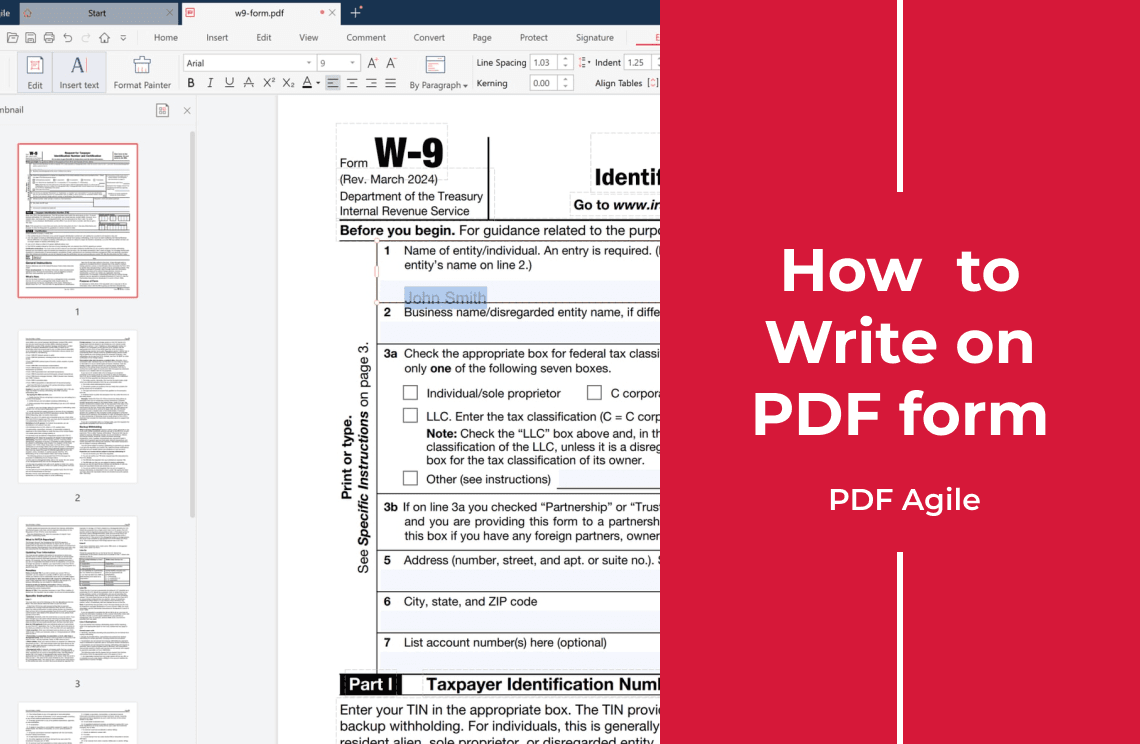
A flat form has no fields. It is usually a scan, or a form printed and saved as a PDF, so clicking a line does nothing. Write on it by placing text on top of the page: the layout underneath stays unchanged.
How to Write on Each One
- Fillable form: open it in any PDF reader and click into the fields.
- Flat form: use an editor that can place text on the page. PDF Agile for Windows adds text and a signature on your own computer, and OCRs a scan so its text becomes searchable.
- Signature line: add the signature last, then save a copy so the blank original stays blank.
Skip online editors for tax forms or IDs: they upload your file.
FAQ
Why can't I click into the fields?
The form is flat: the page is an image, not a set of fields. Place text on top, or OCR the scan first.
Can I write on a form without printing it?
Yes. Typing on the page replaces printing, signing by hand, and scanning the paper back in.
Do I need Adobe Acrobat to fill in a form?
No. A fillable form works in any PDF reader; a flat form needs an editor that can place text on the page.
Filling in a flat or scanned form? Download PDF Agile for Windows and write on the page.