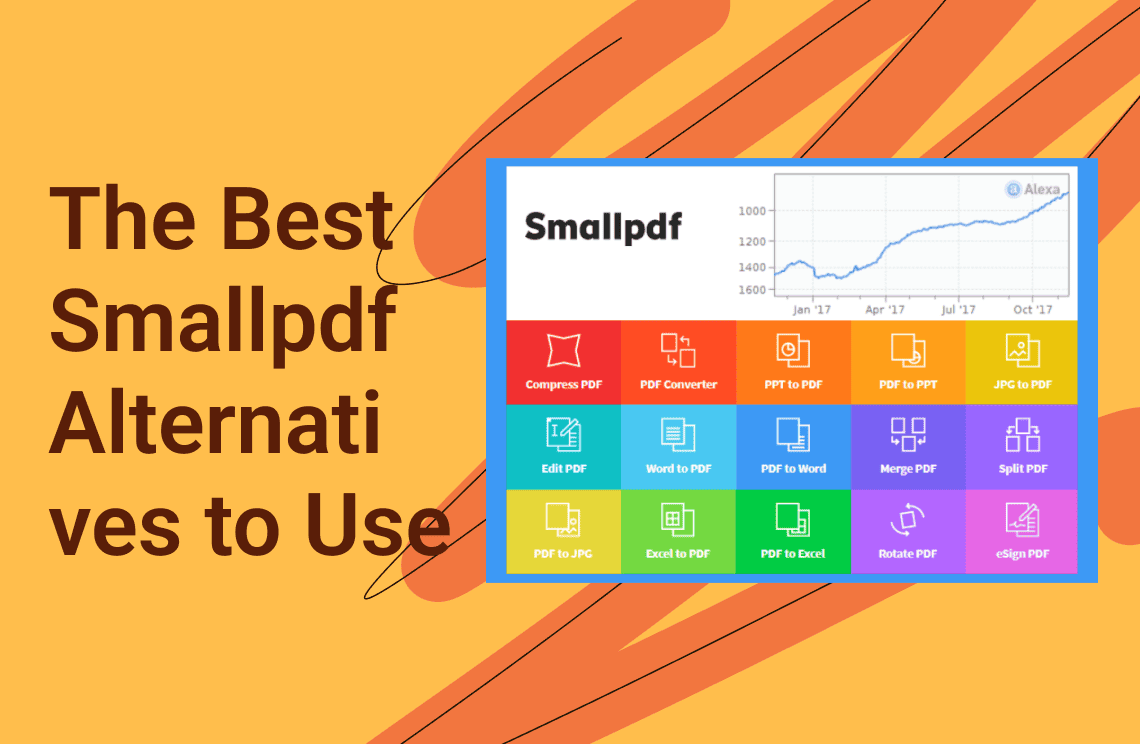
For many, Smallpdf serves as the initial gateway into the world of digital document management. Its popularity is rooted in its low barrier to entry: as a browser-based suite, it requires no bulky installations and offers a clean, intuitive interface that handles essential tasks—like merging disparate documents, shrinking file sizes for email, or converting PDFs to editable formats—with just a few clicks. For the occasional user or the student needing a one-off quick fix, its convenience is undeniably its strongest selling point.
However, as professional demands evolve, that initial convenience often gives way to operational friction. Frequent users frequently find themselves hitting a "digital ceiling" characterized by restrictive daily usage caps, frustrating hourly file limits, and significant performance lag when processing high-resolution or multi-page documents. For freelancers managing high volumes of contracts, or office workers handling complex reports, these interruptions are more than just a nuisance; they are bottlenecks that stall productivity. The "free" tier, while helpful, often acts more as a preview, eventually pushing power users to seek out more robust environments that offer unlimited batch processing and deeper editing capabilities without the constant ticking clock of a usage reset.
Entering 2026, the document landscape has shifted significantly. We are no longer in an era where a single, lightweight web tool can satisfy every professional need. Modern workflows demand a spectrum of solutions: some professionals require the raw power and offline security of a dedicated desktop editor, while others seek out hyper-flexible, AI-enhanced online platforms or budget-friendly offline open-source alternatives. The objective is no longer just finding a "PDF tool," but rather identifying a specialized ecosystem that aligns with the depth, frequency, and security requirements of your specific work.
To help you navigate this crowded market, we have curated a selection of the premier Smallpdf alternatives available today. We’ll begin by exploring a comprehensive, all-in-one editor designed for those ready to move beyond basic browser tools and into a high-performance, long-term document strategy.
1. iLovePDF — The Closest Feature Match Smallpdf Alternative
 iLovePDF has long been considered the most formidable Smallpdf alternative for those who prioritize a lightweight, web-first workflow. It provides an almost identical suite of tools, ranging from essential compression and merging to more advanced document security and repair functions. By 2026, iLovePDF has refined its ecosystem to support a high-speed, "no-nonsense" experience that mirrors the Smallpdf layout, making the transition seamless for users who want to avoid a steep learning curve. While it maintains a browser-centric approach, it has expanded its reliability through dedicated mobile and desktop applications, ensuring that your documents are accessible whether you are at your desk or on the move. Its strength lies in its specialized batch processing, allowing users to handle multiple files simultaneously with impressive speed—a feature that often outpaces other web-based competitors.
Key Features
- Comprehensive File Manipulation: Effortlessly merge, split, compress, and organize PDF pages within seconds.
- High-Accuracy Conversion: Advanced engines for converting PDFs to and from Office formats (Word, Excel, PowerPoint) and high-resolution images.
- PDF Repair & Optimization: A specialized tool to recover data from damaged PDF files and optimize web-viewing speeds.
- Seamless Cloud Integration: Full synchronization with Google Drive and Dropbox for direct importing and exporting.
- Advanced Security Tools: Includes robust password protection, watermarking, and the ability to add secure digital signatures.
Pros
- Zero-Friction Transition: The interface is incredibly intuitive, making it the perfect Smallpdf alternative for users who want a familiar layout.
- Exceptional Batch Processing: Unlike many free tools, iLovePDF excels at handling large groups of files at once, significantly cutting down on manual work.
- Multi-Platform Access: Offers a consistent experience across web browsers, Windows/macOS desktop apps, and iOS/Android mobile versions.
- Generous Pricing: Historically offers one of the most competitive premium price points in the market, often undercutting major competitors while providing similar power.
Cons
- Free Tier Restraints: While the free version is capable, it still enforces daily task limits and file size caps that can hinder heavy professional use.
- Ad-Supported Web Experience: The free online interface often includes advertisements, which may distract from a professional workspace.
Best For
iLovePDF is the ideal Smallpdf alternative for students, researchers, and remote workers who need a fast, reliable, and cost-effective solution for daily document tasks without the overhead of complex enterprise software.
2. PDF Agile — The Best Overall Smallpdf Alternative for Power Users
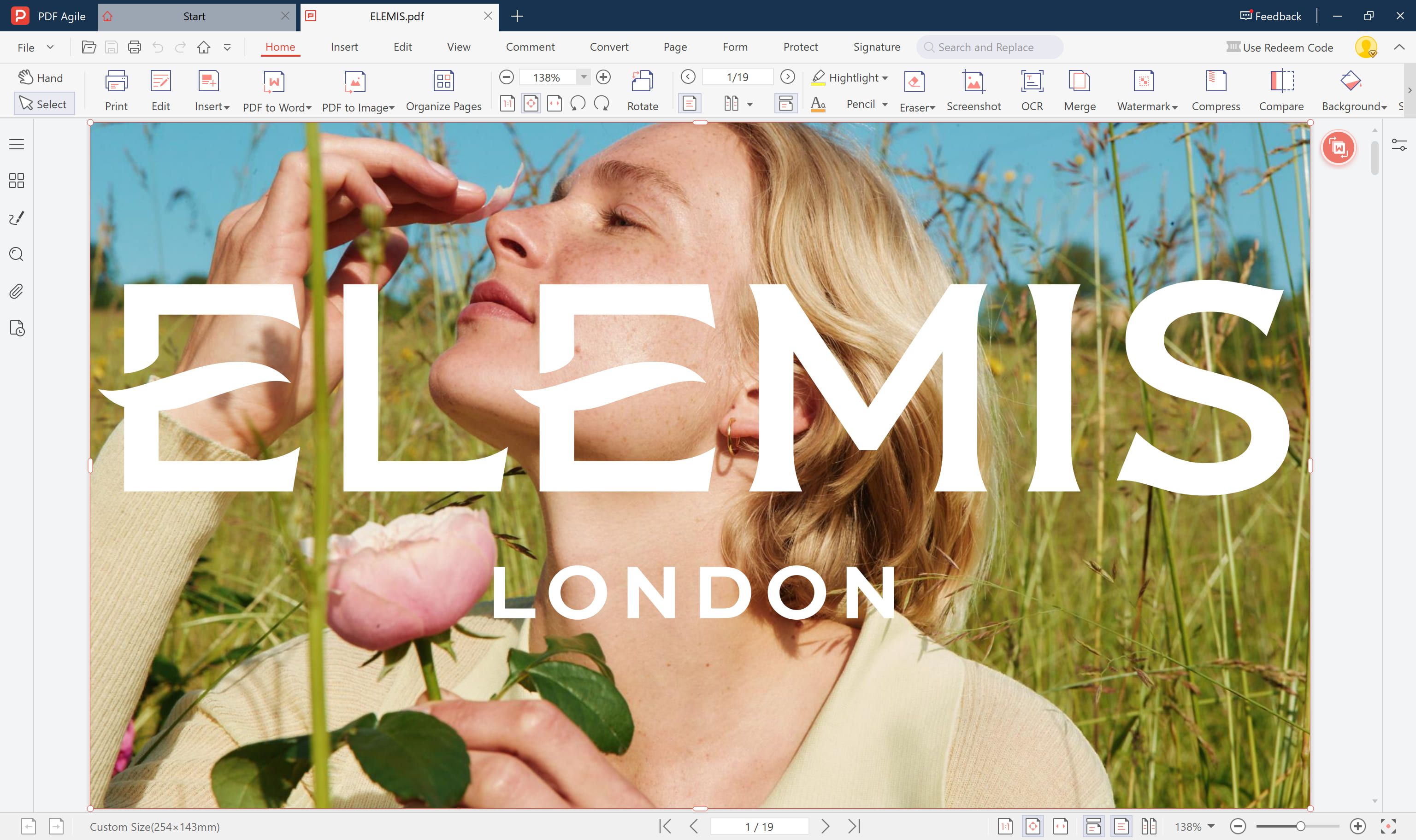 PDF Agile represents the natural evolution for users who have outgrown the limitations of browser-based utilities. While Smallpdf is designed for quick, "one-off" file adjustments, PDF Agile is a professional-grade desktop suite engineered for deep document manipulation and long-term productivity. In the 2026 landscape, where data privacy and complex workflows are more critical than ever, this platform serves as a definitive Smallpdf alternative by moving the processing power from the cloud to your local machine. It eliminates the "upload-and-wait" cycle, offering a sophisticated, Word-like editing environment where you can modify the actual substance of a PDF—not just its format. Whether you are restructuring a 500-page manual or fine-tuning the typography of a corporate contract, PDF Agile provides the stability and depth that online-only tools simply cannot match.
Key Features
- Full-Scale PDF Editing: Beyond simple annotations, you can edit text, images, and links with dynamic reflow capabilities that ensure your layout remains intact as you type.
- AI-Enhanced OCR: Transform scanned paper documents or static images into fully searchable, editable text with industry-leading accuracy across multiple languages.
- High-Velocity Batch Conversion: Effortlessly convert stacks of PDFs into Word, Excel, PowerPoint, TXT, or high-quality image formats without losing original formatting.
- Secure Offline Management: Perform sensitive tasks like merging, splitting, compressing, and watermarking entirely offline, ensuring your data never leaves your hard drive.
- Advanced Page & Content Organization: Easily reorder, rotate, crop, or delete pages, and add headers, footers, and Bates numbering for professional document indexing.
Pros (Why it stands out)
- Ultimate Data Privacy: Because PDF Agile functions as a desktop application, there are no file uploads required. This makes it the premier Smallpdf alternative for legal, medical, or financial professionals handling highly confidential information.
- Superior Performance: By leveraging your computer’s local processing power, the software handles massive, image-heavy documents with zero lag—bypassing the bandwidth issues often found in browser tools.
- Economic Efficiency: Unlike the never-ending subscription models of many competitors, PDF Agile often offers a one-time license option, providing a permanent solution that eliminates "subscription fatigue."
- Zero Usage Caps: There are no daily limits on how many files you can process or how large those files can be, allowing for an uninterrupted professional workflow.
Cons
- Hardware Dependent: As a desktop-first solution, it requires an installation on Windows, which may not suit users who exclusively work on shared public computers or Chromebooks.
Best For
PDF Agile is the ideal Smallpdf alternative for power users—including freelancers, corporate administrators, and researchers—who handle PDFs on a daily basis and require a robust, secure, and permanent workstation that goes far beyond basic file conversion.
3. PDFgear — The Best Completely Free Smallpdf Alternative
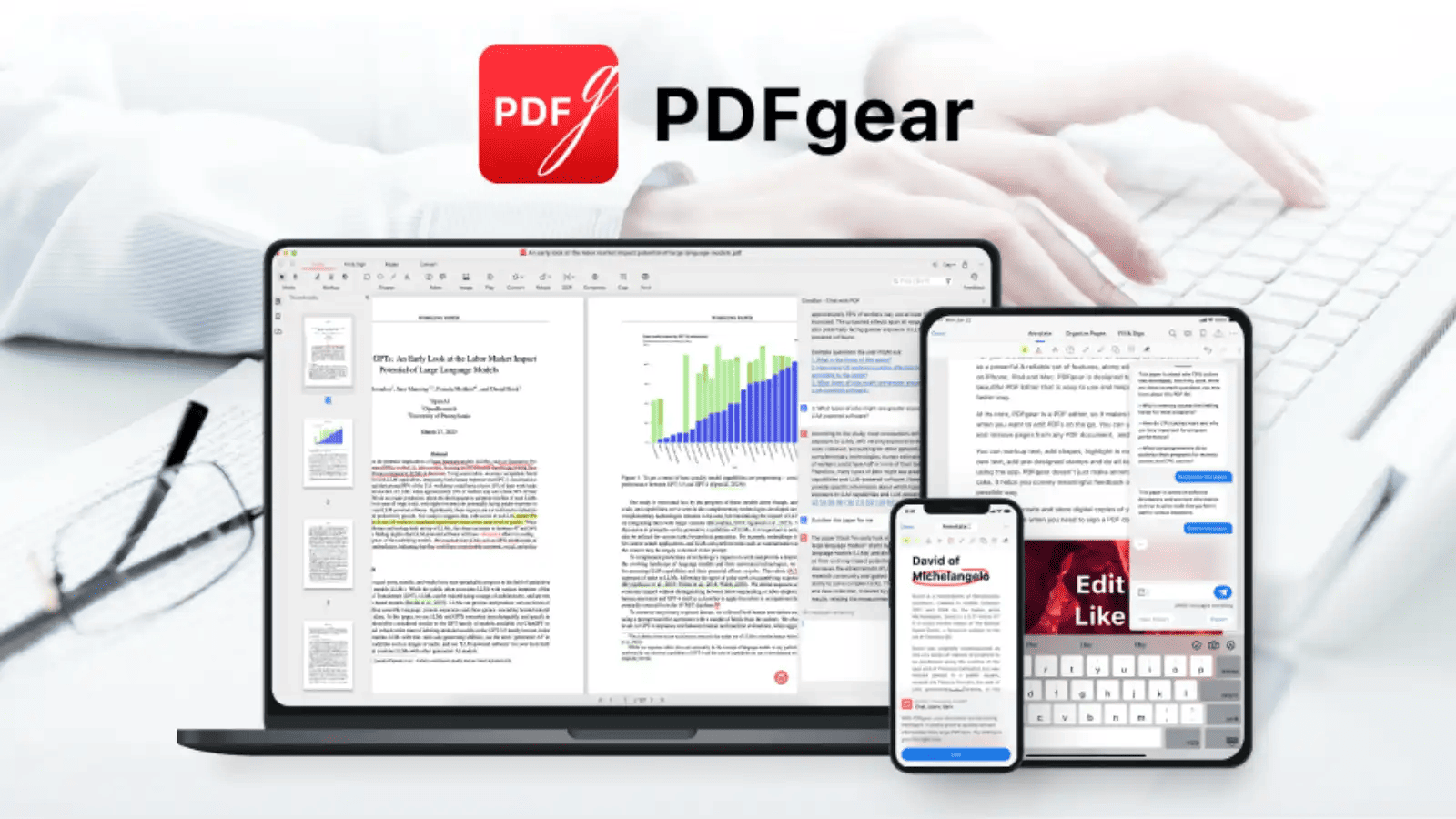 In an era where "freemium" software often feels like a constant barrage of paywalls and upgrade prompts, PDFgear has emerged as a major disruptor. By 2026, it has solidified its reputation as the go-to Smallpdf alternative for users who refuse to compromise between cost and capability. Unlike other platforms that tease features only to lock them behind a subscription, PDFgear provides a comprehensive suite of PDF tools—including advanced editing and conversion—entirely free of charge. It bridges the gap between basic online converters and expensive professional software, offering a clean, "no-strings-attached" experience. For those who are tired of reaching their daily task limit on Smallpdf just when they have one more document to finish, PDFgear offers a breath of fresh air with its unrestricted access to high-level features.
Key Features
- Total Document Editing: Modify text, insert images, and manage pages with a level of precision usually reserved for paid applications.
- AI-Powered Copilot: Includes an innovative AI integration that allows users to chat with their PDFs, summarize long documents, and extract specific data points instantly.
- Unrestricted Conversion & Compression: Convert files to and from all major Office formats and compress large PDFs without the fear of hidden watermarks or quality loss.
- Built-in OCR Technology: A powerful Optical Character Recognition engine that turns scanned images into selectable and editable text at no extra cost.
- No Registration Required: Unlike many competitors, you can start working immediately without creating an account or providing an email address, ensuring your privacy remains intact.
Pros
- Truly 100% Free: There are no hidden fees, no subscription tiers, and no watermarks placed on your exported documents, making it a unique Smallpdf alternative in a crowded market.
- No Usage Limits: Process as many files as you need, regardless of size or frequency, without ever hitting a "daily cap."
- Cross-Platform Consistency: Available as a lightweight online service or a robust desktop application, providing flexibility for any workflow.
- Privacy-Centric: By removing the need for an account, PDFgear minimizes your digital footprint while still delivering professional results.
Cons
- Minimalist Interface: The UI is functional and clean, but it may lack the polished aesthetic or "premium feel" found in high-end paid editors.
- Fewer Enterprise Features: While it covers almost everything an individual needs, it may lack some of the deep IT-level deployment tools required by massive global corporations.
Best For
PDFgear is the ultimate Smallpdf alternative for students, non-profits, and budget-conscious professionals who need a dependable, full-featured PDF toolkit without the burden of a monthly bill or the frustration of usage restrictions.
4. Sejda PDF — The Best Smallpdf Alternative for Balanced Professional Use
 Sejda PDF has carved out a unique niche in the document management market by striking a sophisticated balance between lightweight accessibility and professional-grade functionality. As a premier Smallpdf alternative in 2026, Sejda appeals to users who find basic online tools too limiting but find high-end desktop software too cumbersome. It operates as a hybrid service, offering both a feature-rich web-based editor and a dedicated desktop application. What truly sets Sejda apart from the standard Smallpdf experience is its genuine in-browser text editing capability—allowing users to actually change existing text within a PDF rather than just overlaying new text boxes. This makes it a go-to choice for professionals who need to make precise, surgical edits to contracts, reports, or resumes directly from their browser without sacrificing the integrity of the document's layout.
Key Features
- True Browser-Based Editing: One of the few online tools that allows you to edit, add, or move existing text within the PDF document itself.
- Comprehensive Form Handling: Easily create, fill out, and flatten interactive PDF forms, making it ideal for client onboarding and administrative workflows.
- Visual Page Management: A highly intuitive interface for visually reordering, merging, or extracting pages, providing a clear "bird's-eye view" of your document structure.
- Secure Digital Signatures: Streamlined tools for adding legally binding electronic signatures and white-labeling documents for professional presentation.
- Automated Document Protection: Includes options for password encryption, permissions restrictions, and permanent redaction to protect sensitive information.
Pros
- Clean, Professional Interface: The user experience is modern and uncluttered, designed specifically to help users complete tasks quickly without navigating through complex sub-menus.
- Unrivaled Pricing Flexibility: Sejda offers unique "short-term" pricing tiers, such as weekly passes, making it the perfect Smallpdf alternative for consultants or project-based workers who don't want a long-term subscription.
- Hybrid Flexibility: The ability to switch between the web version for quick tasks and the desktop version for offline security provides the ultimate workflow adaptability.
- Focused Toolset: Instead of overwhelming users with hundreds of niche features, Sejda perfects the most common professional tasks, ensuring high speed and reliability.
Cons
- Strict Free-Tier Limits: The free version is more restrictive than some competitors, enforcing specific limits on file size (usually up to 50MB) and the number of tasks you can perform per hour.
- Limited Advanced Automation: While excellent for manual edits, it may lack the complex automated batch-processing power found in heavy-duty desktop suites.
Best For
Sejda PDF is the ideal Smallpdf alternative for freelancers, consultants, and small business owners who require a professional-looking tool for document editing and form management but prefer the flexibility of a "pay-as-you-go" or short-term commitment model.
5. PDF Candy — The Best Smallpdf Alternative for Specialized Utilities
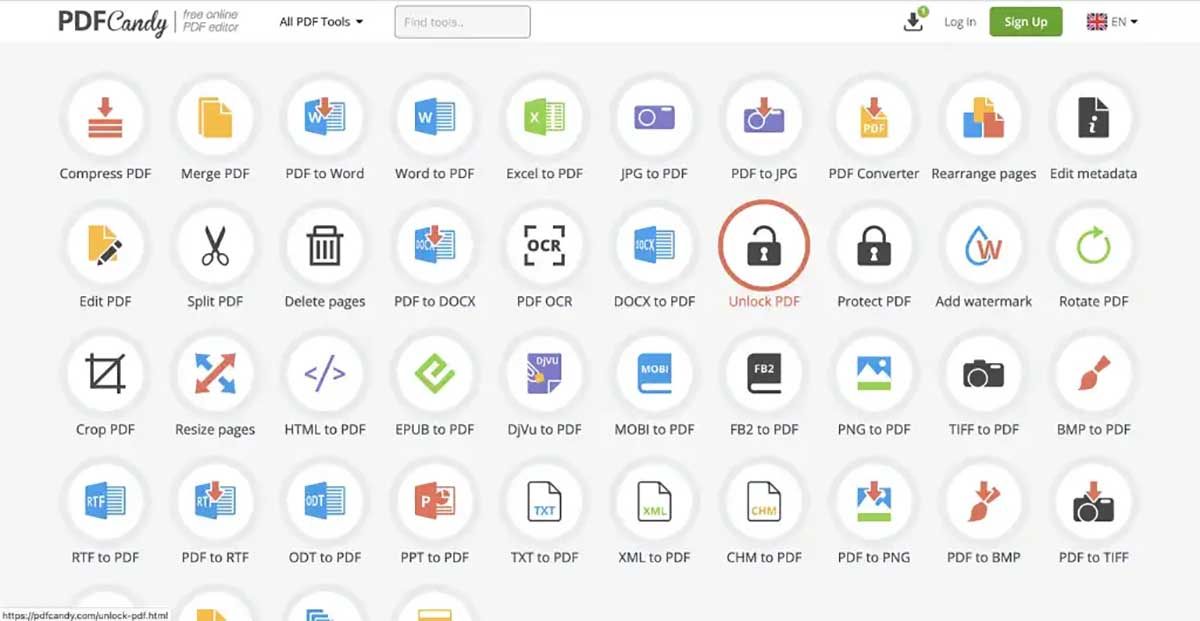 PDF Candy distinguishes itself from the competition by offering one of the most diverse and granular collections of document tools available on the web today. While many platforms focus on a unified, all-in-one editor, PDF Candy operates as a massive library of over 47 individual, specialized utilities. In 2026, it remains a premier Smallpdf alternative for users who often find themselves needing "niche" fixes—such as extracting images from a PDF, editing metadata, or converting rare file formats like DjVu or MOBI. Developed by the Icecream Apps team, it provides a reliable, high-performance environment where every specific task has its own dedicated interface. This approach eliminates the need to navigate through complex menus; you simply click on the exact tool you need and get the job done with surgical precision.
Key Features
- Unmatched Format Support: Go beyond standard Office formats with the ability to convert PDFs to and from EPUB, MOBI, FB2, PNG, TIFF, and even BMP.
- Deep Metadata Control: Easily modify document properties, including author names, keywords, and creation dates, which is essential for archival and professional cataloging.
- Advanced OCR Engine: High-quality text recognition that allows for the conversion of scanned documents into searchable PDFs or editable Word files.
- Precision Page Management: Tools specifically designed for resizing pages, adding headers and footers, or rearranging documents with a visual preview.
- PDF Repair & Recovery: A dedicated utility designed to analyze and fix corrupted PDF files that other standard readers might fail to open.
Pros
- Incredible Variety of Tools: It offers more individual "micro-tools" than almost any other Smallpdf alternative, ensuring that even the most obscure document tasks are covered.
- User-Friendly Modular Design: Each tool is separated into its own icon-based module, making the site incredibly easy to navigate for users who want to avoid a cluttered workspace.
- Offline Desktop Version: For users who prefer to work without an internet connection, PDF Candy offers a robust Windows application that mirrors its online capabilities.
- High Privacy Standards: All uploaded files are automatically deleted after a short period, and the platform utilizes secure SSL encryption for all transfers.
Cons
- Time Restraints on Free Usage: Similar to other web-based competitors, the free version often implements a waiting period or "cooldown" between tasks, which can be a drawback for high-volume users.
- Fragmented Workflow: Because each tool is its own module, users who need to perform five different actions on the same file may find themselves jumping between different pages on the site.
Best For
PDF Candy is the ideal Smallpdf alternative for users who require specialized tools for unique document challenges—such as ebook enthusiasts, archivists, and technical writers who need more than just a basic "merge and compress" solution.
6. Xodo — The Best Smallpdf Alternative for Annotation and Mobile Use
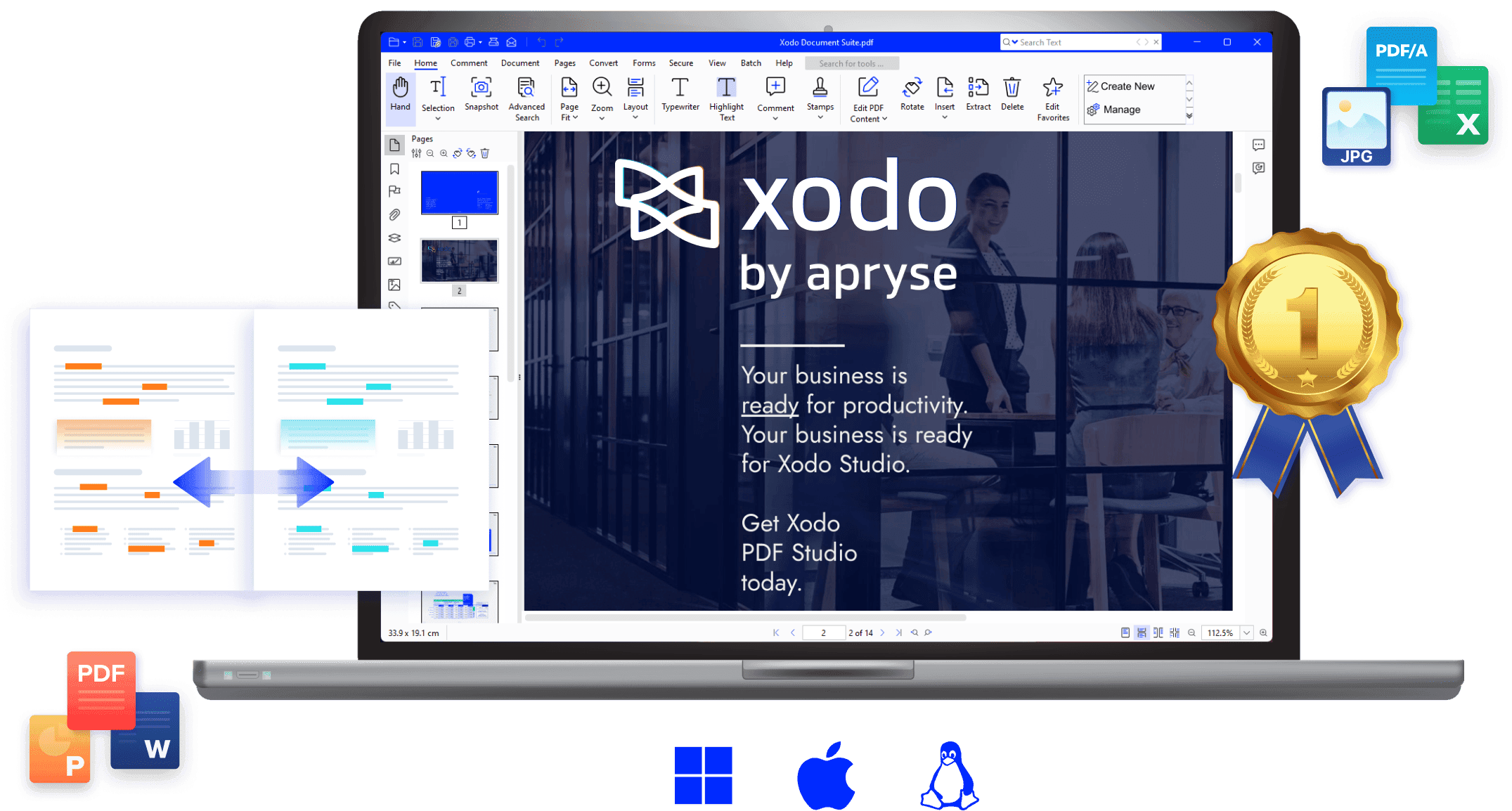 While many document tools prioritize the transformation of files, Xodo has built its reputation on the interaction with them. In 2026, it stands as the premier Smallpdf alternative for users whose primary workflow involves reviewing, marking up, and collaborating on documents across a variety of devices. Xodo is a cloud-native powerhouse that bridges the gap between desktop precision and mobile flexibility. Unlike Smallpdf, which often feels like a collection of separate tools, Xodo provides a unified environment where you can open a document on your laptop, highlight key passages on your tablet during a commute, and sign a final version on your phone—all with seamless synchronization. It is particularly revered in academic, legal, and creative circles where the ability to leave detailed feedback and digital ink annotations is more important than simple format conversion.
Key Features
- World-Class Annotation Suite: Includes a robust set of tools for highlighting, underlining, strikethrough, and adding sticky notes or freehand drawings with high-precision digital ink.
- Real-Time Collaborative Review: Allows multiple users to view and annotate the same document simultaneously, making it a "Google Docs-like" experience for the PDF format.
- Multi-Platform Cloud Sync: Features "Xodo Drive," which keeps your files updated in real-time across Windows, macOS, Android, iOS, and web browsers.
- Advanced Form Filling & E-Signatures: Optimized for complex interactive forms, allowing users to save signatures and auto-fill repetitive information across different documents.
- View Optimization: Offers specialized viewing modes, including dark mode, side-by-side page viewing, and a "Reflow" mode that makes reading PDFs on small smartphone screens much more comfortable.
Pros
- Superior Mobile Experience: Xodo offers what is arguably the most polished and feature-rich mobile app in the industry, making it the definitive Smallpdf alternative for professionals who work away from a desk.
- Touch-Screen Optimized: The interface is designed to work beautifully with styluses and finger input, perfect for architects or engineers reviewing blueprints in the field.
- High-Speed Rendering: Even when handling massive, high-resolution architectural plans or medical charts, Xodo’s viewing engine remains fast and responsive.
- Integrated Productivity: Combines viewing, editing, and converting in one fluid interface, reducing the need to jump between different apps to finish a single task.
Cons
- Limited Structural Text Editing: While excellent for annotations and overlays, it is not designed for "deep" text editing (changing existing document text) in the way a full desktop editor like PDF Agile is.
- Subscription Model for Pro Features: While a free version exists, many of the advanced cross-platform syncing and batch tools require a "Xodo Pro" subscription.
Best For
Xodo is the ideal Smallpdf alternative for students, researchers, project managers, and field workers who need to interact deeply with their documents, provide feedback, and maintain a consistent workflow across mobile and desktop environments.
7. PDF24 Creator — The Best Free Offline Smallpdf Alternative
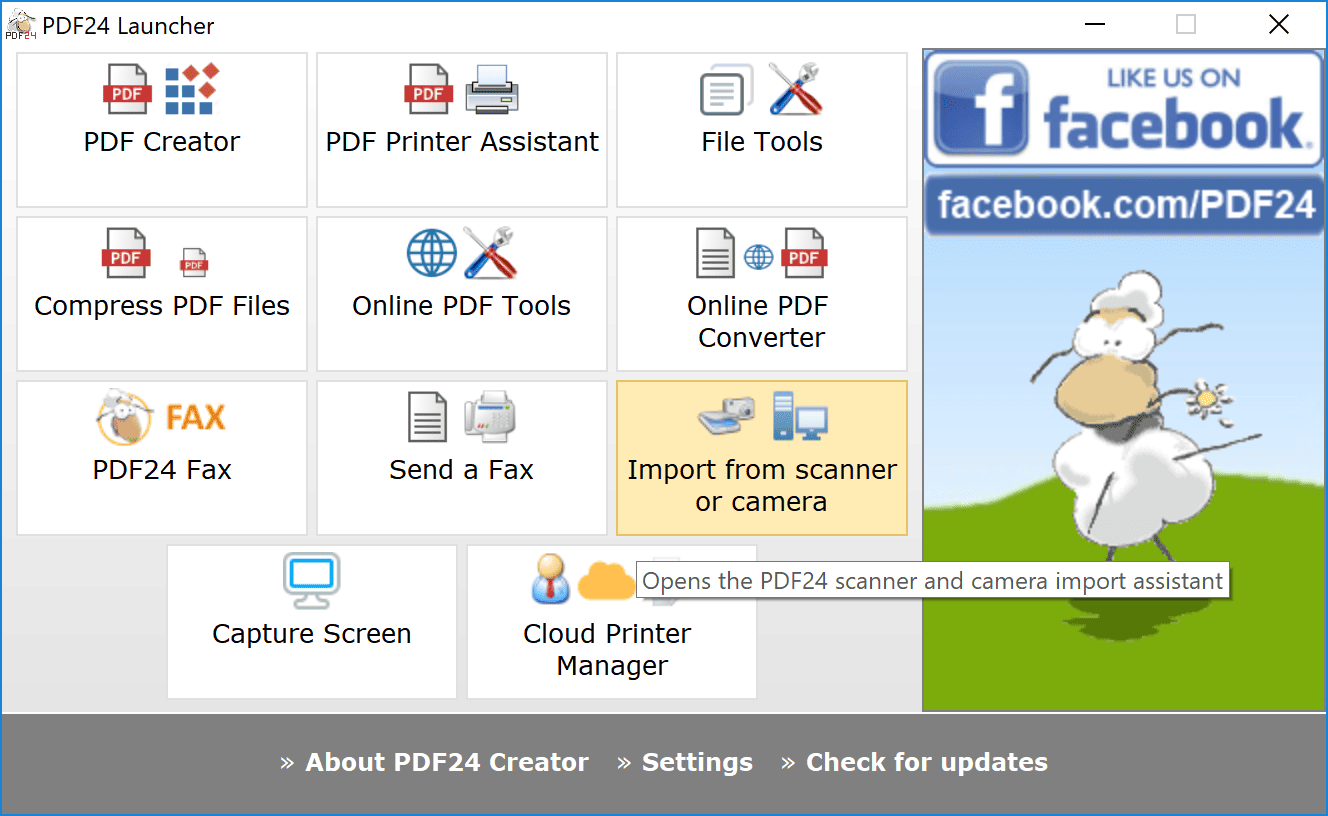 For users who require the full power of a PDF suite without the risks or limitations of a cloud-based connection, PDF24 Creator is the gold standard. Developed in Germany, this software has become a legendary Smallpdf alternative by providing a completely free, 100% offline desktop experience for Windows users. Unlike other "free" tools that eventually nag you for a subscription, PDF24 Creator is a labor of love that remains unrestricted for both personal and commercial use. It operates as a localized "toolbox," where every feature—from basic merging to advanced OCR—runs directly on your computer’s hardware. This not only guarantees high-speed processing for massive files but also ensures that sensitive documents never leave your local environment, making it a favorite for government agencies, legal firms, and privacy-conscious professionals.
Key Features
- Comprehensive Offline Toolbox: Access over 30 specialized tools, including merging, splitting, compressing, and page sorting, all without an internet connection.
- Virtual PDF Printer: Install a system-wide virtual printer that allows you to turn any printable document or webpage into a high-quality PDF instantly.
- High-Accuracy OCR: A built-in Optical Character Recognition engine that transforms scanned images into searchable text layers without relying on cloud processing.
- Automated Document Assembly: A unique "drag-and-drop" interface for visually assembling new PDFs from pages of multiple different files.
- Advanced Security & Overlay: Easily add digital signatures, password protection, and even "digital letterhead" overlays to professionalize your outgoing correspondence.
Pros
- Completely Free Forever: There are no hidden costs, no watermarks, and no "pro" versions; every single feature is unlocked for every user.
- Maximum Privacy and Security: Since it is a local Smallpdf alternative, your files are never uploaded to a server, making it fully compliant with strict data protection regulations (like GDPR).
- No Usage Limits: There are no daily caps on the number of files you can process or the size of the documents you can handle.
- Low System Impact: The software is exceptionally lightweight and can run smoothly on older Windows machines that might struggle with heavy browser-based editors.
Cons
- Windows Only: Currently, the creator is limited to the Windows operating system, leaving macOS and Linux users to rely on their online web-tools.
- Modular Interface: Some users may find the "Toolbox" approach—where each function opens in a separate window—to be slightly more fragmented than a unified editor.
Best For
PDF24 Creator is the ultimate Smallpdf alternative for Windows users who handle sensitive data and want a permanent, high-performance toolkit that works perfectly even when they are offline or in a low-bandwidth environment.
8. PDF Expert — The Best Smallpdf Alternative for Apple Ecosystem Users
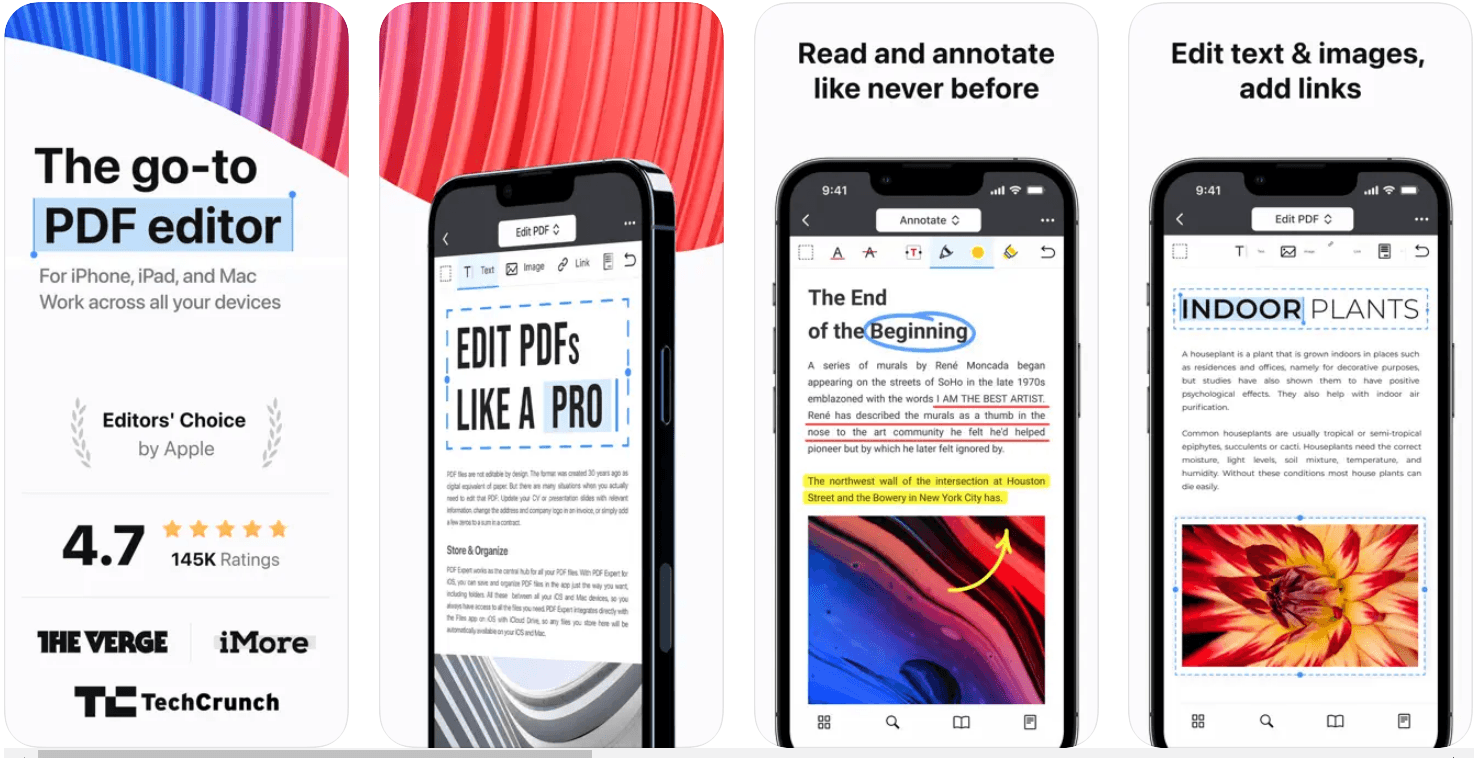 For those deeply embedded in the Apple ecosystem, PDF Expert is widely considered the gold standard for document management. While Smallpdf provides a broad, browser-based service for all platforms, PDF Expert is a meticulously crafted, native application designed specifically for macOS, iPadOS, and iOS. Entering 2026, it remains the premier Smallpdf alternative for users who value the "Apple aesthetic"—prioritizing speed, elegance, and fluid animations. Because it is built using Apple’s native frameworks, it performs significantly faster than web-based tools, especially when scrolling through thousand-page documents or rendering high-resolution graphics. It bridges the gap between a simple reader and a complex editor, offering a "prosumer" experience that feels like a natural extension of the operating system rather than a third-party add-on.
Key Features
- Precision Text and Image Editing: Effortlessly modify text, replace images, and update links within a PDF with a level of smoothness that mirrors a high-end desktop publishing app.
- Seamless Handoff & Sync: Start annotating a contract on your iPhone during your commute and pick up exactly where you left off on your Mac via iCloud, without manually moving files.
- Advanced Apple Pencil Integration: Optimized for the latest iPad Pro models, offering pressure-sensitive ink and palm rejection for the most natural writing and sketching experience available.
- Smart Content Extraction: Quickly extract specific pages, merge documents, or convert PDFs to and from Word, Excel, and PowerPoint with high fidelity.
- Enhanced Reading Experience: Includes specialized "Day," "Night," and "Sepia" themes, along with a powerful search feature that can scan multiple PDFs at once.
Pros
- Unrivaled Speed and Performance: Optimized for Apple Silicon (M-series chips), it handles massive files with zero lag, making it a much faster Smallpdf alternative for local file processing.
- Award-Winning Interface: The UI is clean, intuitive, and follows Apple’s design language perfectly, reducing the learning curve to nearly zero.
- Robust Annotation Tools: Offers a more professional and aesthetically pleasing set of markup tools than basic web editors, including customizable stamps and high-quality digital signatures.
- Privacy-First Design: By processing files locally on your Mac or iPad, it avoids the security concerns inherent in uploading sensitive documents to a cloud-based web server.
Cons
- Platform Exclusive: It is strictly limited to the Apple ecosystem; there is no version for Windows or Android users.
- Premium Pricing Model: While it offers a free trial and a basic free tier, the advanced features require a subscription or a significant one-time purchase, making it more expensive than some lightweight web tools.
Best For
PDF Expert is the definitive Smallpdf alternative for Mac, iPad, and iPhone users who demand a premium, high-performance tool that integrates perfectly with their existing Apple hardware and provides a superior experience for both deep editing and casual reading.
How to Choose the Right Smallpdf Alternative for Your Needs
With so many options available in 2026, selecting the perfect Smallpdf alternative depends entirely on your specific workflow, your security requirements, and how often you find yourself reaching for a PDF tool. To help you narrow down your choice, consider these four primary factors:
1. Security and Privacy Requirements
If you are handling sensitive legal documents, financial records, or medical data, a cloud-based Smallpdf alternative might not be the safest choice. In these cases, look toward offline desktop solutions like PDF Agile or PDF24 Creator. By processing your files locally on your own hardware, you eliminate the risk of data interception and ensure your confidential information never touches a third-party server.
2. Frequency of Use and Budget
Are you a student looking for a one-time fix, or a professional who manages dozens of files daily?
- For occasional use: A web-based Smallpdf alternative like iLovePDF or PDF Candy is perfect for quick, browser-based tasks.
- For high-volume users: To avoid the frustration of daily task limits, PDFgear is an incredible choice because it is completely free and unrestricted.
- For long-term professional use: If you want to avoid "subscription fatigue," consider a Smallpdf alternative that offers a one-time lifetime license, such as PDF Agile.
3. Deep Editing vs. Simple Conversion
Most people start their search looking for a converter, but eventually realize they need to change the actual text within a document.
- If you only need to merge or compress files, almost any Smallpdf alternative on this list will work.
- If you need to change existing text, fix typos, or redact information, you need a dedicated editor. Sejda (for web-based edits) or PDF Agile (for desktop-level precision) are the strongest contenders in this category.
4. Your Primary Device
Your choice of a Smallpdf alternative should align with the hardware you use most:
- Apple Users: PDF Expert is the undisputed champion for those who want a seamless experience across Mac, iPad, and iPhone.
- Windows Users: PDF24 Creator provides the most robust set of free offline tools specifically for the Windows environment.
- On-the-Go Professionals: If you spend your day on a tablet or smartphone, Xodo is the best Smallpdf alternative due to its superior mobile annotation and cloud-syncing capabilities.
By identifying whether you value privacy, mobility, or cost-savings the most, you can move away from the limitations of basic browser tools and settle into a document ecosystem that actually grows with your professional needs.
Upgrade Your Workflow with the Ultimate Smallpdf Alternative
Smallpdf is convenient, but it’s not designed for every workflow. As PDF tasks become more frequent or complex, choosing the right alternative can significantly improve productivity.
For users ready to move beyond basic online tools and invest in a more complete solution, PDF Agile offers the most balanced combination of power, control, and long-term value.
Ready to experience document management without limits?