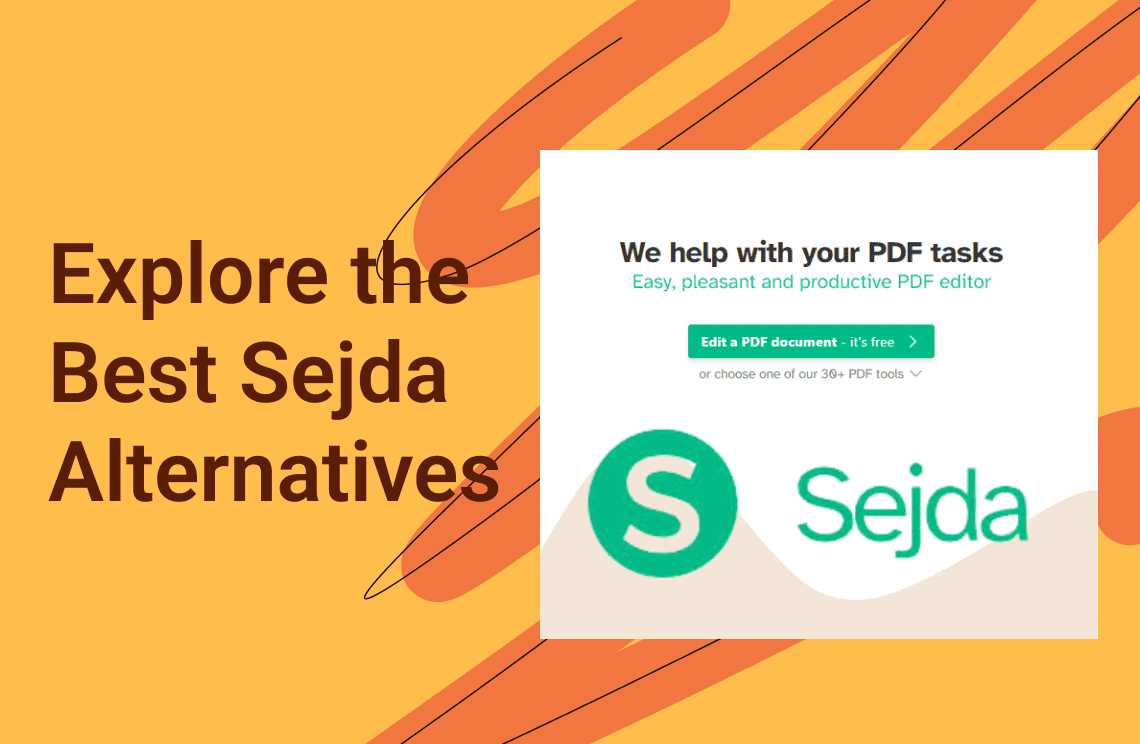
Sejda PDF has long been recognized as a standout in the document productivity space, primarily due to its unique ability to offer genuine text editing directly within a web browser. While many online tools only allow for surface-level annotations or "white-out" style corrections, Sejda enables users to interact with the underlying text of a PDF, making it a favorite for freelancers, small business owners, and administrators who need to update contracts or resumes on the fly. It functions as a versatile hybrid platform, offering a sophisticated web interface alongside a dedicated desktop application, ensuring that users can switch between the convenience of the cloud and the security of local processing.
However, as we navigate the professional landscape of 2026, the specific constraints of Sejda’s service model have led many power users to seek out a more robust Sejda alternative. While its "pay-as-you-go" pricing—including unique weekly passes—is highly flexible, the free tier remains strictly limited by both file size (200 pages or 50MB) and task frequency (only three tasks per day). For those handling large-scale research papers, high-resolution architectural plans, or high-volume administrative workflows, these caps can become significant bottlenecks. Furthermore, while its browser-based editor is powerful, it can occasionally struggle with complex layouts or proprietary fonts, pushing professionals toward more stable, AI-enhanced, or offline-first solutions that offer unlimited processing power.
Below, we explore the top-rated options for those ready to expand their toolkit, helping you find the perfect Sejda alternative that aligns with your specific volume, security, and editing requirements.
1. PDF Agile — The Best Overall Sejda Alternative for Professional Users
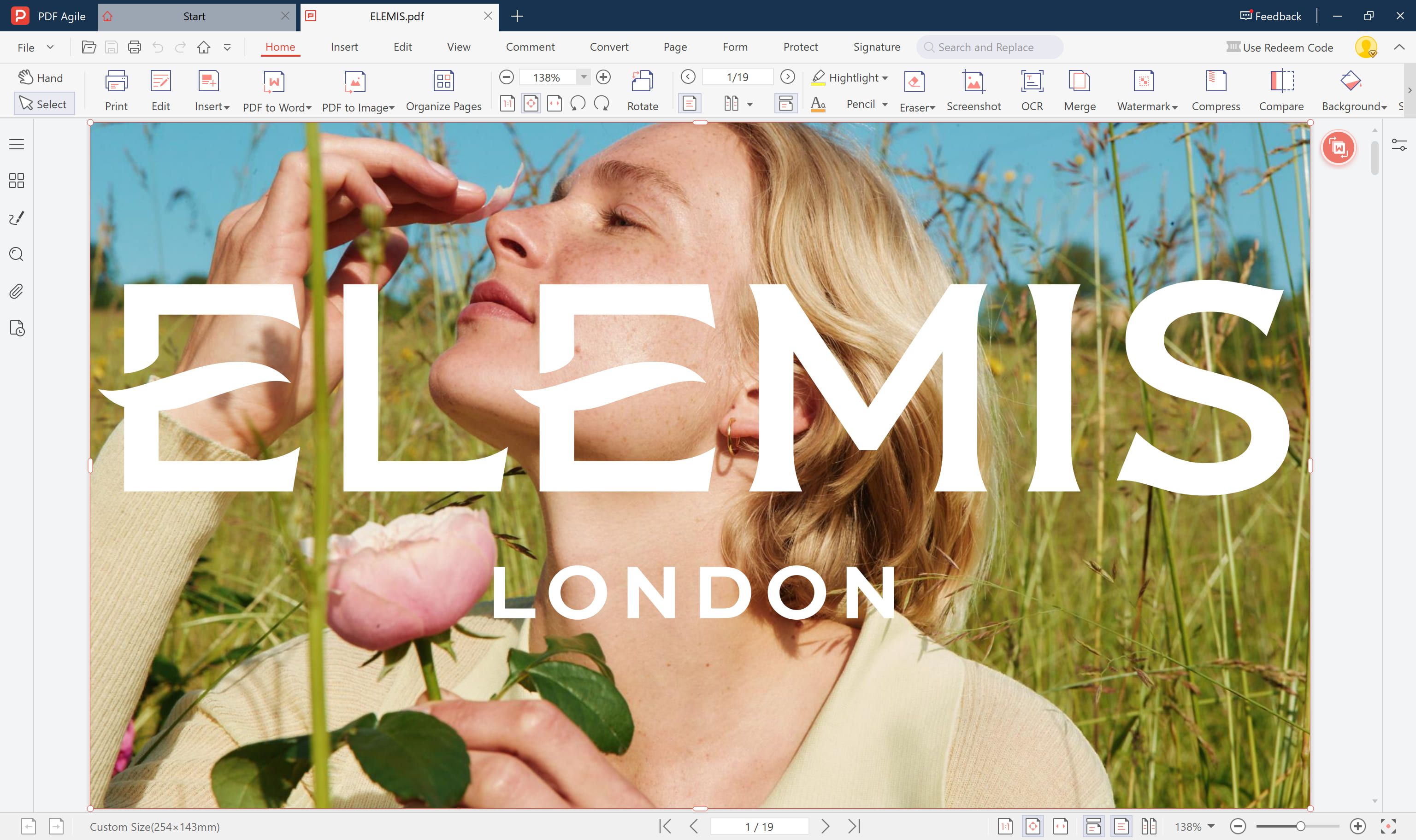 PDF Agile is a professional-grade desktop suite designed for those who need to move beyond the constraints of browser-based editing. As a premier Sejda alternative in 2026, it addresses the common "digital ceiling" users hit with online tools—such as file size limits and performance lag on large documents. While Sejda is respected for its online flexibility, PDF Agile offers a more robust, stable environment by bringing high-level processing to your local machine. It mirrors Sejda’s ability to edit text directly but enhances the experience with a fluid, Word-like interface that handles complex layouts and multi-page reflow with ease. For professionals who require a permanent, high-performance workstation rather than a temporary web tool, PDF Agile stands out as the definitive solution for modern document engineering.
Key Features
- Full-Scale PDF Editing: Modify text, adjust images, update links, and reorganize layouts with the same ease as a standard word processor.
- High-Accuracy OCR Support: Utilize advanced Optical Character Recognition to instantly transform scanned paper documents into fully searchable and editable text.
- High-Velocity Batch Conversion: Streamline your workflow by converting entire folders of PDFs into Word, Excel, PowerPoint, or high-quality images simultaneously.
- Secure Offline Management: Perform essential tasks—including merging, splitting, compressing, and watermarking—locally on your device, ensuring total data privacy without the need for an internet connection.
- Professional Signing & Encryption: Add secure digital signatures and password protection to sensitive documents to maintain enterprise-level compliance.
Pros
- Maximum Privacy Control: Because it operates entirely offline, it is the superior Sejda alternative for handling confidential legal, medical, or financial documents that should never be uploaded to a cloud server.
- No Recurring Subscription Fatigue: PDF Agile offers a one-time license model, providing a permanent solution that eliminates the perpetual monthly fees associated with Sejda’s premium plans.
- Unlimited Processing Power: There are no "three tasks per day" limits or 50MB file caps; you can process massive, image-heavy documents without interruption.
Cons
- Desktop-First Design: Its focus on high-performance desktop software means it lacks the "open and edit on any public computer" convenience of a purely browser-based Sejda alternative.
Best For
PDF Agile is the ideal Sejda alternative for power users, office managers, and students who need an all-in-one, high-capacity PDF toolkit that offers deeper editing features and total document security.
2. Smallpdf — The Most Streamlined Online Sejda Alternative
 Smallpdf is widely regarded as one of the most user-friendly platforms in the digital document space, making it a natural Sejda alternative for those who value speed and simplicity over complex technical menus. While Sejda leans into specialized features like grayscale conversion or bates numbering, Smallpdf focuses on perfecting the "essential" workflow. It offers a clean, frictionless browser-based environment where users can quickly manage their daily paperwork without any specialized training. By 2026, Smallpdf has further polished its cross-platform ecosystem, ensuring that its suite of tools—ranging from compression to e-signatures—works with identical reliability whether you are on a desktop browser or a mobile app. For users who find Sejda’s interface a bit cluttered or technical, Smallpdf provides a minimalist, "human-first" experience that prioritizes getting the task done in the fewest clicks possible.
Key Features
- Essential File Manipulation: High-speed tools for merging, splitting, and compressing PDFs to make them "email-ready" in seconds.
- Seamless Cloud Integration: Deep synchronization with Google Drive and Dropbox, allowing for a fully remote workflow without local downloads.
- Integrated E-Signatures: A robust eSign tool that enables users to request signatures and track document status in real-time.
- Multi-Format Conversion: High-quality conversion engines that turn PDFs into editable Word, Excel, and PowerPoint files and back again.
- Basic Online Editing: Includes the ability to add text, shapes, and images to existing documents for quick markups and corrections.
Pros
- Unrivaled User Experience: Smallpdf is perhaps the most intuitive Sejda alternative available, featuring a "drag-and-drop" design that is accessible to users of all technical skill levels.
- High Reliability for Standard Tasks: It excels at handling medium-sized PDFs with impressive speed, making it perfect for quick office turnarounds.
- Connected Ecosystem: With its suite of mobile and desktop apps, it offers more consistent cross-device accessibility than Sejda’s more localized desktop version.
Cons
- Restrictive Free Tier: Much like its competitors, the free version of this Sejda alternative enforces daily usage limits that can be frustrating for power users during a busy workday.
- Less Depth in Advanced Editing: It lacks some of the hyper-specific tools Sejda offers, such as the ability to edit existing text directly within the browser with high precision.
Best For
Smallpdf is the ideal Sejda alternative for individuals, students, and small teams who need a fast, reliable, and visually clean online tool for everyday document tasks without the need for heavy installation.
3. PDFgear — The Best Free and Flexible Sejda Alternative
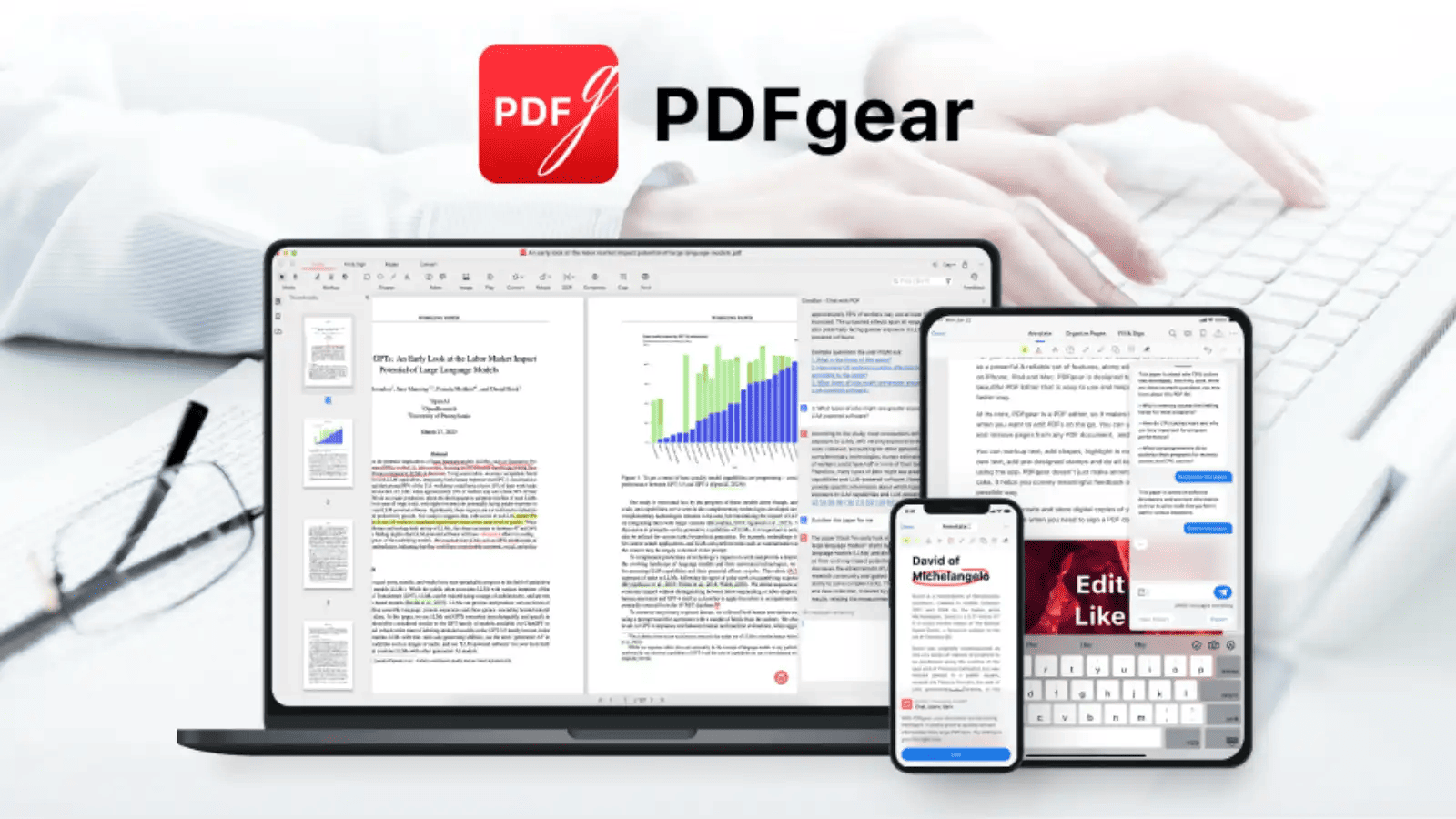 In the 2026 document management landscape, PDFgear has emerged as a disruptive force, gaining massive popularity as a truly "no-strings-attached" Sejda alternative. While many platforms have moved toward increasingly restrictive "freemium" models, PDFgear has taken the opposite approach by offering a comprehensive, web-based, and desktop suite that is entirely free to use. It addresses the primary pain point of Sejda users—the restrictive daily task limits—by providing a platform where you can edit, convert, and organize documents without ever hitting a paywall. Its minimalist yet highly practical design makes it an ideal choice for those who need a dependable, all-in-one PDF toolkit but are tired of managing multiple subscriptions or dealing with recurring usage caps.
Key Features
- Unrestricted PDF Editing: Modify text, insert images, and manage page layouts without the worry of watermarks or hidden fees.
- AI-Enhanced Document Interaction: Features a unique AI copilot that allows users to chat with their PDFs to summarize long reports or extract key data points instantly.
- Comprehensive OCR Technology: A built-in Optical Character Recognition engine that turns scanned images or static PDFs into fully searchable and editable documents.
- Universal Format Conversion: Supports a wide range of formats, allowing for seamless transitions between PDF and Office (Word, Excel, PowerPoint) or various image types.
- Privacy-Focused Accessibility: Requires no account registration or sign-up, ensuring that your workflow remains anonymous and your data stays private.
Pros
- Completely Free with Zero Restrictions: Unlike Sejda, which limits you to three tasks a day, PDFgear offers unlimited usage, making it the most cost-effective Sejda alternative on the market.
- No Hidden Watermarks: You can export your finished work with professional clarity, as the software never forces branding or watermarks onto your saved files.
- Clean, Modern Interface: The user experience is designed for speed, allowing even first-time users to navigate complex tasks like OCR or batch conversion with ease.
Cons
- Less Depth in Advanced Tools: While it covers all the essentials, it may lack some of the granular "power user" features found in dedicated professional desktop suites like PDF Agile.
- Server-Side Processing for Web Tools: Like any online Sejda alternative, handling very large files through a browser can still be subject to your internet connection speed.
Best For
PDFgear is the perfect Sejda alternative for students, educators, and budget-conscious professionals who need a high-quality, reliable PDF tool for regular tasks without the frustration of task limits or the cost of a monthly subscription.
4. PDF Candy — The Best Sejda Alternative for Specialized Document Tools
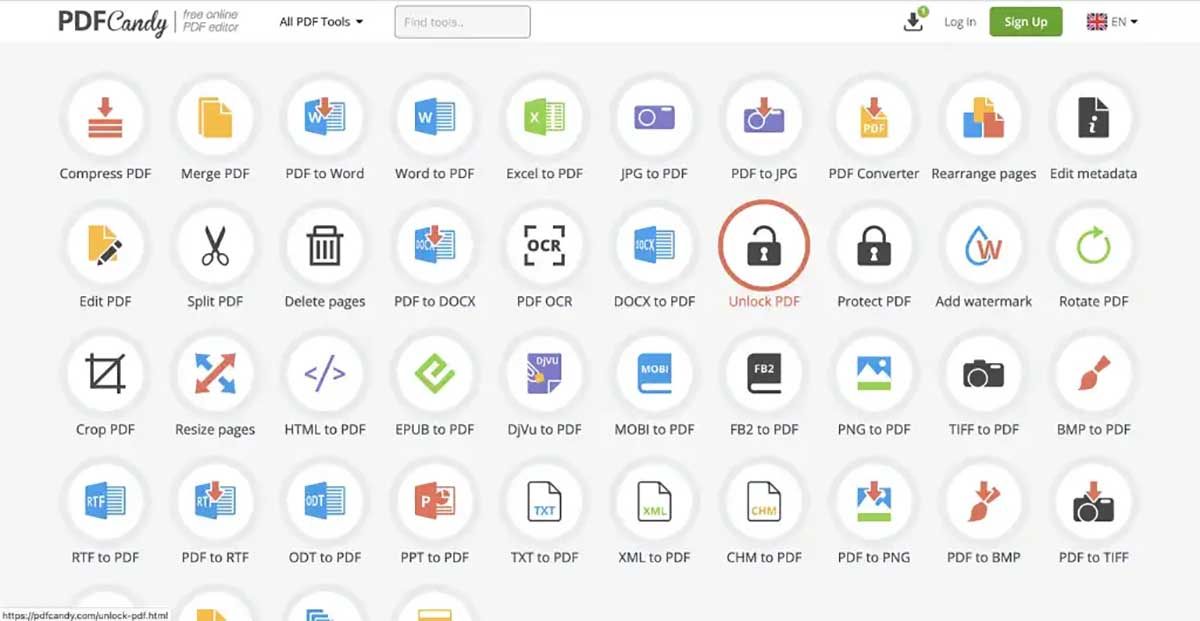 PDF Candy stands out in the 2026 digital landscape as a modular powerhouse, offering one of the most diverse collections of single-purpose document utilities available online. While Sejda provides a unified, all-in-one editor interface, PDF Candy functions as a massive library of over 47 distinct tools, each dedicated to a specific task. It is the premier Sejda alternative for users who often encounter "niche" document challenges—such as needing to extract images from a PDF, edit specific metadata, or convert obscure file types like DjVu or MOBI. By breaking down the PDF workflow into individual, icon-based modules, PDF Candy makes it incredibly easy to find a surgical solution for a specific problem without navigating through the complex menus of a traditional desktop application.
Key Features
- Extensive Utility Library: Access more than 40 specialized tools, including PDF repair, metadata editing, and page numbering.
- Advanced Format Support: Go beyond the basics with high-quality conversions for eBook formats (EPUB, MOBI) and various image types (PNG, TIFF, BMP).
- High-Accuracy OCR Engine: Convert scanned paper documents and static images into selectable, editable text layers.
- Secure File Repair: A dedicated tool designed to analyze and recover data from corrupted or damaged PDF files that other readers cannot open.
- Hybrid Workflow: Offers a fast, browser-based online experience alongside a robust Windows desktop application for offline processing.
Pros
- Unrivaled Tool Variety: It offers many specialized "micro-tools" that Sejda lacks, making it the perfect Sejda alternative for technical writers and archivists.
- Simplicity by Design: Each tool is a separate module, allowing users to jump directly to the exact function they need (e.g., "Add Watermark") without cluttering their workspace with unnecessary features.
- Strong Privacy Standards: All files are processed over secure SSL connections and are automatically deleted from the servers shortly after processing to ensure user confidentiality.
Cons
- Time Restraints on Free Usage: The free online version of this Sejda alternative often implements a "cooldown" period between tasks, which can slow down users who have multiple files to process in a row.
- Fragmented Workflow: If you need to perform five different actions on one file, you may find yourself uploading and downloading the document repeatedly across different tool pages.
Best For
PDF Candy is the ideal Sejda alternative for users who occasionally need specialized or uncommon PDF functions—such as eBook conversion or file repair—that go beyond the capabilities of a standard document editor.
5. Xodo — The Best Sejda Alternative for Cross-Platform Annotation and Forms
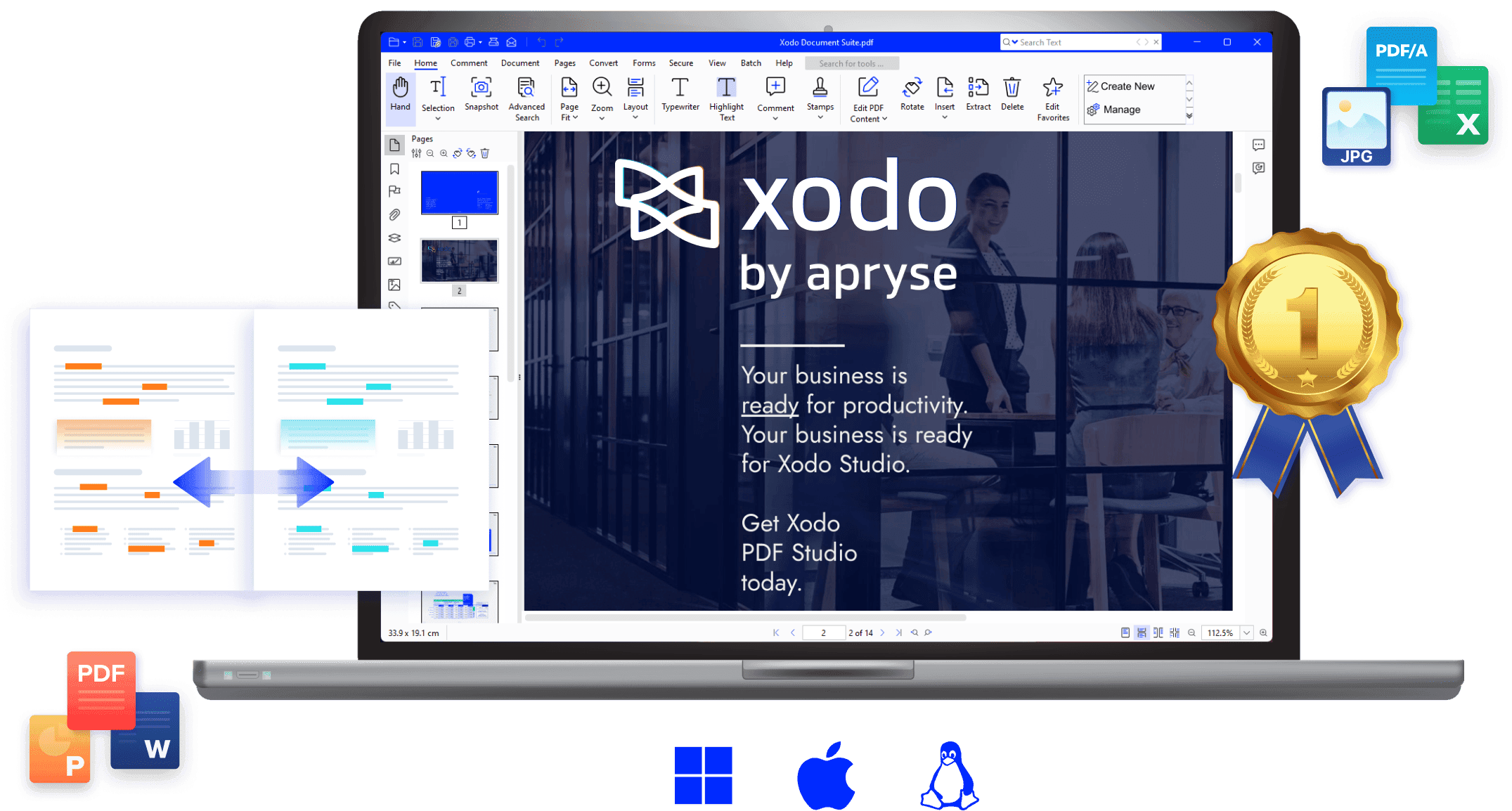 Xodo has redefined the document experience for the mobile-first era. In 2026, it stands as the most robust Sejda alternative for professionals who spend more time on tablets and smartphones than at a desk. While Sejda excels at modifying existing text in a browser, Xodo is optimized for the interaction with documents—offering world-class annotation, highlighting, and form-filling capabilities. It is a cloud-native platform that ensures your work is perfectly synchronized whether you’re reviewing a contract on your phone or adding final comments on your laptop. For those who find Sejda’s mobile experience lacking, Xodo provides a fluid, high-performance environment designed specifically for the hybrid workforce.
Key Features
- Dynamic Annotation & Markup: A full suite of tools for highlighting, underlining, and adding digital ink notes or freehand drawings with high-precision stylus support.
- Collaborative Real-Time Review: Invite team members to view, comment on, and annotate the same document simultaneously, creating a collaborative workflow similar to Google Docs.
- Multi-Device Cloud Sync: Automatically synchronize your PDFs and progress across Android, iOS, and web browsers via Xodo Drive or integration with Google Drive and Dropbox.
- Professional Form Handling: Effortlessly fill out complex interactive PDF forms and add secure, legally binding digital signatures while on the move.
- Reading Optimization: Includes a specialized "Reflow" mode that adjusts text to fit small smartphone screens perfectly, alongside Dark Mode and side-by-side page viewing.
Pros
- Superior Mobile Integration: Xodo offers what is arguably the most polished mobile app in the industry, making it the definitive Sejda alternative for field workers and commuters.
- High-Speed Rendering Engine: Even with massive, image-heavy files like medical charts or blueprints, Xodo handles zooming and scrolling with zero lag.
- Seamless Collaboration: The ability to work on a shared document with a remote team makes it a more modern and "social" Sejda alternative compared to traditional editors.
Cons
- Limited Structural Text Editing: While it is excellent for adding annotations and overlays, it does not allow you to edit the original underlying text of a PDF as deeply as Sejda does.
- Subscription Model for Pro Features: To access advanced batch processing and unlimited cross-platform syncing, a "Xodo Pro" subscription is required.
Best For
Xodo is the ideal Sejda alternative for students, researchers, and project managers who need to interact deeply with their documents, provide feedback, and maintain a consistent workflow across mobile and desktop environments.
6. PDF24 Creator — The Best Free Offline Sejda Alternative
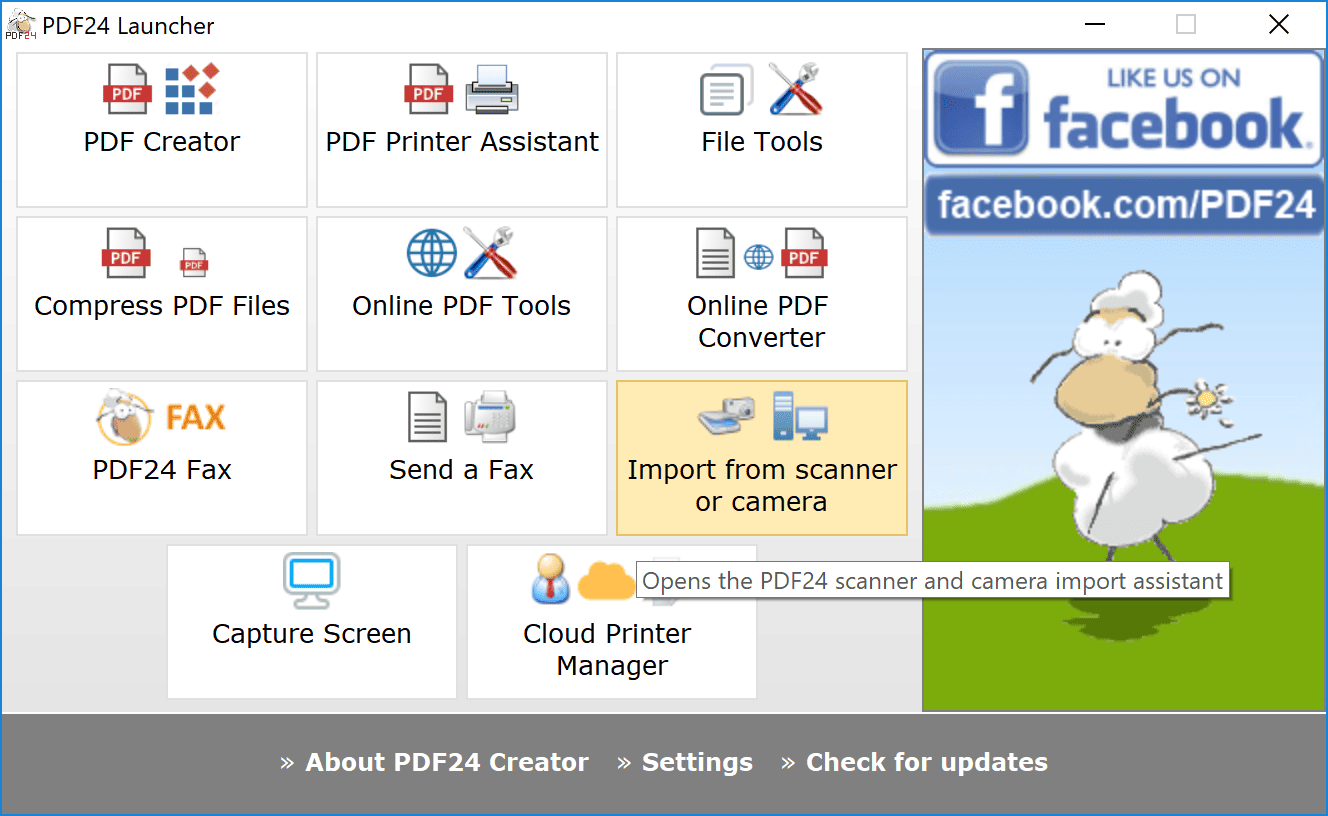 PDF24 Creator has earned a legendary status among Windows users as a completely free, "no-strings-attached" Sejda alternative. While Sejda is famous for its online convenience, PDF24 Creator takes the opposite approach by providing a massive suite of PDF tools that reside directly on your computer. In 2026, it remains a favorite for users who are wary of cloud-based privacy risks or are frustrated by the upload/download cycle of web tools. It operates as a localized "toolbox" where every feature—from basic compression to advanced page organization—is available without an internet connection. Because it processes files using your local CPU, it easily bypasses the file size limits and task quotas that often hinder Sejda’s free users.
Key Features
- Comprehensive Offline Toolbox: Access over 30 specialized utilities, including merging, splitting, compressing, and page sorting, all within a single desktop interface.
- Virtual PDF Printer: A system-wide driver that allows you to "print" any document or webpage into a high-quality PDF from any application.
- High-Accuracy Local OCR: Transform scanned images and paper documents into searchable text without sending your data to a remote server.
- Visual Page Management: A highly intuitive "drag-and-drop" workspace for reordering, rotating, or extracting pages from multiple documents at once.
- Digital Letterhead & Watermarking: Professional tools for adding overlays, background images, and secure digital signatures to your outgoing files.
Pros
- Total Data Privacy: As a 100% offline Sejda alternative, your sensitive documents never leave your hard drive, making it the safest choice for legal, medical, and financial data.
- Completely Free for Everyone: There are no "Pro" versions or hidden fees; all features are unlocked for both personal and commercial use without watermarks.
- Zero Usage Limits: You can process a thousand-page document as easily as a single page, with no daily caps or hourly waiting periods.
Cons
- Windows Exclusive: The creator application is only available for Windows, meaning macOS and Linux users must look elsewhere for an offline Sejda alternative.
- Modular Interface: Some users may find the "toolbox" layout—where each task opens in its own window—less fluid than a unified, all-in-one editor.
Best For
PDF24 Creator is the ultimate Sejda alternative for Windows users who handle confidential information and want a permanent, high-performance PDF toolkit that works flawlessly without a subscription or an internet connection.
7. pdfFiller — The Best Sejda Alternative for Business Forms and Automation
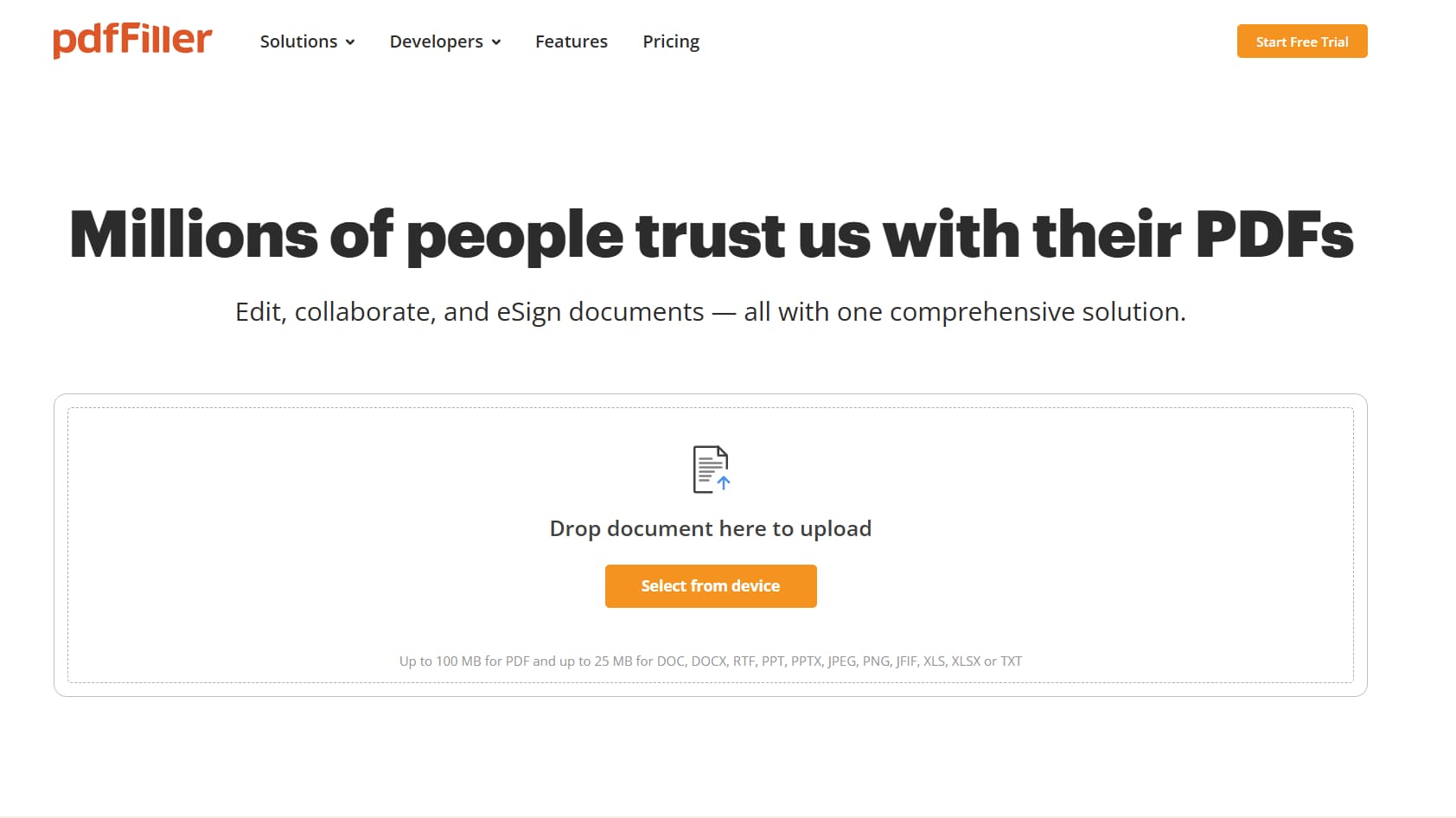 pdfFiller, a key part of the airSlate ecosystem, has evolved into a powerhouse for document automation and professional form management. In 2026, it stands as the most sophisticated Sejda alternative for users who need to go beyond simple edits and into the realm of complex business workflows. While Sejda is excellent for quick, manual text changes, pdfFiller is designed to transform static PDFs into interactive, fillable documents. It is a cloud-based platform that prioritizes the "life cycle" of a document—from creation and distribution to secure signing and data collection. For small business owners and corporate teams who find Sejda’s form-handling features a bit too basic, pdfFiller provides an enterprise-grade suite that integrates seamlessly with major CRM and cloud storage platforms.
Key Features
- Advanced Form Builder: Convert any PDF into a professional, interactive fillable form with checkboxes, dropdown menus, and data-validation fields.
- Seamless e-Signature Workflows: Send documents to multiple recipients for signature in a specific order and track the completion status in real-time.
- Direct Cloud Integrations: Connects natively with Salesforce, Google Drive, Dropbox, and OneDrive, allowing for automated document saving and retrieval.
- Secure Document Redaction: Beyond simple white-out, pdfFiller offers professional-grade redaction tools to permanently black out sensitive information for legal compliance.
- Mobile and Web Accessibility: A robust, cross-platform experience that allows users to edit and send documents from any browser or via dedicated iOS and Android apps.
Pros
- Superior Document Automation: It is the best Sejda alternative for users who need to send the same form to hundreds of people and collect data efficiently.
- Professional Template Library: Access a massive library of pre-made legal, medical, and business forms, saving hours of manual document creation.
- High-Level Security Compliance: Offers SOC 2 Type II and HIPAA compliance options, making it a much more secure Sejda alternative for regulated industries.
Cons
- Higher Price Point: Unlike some budget-friendly tools, pdfFiller is a premium service that requires a monthly or annual subscription, which may be more than casual users need.
- Steeper Learning Curve: Because it includes so many business-process tools, it can take slightly longer to master than a straightforward editor like Sejda.
Best For
pdfFiller is the ideal Sejda alternative for business professionals, HR departments, and legal teams who require advanced form-filling capabilities, secure e-signatures, and automated document workflows.
8. PDF Expert — The Best Sejda Alternative for Apple Ecosystem Users
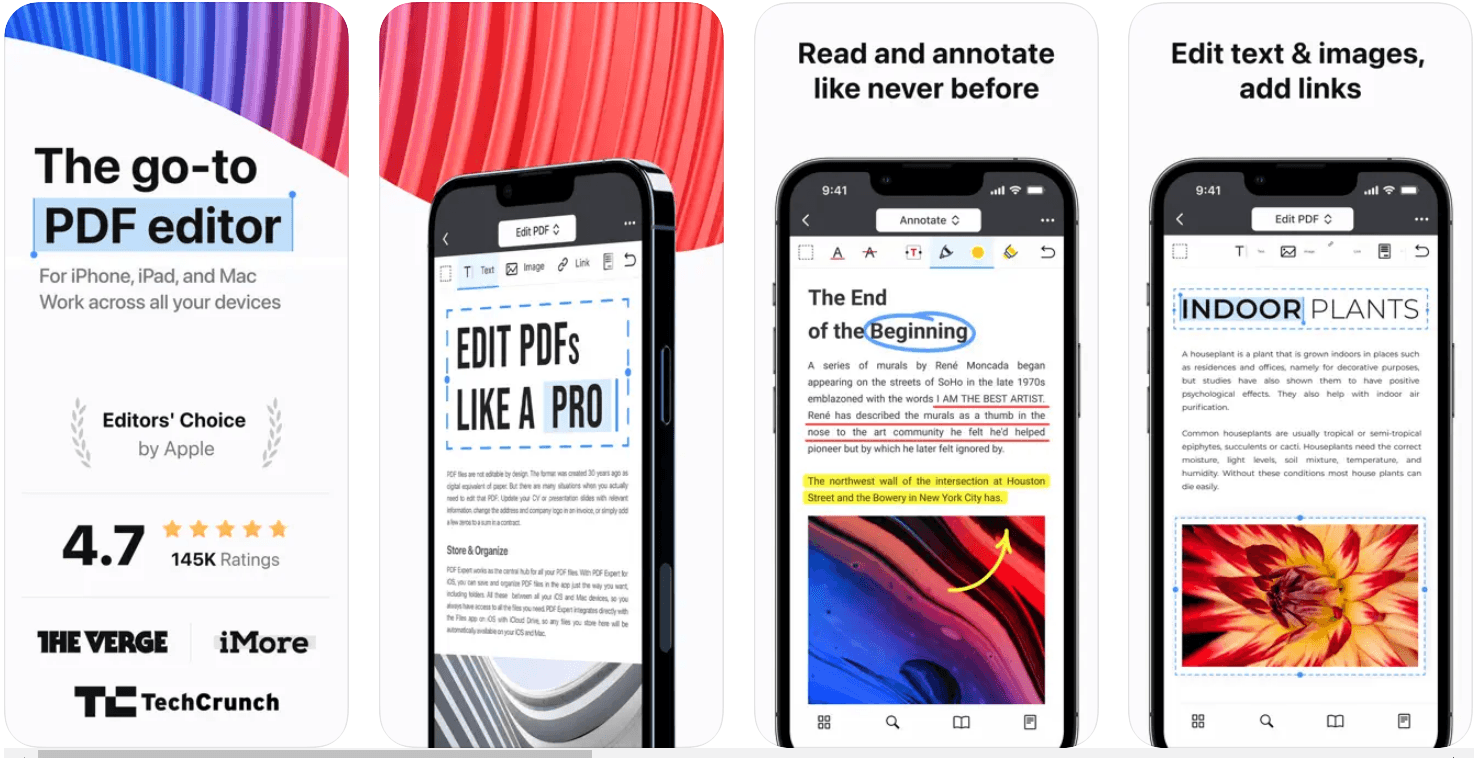 For users who operate exclusively within the Apple ecosystem, PDF Expert is widely considered the gold standard for document performance and design. While Sejda provides a versatile web-based experience that works across all platforms, PDF Expert is a native application built specifically to leverage the power of macOS, iPadOS, and iOS. In 2026, it remains the premier Sejda alternative for those who prioritize a "fluid" user experience—where scrolling through a thousand-page technical manual or rendering complex architectural blueprints happens with zero lag. It transforms the often-clunky task of PDF editing into a sleek, intuitive process that feels like a natural extension of the Apple operating system, offering a level of polish and speed that browser-based tools simply cannot replicate.
Key Features
- Desktop-Class Text Editing: Easily modify existing text, swap out high-resolution images, and update hyperlinks with a smooth, responsive interface.
- Seamless Universal Sync: Start annotating a file on your Mac and use Apple’s Handoff feature to continue exactly where you left off on your iPad or iPhone via iCloud.
- Advanced Apple Pencil Support: Optimized for the latest iPad hardware, providing a lag-free experience for sketching, hand-writing notes, and signing documents with pressure sensitivity.
- Smart Content Organization: Effortlessly merge documents, extract specific pages, and reorder files with a visual "page thumbnails" view.
- High-Performance OCR: A fast, local Optical Character Recognition engine that converts scanned images into editable text without needing to upload files to a server.
Pros
- Native Speed and Stability: Optimized for Apple Silicon (M-series chips), it is significantly faster than Sejda’s web editor, making it the better Sejda alternative for handling massive, image-heavy files.
- Superior Reading Experience: Offers customizable reading themes (Day, Night, Sepia) and a powerful search function that can scan multiple PDFs simultaneously.
- Award-Winning UI: The interface is clean, professional, and follows Apple’s design language perfectly, ensuring a near-zero learning curve for Mac and iPad users.
Cons
- Platform Lock-in: It is strictly limited to Apple devices; there is no version for Windows or Android, which may be a dealbreaker for cross-platform teams.
- Premium Cost: While a free version exists for basic reading, the advanced editing features require a subscription or a one-time purchase, making it a more significant investment than Sejda's weekly passes.
Best For
PDF Expert is the definitive Sejda alternative for Mac, iPad, and iPhone users—particularly creative professionals, students, and executives—who want a premium, high-speed tool that integrates perfectly with their Apple hardware and provides a superior experience for both deep editing and collaborative review.
How to Choose the Right Sejda Alternative for Your Workflow
With the wide variety of tools available in 2026, selecting the perfect Sejda alternative depends on how you balance your need for convenience, security, and specific editing features. To help you make the right choice, consider the following four criteria:
1. Security Requirements and File Size
One of the main reasons users seek a Sejda alternative is to bypass the 50MB file size limit or to ensure document privacy.
- The Offline Choice: If you are dealing with sensitive legal, financial, or corporate data, an offline Sejda alternative like PDF Agile or PDF24 Creator is your best bet. Because the processing happens on your local hard drive, you never have to worry about your data sitting on a cloud server.
- The Performance Choice: Local software also handles large, 500+ page documents much faster than a browser-based tool ever could.
2. Your Budget and Task Volume
Sejda’s limit of three tasks per day can be a major hurdle for busy professionals.
- The Free Route: If you want a completely free Sejda alternative with no usage caps, PDFgear or PDF24 Creator are the top choices. They offer premium-level features without the subscription cost.
- The Investment Route: If you prefer a professional environment without "subscription fatigue," look for a Sejda alternative that offers a one-time license, such as PDF Agile. This gives you permanent access to all features without a recurring monthly bill.
3. Deep Text Editing vs. Simple Annotations
Not all tools are created equal when it comes to changing the content of a PDF.
- True Editing: If you need to fix typos, change font styles, or rewrite paragraphs within the original document, you need a high-performance Sejda alternative like PDF Agile or PDF Expert. These tools use "reflow" technology to treat a PDF like a Word document.
- Annotations and Markup: If your work mostly involves highlighting, adding comments, or signing forms, a mobile-optimized Sejda alternative like Xodo is likely all you need.
4. Ecosystem and Device Compatibility
Your hardware often dictates which Sejda alternative will provide the smoothest experience.
- Apple Power Users: For those on Mac or iPad, PDF Expert is the definitive Sejda alternative, offering native speed and Apple Pencil support that browser tools can’t match.
- Business Teams: If your work involves sending forms to others for data collection, pdfFiller is the best Sejda alternative due to its advanced automation and CRM integration.
- Quick Browser Tasks: If you are on a Chromebook or a public computer, Smallpdf remains the most streamlined online Sejda alternative for quick, one-off conversions.
By identifying whether you prioritize privacy, price, or platform integration, you can move away from Sejda’s daily limits and choose a document solution that fits your professional life perfectly.
Take Control of Your Documents with a Professional Sejda Alternative
If you've found yourself frustrated by Sejda’s hourly file caps or are looking for a more secure way to handle your most important documents, it's time to upgrade your toolkit. PDF Agile offers the depth of a professional editor with the security of an offline application, ensuring your workflow remains fast, private, and entirely under your control.
Ready to move beyond basic online tools?