For many people who work with PDFs every day, Adobe Acrobat feels like the default option — the tool you’re “supposed” to use. But the moment you check the price, that confidence starts to fade. Monthly subscriptions, annual commitments, and constant plan changes have pushed a lot of users to wonder the same thing:
“Why is Acrobat this expensive and complicated… Which one should I choose and do I even really need it?”
This isn’t just a small group complaining. Search trends show a steady rise in queries like “Adobe Acrobat price increase,” “Acrobat Pro too expensive,” and “cheaper alternatives to Adobe Acrobat.” On forums like Reddit, users openly say they can’t justify the cost anymore, especially when they only need to edit a few pages, combine files, or sign documents.
Adobe still offers powerful tools — no question. But the real frustration comes from the gap between what many users actually need and what they’re being asked to pay. And when the only way to access full features is through a recurring subscription, the hesitation grows even stronger.
To help you answer these questions, this guide takes a clear, unhurried look at Acrobat's pricing, why Acrobat’s cost feels heavy, when it actually might be worth it, and when it simply isn’t. And most importantly, we’ll explore the alternatives that give you the freedom to work without feeling overwhelmed by the subscription fees.
By the end, you’ll know exactly which option respects both your workflow and your budget.
Adobe Acrobat Pricing 2025: A Quick Overview
1. Comprehensive Adobe Acrobat Pricing Table (2025)
| User Category | Plan Name | Payment Model | Cost (Per Month) | Annual Total | Key Restrictions / Notes |
| Individuals | Acrobat Standard | Annual | $12.99 | $155.88 | Windows Only. 1-Year Contract. |
| Monthly | $22.99 | $275.88 | Most expensive option. No contract. | ||
| Acrobat Pro | Annual | $19.99 | $239.88 | Win & Mac. 1-Year Contract. | |
| Monthly | $29.99 | $359.88 | High flexibility, high cost. | ||
| Business | Acrobat for Teams | Annual (Paid Monthly) | $23.99 | $287.88 | Includes Admin Console & 24/7 Support. |
| Education | Acrobat Pro (Student) | Annual (Paid Monthly) | ~$19.99* | ~$239.88 | Note:Only for the first year. |
2. Detailed Subscription Breakdown
Understanding the numbers is only half the battle. The real confusion—and often the buyer's remorse—comes from understanding what limitations apply to each tier.
2.1 The Free Plan: Adobe Acrobat Reader
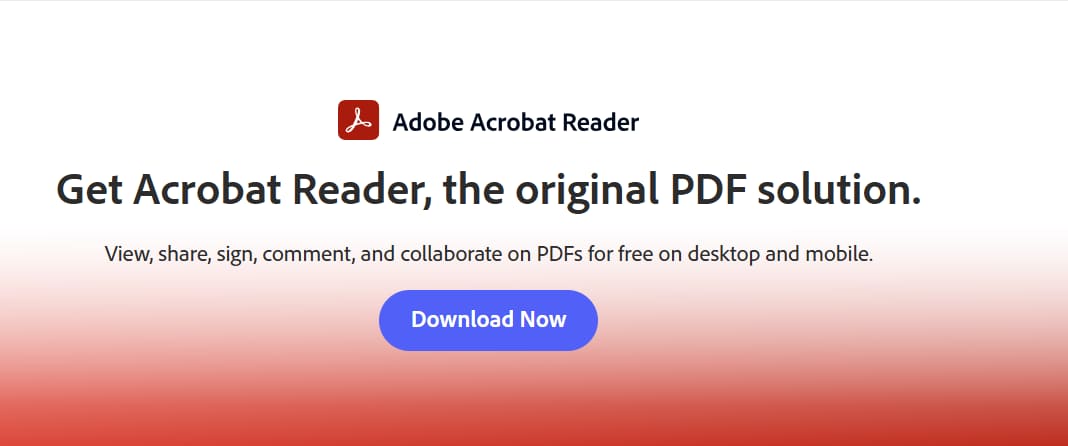
"Doesn't Adobe have a free version?"
Yes, it does. It is called Adobe Acrobat Reader DC, and while it is the most widely used PDF software in the world, it is important to understand that it is a viewer, not an editor.
Cost: $0 (Free Forever)
Platform: Windows, Mac, iOS, Android
What You CAN Do:
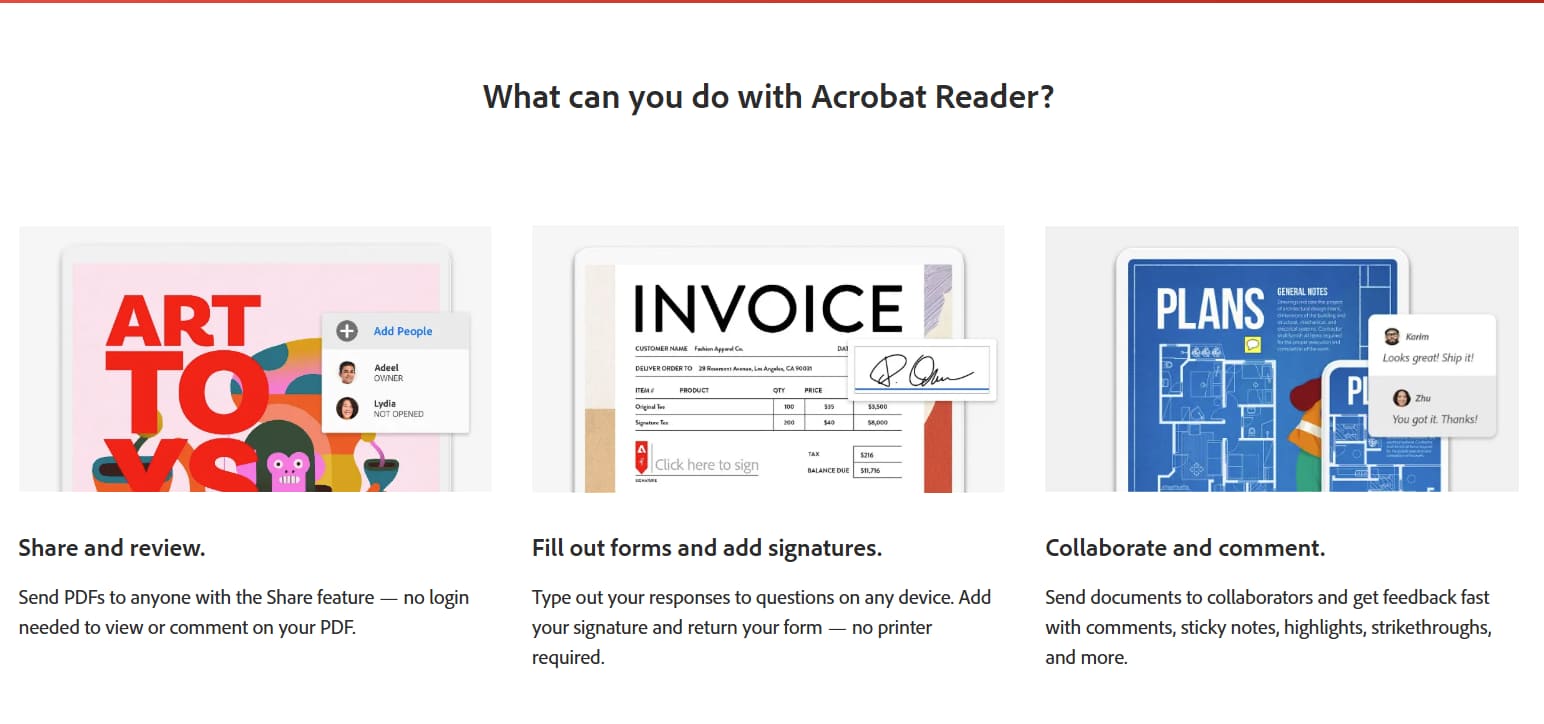
Adobe Reader is excellent for "passive" tasks. If your goal is simply to consume content, this is all you need.
- View and Read: Open any PDF file reliably.
- Print: High-quality printing options.
- Comment & Annotate: You can add sticky notes, highlight text, and use freehand drawing tools to mark up a document.
- Fill & Sign: You can type into fillable forms and add a simple electronic signature (e-sign).
What You CANNOT Do (The Paywall):
This is where the frustration sets in. The moment you try to alter the actual content of the file, the software stops you and prompts you to upgrade to a paid subscription.
- No Text Editing: You cannot fix a typo, change a font, or rewrite a paragraph.
- No Image Editing: You cannot move, resize, or replace images.
- No File Conversion: You cannot convert the PDF back into Word or Excel.
- No Page Organization: You cannot extract pages, combine multiple PDFs, or delete specific pages.
2.2 Adobe Acrobat Standard DC (Individuals)
If the free reader isn't enough, this is the first rung on the payment ladder. Adobe pitches Acrobat Standard as the essential toolkit for everyday document tasks, but it comes with strict limitations that many buyers overlook until it is too late.
- Best For: Windows-based office workers who need basic editing tools.
- Platform: Windows Only (Mac users are blocked from this tier).
The Pricing:
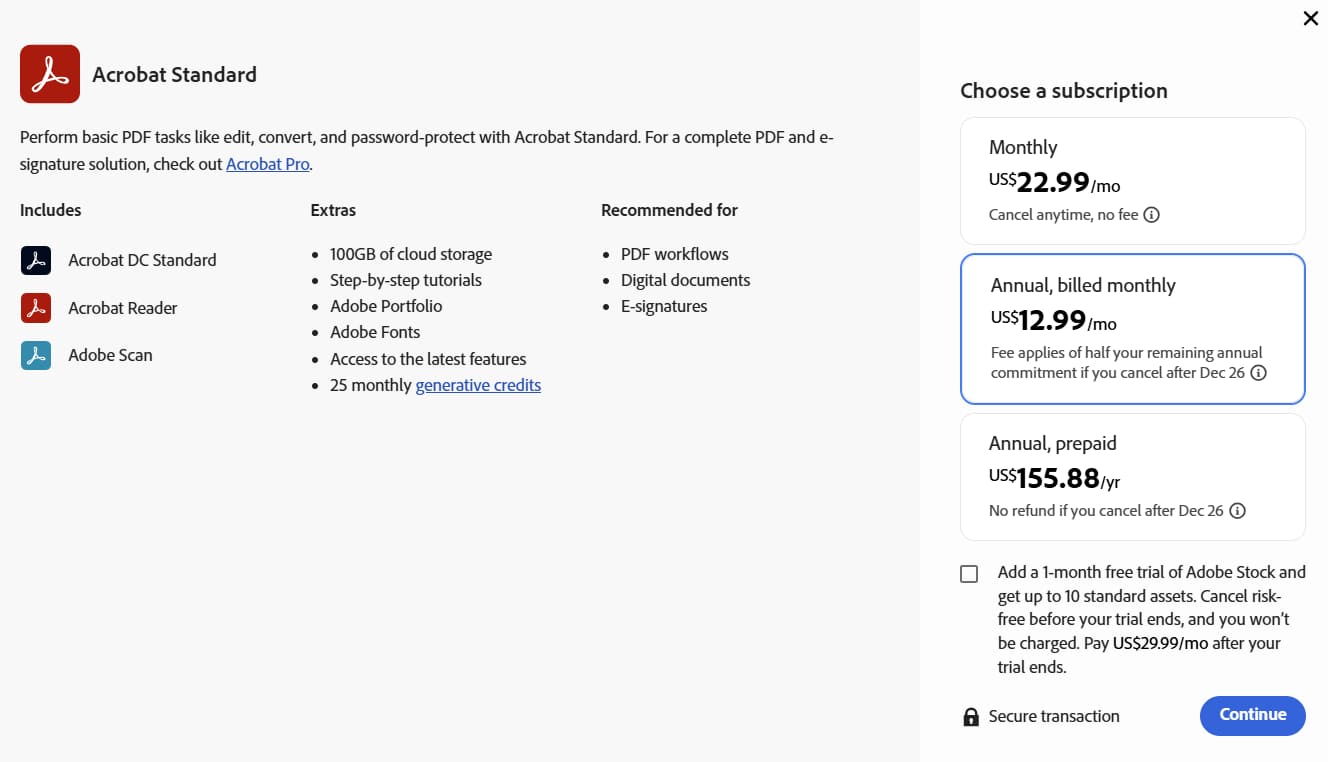
- Annual, Paid Monthly: $12.99/mo (Total: $155.88/yr)
- Annual, Prepaid: ~$155.88 / yr.
- Monthly (No Commitment): $22.99 / mo.
What You Get:
This plan unlocks the core editing features that the free version lacks. You effectively gain the ability to manipulate the document:
- Edit Text & Images: You can fix typos, change fonts, and resize images directly on the page.
- Create & Export: Convert Word, Excel, or PowerPoint files into PDFs, and vice versa.
- Combine Files: Merge multiple documents into a single PDF.
- Basic Security: Add passwords to protect sensitive files.
What You Don't Get:
The name "Standard" is slightly misleading because it lacks features that many professionals consider standard in 2025.
- No Mac Support: This is the biggest dealbreaker. If you have a MacBook or work in a mixed-device environment, this license is useless to you.
- Limited OCR: While it can recognize text in some scenarios, it lacks the advanced optical character recognition needed to turn scanned paper documents into fully editable, searchable text.
- No Advanced Tools: You cannot redact (permanently black out) sensitive info, nor can you compare two versions of a document side-by-side to see changes.
- The Verdict: Acrobat Standard is a capable tool, but it feels artificially restricted. You are paying over $150 a year, yet you are still blocked from using the software on a Mac or performing advanced document digitization.
2.3 Adobe Acrobat Pro DC (Individuals)
Adobe Acrobat Pro DC is the comprehensive tier designed for professionals who need complete control over their documents. While the Standard plan covers the basics, Pro is the necessary upgrade for anyone needing to digitize paper records, protect sensitive data, or simply work on a Mac.
- Best For: Professionals, Mac users, and power users who need complete control over document security and digitization.
- Platform: Windows and Mac.
The Pricing:
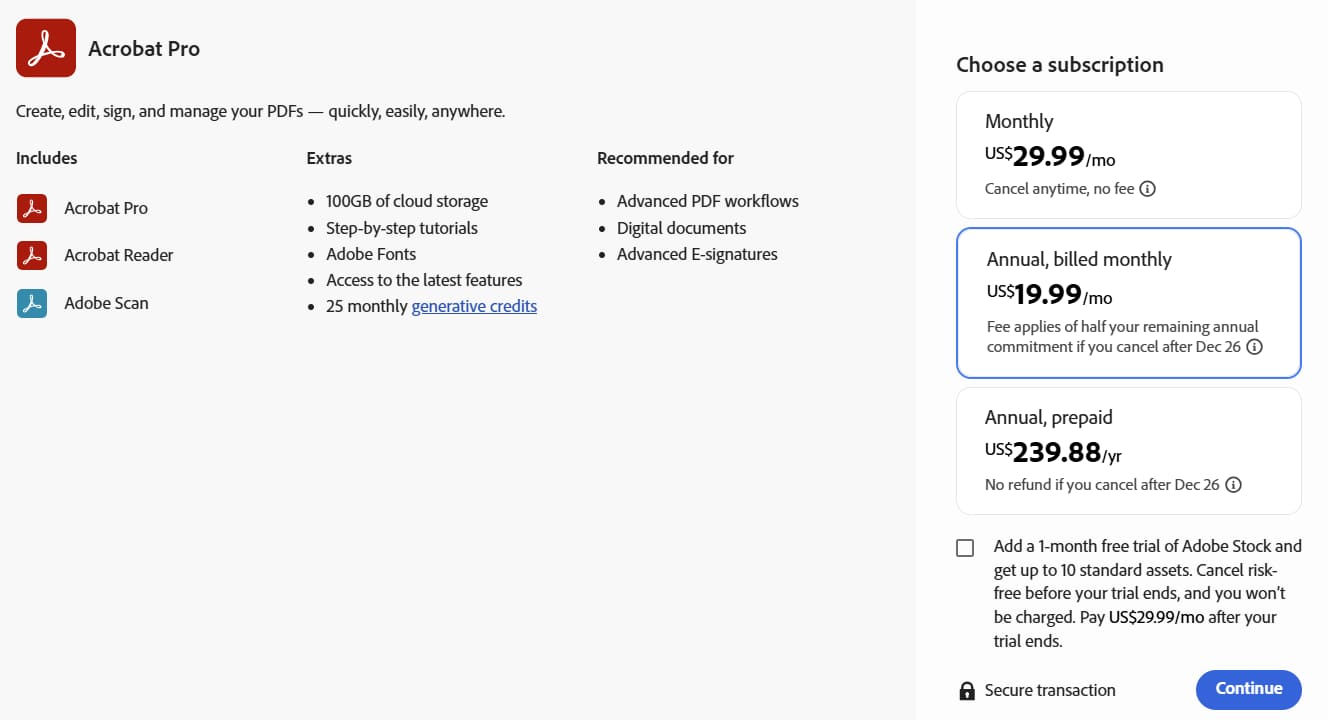
- Annual, Paid Monthly: $19.99/mo (Total: $ 239.88/yr)
- Annual, Prepaid: ~$239.88 / yr.
- Monthly (No Commitment): $29.99 / mo.
What You Get:
Acrobat Pro includes everything in the Standard version, plus a suite of high-end features designed for business workflows:
- Mac Compatibility: The ability to run the software on macOS devices.
- Advanced OCR: Turns scanned paper documents or images into fully editable, searchable text with high accuracy.
- Redaction: A security tool that permanently removes sensitive text and images (not just hiding them) to comply with legal/privacy standards.
- Compare Files: Automatically highlights the differences between two versions of a PDF document to track revisions.
- Bulk E-Sign: Send documents to multiple people for signature and track them in real-time.
What You Don't Get:
While the feature set is robust, the downside here isn't functionality—it’s financial efficiency.
- Price Stability: Adobe subscriptions are subject to price hikes. What costs $19.99 today could easily increase in the future, increasing your overhead without adding new value.
- Simplicity: For many users, the "Pro" version is bloated with cloud features and enterprise tools they will never use, yet they are required to pay for the full package just to get Mac support or OCR.
2.4 Adobe Acrobat Standard for Teams
When you need to equip an entire department or small business with PDF software, buying individual licenses becomes a logistical nightmare. The "Teams" plans are designed to solve this by offering centralized management, but the "Standard" tier remains restricted by operating system limits.
- Best For: Small to mid-sized businesses (SMBs) that operate exclusively on Windows PCs and need to manage multiple licenses under one account.
- Platform: Windows Only.

The Pricing:
- Annual, Paid Monthly: $14.99 / license / mo (Total: $179.88 per user / yr)
- Annual, Prepaid: ~$179.88 / license / yr.
Note: Unlike individual plans, business plans often require an annual commitment.
What You Get:
You get the core feature set of Acrobat Standard (editing, creating, exporting), plus administrative tools designed for company oversight:
- Admin Console: A web-based dashboard where an IT manager can add, remove, or reassign licenses. (e.g., If an employee leaves, you can take their license and give it to the new hire).
- Technical Support: Access to 24/7 advanced tech support from Adobe.
- Volume Discounts: Potential for discounts if purchasing a large number of licenses (usually 10+).
What You Don't Get:
- Cross-Platform Flexibility: Since this is the Standard version, it does not work on macOS. If your creative team uses Macs and your accounting team uses PCs, you cannot buy this single plan for everyone.
- Cost Efficiency: You are paying a premium (approx. $2 more per month per user compared to the individual plan) strictly for the "management" capability, not for extra PDF features.
- Advanced Features: Just like the individual version, your team cannot use advanced OCR or redaction tools.
The Verdict: This plan is a specific niche. It only makes sense if your entire office runs on Windows and you absolutely need centralized billing. If you have even one Mac user, this plan breaks down.
2.5 Adobe Acrobat Pro for Teams
For most businesses, this is the default choice. Because modern offices often use a mix of Windows and Mac devices, the "Pro" version is the only way to ensure every employee has the same tools. However, it is also the most expensive widely-available plan.
- Best For: Businesses and organizations that need full PDF capabilities across different operating systems, along with centralized license management.
- Platform: Windows and Mac.
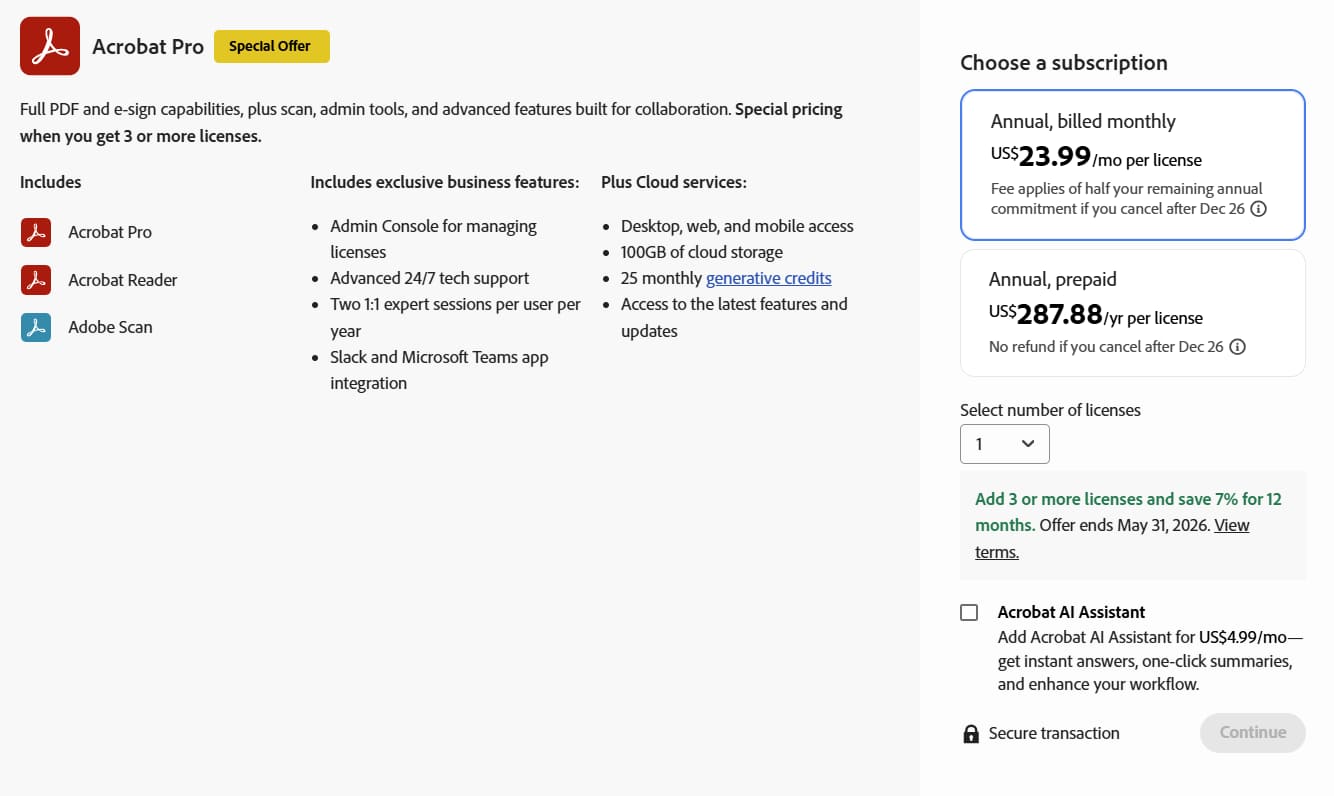
The Pricing:
- Annual, Paid Monthly: $23.99 / license / mo (Total: $287.88 per user / yr).
- Annual, Prepaid: ~$287.88 / license / yr.
- Monthly (No Commitment): Generally not available for Teams; Adobe usually enforces an annual commitment for business licenses.
What You Get:
This tier combines every feature Adobe offers into one package:
- Universal Compatibility: Works seamlessly on both Mac and Windows, so you don't need to track which employee has which computer.
- Full Feature Set: Unlimited OCR, Redaction, Comparisons, and bulk e-signatures.
- Admin Control: A centralized console to assign and revoke licenses (essential for onboarding/offboarding employees).
- Integrations: Deep integration with Microsoft 365 (Word, Teams, SharePoint) and Google Drive.
The "Budget Killer" :
The downside isn't the software; it's the multiplication of cost.
- The Scale Problem: A single license is ~$288 / year.
- 5 Employees: ~$1,440 / year.
- 10 Employees: ~$2,880 / year.
- 20 Employees: ~$5,760 / year.
- Recurring Overhead: This isn't a one-time capital expense; it is a permanent line item on your operational budget. Every year, you must pay this amount just to keep your files editable.
- Over-Licensing: Often, businesses pay for "Pro" seats for staff who only need to do simple edits, simply because they need the license management or Mac compatibility. You end up paying for "Ferrari features" for employees who just need to drive to the grocery store.
The Verdict: While it offers the best administrative control, Acrobat Pro for Teams is a massive financial drain. For many SMBs, the cost of maintaining these subscriptions eventually outweighs the convenience of the "Adobe ecosystem."
Why is Adobe Acrobat So Expensive?

If you look at the math, paying $700+ over three years for a text editor seems unreasonable. So why does Adobe charge this much? The answer isn't as simple as "better features" or "superior quality." Let's pull back the curtain on Adobe's pricing strategy and understand what you're really paying for.
1. The Brand Premium: Paying for the Name

You're not just buying software—you're buying the Adobe brand.
Adobe established itself as the industry standard for PDF technology back in the 1990s when they invented the PDF format. This first-mover advantage created a powerful perception: "Adobe = Professional = Necessary."
The Psychology at Work:
When businesses evaluate PDF software, many don't even consider alternatives. The thinking goes:
- "Everyone uses Adobe, so we should too"
- "Our clients expect Adobe-quality documents"
This brand equity allows Adobe to charge premium prices simply because they can. Research shows that brand recognition alone accounts for 30-40% of Adobe's pricing premium over competitors.
The Truth:
In blind tests, users often can't distinguish between PDFs created with Adobe versus quality alternatives like PDF Agile, Foxit, or PDFelement. You're paying extra for a logo that appears nowhere in your final documents.
2. The Enterprise-First Business Model
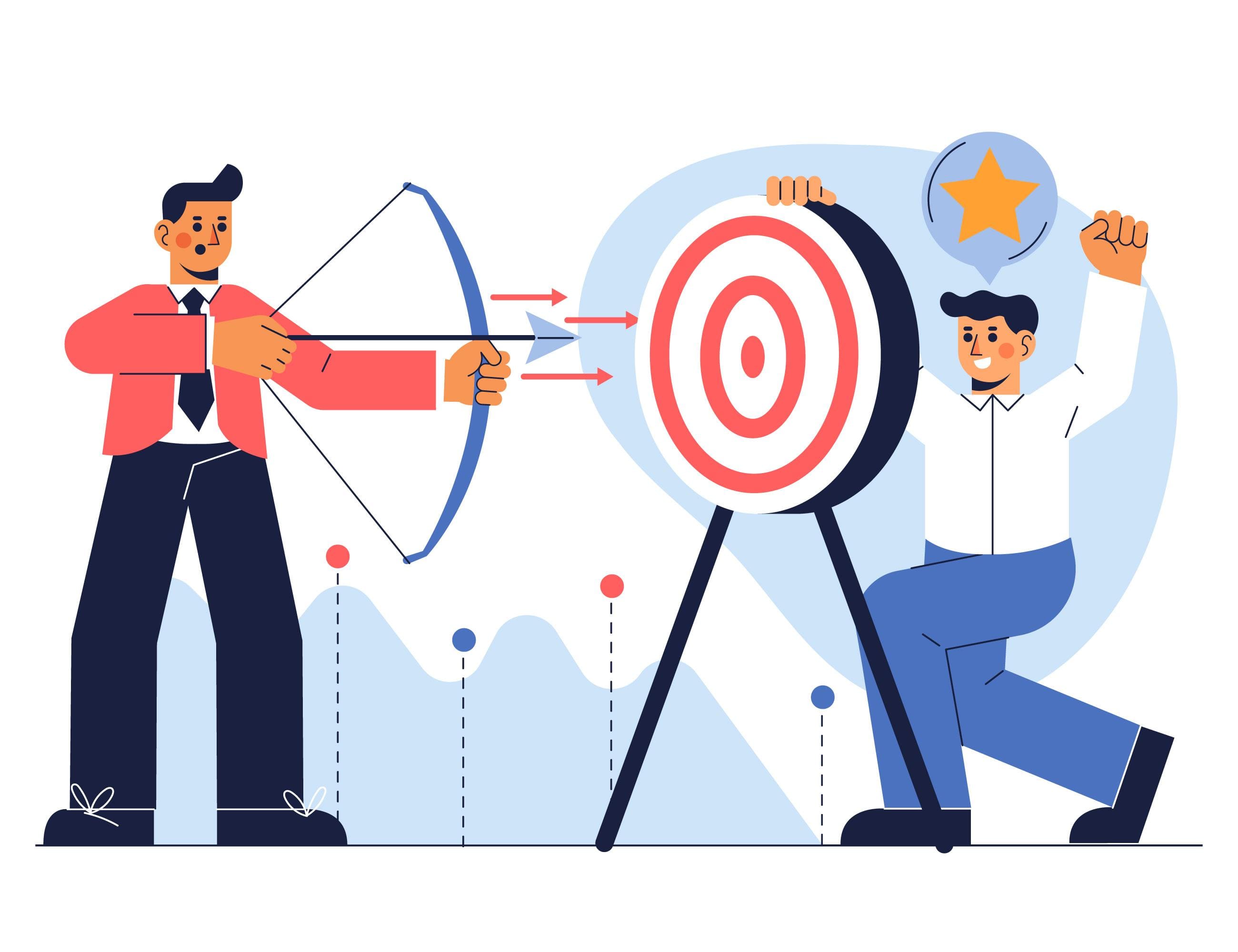
Adobe's Target Customer: Fortune 500 companies, not individual users.
Adobe's pricing strategy makes perfect sense when you realize individual users aren't their priority. Their real money comes from enterprise contracts where companies buy hundreds or thousands of licenses.
How This Affects Individual Pricing:
1. Volume Discounts Start High
- Individual: $239.88/year
- 5-person team: $1,439.40/year ($287.88/license)
- 100+ licenses: Negotiated pricing (often $150-200/license)
- The individual price is intentionally high to make enterprise pricing look like a "deal."
2. Feature Bloat
- Adobe builds features for enterprise clients (preflight, Bates numbering, compliance tools)
- Individual users pay for these features whether they need them or not
- Competitors focus on what individuals actually use, keeping costs down
3. Support Infrastructure
- Adobe maintains 24/7 enterprise support
- Compliance certifications (SOC 2, GDPR, HIPAA)
- Enterprise sales teams and account managers
- Individual users subsidize these enterprise costs
The Result:
Small businesses and individuals are essentially cross-subsidizing Adobe's enterprise infrastructure. You're paying for features and services designed for corporations with IT departments, not solo users working from home.
3. The Subscription Model: Maximum Lifetime Value

In 2013, Adobe made a pivotal decision: eliminate perpetual licenses and move entirely to subscriptions. This wasn't for your benefit—it was to maximize their revenue.
The Old Model (Pre-2013):
- Buy Adobe Acrobat 11: $449 one-time
- Use it for 5+ years
- Upgrade when YOU decide
- Adobe's revenue: $449 over 5 years = $89.80/year
The New Model (2013-Present):
- Subscribe to Acrobat Pro: $239.88/year
- Pay forever or lose access
- Forced to stay current
- Adobe's revenue: $239.88/year × 5 years = $1,199.40
That's a 267% revenue increase from the same customer over five years.
Why Adobe Loves Subscriptions:
1. Predictable Recurring Revenue
- Wall Street loves subscription businesses
- Adobe's stock price has increased 600%+ since going subscription-only
- Steady monthly cash flow vs. unpredictable one-time sales
2. Reduced Price Sensitivity
- $19.99/month sounds more acceptable than $449 upfront
- Users don't calculate the lifetime cost
- Monthly charges are "invisible" in credit card statements
3. Lock-In Effect
- Your files are in Adobe's cloud
- You've built workflows around Adobe
- Switching becomes painful, so you keep paying
4. Continuous Revenue
- Users who would've skipped upgrades now pay annually
- No more "good enough" with older versions
- Adobe gets paid whether they add value or not
The Subscription Tax
Traditional software companies make money through:
- Initial sale + support revenue + major upgrades
Subscription companies make money through:
- Continuous payments + psychological friction against canceling + cloud lock-in
You're paying for Adobe's preferred business model, not necessarily better software.
4. Bundled Features You Don't Need
Adobe Acrobat Pro includes dozens of features that 90% of users never touch. But you're paying for all of them.
Features Most Users Never Use
- Preflight checks (for professional printing)
- Color management tools (for print production)
- Bates numbering (for legal discovery)
- Geospatial PDF support (for maps and engineering)
- 3D PDF capabilities (for CAD files)
- Portfolio creation (legacy feature)
- Action Wizard advanced automation (power user tool)
- PDF/X, PDF/E, PDF/VT standards (industry-specific)
The Problem
Adobe uses a "one-size-fits-all" approach. Everyone gets everything, and everyone pays for everything. There's no "Acrobat Lite" or "Acrobat Personal" with just the essentials at a lower price.
Competitor Approach
PDF Agile and similar tools offer:
- One-time purchase options (own it forever, no recurring fees)
- Affordable subscriptions (when you prefer ongoing updates)
- Simpler interfaces (less clutter)
- Focused features (what people actually use)
- Lower development costs (fewer features to maintain)
- Savings passed to customers
5. Marketing, Sales, and Infrastructure Costs
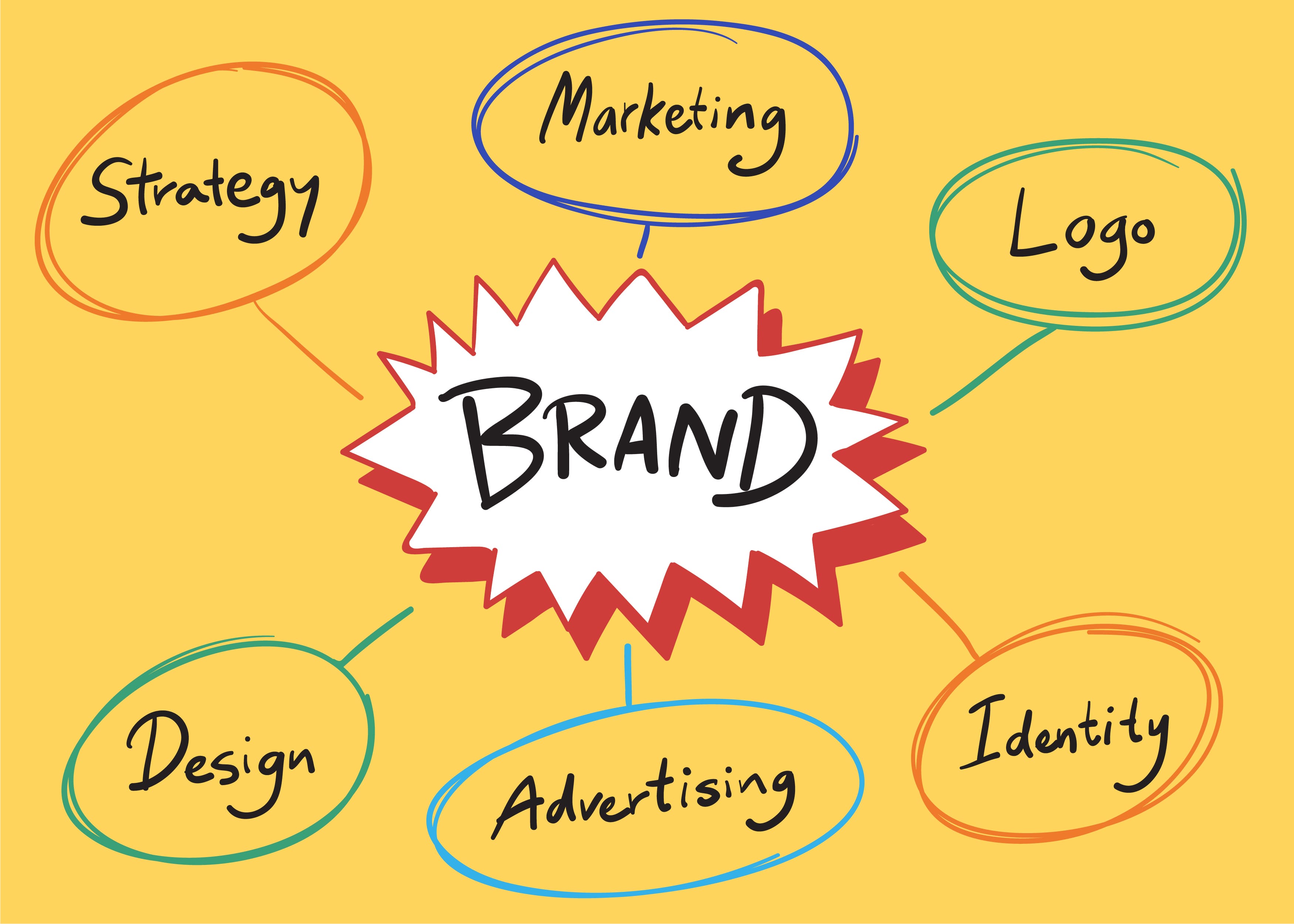
Adobe is a publicly traded company with 29,000+ employees and massive operational expenses. Individual users help pay for:
- Marketing Budget
- Sales Organization
- Infrastructure Costs
- Corporate Overhead
- Adobe Ecosystem Support
6. The Psychology of "Professional" Pricing

Adobe has masterfully positioned Acrobat Pro as a "professional tool" that justifies premium pricing through perception, not reality.
The Professional Tool Trap:
Users assume: Expensive = Professional = Better Results
But ask yourself:
- Does a $240/year PDF editor make your documents look more professional than a $60/year alternative?
- Can your clients tell which software you used?
- Do you need "professional" features or just reliable ones?
The Reality:
Your document quality depends on:
- Your content (90%)
- Your design skills (8%)
- Your PDF software (2%)
You're paying 300% more for that 2% difference—and in most cases, there's no difference at all.
Adobe's Pricing Psychology:
- Anchoring: List high "regular" prices, then show "discounts"
- Decoy pricing: Make Standard look cheaper by comparison to Pro
- Bundling: Include features you don't need to justify higher prices
- Fear of switching: "What if the alternative isn't as good?"
Adobe's Pricing Strategy Summary
Let's consolidate what Adobe charges and why:
| Cost Component | % of Price | Your $240 Breaks Down To |
| Actual software value | 25-30% | ≈ $60-72 |
| Brand premium | 30-35% | ≈ $72-84 |
| Enterprise infrastructure | 15-20% | ≈ $36-48 |
| Subscription overhead | 10-15% | ≈ $24-36 |
| Marketing & operations | 10-15% | ≈ $24-36 |
What This Means:
Of your $239.88 annual payment, only approximately $60-72 represents actual software value for individual users. The rest is overhead, brand premium, and subsidizing enterprise customers.
The Alternative Reality:
PDF Agile and similar tools prove you can get professional-grade PDF editing for $60-120/year (or less with lifetime licenses) because they:
- Focus on what users actually need
- Operate efficiently without corporate bloat
- Pass savings to customers
- Compete on value, not brand recognition
Is Adobe Acrobat Worth The Price?

The answer isn't a simple yes or no—it depends entirely on your specific situation, needs, and budget. Let's examine when Acrobat might be worth the premium, and when you're almost certainly overpaying.
1. When Adobe Acrobat MIGHT Be Worth It
Adobe Acrobat could justify its premium price in these specific scenarios:
- Large Enterprises with Unlimited Budgets
If you work for a Fortune 500 company where software costs come from corporate budgets, IT has standardized on Adobe, and you benefit from volume licensing, the individual cost becomes irrelevant.
- Creative Cloud All Apps Users
If you're already paying $59.99/month for Adobe Creative Cloud because you genuinely use Photoshop, Illustrator, InDesign, and other apps professionally, Acrobat Pro is included in your subscription at no additional cost.
- Industries with Strict Adobe Requirements
Certain legal, government, or print production environments may contractually require Adobe-specific workflows or certifications.
- True Power Users
If you regularly use preflight tools, Bates numbering, JavaScript forms, PDF/X standards, and other advanced features that represent 80%+ of Acrobat's capabilities, the cost might be justified.
- Someone Else Is Paying
If your employer provides the subscription, you're expensing it, or you have educational access, the personal cost calculation changes.
2. When Adobe Acrobat is NOT Worth It
For approximately 75-85% of users, Adobe Acrobat represents poor value:
- Individual Users with Basic to Moderate Needs
If your PDF work includes editing text, converting documents, adding signatures, organizing pages, and basic annotations—you don't need Adobe. These standard operations work excellently in alternatives costing 75% less.
- Small Businesses on Tight Budgets
The math is brutal for small teams:
| Team Size | Adobe Cost/Year | PDF Agile Cost/Year | Annual Savings |
| 2 people | $479.76 | $118 | $361.76 |
| 5 people | $1,199.40 | $295 | $904.40 |
| 10 people | $2,398.80 | $590 | $1,808.80 |
For a 5-person team, that $904 saved could cover a month of health insurance, a marketing campaign, or emergency reserves.
Occasional PDF Users
If you edit PDFs once or twice a month, your cost-per-use with Adobe is approximately $10 per edit. With PDF Agile's one-time license ($119), it drops to $0.41 per use over three years.
Users Prioritizing Value for Money
Feature-for-feature comparison reveals the value gap:
| Feature | Adobe Acrobat Pro | PDF Agile |
| Edit Text & Images | ✓ Yes | ✓ Yes |
| Advanced OCR | ✓ Yes | ✓ Yes |
| Convert to Word/Excel/PPT | ✓ Yes | ✓ Yes |
| E-Signatures | ✓ Yes | ✓ Yes |
| Redact Sensitive Info | ✓ Yes | ✓ Yes |
| Merge & Split Pages | ✓ Yes | ✓ Yes |
| Password Protection | ✓ Yes | ✓ Yes |
| User Interface | Complex / Multi-menu | Familiar "Word-Style" Ribbon |
| Offline Performance | Heavy | Lightweight / Fast |
| Pricing Model | Subscription Only (Rent) | Perpetual License (Own) |
| Annual Cost | ~$239.88 / year | ~$59 / year |
| Lifetime Option | ✗ (Not Available) | ✓ Yes ($119 one-time) |
Students and Budget-Conscious Individuals
For students, $240/year represents:
- 2-3 months of groceries
- A semester of textbooks
- Part of rent payments
PDF Agile's $119 one-time license covers an entire college career for half the cost of one year of Adobe.
Better Alternatives to Adobe Acrobat
If you've realized Adobe Acrobat isn't worth $240-360/year for your needs, the good news is you have excellent alternatives. These PDF editors offer professional-grade features at a fraction of Adobe's cost—and often with better performance.
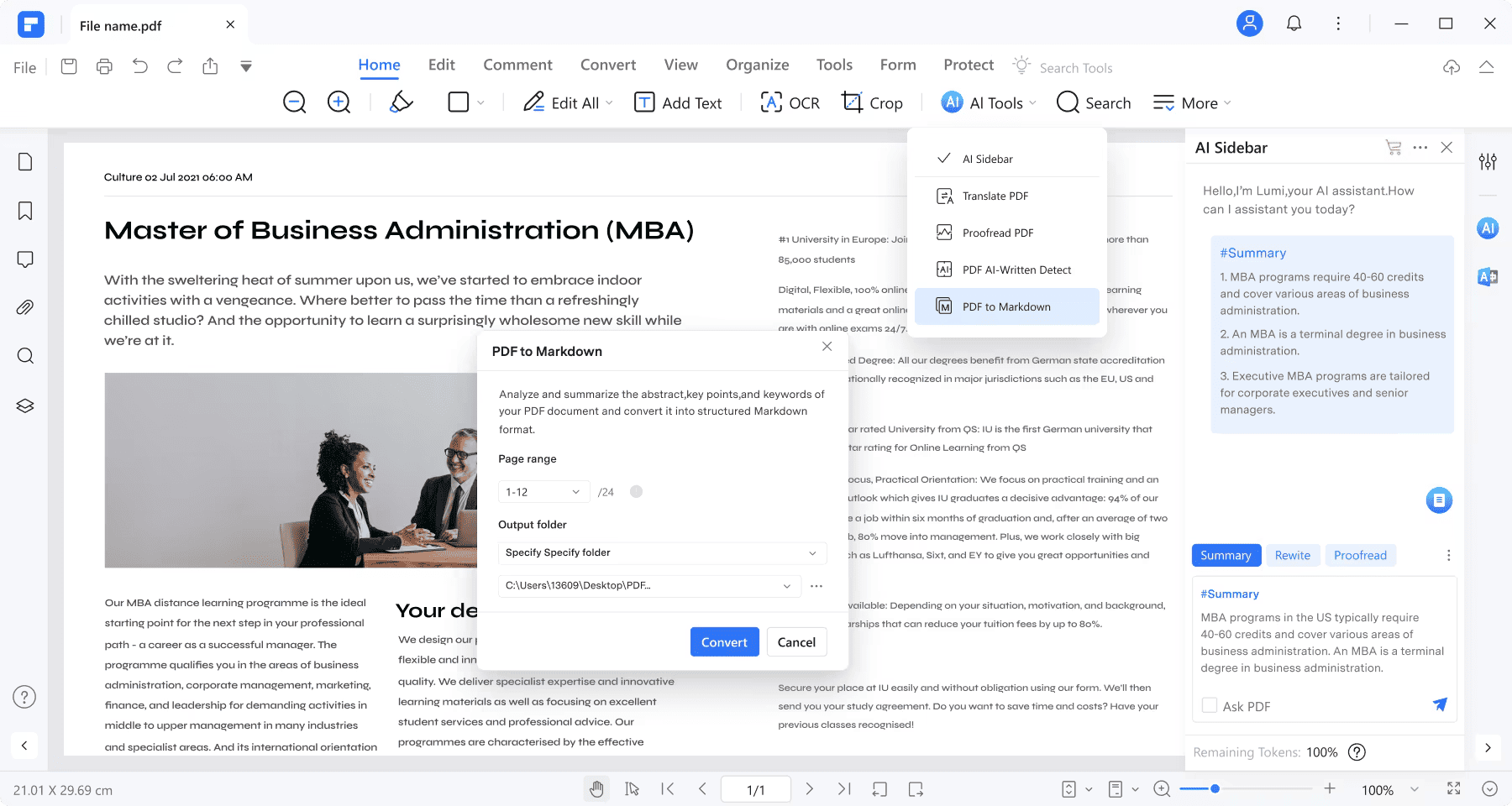
1. PDF Agile - Best Value Alternative (Editor's Choice)
Best for: Budget-conscious individuals, small businesses, and anyone wanting to escape subscription fatigue
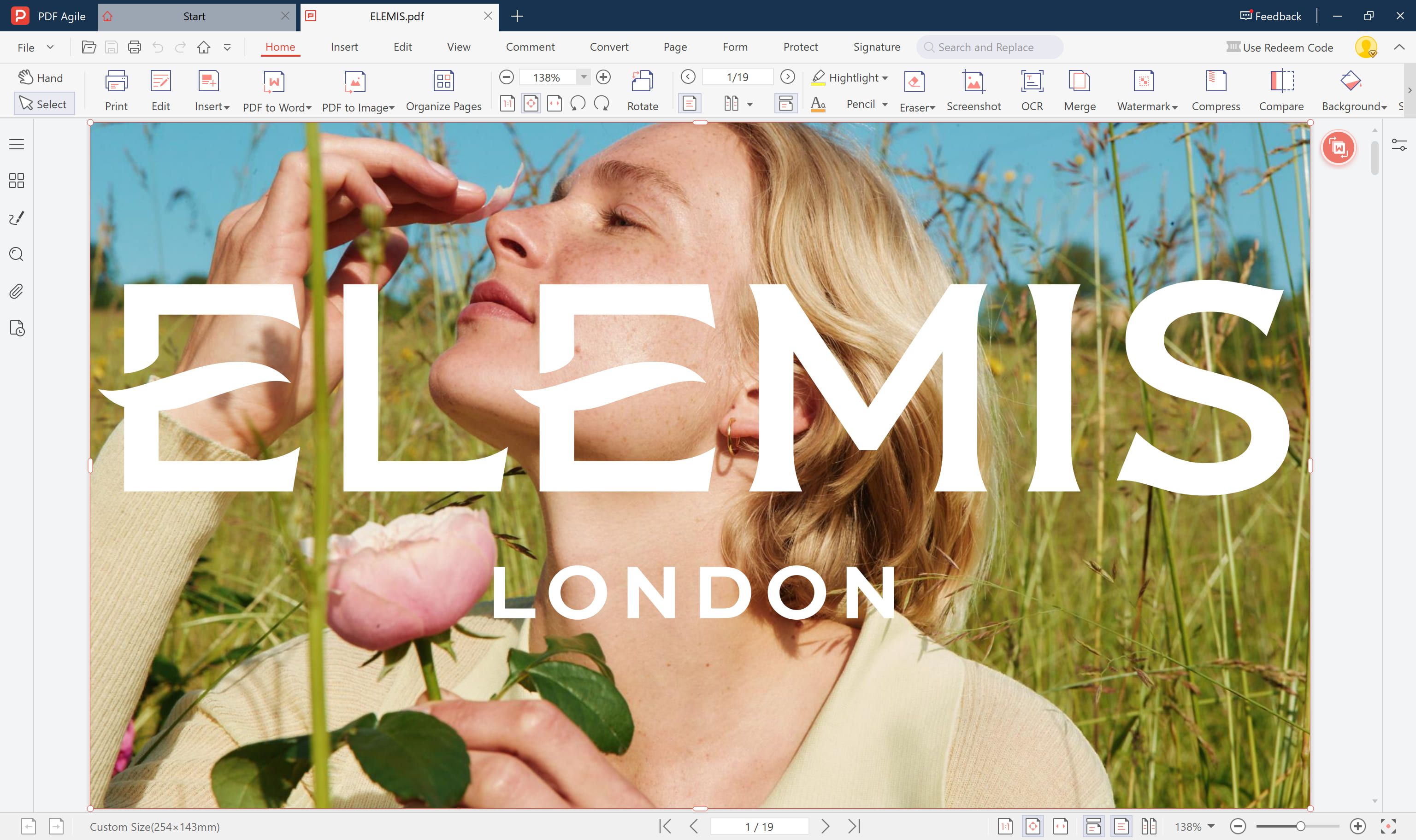
PDF Agile is our top recommendation for users seeking professional PDF editing without the Adobe premium. It delivers all the essential features most users need, with responsive performance and pricing that makes sense.
Pricing
| Plan Type | Cost | Best For |
| Annual Subscription | $59/year | Users who want ongoing updates |
| One-Time License | $119 (campaign price) | Users who want to own software forever |
Cost Comparison:
- Adobe Acrobat Pro: $239.88/year
- PDF Agile Annual: $59/year
You save: $180.88/year (75% savings)
Over 3 years:
- Adobe: $719.64
- PDF Agile one-time: $119
- You save: $600.64 (83% savings)
Key Features
Core PDF Editing:
- Edit text and images directly in PDFs
- Create PDFs from any file format
- Convert PDFs to Word, Excel, PowerPoint
- Merge and split PDF files
- Organize pages (reorder, rotate, delete, insert)
Advanced Capabilities:
- OCR (Optical Character Recognition) - Make scanned documents editable
- E-signature tools with form filling
- Password protection and encryption
- Annotations and markup tools
- Batch processing for multiple files
- PDF compression and optimization
What Sets It Apart:
- Fast performance - Launches in 2-5 seconds (vs. 15-30 for Adobe)
- Lightweight - Small installation footprint, low resource usage
- Clean interface - Intuitive design without feature bloat
- One-time purchase option - Escape the subscription trap
- Cross-platform - Works on Windows and Mac
- No hidden fees - What you see is what you pay
Who Should Choose PDF Agile?
✅ Perfect for:
- Individual users tired of Adobe's subscription costs
- Small businesses needing affordable team licenses
- Freelancers and consultants on a budget
- Students who need lifetime access
- Anyone who wants to own software, not rent it
- Users prioritizing performance over brand names
- People who need 90% of features at 25% of the cost
❌ Not ideal for:
- Users contractually required to use Adobe
- Large enterprises with Adobe ecosystem lock-in
- Print production specialists needing preflight tools
2. Other Quality Adobe Alternatives
While PDF Agile is our top recommendation for value-conscious users, here are other solid alternatives worth considering:
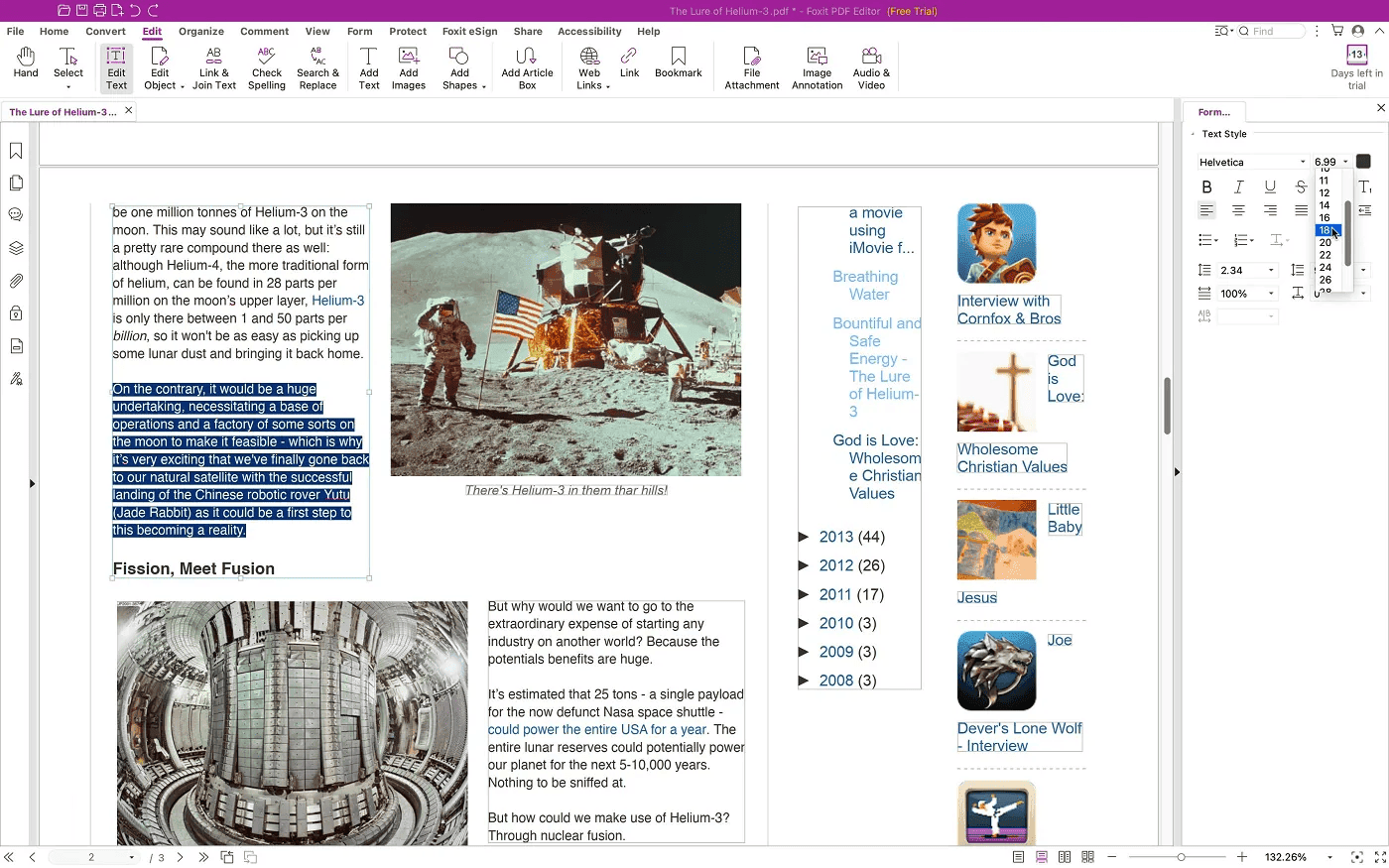
2.1 Foxit PDF Editor - Good Overall Alternative

Best for: Users wanting Adobe-level features with better pricing
Pricing:
- PDF Editor: $129.99/year
- PDF Editor Plus: $172.79/year
- AI Assistant add-on: +$49.99/year
Key Strengths:
- Comprehensive feature set comparable to Adobe Pro
- Strong collaboration tools
- Enterprise-grade security options
- Established brand with long track record
Limitations:
- Still subscription-based (no one-time option)
- More expensive than PDF Agile ($71-113/year more)
- Can be slower than lightweight alternatives
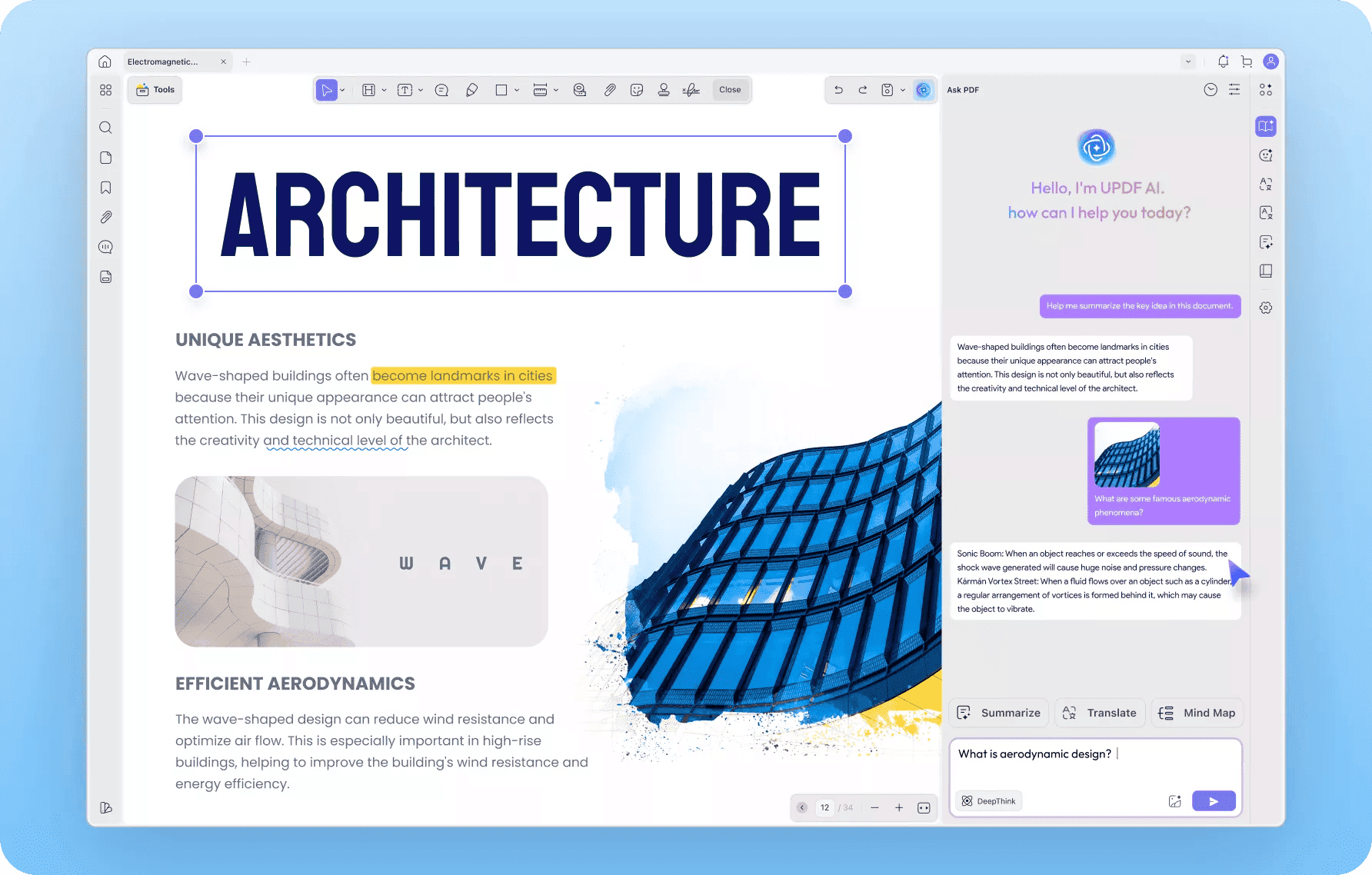
2.2 UPDF - Best for Individuals

Best for: Individual users wanting powerful AI features
Pricing:
- UPDF Pro: $39.99/year
- Lifetime license: $69.99 one-time
- With AI: Additional cost
Key Strengths:
- Very affordable annual pricing
- Strong AI-powered tools
- Clean, modern interface
- Cross-platform (Windows, Mac, iOS, Android)
Limitations:
- AI features require separate subscription
- Less established than Foxit or PDF Agile
- Fewer advanced business features
2.3 PDFelement - Feature-Rich Option

Best for: Small teams needing collaboration features
Pricing:
- Annual: $79.99/year (individual)
- Lifetime: $129.99 one-time (individual)
- Team plans available
Key Strengths:
- Extensive feature set
- Good batch processing tools
- Template library included
- Solid OCR performance
Limitations:
- More expensive than PDF Agile
- Interface can feel cluttered
- Steeper learning curve
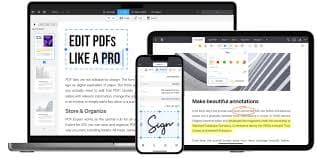
2.4 PDF Expert - Best for Mac Users
Best for: Mac, iPhone, and iPad users exclusively
Pricing:
- Annual subscription: $63.74/year (first year), $84.99/year after
- Lifetime subscription: $149.99 one-time
Key Strengths:
- Optimized specifically for Apple ecosystem
- Beautiful, native Mac design
- Excellent reading experience
- Smooth iPad integration
Limitations:
- Mac/iOS only (no Windows support)
- More expensive than PDF Agile
- Limited advanced features compared to others
3. Free Alternatives
If you have very basic needs and can work with limitations:
3.1 LibreOffice
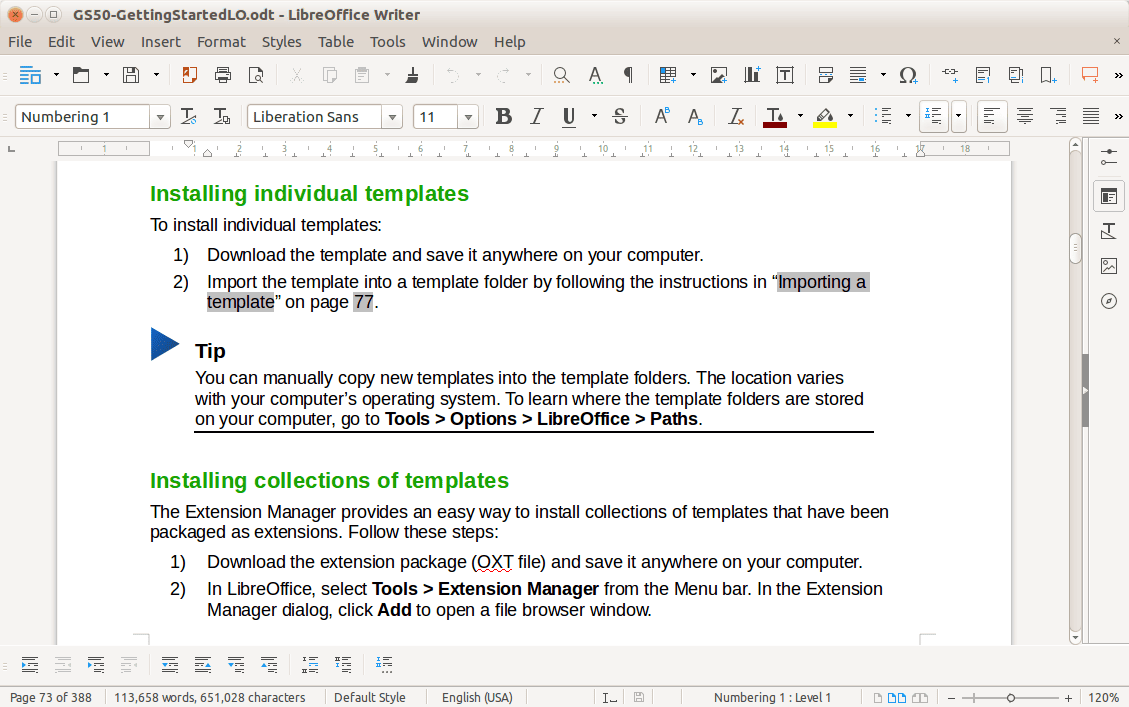
Free and open-source
Basic PDF editing capabilities
Good for simple text edits
Limitation: Clunky interface, limited features
3.2 PDFtk (PDF Toolkit)
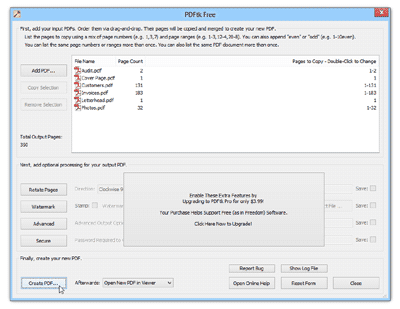
Free command-line tool
Merge, split, rotate PDFs
Limitation: No GUI, technical knowledge required
3.3 Google Docs
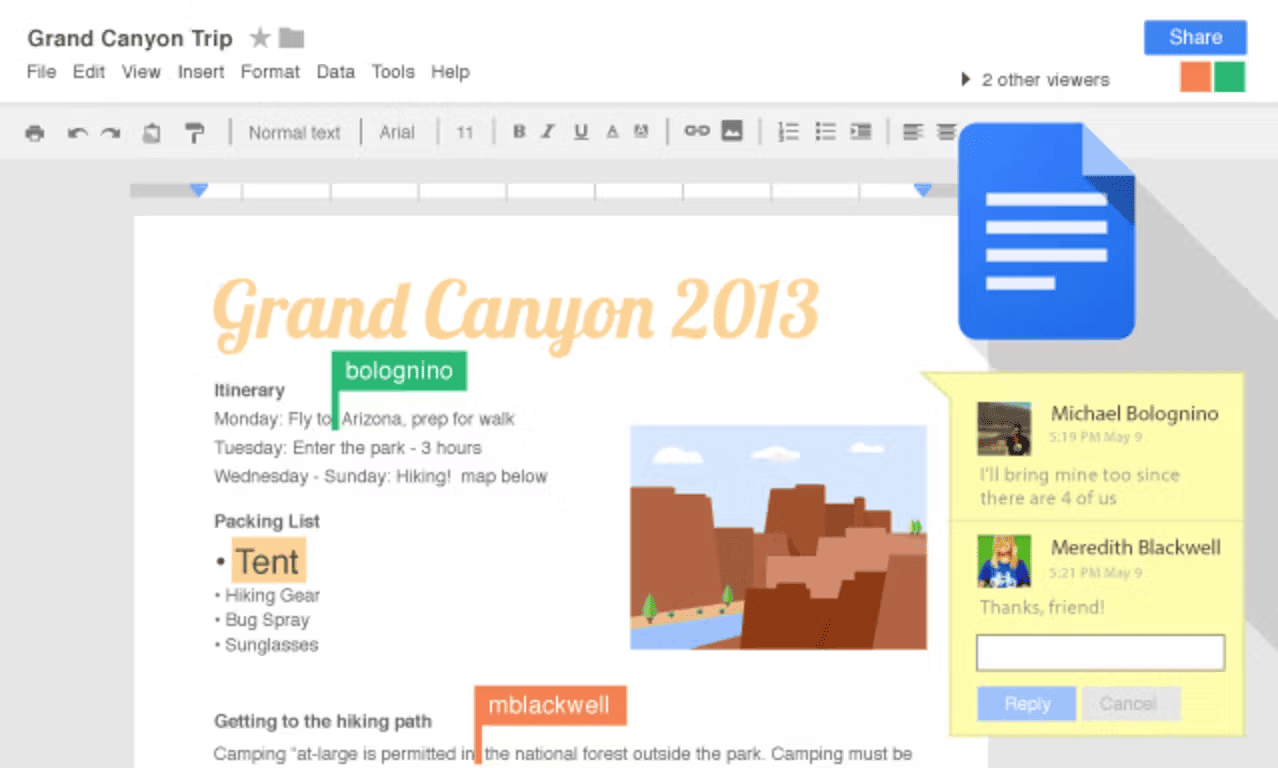
Free with Google account
Can open and edit some PDFs
Limitation: Poor formatting retention, online-only
Reality Check: Free tools work for occasional, basic tasks but lack the reliability and features needed for professional work. For serious PDF editing, investing $59-119 in PDF Agile provides dramatically better value than struggling with free tools.
How to Choose the Right Alternative
1. Choose PDF Agile if:
You want the best value for money (75% savings vs. Adobe)
You prefer a one-time purchase option ($119 forever)
You need fast, lightweight performance
You're an individual or small business on a budget
2. Choose Foxit if:
You need virtually every Adobe Pro feature
You work in a larger organization
You have specific collaboration requirements
Budget allows for $130/year
3. Choose UPDF if:
You prioritize AI features heavily
You want the absolute lowest annual price
You use multiple devices (Windows, Mac, mobile)
$40/year is your maximum budget
4. Choose PDF Expert if:
You're exclusively in the Apple ecosystem
You want Mac-native design
iPad workflow is critical
You don't need Windows compatibility
Conclusion
In 2025, the debate over Adobe Acrobat isn't just about quality—it’s about value. There is no denying that Acrobat is a powerful tool, but its pricing model forces every user into the same expensive box: a high-cost subscription with no exit strategy.
Paying over $240 every single year to edit text or convert files is a steep price to pay. The moment you stop paying, your work comes to a halt.
PDF Agile restores the choice that Adobe took away.
We understand that different users have different financial needs. That’s why we don't force you into a single payment model.
Prefer a low monthly cost? Our subscription plans are significantly more affordable than Adobe’s.
Prefer to buy it once and be done? We offer a Perpetual License that pays for itself in months.
You shouldn't have to pay a "productivity tax" forever just to edit a document. Whether you want to rent for a short project or own your software for a lifetime, PDF Agile gives you the professional tools you need at a price that makes sense.
Start Your Free Trial of PDF Agile
FAQs
Here are the answers to the most common questions users have about Adobe’s pricing and how to escape the subscription trap.
Q1: Can I still buy Adobe Acrobat as a one-time purchase?
A: Essentially, no. Adobe has aggressively phased out its perpetual licenses (like Acrobat 2020) in favor of the Creative Cloud subscription model. While you might find old, unsupported versions on third-party sites, they lack modern security updates. If you want a one-time purchase with modern features, PDF Agile is the leading alternative for 2025.
Q2: Is there a free version of Adobe Acrobat Pro?
A: No. Adobe offers a free trial (usually 7 days), but once that week is up, you must pay. The permanently free version is Adobe Acrobat Reader, but it is strictly for viewing and printing—it cannot edit text, convert files, or perform OCR.
Q3: How do I avoid Adobe’s early termination fee?
A: This is a common trap. If you signed up for the "Annual, Paid Monthly" plan, cancelling after the first 14 days triggers a fee (often 50% of the remaining contract). The only way to leave fee-free is to cancel within the initial 14-day refund window. Alternatively, you can try contacting Adobe Support to switch to a different plan and then cancel, though this loophole is becoming harder to use.
Q4: Will PDF Agile open my existing Adobe PDF files?
A: Yes, absolutely. PDF is a standardized open format. PDF Agile can open, edit, and save any PDF created in Adobe Acrobat, and vice versa. You won't lose any formatting, data, or layout integrity when switching tools.
Q5: Why is Adobe Acrobat so expensive compared to competitors?
A: You are paying for the "Adobe Ecosystem." The price includes cloud storage, syncing across mobile devices, and enterprise-grade collaboration tools. If you are an individual or small team that just needs to edit documents on a desktop, you are effectively paying for "bloatware" features you don't use. Competitors like PDF Agile focus strictly on the desktop editing experience, allowing them to charge a fraction of the price.