If you’re searching for a PDFelement crack or Wondershare PDFelement keygen, it usually means one thing: you need professional PDF features, but the pricing feels unjustified.
In 2026, cracked software is no longer just illegal—it’s dangerous. Most cracked PDF editors are bundled with ransomware, spyware, or credential-stealing malware. Because PDF tools handle sensitive files like contracts, IDs, invoices, and academic papers, they’re a prime target for attackers.
There’s another problem: Wondershare’s frequent updates often break cracked versions, causing activation failures, crashes, or corrupted documents. That means wasted time, lost files, and zero support.
The smarter move? Choose a legitimate PDF editor that delivers pro-level features at a price that makes cracking unnecessary.
Below are the five best PDFelement alternatives that balance power, safety, and cost.
1. PDF Agile — The #1 Best Value PDFelement Alternative
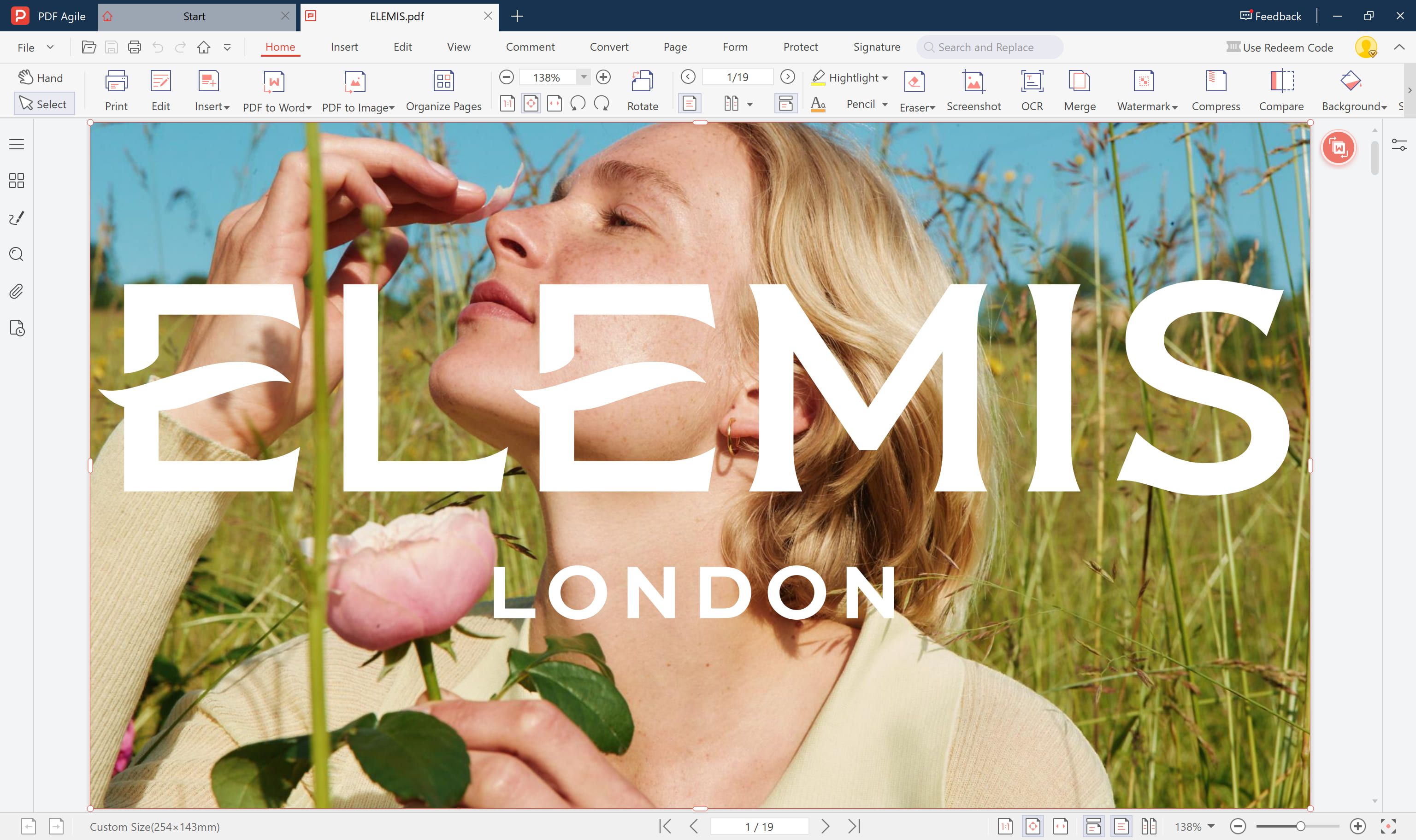 PDF Agile is a budget-friendly PDF editor positioned as a direct competitor to Wondershare PDFelement, offering a comprehensive suite of PDF management tools without the premium price tag. It's designed for users who need robust PDF functionality but don't want to break the bank on software subscriptions.
Core Features:
- Complete PDF editing (text, images, pages, headers/footers)
- PDF creation and conversion (supports 10+ file formats)
- Advanced annotation and markup tools
- Form creation, filling, and data extraction
- OCR technology for scanned documents
- Merge, split, compress, and organize PDFs
- Password protection and encryption
- Batch processing capabilities
- Cross-platform availability (Windows, Mac, online version)
Why Choose PDF Agile?
- Best Value Proposition: You get professional-grade PDF tools at a price point that's accessible to virtually anyone. The annual plan costs less than a single month of Adobe Acrobat.
- No Feature Compromises: Despite the low cost, PDF Agile doesn't skimp on functionality. You get editing, conversion, OCR, security, and batch processing - everything most users need daily.
- Simple, Functional Design: The interface prioritizes usability over flashiness. Tools are logically organized and easy to find, reducing the time spent hunting for features.
- Flexible Licensing: Whether you want to test with monthly, commit annually, or buy once forever, PDF Agile offers options to match your budget and commitment level.
- Quick Setup: Lightweight installation means you're editing PDFs within minutes, not waiting through lengthy downloads and updates.
Pros and Cons
Pros:
- Unbeatable pricing for the feature set
- Covers all essential PDF workflows
- Straightforward, no-nonsense interface
- Lifetime license option eliminates recurring costs
- Good batch processing for handling multiple files
- Decent OCR accuracy for everyday scans
- Low system resource usage
- Free trial available to test before buying
Cons:
- No AI-powered features (summaries, chat, content generation)
- Limited cloud storage and collaboration features
- Smaller ecosystem means fewer integrations
Best For?
Ideal Users:
- Budget-conscious individuals who need reliable PDF tools without ongoing subscriptions
- Students on tight budgets requiring basic to intermediate PDF functionality for coursework
- Small businesses and startups minimizing software expenses while maintaining productivity
- Occasional PDF users who don't need cutting-edge features but want solid fundamentals
- Users transitioning from free tools ready to upgrade without major financial commitment
- Organizations equipping multiple users where per-seat costs matter significantly
Not Ideal For:
- Users wanting modern, sleek interfaces and latest design trends
- Professionals needing AI assistance for document analysis and content generation
- Teams requiring robust collaboration and real-time co-editing
- Power users who regularly need advanced features (complex forms, extensive automation)
- Those prioritizing customer support response times
- Organizations with strict compliance requirements needing certified workflows
- Anyone who values frequent feature updates and active development
2. UPDF — Best Modern & AI-Driven Alternative
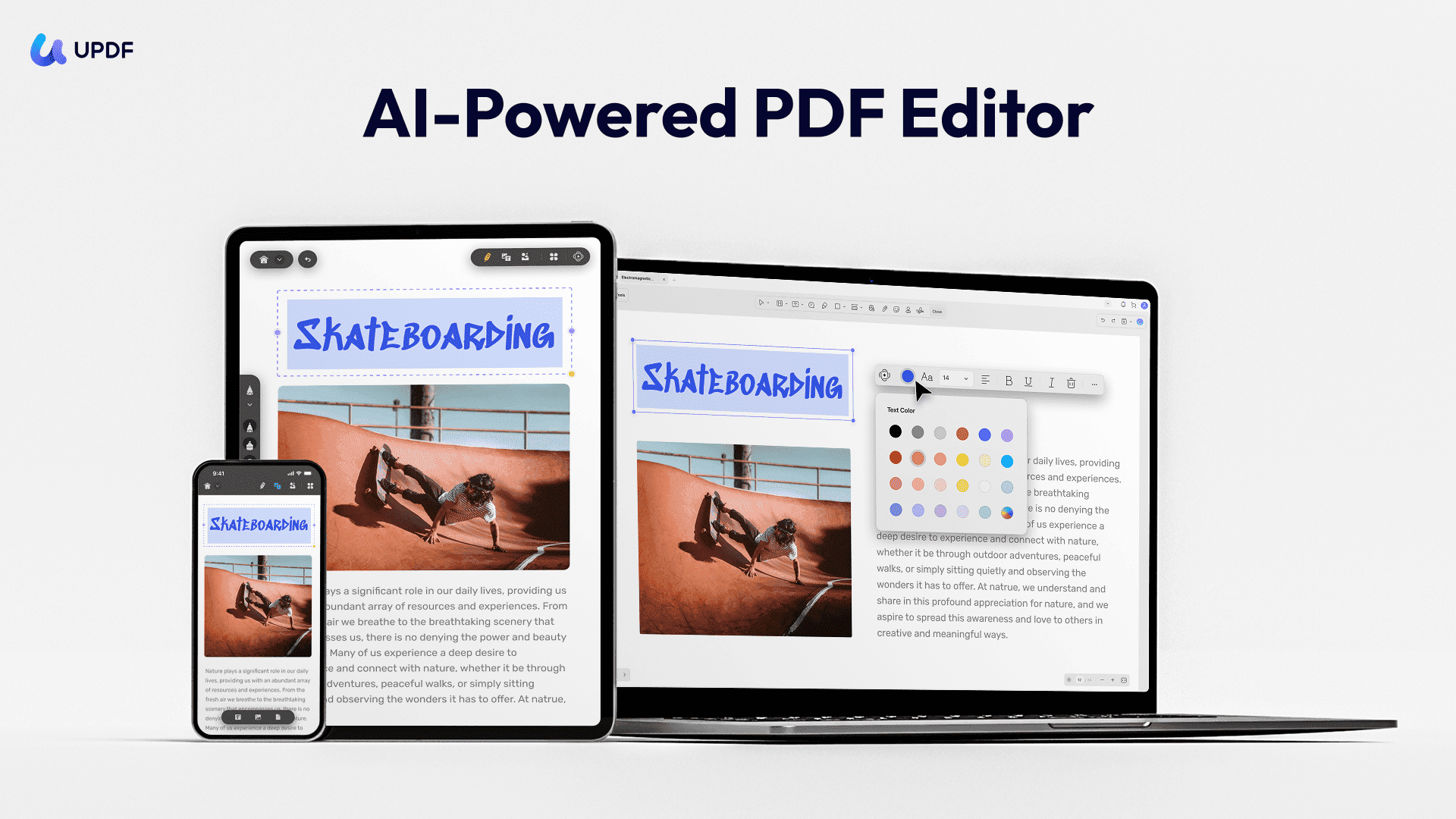 UPDF is a next-generation PDF editor that combines traditional PDF management with cutting-edge AI capabilities. It's positioned as a sleek, modern alternative to Adobe Acrobat, offering comprehensive editing, annotation, conversion, and AI-assisted features in one streamlined package.
Core Features:
- Full PDF editing (text, images, links, watermarks)
- AI-powered document analysis and content generation
- Advanced annotation tools with customizable options
- PDF conversion (to/from Word, Excel, PowerPoint, images, etc.)
- OCR technology for scanned documents
- Form creation and filling
- Page management (merge, split, rotate, extract)
- Cross-platform support (Windows, Mac, iOS, Android)
Why Choose UPDF?
- Modern Interface: Clean, intuitive design that feels contemporary compared to Adobe's cluttered workspace. The learning curve is minimal.
- AI Integration: Built-in AI assistant can summarize documents, answer questions about content, translate text, and even help write or rewrite sections - features Adobe doesn't offer natively.
- Performance: Lightweight and fast - opens and processes files significantly quicker than Adobe Acrobat, without the bloat.
- Value Proposition: Professional-grade features at a fraction of the cost, making it accessible for students, freelancers, and small businesses.
- Regular Updates: The development team actively improves the software with new features based on user feedback.
Pros and Cons
Pros:
- Exceptional value for money
- Fast, responsive performance
- AI features genuinely useful for productivity
- Clean, modern user interface
- Excellent cross-platform synchronization
- One-time purchase option available
- Comprehensive feature set for most PDF needs
- Good customer support
Cons:
- AI features require separate subscription
- Some advanced features still lag behind Adobe (complex form creation, certain security features)
- Smaller user community means fewer tutorials and third-party resources
- OCR accuracy occasionally falls short of Adobe's
- No collaborative real-time editing features
- Brand recognition lower in corporate environments
Best For?
Ideal Users:
- Students and educators needing affordable, capable PDF tools for assignments and research
- Freelancers and small business owners who need professional features without enterprise pricing
- Remote workers wanting AI-powered document assistance for productivity
- Budget-conscious professionals tired of Adobe's subscription costs
- Anyone doing moderate to heavy PDF work who doesn't need the absolute most advanced enterprise features
Not Ideal For:
- Large enterprises requiring extensive IT integration and compliance features
- Legal professionals needing certified e-signature workflows and advanced redaction
- Users deeply embedded in Adobe ecosystem who rely on specific advanced features
- Teams requiring real-time collaborative editing
3. PDF24 Creator — Best 100% Free (and Safe) Alternative
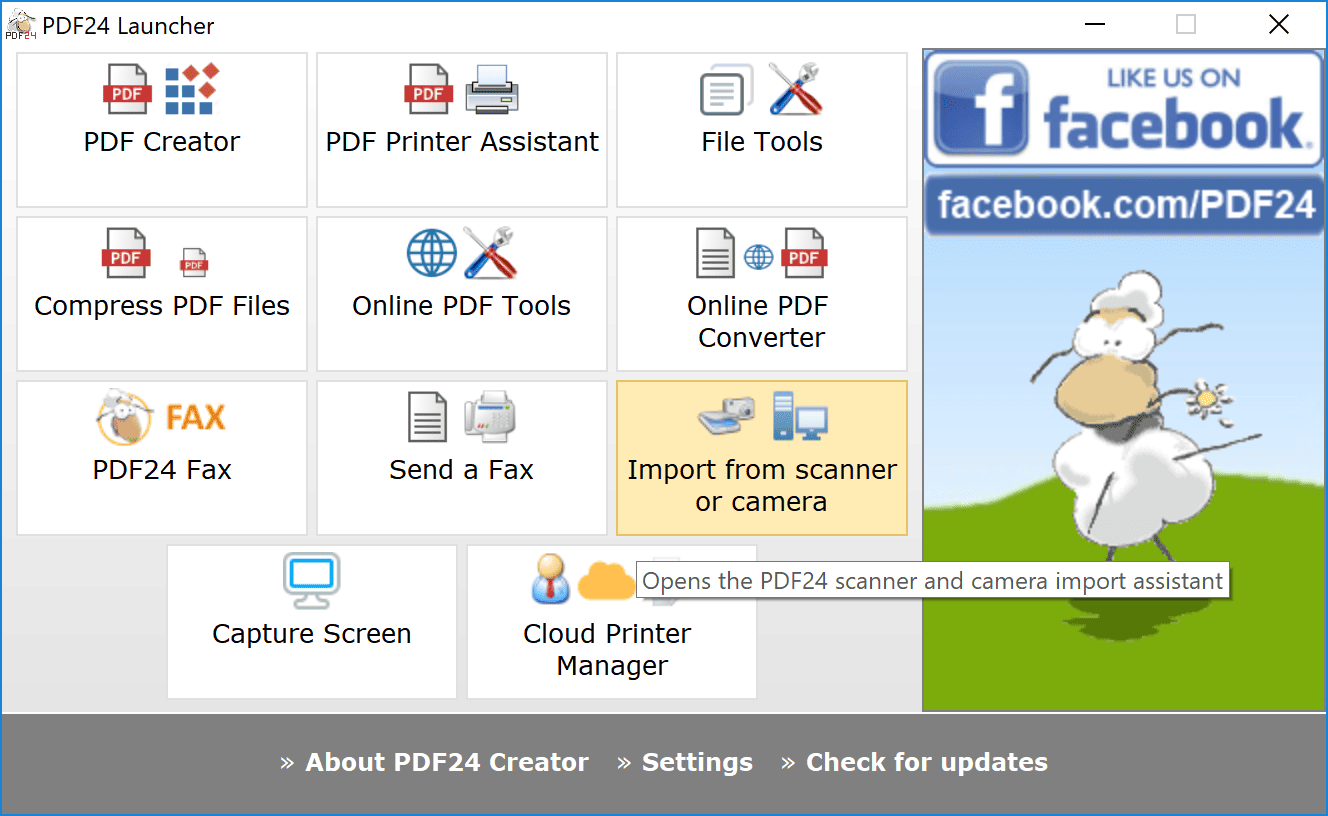 PDF24 Creator is a completely free PDF software suite from Germany that punches way above its weight class. It's a desktop application (with web-based tools) that handles virtually every PDF task you can imagine - creating, editing, converting, merging, compressing, and more - all without charging you a single cent.
Core Features:
- Create PDFs from any printable document (virtual PDF printer)
- Edit existing PDFs (text, images, pages)
- Convert PDFs to/from Word, Excel, PowerPoint, images, and 100+ formats
- Merge, split, rotate, and reorder pages
- Compress PDFs to reduce file size
- OCR for scanned documents (convert images to searchable text)
- Add watermarks, headers, footers, and page numbers
- Password protection and encryption
- Digital signatures
- PDF/A archiving format support
- 30+ specialized PDF tools in one package
- Online tools accessible via web browser
Why Choose PDF24 Creator?
- Zero Cost, Zero Compromise: You get professional-grade PDF tools completely free. This isn't a stripped-down trial - it's the full package.
- Privacy-Focused: As German software, PDF24 adheres to strict European privacy standards (GDPR compliant). Files processed on your desktop stay on your desktop.
- Versatile Toolkit: Instead of doing one thing well, PDF24 does everything reasonably well. It's like having a Swiss Army knife for PDFs.
- Offline Capability: The desktop version works without internet, keeping your sensitive documents private and accessible anywhere.
- No Registration Required: Download, install, and start using immediately. No account creation, no email verification, no barriers.
- Regular Updates: Despite being free, the software receives consistent updates with bug fixes and new features.
Pros and Cons
Pros:
- Completely free with all features unlocked
- Extremely comprehensive tool collection (30+ utilities)
- Strong privacy protections and GDPR compliance
- Works offline after installation
- Virtual PDF printer integrates seamlessly with any program
- Dual access: desktop app + online tools for flexibility
- Lightweight and fast performance
- No watermarks on output files
- Supports batch processing
- Active development with regular updates
- Multilingual support (30+ languages)
Cons:
- Interface looks dated and utilitarian - function over fashion
- Minimal ads present in desktop version (can be distracting)
- No AI-powered features whatsoever
- OCR quality below premium paid solutions
- Learning curve due to sheer number of tools
- Customer support limited (community forums mainly)
- Advanced editing capabilities less robust than Adobe/premium alternatives
- No mobile apps (only web-based mobile access)
- Some features feel tacked-on rather than deeply integrated
- File size limits on some online tools
Best For?
Ideal Users:
- Budget-conscious anyone - seriously, if you're not swimming in money, start here
- Students needing comprehensive PDF tools without spending limited funds
- Home users with occasional to moderate PDF needs
- Small businesses and nonprofits minimizing operational expenses
- Privacy-conscious individuals wanting European data protection standards
- Remote workers needing offline PDF capability
- Users who need variety - multiple PDF tasks rather than specializing in one
- Anyone testing PDF software before committing to paid alternatives
- Organizations in developing markets where software budgets are tight
Not Ideal For:
- Design-conscious users who value modern, polished interfaces
- Professionals needing AI assistance (summarization, content generation, chat)
- Heavy-duty power users requiring advanced editing rivaling Adobe
- Teams needing collaborative features and real-time co-editing
- Users wanting premium customer support with quick response times
- Those who prefer mobile-first workflows (limited mobile functionality)
- Businesses requiring enterprise-level integrations and IT management
- Anyone bothered by occasional advertisements in their software
4. Sejda PDF — Best for Short-Term & Flexible Use
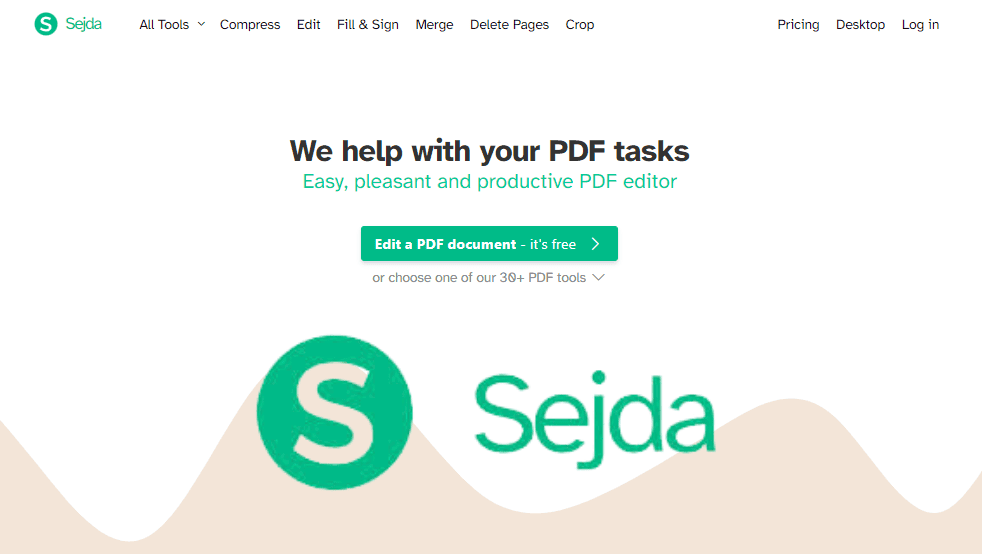 Sejda PDF is a modern, web-based PDF platform that also offers desktop and mobile apps, striking a balance between accessibility and power. Born as an online tool in 2010, it's evolved into a sophisticated PDF solution that emphasizes clean design, ease of use, and flexibility - letting you work from anywhere without sacrificing functionality.
Core Features:
- Comprehensive PDF editing (text, images, links, annotations)
- PDF conversion (to/from Word, Excel, PowerPoint, images, etc.)
- Merge, split, compress, rotate, and crop PDFs
- OCR for scanned documents (makes images searchable)
- Form filling and flattening
- Digital signatures and security features
- Page numbering, watermarks, headers/footers
- Redaction tools for sensitive information
- Batch processing capabilities
- Desktop app (Windows, Mac, Linux) for offline work
- Web-based tools accessible from any browser
- Mobile apps (iOS, Android)
Why Choose Sejda PDF?
- Web-First Flexibility: Work from any device with a browser - your office computer, home laptop, friend's tablet. No installations required for basic tasks, making it incredibly portable.
- Privacy Options: Choose between cloud processing (convenient) or local processing via desktop app (secure). Desktop mode keeps files completely private, never uploaded to servers.
- Task-Based Approach: Instead of one monolithic editor, Sejda offers focused tools for specific tasks. Need to merge? Use the merge tool. Split? Split tool. This simplicity speeds up common workflows.
- Clean, Modern Interface: Unlike many PDF tools that feel stuck in 2010, Sejda's design is refreshingly current - intuitive icons, clear labels, minimal clutter.
- Generous Free Tier: Three tasks daily is enough for casual users, making it viable long-term without payment for light use.
- Cross-Platform Consistency: Whether web, desktop, or mobile, the experience remains familiar and coherent.
Pros and Cons
Pros:
- Beautiful, intuitive modern interface
- Flexible deployment (web, desktop, mobile)
- Generous free tier for light users
- Strong privacy options with desktop app
- Fast processing speeds, especially online
- Task-specific tools reduce complexity
- No installation required for web version
- Reasonable pricing for premium features
- Good OCR accuracy for standard documents
- Batch processing available
- Regular feature additions and improvements
- Responsive customer support for paid users
Cons:
- Free tier limitations frustrating for regular users (3 tasks/day)
- File size limits even on paid plans (500MB web, though desktop unlimited)
- No AI-powered features (summaries, chat, content generation)
- Advanced editing less robust than Adobe or Foxit
- Subscription model (no lifetime license option)
- Some features only in desktop, others only web - fragmentation
- OCR requires separate processing step, not automatic
- Limited form creation capabilities
- Online processing raises privacy concerns for sensitive docs
- Batch processing interface could be more powerful
Best For?
Ideal Users:
- Remote workers and digital nomads needing PDF tools accessible from any device, anywhere
- Casual users who can work within 3-tasks-per-day on the free tier
- Privacy-conscious professionals who want the option of completely offline processing
- Users valuing design who appreciate clean, modern interfaces over cluttered feature-packed screens
- Small teams needing affordable, shareable PDF capabilities
- Web developers and IT professionals comfortable with browser-based workflows
- Students and educators doing moderate PDF work across multiple devices
- Anyone frustrated by bloated software wanting focused, task-specific tools
Not Ideal For:
- Power users needing Adobe-level advanced editing and complex workflows
- Users wanting AI assistance for document analysis and content generation
- Enterprises requiring extensive integrations and IT management controls
- Those preferring one-time purchases over subscriptions
- Heavy users who'll quickly exhaust free tier (better off with PDF24 free or paying)
- Teams needing real-time collaboration and co-editing features
- Users with massive files regularly exceeding 500MB
- Anyone requiring offline work but unwilling to pay for desktop version
- Organizations with strict data residency requirements (cloud processing concerns)
5. Ashampoo PDF Pro — Budget Windows Desktop Editor
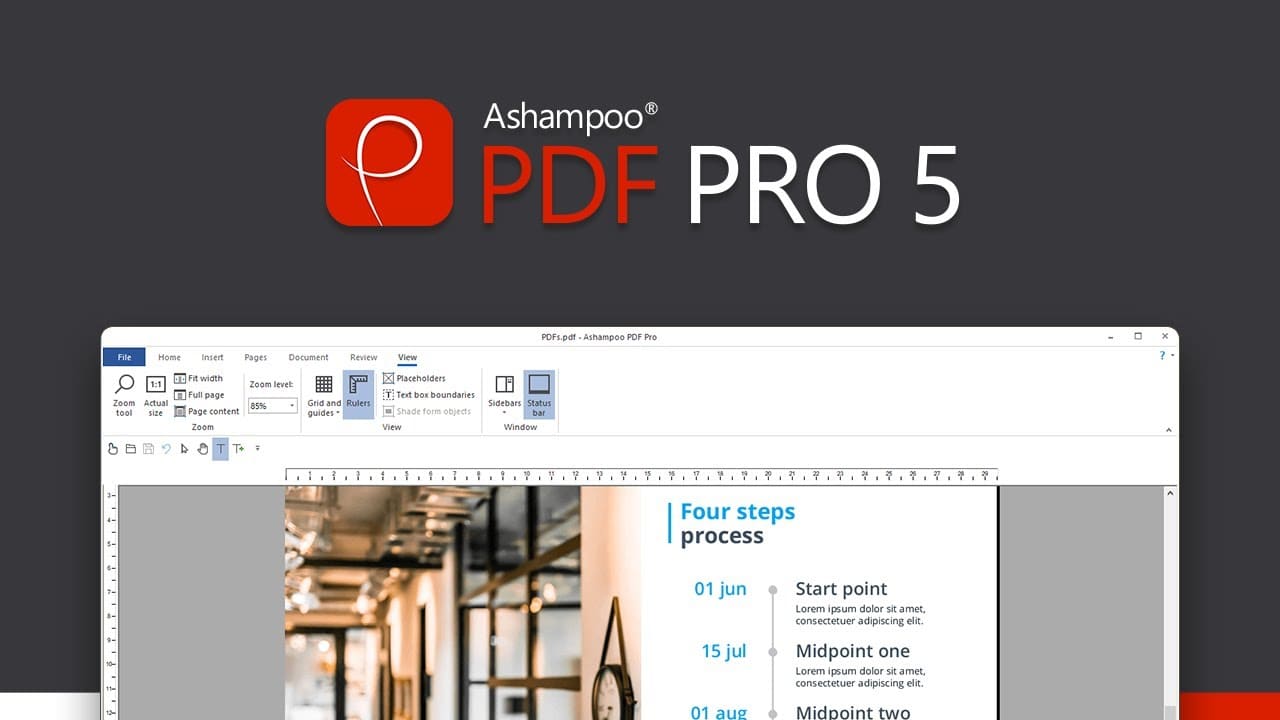 Ashampoo PDF Pro is a comprehensive desktop PDF solution from the German software company Ashampoo, known for producing reliable utility software since 1999. It's a full-featured PDF editor designed to compete directly with Adobe Acrobat Pro, offering professional-grade capabilities with a focus on ease of use and one-time pricing rather than subscriptions.
Core Features:
- Complete PDF editing (text, images, graphics, pages)
- Create PDFs from scratch or any document
- Advanced PDF conversion (to/from Word, Excel, PowerPoint, images, etc.)
- OCR technology for scanned documents (multi-language support)
- Form creation, editing, and filling with field recognition
- Digital signatures and certificate management
- Comprehensive annotation and markup tools
- Page management (merge, split, insert, extract, rotate)
- Redaction tools for sensitive information
- Password protection and encryption (up to 256-bit AES)
- Batch processing for multiple files
- PDF comparison to spot differences between versions
- PDF/A compliance for archiving
- Comment and review workflows
- Windows desktop application
Why Choose Ashampoo PDF Pro?
- One-Time Purchase Model: In an era of subscription fatigue, Ashampoo lets you buy once and use forever. No monthly bills, no surprise renewals, no holding your files hostage.
- German Quality Standards: Ashampoo brings German engineering principles - thorough, reliable, methodical. The software is stable and well-tested before release.
- Adobe-Level Features at Fraction of Cost: You get professional editing, form creation, OCR, security, and more without Adobe's premium pricing.
- Genuine Full Editing: Unlike many "editors" that just annotate, Ashampoo lets you truly edit text and images as if you created the PDF originally.
- User-Friendly Approach: Despite professional features, the interface is designed for regular users, not just PDF experts. Wizards and guided workflows help with complex tasks.
- Frequent Promotions: Ashampoo's aggressive sales mean patient buyers can grab it for 50-60% off regularly.
Pros and Cons
Pros:
- One-time purchase, no subscriptions
- Comprehensive professional feature set
- Excellent OCR quality with multi-language support
- Strong form creation and editing capabilities
- True text editing, not just annotation
- Good PDF comparison tool for version control
- Intuitive interface with helpful wizards
- Solid security features including digital signatures
- Batch processing saves time on repetitive tasks
- Regular updates and bug fixes (within version)
- Reasonable system requirements
- Frequently on sale at attractive prices
- German company with GDPR compliance focus
Cons:
- Windows only - no Mac, Linux, or mobile versions
- Interface feels somewhat dated compared to modern competitors
- No AI-powered features whatsoever
- No cloud integration or web-based access
- Limited collaboration features (no real-time co-editing)
- Major version upgrades not free (though deeply discounted for existing users)
- Smaller user community means fewer tutorials and resources
- OCR processing can be slow on large documents
- Some advanced features buried in menus (learning curve)
- No lifetime update guarantee - version-based licensing
- Brand recognition lower in corporate environments
- Customer support primarily email-based, not instant
Best For?
Ideal Users:
- Subscription-averse users tired of recurring software costs
- Windows users needing desktop-focused PDF workflows
- Small businesses and freelancers requiring professional features affordably
- Legal and compliance professionals needing redaction, digital signatures, and PDF/A
- Document-heavy professionals (HR, administration, contracts) doing serious PDF work daily
- Former Adobe users seeking cost-effective alternatives without sacrificing capabilities
- Privacy-conscious professionals preferring local processing over cloud services
- Bargain hunters willing to wait for sales to maximize value
- Users creating complex forms needing robust form design tools
- Anyone processing scanned documents regularly benefiting from quality OCR
Not Ideal For:
- Mac, Linux, or mobile-primary users (Windows only)
- Users wanting AI assistance (summarization, chat, content generation)
- Teams requiring real-time collaboration and cloud-based workflows
- Those needing cutting-edge, modern interface design
- Remote workers wanting cross-device, web-accessible tools
- Users deeply integrated into cloud ecosystems (Google Drive, Dropbox, etc.)
- Enterprises requiring extensive IT integration and management
- Anyone wanting guaranteed lifetime updates (version-based licensing)
- Casual users with light PDF needs (overkill and unnecessary cost)
- Users prioritizing mobile/tablet workflows
How to Choose the Right PDFelement Alternative
- Want a lifetime “PDFelement Pro” replacement?
→ Choose PDF Agile for the best balance of power, price, and ownership. - Student or researcher working across devices?
→ Choose UPDF for AI features and cross-platform support. - Zero budget, no risks?
→ Choose PDF24 Creator instead of unsafe cracks. - One-week or short-term project?
→ Choose Sejda and pay only when you need it.
Final Takeaway
Using a PDFelement crack in 2026 isn’t saving money—it’s gambling with your data. With affordable, legitimate tools like PDF Agile, there’s no reason to accept security risks, instability, or legal trouble.
If you want professional PDF power without subscriptions, PDF Agile stands out as the smartest alternative.