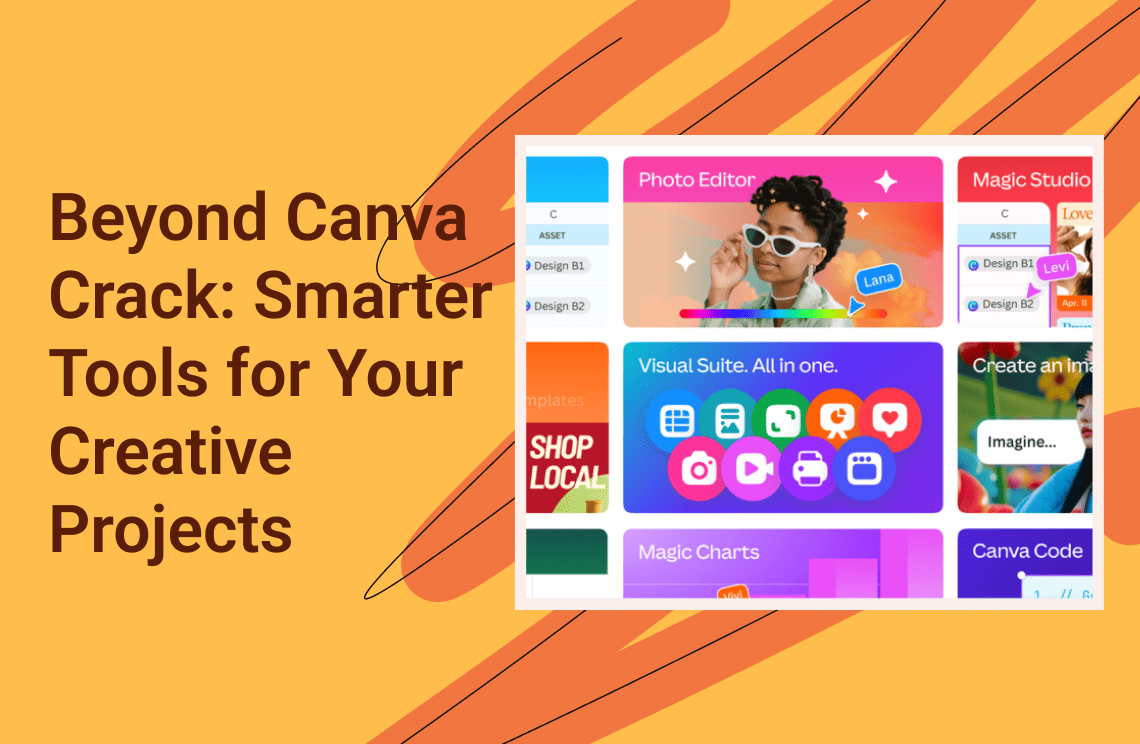
Canva is popular because it makes design fast and easy. However, for many users, it can feel too expensive, which leads some people to look for cracked versions. In this article, we briefly outline the downsides of using Canva cracks and then introduce smarter, safer alternatives that let you create high-quality visuals quickly and easily.
What is Canva?
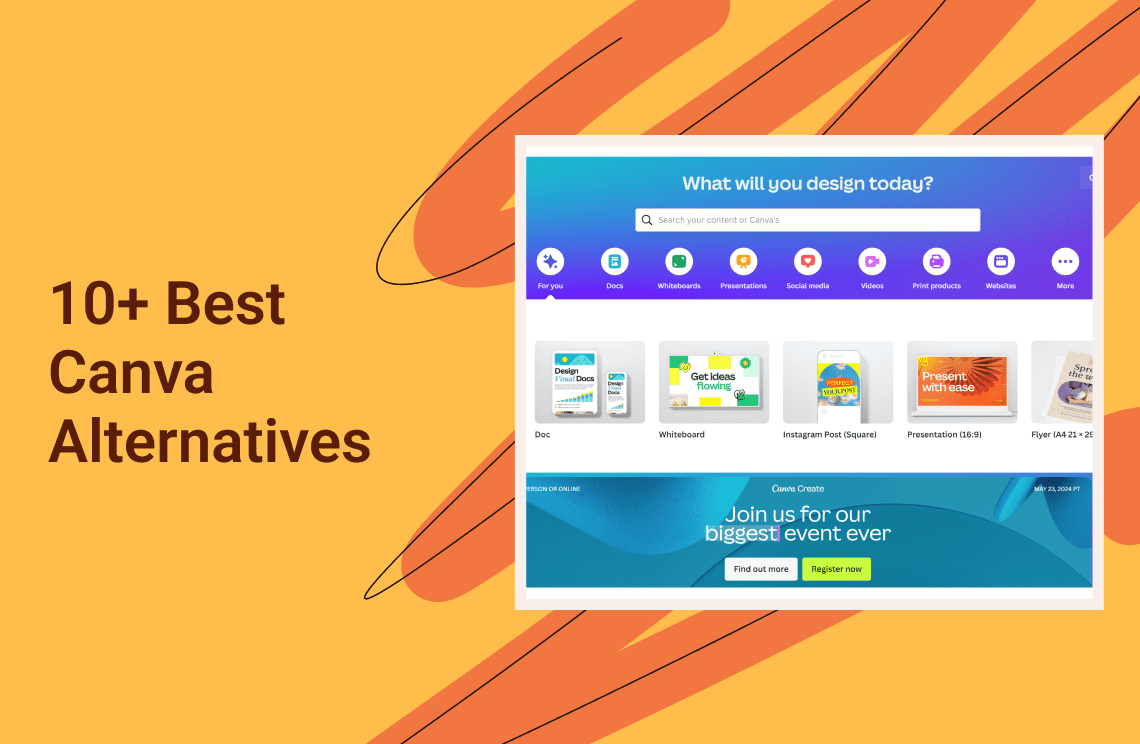
Canva is a web-based graphic design platform that revolutionized the creative industry by making design accessible to everyone. Launched in 2013, it was built to bridge the gap between casual users and professional design software like Adobe Photoshop or Illustrator.
Unlike traditional software that requires a steep learning curve, Canva operates on a "drag-and-drop" premise. It serves as an all-in-one visual suite used by millions of content creators, students, and businesses to generate everything from Instagram stories and YouTube thumbnails to corporate presentations, videos, and print materials.
Pros and Cons of Using Canva
To understand why users are so eager to unlock the Pro version (and what they might be missing by relying on it exclusively), here is an honest breakdown of the platform.
The Pros
- Zero Learning Curve
You don't need to understand layers, masking, or vector paths. The interface is intuitive—if you can click and drag, you can design. - Massive Template Library
Whether you need a resume, a restaurant menu, or a TikTok video overlay, Canva likely has thousands of pre-made templates to get you started in seconds. - Rich Media Assets
It integrates a vast library of stock photography, illustrations, video clips, and audio tracks, saving users from having to buy assets from third-party sites like Shutterstock. - Real-Time Collaboration
Similar to Google Docs, teams can comment and edit designs together in real-time, streamlining the approval process for marketing teams. - Multi-Format Support
You can create a design once and use "Magic Resize" (Pro feature) to instantly adapt it for Facebook, Instagram, and LinkedIn dimensions.
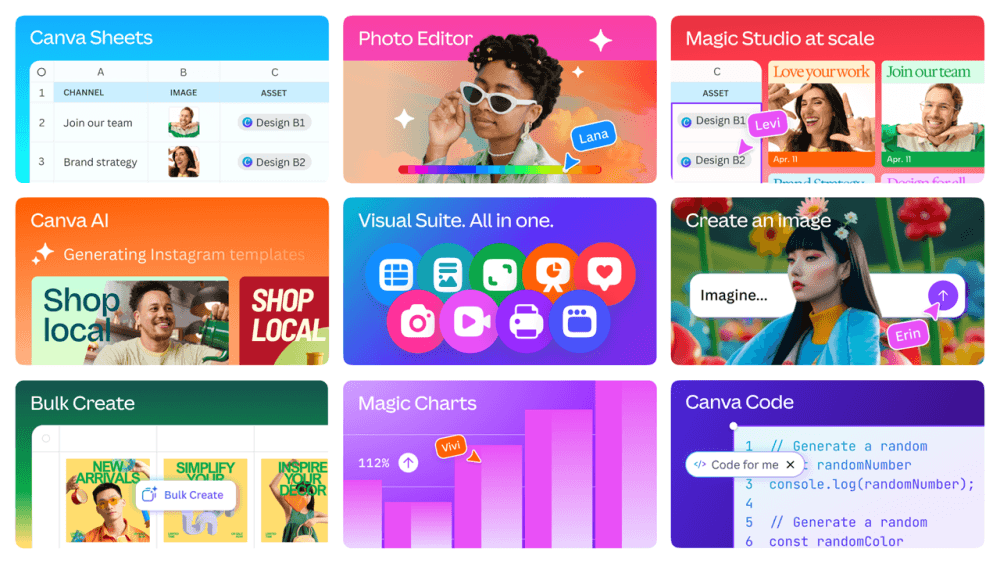
The Cons
- Strictly Online Dependency
Canva is a browser-based cloud tool. If you have no internet connection or if their servers go down, you cannot access or edit your designs. This is a major risk for deadline-driven professionals. - Generic "Cookie-Cutter" Designs
Because the templates are so popular, designs often lack uniqueness. It is easy to spot a "Canva design" in the wild, which can dilute a brand's professional image. - Limited Technical Control
While great for web graphics, Canva lacks the precision of professional vector software or dedicated document editors. It struggles with complex alignment, pixel-perfect editing, and advanced typography. - Ownership and Copyright Complexities
While you can use the designs, you don't technically "own" the raw elements within them in the same way you do when creating from scratch. This can lead to trademarking issues for logos created on the platform. - Performance Issues on Large Projects
If you try to create a 50-page ebook or a complex report with high-res images, the web browser often lags, crashes, or fails to export the file correctly.
The "Pro" Barrier
Canva follows a freemium model. The free version is generous, but the most desirable tools—such as the Magic Eraser (background remover), Brand Kits, Magic Resize, and access to over 100 million premium stock photos and videos—are locked behind the Canva Pro subscription.
This recurring subscription cost is the primary reason many users search for "Canva cracks" or "modded APKs," hoping to bypass the paywall. However, using these unauthorized versions comes with significant trade-offs.
Canva Pricing Overview
Canva operates on a subscription model. While the entry point is free, the features that most professionals need are behind a paywall. Here is how the costs stack up:
| Plan | Price | Best For | Key Features | The Limitation |
| Canva Free | $0 / forever | Students, Casual Users | • 1M+ free templates • 100+ design types • 5GB Cloud Storage | • Watermarked premium photos & elements • No "Magic Switch" (resize) • No Background Remover • Restricted export quality |
| Canva Pro | $15 /month OR $120 / year | Freelancers, Solopreneurs | • Unlimited Background Removal • Magic Resize & Magic Eraser • 1TB Storage • Full Brand Kit (logos/fonts) | • Recurring Cost: You must keep paying forever to access your Brand Kit. • Single User Only: Cannot be shared legally with a team. |
| Canva Teams | $100 / year/ user or $10 / month / user (Min 3 users usually required) | Agencies, Marketing Teams, Startups | • All Pro features • Team collaboration flows • Approval workflows • Centralized asset management | • Per-Seat Pricing: Recent price hikes mean you pay for every user. • Expensive at Scale: A team of 5 can cost over $500/year, causing budget strain for small biz. |
paying a recurring fee forever adds up. It is literally expensive, especially for freelancers, students, or small businesses on a tight budget. No wonder people search for a cracked version to unlock these premium tools without draining their bank accounts.
However, saving money shouldn't cost you your security.
Risks of Using a Crack
Many people are tempted to use a cracked version of Canva to unlock premium features for free, usually because they are deterred by the price of the official subscription. It might seem like a quick solution, but it comes with real risks.
Security Risks
Cracked software often comes from untrusted sources. It can contain viruses, malware, or spyware that could harm your computer or steal your personal data.
Legal Risks
Using cracked software is illegal. It violates copyright laws and could lead to fines or other legal issues.
Reliability Risks
Cracked software may not work properly. Features can break, files can be corrupted, and updates are often unavailable. You might lose your work or encounter unexpected crashes.
Support Risks
Official support is only available for licensed users. If something goes wrong, you won’t be able to get help from Canva’s team.
In short: the small “savings” of using a crack are often outweighed by potential security, legal, and reliability problems.
Smarter Alternatives to Canva Cracks
In 2025, there are several free or budget-friendly alternatives to Canva, depending on whether you need a similar drag-and-drop experience or professional-grade design tools.
Best Free Web-Based Alternatives (No Cost)
1. Adobe Express
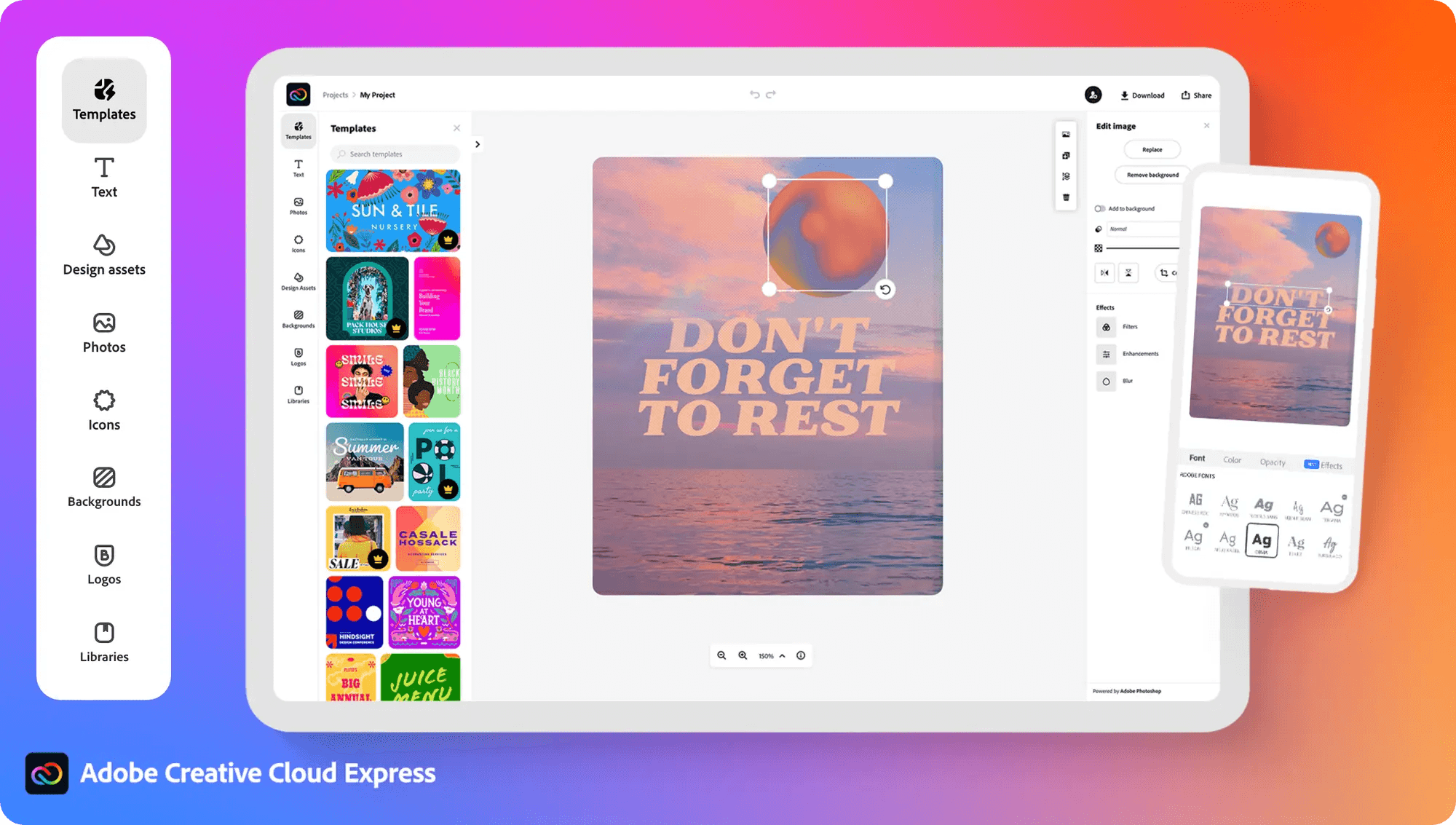 Widely considered the top free alternative. Its free plan is highly generous, offering over 100,000 templates, 1,000,000+ assets, and free background removal (a feature Canva typically locks behind a paywall).
In 2025, Adobe Express has solidified its position as the premier free or budget-friendly alternative to Canva, particularly for users who want "Photoshop-level" results without the steep learning curve.
Key Advantages Over Canva
- Free Background Removal
One of its biggest draws is that it offers high-quality one-click background removal in the free version, whereas Canva typically requires a "Pro" subscription for this. - Adobe Firefly Integration
It features world-class Generative AI (Firefly) that allows you to generate images, add/remove objects, and create unique "Text Effects" (e.g., text made of "fur" or "neon lights") via simple prompts. - Professional Fonts
Even free users get access to a massive library of professional-grade Adobe Fonts, which often look more "premium" than Canva’s standard options. - Layer-Based Editing
The interface handles layers much more like professional design software, making it easier to manage complex designs than Canva’s simpler "Bring to Front/Back" system.
2025 Features to Watch
- AI Video Editing
Adobe Express now supports text-to-speech, automated captions, and "Animate from Audio" tools that make creating TikToks and Reels much faster. - Creative Cloud Sync
If you ever use a professional designer, they can share Photoshop (PSD) or Illustrator (AI) files with you, and you can edit them directly within the easy-to-use Express interface. - Bulk Create
You can now upload a CSV file to automatically generate hundreds of social media posts (e.g., quotes or product cards) in seconds.
Pricing & Value
- Free Version
$0.
Includes 1,000s of templates, Adobe Stock photos, and enough AI "Generative Credits" for casual monthly use. You can sign up for free on the Adobe Express website. - Premium Version
~$9.99/month.
This unlocks the entire 200 million+ Adobe Stock asset library, premium templates, and "Brand Kits" to keep your logos and colors consistent across all designs.
Tip: If you already subscribe to the Adobe Creative Cloud "All Apps" plan, the Premium version of Express is included for free.
Best for
- Small Business Owners
Who need professional-looking marketing materials without hiring a designer. - Social Media Managers
Who need to resize one design for 10 different platforms (Instagram, LinkedIn, X, etc.) instantly. - Students
Adobe offers a specific Adobe Express for Education version which is free for K-12 students and teachers.
2. VistaCreate
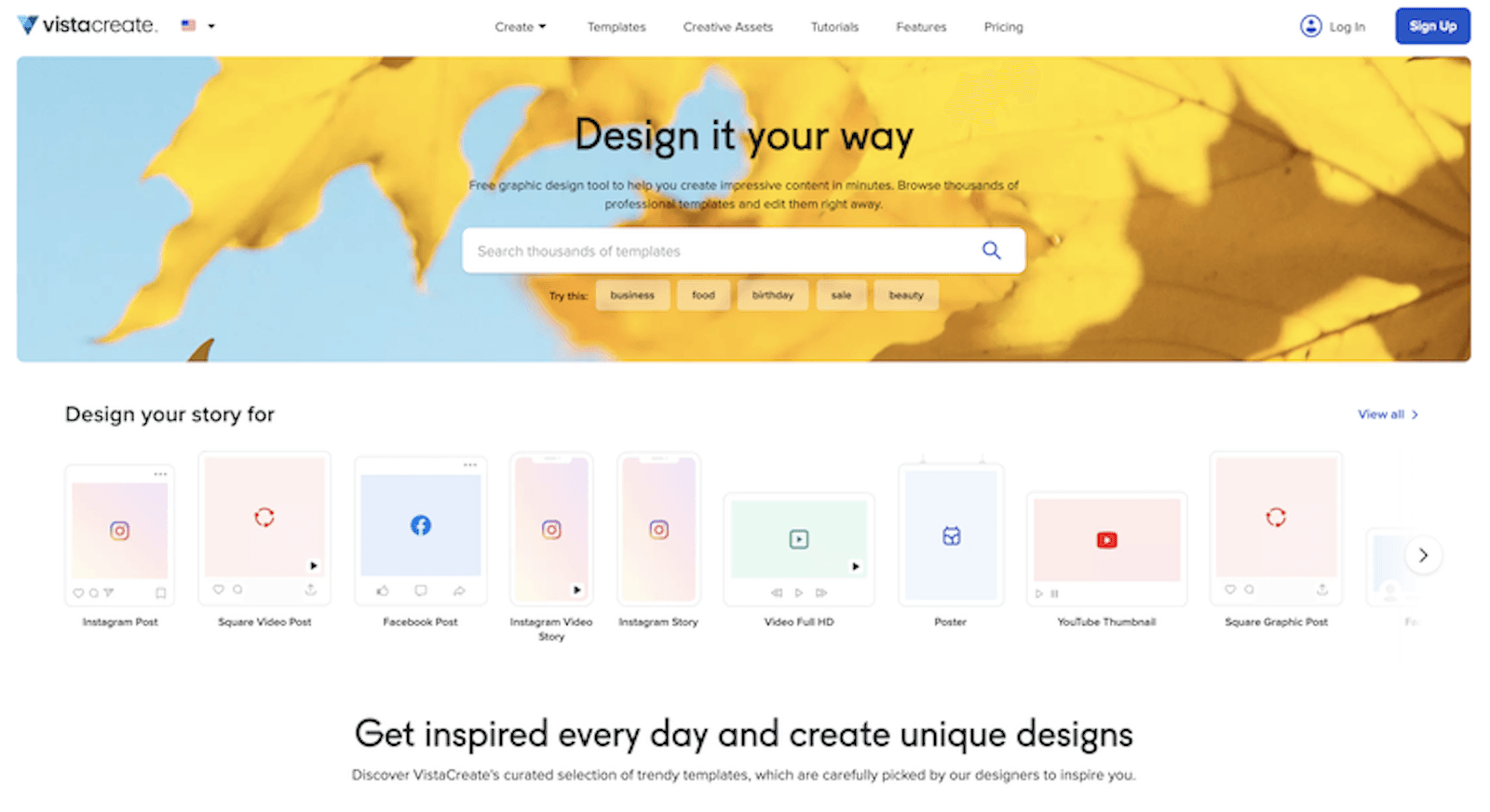 VistaCreate (formerly Crello) remains one of the most popular alternatives to Canva, largely because its interface and workflow are almost identical, making the transition seamless. Its free plan is standout because it allows unlimited downloads for over 100,000 templates, whereas many competitors limit monthly exports.
Key Advantages Over Canva
- Better for Small Teams
The Pro plan (approx. $10–$13/month) allows up to 10 team members on a single subscription at no extra cost. In comparison, Canva Teams has significantly higher per-user costs in 2025. - Animation Focus
VistaCreate is often preferred for social media ads and video stories due to its vast library of specialized animated templates and fluid motion effects. - Unlimited Storage
While Canva offers large but capped storage (e.g., 1TB), VistaCreate's Pro plan provides unlimited cloud storage for files and projects. - Direct Print Integration
Owned by the same parent company as VistaPrint, the platform offers a streamlined "design-to-print" workflow for physical marketing materials like business cards and flyers.
Free Plan Comparison (2025)
VistaCreate's Starter (Free) Plan is considered highly generous for individual creators:
- 10GB Storage
Double the 5GB offered by Canva’s free plan. - Full Asset Library
Access to over 1 million royalty-free photos, videos, and vectors. - Brand Kit
Unlike Canva, which locks brand kits behind a paywall, VistaCreate allows free users to set up one basic Brand Kit with their logo, colors, and fonts.
Key Trade-offs
- Smaller Template Library
While VistaCreate offers over 100,000 templates, Canva’s library is over 500,000, providing more variety for niche industries. - Fewer Integrations
Canva connects with hundreds of third-party tools (like Slack, Google Drive, and Shopify), whereas VistaCreate has fewer off-the-shelf integrations. - Limited AI
While Canva has leaned heavily into "Magic Studio" AI features, VistaCreate's AI capabilities are primarily focused on practical tools like background removal and an object remover rather than advanced generative creation.
Best for
Small marketing teams (up to 10 people), e-commerce owners focusing on social media ads, and users who want a free Brand Kit without a subscription.
3. Snappa
 Snappa remains the top choice for users who prioritize speed and efficiency over complex design features. While Canva aims to be an all-in-one professional suite, Snappa is designed specifically for small business owners and content creators who need to create social media graphics in under five minutes. Ideal for occasional users. The free plan gives you access to all premium templates and photos, but restricts you to 3 downloads per month.
Key Advantages Over Canva
- Simple "No-Learning-Curve" Interface
Snappa strips away the clutter found in Canva or Adobe Express. It focuses on a clean workspace that is extremely easy to navigate. - Built-in Stock Library
It integrates directly with high-end, royalty-free image libraries (like Pexels). You can access millions of high-resolution photos and icons within the editor without worrying about copyright or extra fees. - Instant Image Resizing
You can transform an Instagram post into a Twitter header or a Facebook ad with a single click, and Snappa handles the scaling better than most automated tools. - Buffer Integration
Snappa allows you to schedule your posts directly to social media platforms through its integration with Buffer, making it a powerhouse for social media managers.
Pricing & Value
Snappa’s pricing is straightforward, making it one of the most budget-friendly options if you are a high-volume creator.
- Free Plan:
- Access to all 6,000+ templates and 5,000,000+ HD photos/graphics.
- The Catch: You are limited to 3 downloads per month. This is perfect for users who only need a few professional graphics occasionally.
- Pro Plan (~$10/month):
- Unlimited downloads.
- Background removal tool (similar to Canva Pro).
- Social media scheduling and custom font uploads.
- Team Plan (~$20/month):
- Supports up to 5 users, making it much cheaper than Canva Teams for a small startup.
Snappa vs. Canva
| Feature | Snappa | Canva |
| Philosophy | "Speed and Simplicity" | "Everything for Everyone" |
| Free Plan Limit | Limits Downloads (3/mo) | Limits Features & Assets |
| Ease of Use | Highest; designed for non-designers | Moderate; has a learning curve |
| AI Tools | Basic (Background removal) | Advanced (Text-to-Image, AI Magic) |
| Templates | 6,000+ (Focused on Social/Ads) | 600,000+ (Everything imaginable) |
Best for
You should choose Snappa if:
You find Canva "overwhelming" and just want a tool that lets you pick a template, change the text, and download it in 60 seconds. It is ideal for YouTube thumbnails, blog headers, and simple social ads.
You should stick with Canva/Adobe if:
You need advanced AI features (like generating images from text), need to design multi-page presentations, or require complex video editing.
4. DocHipo
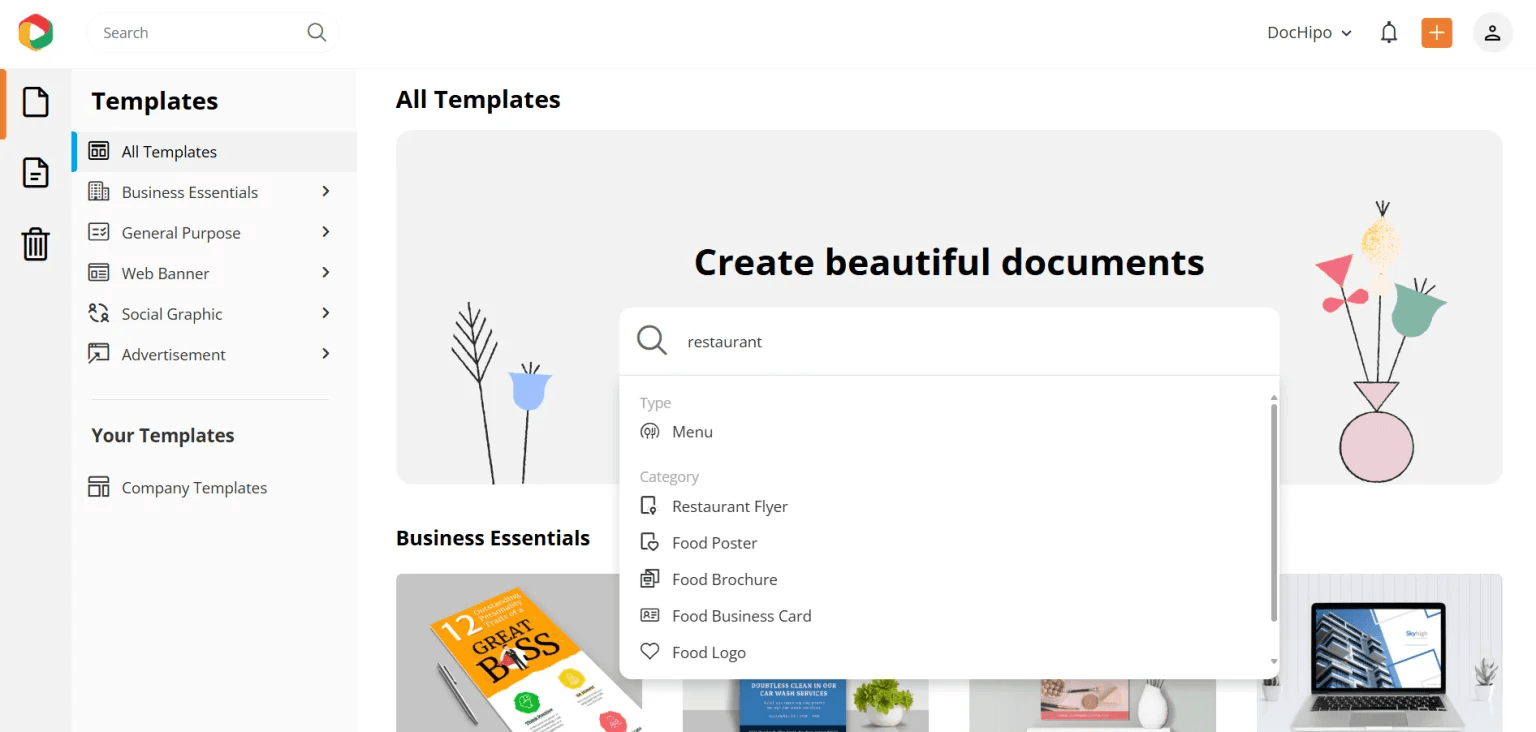 DocHipo has carved out a niche as a "professional-grade" Canva alternative specifically tailored for marketers and business professionals. While Canva tries to do everything (video, whiteboards, docs), DocHipo focuses intensely on high-conversion marketing graphics.
Key Advantages Over Canva
- Superior Template Curation
Unlike Canva, which has millions of templates of varying quality, DocHipo’s library is curated by professional designers. The layouts are cleaner, more modern, and look less like "generic templates." - Industry-Specific Organization
The platform categorizes assets by industry (e.g., Real Estate, Beauty, Corporate). This makes finding a relevant design much faster than searching through Canva’s massive, unfiltered database. - Advanced Design Assets
DocHipo offers a unique collection of exclusive vector illustrations and stickers that aren't found on other platforms, giving your brand a more distinct look. - Multi-Page Document Handling
It is exceptionally good at handling multi-page documents like proposals and newsletters, with better control over text alignment and layout precision.
Pricing & Value
DocHipo is positioned as a high-value, lower-cost option compared to Canva Pro.
- Free Plan:
- Highlights: Access to a large portion of templates and all design tools.
- The Catch: You are limited to 5 active documents at a time. However, unlike many free tools, it offers no-watermark downloads for many of its basic designs.
- Pro Plan (~$7.50/month):
- Significantly cheaper than Canva Pro (~$12–$15).
- Unlimited everything: Downloads, documents, and storage.
- Full AI Suite: Includes background removal and AI-driven design suggestions.
DocHipo vs. Canva
| Feature | DocHipo | Canva |
| Focus | Marketing & Business Graphics | General Creative & Social Media |
| Template Style | Minimalist, Professional, Modern | Bold, Trendy, Varied |
| Learning Curve | Extremely Low | Low (but has more menus) |
| Price (Pro) | Budget-Friendly (~$7.50) | Premium (~$12.99+) |
| Video Editing | Basic | Advanced/Full Suite |
Best for
- Marketing Agencies:
Who need to churn out high-quality, professional-looking advertisements and flyers quickly. - Corporate Professionals:
Who need to create sales decks or business proposals that look polished and less "artsy." - Budget-Conscious Users:
If you want a Pro-level design tool but find $12+/month too expensive, DocHipo’s $7.50 price point is one of the best deals in 2025. - Verdict: Choose DocHipo if you want your business graphics to look more professional and unique than the "Canva look," while saving about 40-50% on subscription costs.
Best Totally Free (Open-Source) Software
If you want professional features without any subscription or usage limits, these open-source desktop tools are completely free.
5. GIMP
 GIMP (GNU Image Manipulation Program) remains the gold standard for anyone seeking a completely free, professional-grade alternative to Adobe Photoshop. Unlike the other tools mentioned (Canva, Snappa, etc.), GIMP is open-source software, meaning there are no subscriptions, no "Pro" paywalls, and no monthly limits.
Key Features in 2025
- Professional Toolset
It includes advanced features like layers, masks, filters, color adjustment tools, and path tools that go far beyond what drag-and-drop editors like Canva can do. - Highly Customizable
You can change the interface to look like Photoshop and install thousands of free community-made plugins to add features like AI-assisted editing. - Cross-Platform
It runs on Windows, macOS, and Linux, making it the go-to for users on any operating system. - Privacy & Offline Use
Since it is desktop software, you don't need an internet connection to design, and your data is never uploaded to a cloud server.
GIMP vs. Canva
It is important to understand that GIMP is a different type of tool than Canva:
- No Templates
GIMP does not come with a library of ready-made social media templates. You start with a blank canvas. - Higher Learning Curve
It is professional software. It will take time to learn how to use the tools effectively. - Manual Work
While Canva has "one-click" magic, GIMP often requires manual steps (e.g., manually drawing a selection to remove a background, though plugins can automate this).
Best for
- True Cost ($0)
It is the best option for users who have a zero-dollar budget but need professional power. - Complex Photo Retouching
If you need to fix skin blemishes, remove complex objects from photos, or create digital paintings, GIMP is far superior to "quick" online editors. - Large File Support
GIMP handles very high-resolution images and complex file formats (including PSD files) better than most browser-based tools.
How to Get Started
- Download: Only download from the official site.
- Plugins: Look for the "GIMP Photo" or "GIMP+G'MIC" plugins to add over 500+ professional filters and effects.
- Tutorials: Because it is so popular, there are millions of free tutorials on YouTube (search for "GIMP for Beginners 2025") that can teach you anything in minutes.
Verdict: Choose GIMP if you want to learn the art of graphic design and photo editing without ever paying a cent. If you just want to make a quick Instagram post in 30 seconds, stick with Adobe Express or Snappa.
6. Inkscape
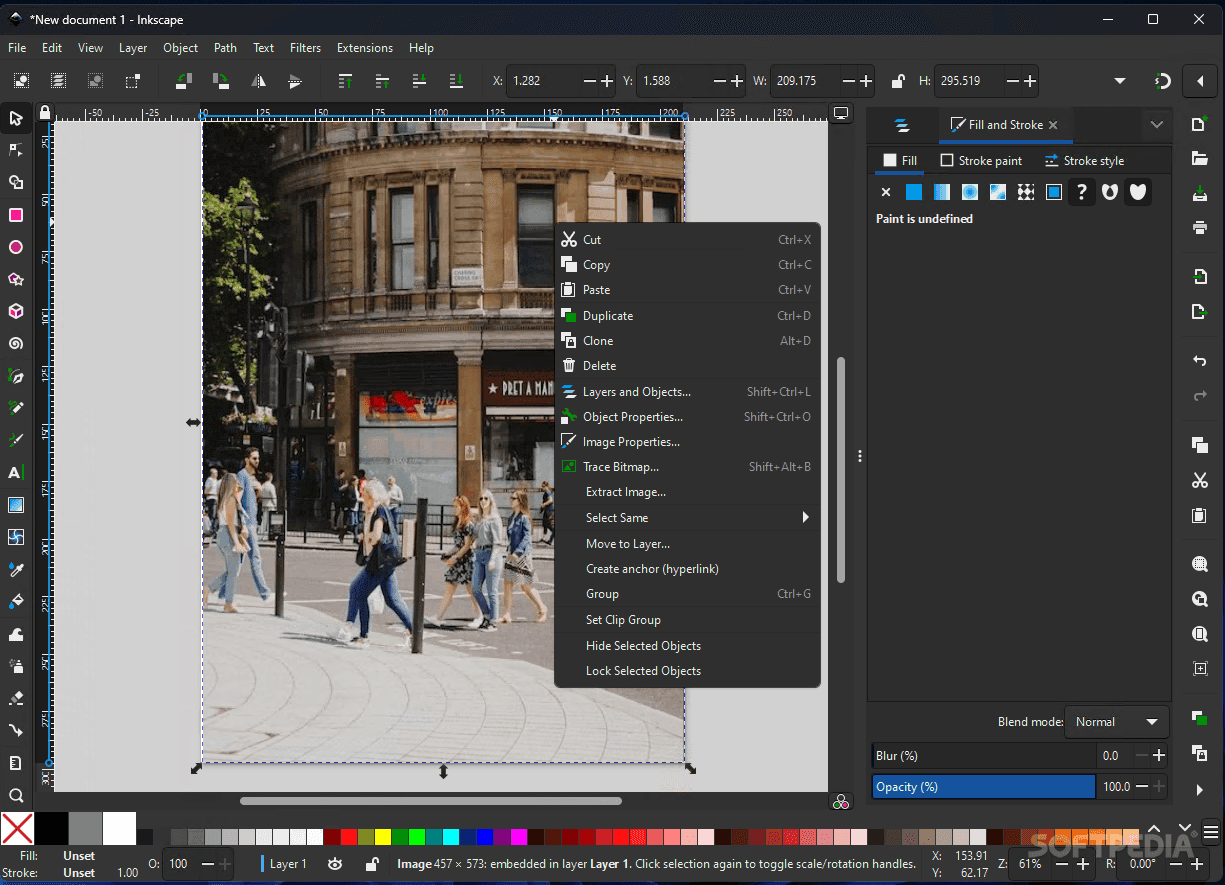 Inkscape is the premier free and open-source alternative to Adobe Illustrator. While GIMP focuses on photo editing (pixels), Inkscape is a Vector Graphics Editor. This means everything you create—logos, icons, and illustrations—can be scaled to any size without losing quality or becoming "pixelated."
Key Features in 2025
- True Vector Power
It uses SVG (Scalable Vector Graphics) as its native format. It offers professional tools like node editing, path operations, and boolean operations that Canva simply cannot match. - No Cost, No Subscription
It is 100% free forever. There are no "Premium" features or monthly limits. - Object Manipulation
Includes advanced features for alignment, distribution, and layering, allowing for highly technical designs like floor plans or complex logo systems. - Cross-Platform
Available for Windows, macOS, and Linux.
Inkscape vs. Canva: Major Differences
- Precision vs. Templates
Canva is about using pre-made templates. Inkscape is about creating from scratch. If you want to design a unique logo that no one else has, Inkscape is the tool. - Scalability
Graphics made in Inkscape can be printed on a business card or a giant billboard with perfect clarity. Canva's free version often limits high-resolution vector exports (SVG). - Learning Curve
Inkscape has a steep learning curve. It is a professional design suite, not a "drag-and-drop" website. You will need to watch tutorials to master it.
Why Use Inkscape in 2025?
- Logo Design
It is the best free tool for creating professional logos that require transparent backgrounds and vector scalability. - Web Graphics
Because it uses SVG natively, it is a favorite for web designers creating icons and UI elements. - Typography
It offers much deeper control over fonts, kerning, and text-on-path features than budget online editors. - Laser Cutting & Embroidery
Because it produces precise paths, it is widely used by hobbyists for Cricut machines, laser cutters, and 3D printing preparation.
How to Get Started
- Official Website: Download only from Inkscape.org.
- 2025 Interface: The latest versions have a significantly modernized interface that is much more user-friendly and supports "Dark Mode."
- Learning: Check out the "Inkscape for Beginners" series on YouTube or the official tutorials on their website.
Verdict: Choose Inkscape if you want to be a serious illustrator or logo designer without paying for an Adobe subscription. If you just need a quick social media flyer, Adobe Express or VistaCreate are better choices.
7. Photopea
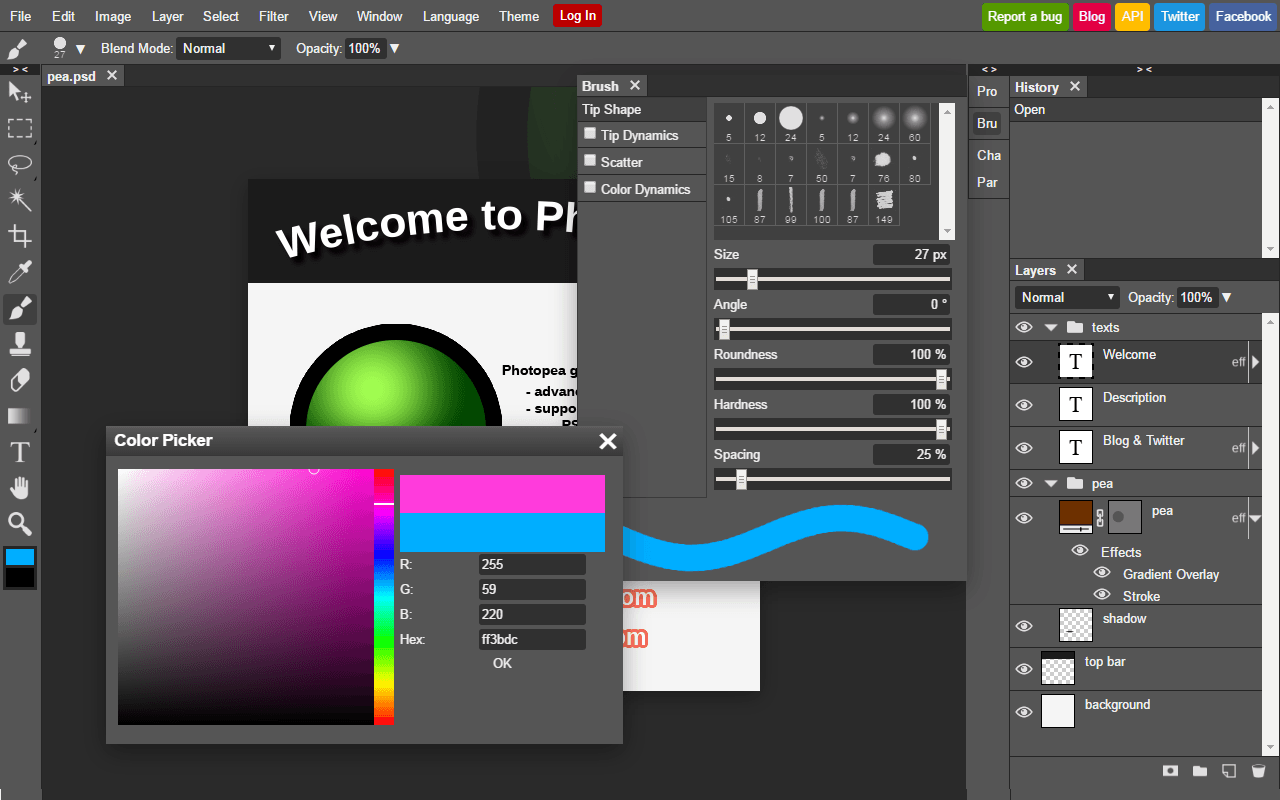 Photopea is widely considered the best free, browser-based alternative to Adobe Photoshop. It is unique because it runs entirely in your web browser but mimics the interface, tools, and keyboard shortcuts of Photoshop almost exactly.
Key Features in 2025
No Installation Required: You don't need to download or install anything. Just visit the website and start designing. It even works offline once the page is loaded.
Photoshop Clone: If you have ever used Photoshop, you will feel at home. It includes layers, masks, smart objects, channels, and paths.
Massive File Support: It can open and export almost any design format, including .PSD (Photoshop), .AI (Illustrator), .XD, .PDF, .Sketch, and .FIG (Figma).
AI Integration: In 2025, Photopea has integrated "Magic Cut" (for background removal) and AI-powered "Generative Fill" features similar to Adobe’s Firefly.
Pricing: Truly Budget-Friendly
Photopea is a "freemium" tool with one of the most honest pricing models:
Free Version ($0): You get 100% of the features. There are no locked tools. The only "price" is a small sidebar with ads.
Premium Version (~$5/month): This simply removes the ads and gives you more "Undo" steps. It is one of the cheapest professional-grade subscriptions available in 2025.
Photopea vs. Canva
| Feature | Photopea | Canva |
| Workflow | Professional Photo Editing | Template-based Layouts |
| Control | Pixel-perfect manual control | Drag-and-drop simplicity |
| Assets | Bring your own or use basic stocks | Massive built-in library |
| Complexity | High (Photoshop skill level) | Low (Easy for everyone) |
Why choose Photopea?
- Editing Existing Files
If someone sends you a Photoshop (.psd) file and you don't want to pay for a Creative Cloud subscription to open it, Photopea is your best free solution. - Advanced Retouching
It is far superior to Canva for detailed photo editing, such as frequency separation for skin, complex color grading, or removing specific objects from a background. - Low-Power Devices
Because it runs in the browser, it allows you to do "Photoshop-level" work on a Chromebook or an old laptop that can't handle heavy software.
Verdict: Use Photopea if you want Photoshop power for $0. It is the ultimate tool for users who need professional precision without the Adobe price tag.
8. Krita
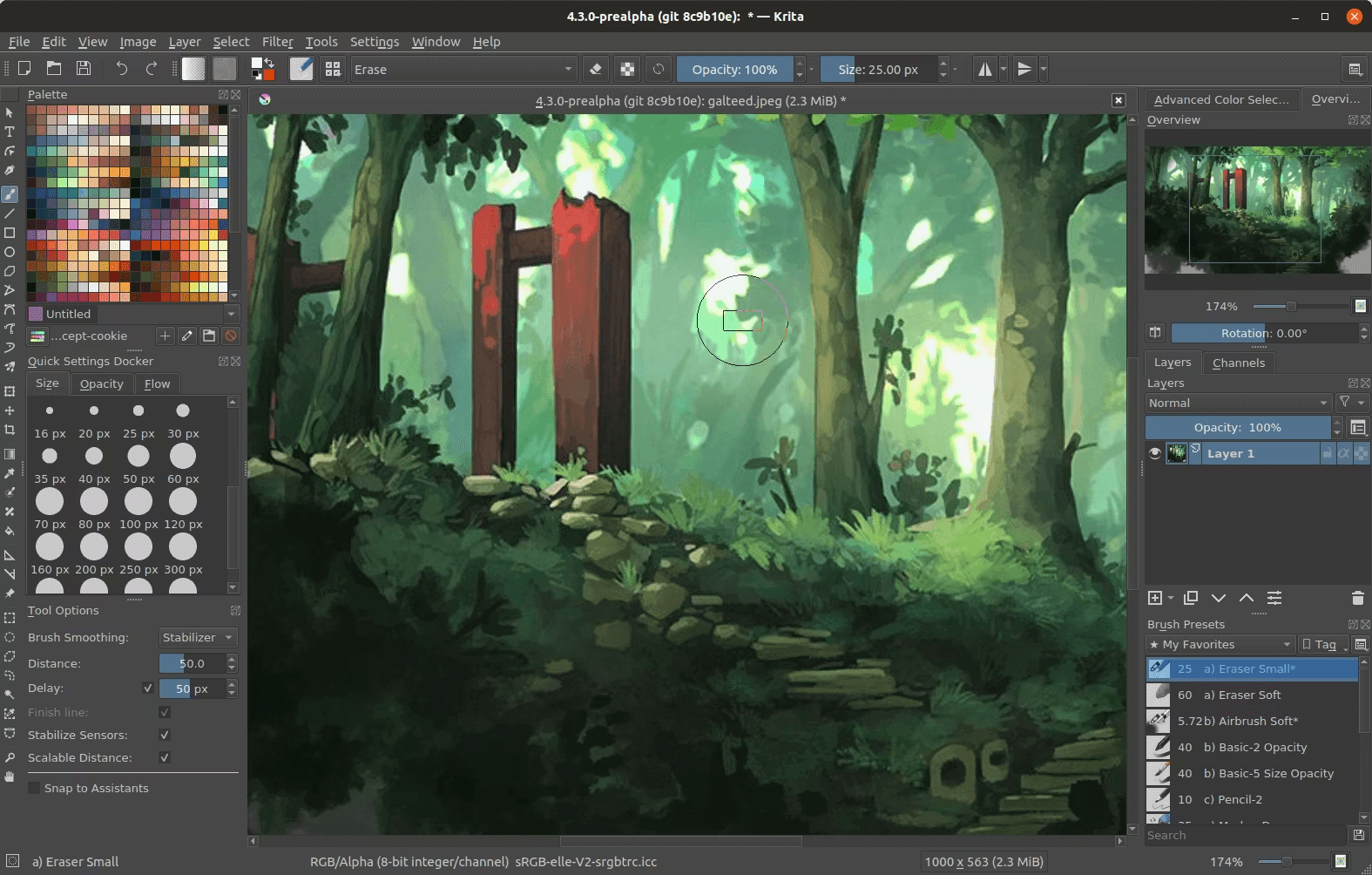 Krita is globally recognized as the premier free and open-source digital painting and illustration software. While GIMP is for photo editing and Inkscape is for vectors, Krita is built specifically for concept artists, illustrators, and animators.
Key Features in 2025
- 100% Free Forever ($0)
Krita is an open-source project managed by a non-profit foundation. There are no subscriptions, no locked features, and no trial periods. - Professional Brush Engine
It features one of the most advanced brush engines in existence, with built-in brush stabilizers to help you draw perfectly smooth lines even if your hand shakes. - 2D Animation Tools
Krita includes a full animation timeline with "onion skinning," making it a favorite for frame-by-frame hand-drawn animators. - Advanced Layer Management
Supports non-destructive editing with transparency masks, filter layers, and group layers, similar to Photoshop. - Native CMYK Support
Unlike many free tools, Krita supports CMYK color modes, which is essential for professional artists who need to prepare their work for physical printing.
Krita vs. Canva: The Main Differences
| Feature | Krita | Canva |
| Primary Goal | Creating art from scratch | Assembling designs from templates |
| Input Method | Best with a drawing tablet (Wacom/Huion) | Best with a mouse or touch screen |
| Asset Library | Almost none (you create the assets) | Millions of stock photos/icons |
| Operating System | Desktop (Windows, macOS, Linux) | Web Browser & Mobile |
Why Choose Krita in 2025?
- The Best Free Alternative to Corel Painter or Adobe Fresco
If you want to paint digitally and want the software to feel like real oil, watercolor, or charcoal, Krita is the best choice. - Comic & Manga Tools
It includes specialized tools for creating comic panels, speech bubbles, and halftone textures. - AI Integration (Local)
In 2025, many users install the Krita AI Diffusion plugin, which allows you to use AI tools (like Stable Diffusion) directly on your canvas for free, powered by your own computer's hardware rather than a paid cloud service. - Privacy
Because it is offline software, your artwork is never uploaded to a server or used to train AI models without your permission.
How to Get Started
- Official Website: Always download for free from Krita.org.
- Hardware Tip: To get the most out of Krita, it is highly recommended to use a drawing tablet (like a Wacom, Huion, or XP-Pen) rather than a mouse.
- Education: There is a massive community of artists on YouTube providing "Krita for Beginners 2025" tutorials that can teach you everything from basic sketching to complex 2D animation.
Verdict: Choose Krita if you want to draw, paint, or animate. It is a professional creative suite that happens to be completely free. If you just need to arrange text and photos for a flyer, stick with Adobe Express or Canva.
Best Budget-Friendly (One-Time Purchase)
If you prefer to own your software rather than pay monthly, these tools are highly cost-effective in 2025.
9. Affinity Designer 2
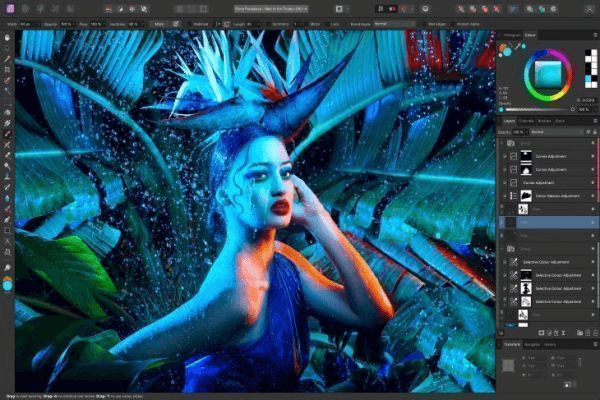 Affinity Designer 2 is the most popular professional-grade alternative to Adobe Illustrator for users who want a "one-time purchase" rather than a monthly subscription. It is part of the Affinity V2 Suite (alongside Affinity Photo and Affinity Publisher).
The Best "Budget" Choice (Long-Term)
While Canva and Adobe Express charge roughly $120/year, Affinity Designer 2 usually costs a one-time fee of around $69.99.
- No Subscription
Once you buy it, you own it forever. There are no monthly fees to keep your files accessible. - Universal License
Serif (the developer) offers a "Universal License" for about $164.99, which gives you all three apps (Designer, Photo, Publisher) across Windows, macOS, and iPad.
Professional Features for 2025
- Vector & Raster Link
Unique to Affinity, you can switch between a Vector Persona (for clean lines/logos) and a Pixel Persona (for textures/shading) within the same document. - Warp & Shape Tools
Version 2 introduced advanced "Vector Warp" and "Shape Builder" tools, which allow you to manipulate shapes and text non-destructively. - Lightning Fast Performance
It is optimized for the latest hardware (like Apple’s M-series chips and high-end Windows PCs), handling thousands of objects without the lag often found in web-based tools like Canva. - Infinite Zoom
You can zoom in over 1,000,000%, allowing for extreme precision in technical illustrations or detailed logo design.
Affinity Designer 2 vs. Canva
| Feature | Affinity Designer 2 | Canva |
| Cost | One-time payment (~$70) | Monthly subscription (~$15) |
| Templates | Very few (professional focus) | Millions of ready-made designs |
| Ownership | You own the software and files | You "rent" access to the library |
| Internet | Works 100% offline | Requires an internet connection |
| Skill Level | Professional / Intermediate | Beginner / Easy |
Why choose it in 2025?
- Professional Output
If you are designing for high-end printing, packaging, or professional branding, Affinity provides much better color management (CMYK, Pantone) and export options than Canva. - The iPad App
The iPad version of Affinity Designer 2 is nearly identical to the desktop version. It is widely considered the most powerful vector design app on the iPad. - Adobe Alternative
It can open and edit Adobe Illustrator (.ai) and Photoshop (.psd) files, making it easy to switch away from the Adobe subscription model.
How to Buy
You can purchase and download the software directly from the Affinity website. They frequently offer 30-day free trials and 25-50% off sales during seasonal periods.
Verdict: Choose Affinity Designer 2 if you want to stop paying monthly subscriptions and need a professional tool that rivals Adobe Illustrator in power and precision. If you rely heavily on pre-made templates and stock photos, Canva or Adobe Express remains a better fit.
10. Pixlr
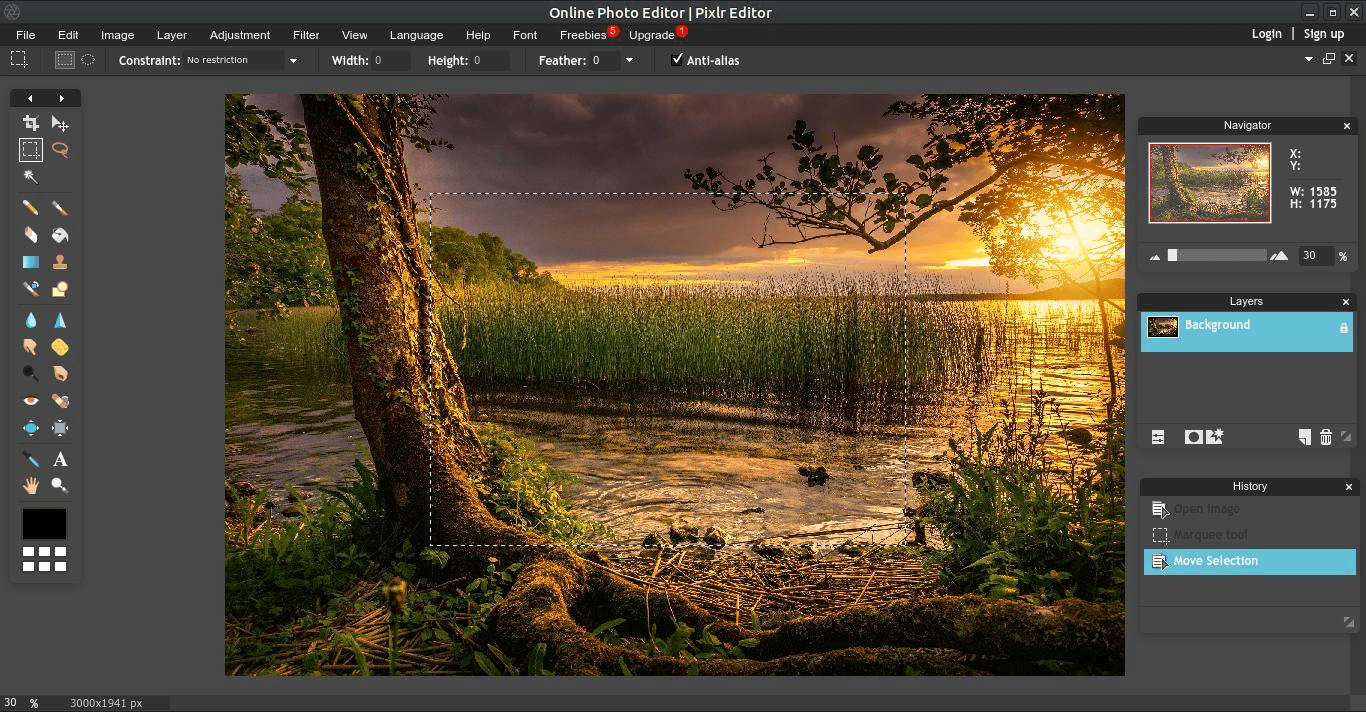 Pixlr is a cloud-based suite of AI-powered photo editing and design tools launched in 2008. It provides a free, browser-based alternative to professional software like Photoshop, featuring advanced AI capabilities and an intuitive interface.
Core Editing Platforms
Pixlr offers different versions tailored to user needs:
- Pixlr X: A streamlined, modern editor designed for quick edits, beginner-friendly graphic design, and social media content.
- Pixlr E: An advanced "Pro" editor with a classic desktop-style interface, supporting detailed retouching, complex layers, and custom brushes.
- Pixlr Express: Formerly a mobile app, it is now integrated into the web ecosystem for fast, automated AI enhancements.
Major 2025 Features
- Generative AI Suite
In 2025, Pixlr has heavily integrated AI. It includes AI Image Generation, Generative Expand (filling in the edges of a photo), and AI Generative Fill to add or replace objects in a scene. - Instant Background Remover
One of the fastest web-based tools for removing backgrounds from portraits or products. - Smart Resize
Similar to Canva Pro, it can instantly change a design's dimensions for different social media platforms. - Template Library
While not as massive as Canva's, it offers thousands of high-quality templates for YouTube thumbnails, Instagram stories, and business cards.
Pixlr Subscription Plans
| Feature | FREE | PIXLR PREMIUM | CREATIVE PACK |
| Monthly Cost | $0.00 (Always Free) | $4.90 /month | $14.99 /month |
| Free Trial | N/A | 30-Day Trial Available | Available |
| Ads | Supported by Ads | Ad-Free | Ad-Free |
| Tools | Basic Editing Tools | Full Access to Pixlr X & E | Full Access to Pixlr X & E |
| AI Features | None listed | AI CutOut | AI CutOut |
| Stock Content | Limited Overlays/Stickers | 15,000+ Assets (Overlays, Icons, Stickers, Text) | 10 Million+ (Graphics, Templates, Fonts, Photos, Video, 3D) |
| Legal Guarantee | None | None | $25,000 Guarantee |
| Support | Standard | Exclusive Video Tutorials | 24/7 Premium Support |
| Desktop Apps | Web only | Coming Soon | Coming Soon |
Key Plan Summaries
- Free
Best for casual users who only need basic editing tools and can tolerate advertisements. - Premium
Designed for regular creators who want an ad-free experience, advanced AI tools like AI CutOut, and a solid library of over 15,000 creative assets. - Creative Pack
The "Pro" tier intended for commercial designers. It includes a massive library of 10 million stock files, premium support, and a $25,000 legal guarantee for peace of mind in professional projects.
Pixlr vs. Canva vs. Photopea
| Tool | Best Use Case | Vibe |
| Canva | Assembling templates | Drag-and-drop / Social media focused |
| Photopea | Heavy Photoshop work | Professional / Technical / High-power |
| Pixlr | Fast Photo Editing | Modern / AI-driven / Stylish |
Why Choose Pixlr in 2025?
- Speed: It is faster to load and run than almost any other browser-based editor.
- Mobile-Friendly: Pixlr has excellent mobile apps that sync with your web account, allowing you to edit on the go.
- The "Budget" Professional: If you want a tool that "feels" like Photoshop but only costs about $1–$2 a month for the basic paid features, Pixlr is the winner.
Verdict: Use Pixlr if you want a modern, AI-powered photo editor that is cheaper than Canva and easier to learn than Photopea or GIMP.
11. Procreate
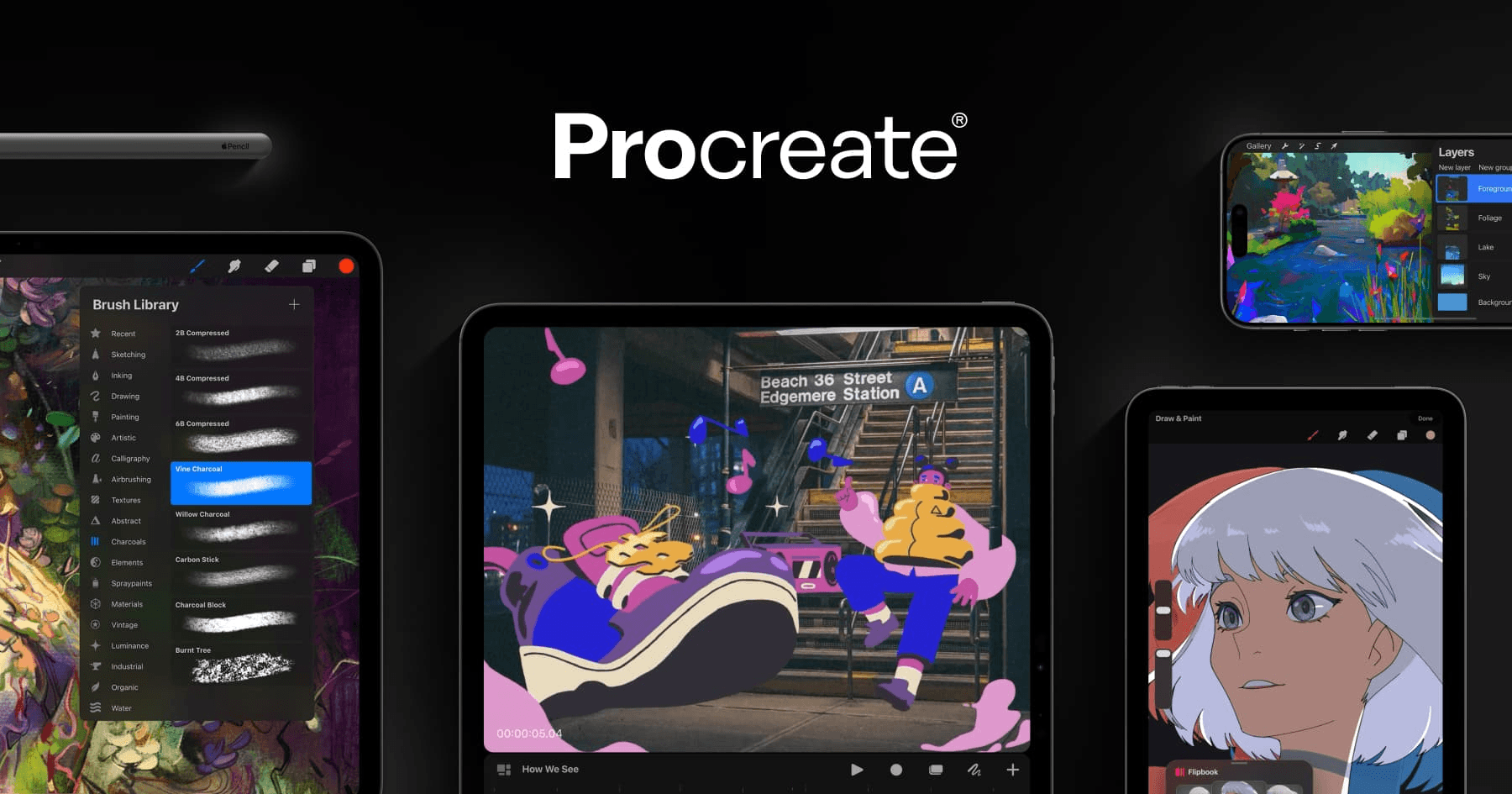 For iPad users, this is the industry standard for digital art, costing a one-time fee of roughly $12.99. Procreate is a leading professional digital illustration app developed by Savage Interactive, designed exclusively for iPad. It is widely considered the industry standard for mobile digital art due to its powerful performance, intuitive interface, and one-time purchase model.
Products and 2025 Pricing
Unlike most creative software, Procreate remains strictly subscription-free. All prices below are one-time payments.
| Product | Primary Use | Device | 2025 Price (Est.) |
| Procreate | Professional Illustration & Painting | iPad | $12.99 |
| Procreate Dreams | 2D Animation & Storytelling | iPad | $12.99 |
| Procreate Pocket | Painting on the go | iPhone | $5.99 |
Key Features (2025)
- Vast Brush Library: Includes over 200 handcrafted brushes ranging from charcoal to organic textures. You can also create your own using the Brush Studio.
- Silica M Engine: Powered by the fastest 64-bit painting engine on iPad, allowing for high-resolution canvases and smooth 120fps performance.
- Animation Assist: A specialized toolset for creating frame-by-frame animations, complete with onion skinning and instant playback.
- 3D Model Painting: Allows artists to import 3D models (OBJ/USDZ) and paint directly on surfaces with realistic lighting and metallic effects.
- Advanced Layering: Offers professional layer masks, clipping masks, and over 25 blend modes for complex compositions.
- Time-Lapse Recording: Automatically records every stroke of your creation process, which can be exported as a high-definition video.
Hardware Requirements
To run the latest version of Procreate in 2025, you generally need:
- Device: An iPad running iPadOS 16.3 or later.
- Stylus: While it works with touch, it is optimized for Apple Pencil Pro, Apple Pencil (2nd Gen), or Apple Pencil (USB-C) to utilize pressure and tilt sensitivity.
- Performance: M2, M3, and M4-powered iPads (Pro and Air models) allow for the highest layer counts and largest canvas sizes (up to 16k resolution).
You can find more information and tutorials on the official Procreate website.
Procreate vs. Canva
| Feature | Procreate | Canva |
| Primary Goal | Freehand drawing/painting | Graphic layout & templates |
| Device | iPad Only (requires Apple Pencil) | Web, Mobile, Desktop |
| Input | Stylus (Hand-drawn) | Mouse/Touch (Drag-and-drop) |
| Ownership | One-time payment | Monthly rent |
Why choose Procreate in 2025?
- The "Apple Pencil" Experience: No other app feels as natural or responsive. The "latency" (lag) is virtually zero.
- Professional Portability: You can create gallery-quality illustrations at a coffee shop or on a plane without needing an internet connection.
- Massive Community: Because it is so popular, you can find a tutorial for almost any style—from oil painting to tattoo design—on YouTube or Procreate's official handbook.
Verdict: Choose Procreate if you want to be an artist. It is the best investment a creative can make for under $15. If you want to make a quick business flyer using pre-made icons, stick with Adobe Express or Canva.
How to Choose the Best Alternative
 The best "Canva alternative" depends entirely on your specific goal. Here is a quick reference guide to help you choose the right tool based on your needs:
Social Media & Marketing
Best Overall: Adobe Express
Why: Better AI (Firefly), free background remover, and more professional fonts than Canva.
Best for Speed: Snappa
Why: Minimalist interface for creating a YouTube thumbnail or post in under 60 seconds.
Best for Small Teams: VistaCreate
Why: More affordable team plan (up to 10 users for one price) and excellent animation templates.
Professional Photo & Vector Editing
Best "Photoshop" Clone: Photopea
Why: Free, runs in your browser, and opens Photoshop (.psd) files perfectly.
Best for Logos/Vectors: Inkscape
Why: Completely free open-source software for creating scalable graphics that never get pixelated.
Best One-Time Purchase: Affinity Designer 2
Why: Professional-grade power for a single payment (around $70) with no monthly subscription.
Digital Art & Illustration
Best for iPad: Procreate
Why: Industry-standard for hand-drawing; a one-time $12.99 purchase for life.
Best for Desktop (PC/Mac/Linux): Krita
Why: The most powerful free, open-source painting and 2D animation software available.
Business & Data Visualization
Best for Presentations/Proposals: DocHipo
Why: Clean, professional templates that look less "artsy" and more "corporate" than Canva.
Best for Infographics: Visme
Why: Superior tools for turning complex data and Excel sheets into beautiful charts.
Summary: Which one should you pick?
| If you want... | Choose this... | Cost in 2025 |
| To stop paying monthly | Affinity Designer 2 | ~$70 (One-time) |
| Professional AI tools for free | Adobe Express | $0 (Free tier) |
| To edit photos like a pro | Photopea | $0 (Ad-supported) |
| To draw and paint on iPad | Procreate | ~$13 (One-time) |
| To make a fast social post | Snappa | $0 (3 downloads/mo) |
| 100% Free Open Source | GIMP / Inkscape | $0 (Always) |
Consider PDF Agile for PDF Tasks
While Canva is great for design, if your work involves PDFs—splitting, merging, editing, or managing documents—PDF Agile can make it easier and safer. It’s a reliable tool for handling all your PDF tasks without the risks of cracked software.
PDF Agile provides a comprehensive suite of tools designed to mirror the essential functions of Acrobat Pro.
- Advanced Editing: Modify text (change font, size, color) and images directly within the PDF as if you were using Microsoft Word.
- Powerful OCR (Optical Character Recognition): Convert scanned documents or images into searchable and editable PDF or Word files.
- High-Fidelity Conversion: Convert PDFs to Word, Excel, PowerPoint, TXT, and JPG while maintaining the original layout and formatting.
- Document Management: Merge multiple files, split documents, delete/rotate pages, and add watermarks or page numbers.
- Security & Signing: Apply password protection to sensitive files, redact confidential information, and add legally binding electronic signatures.
- Annotation Tools: Markup documents with highlights, underlines, freehand drawings, and comment bubbles.
- Device Flexibility: Most lifetime licenses allow for simultaneous installation and use on up to two Windows devices.