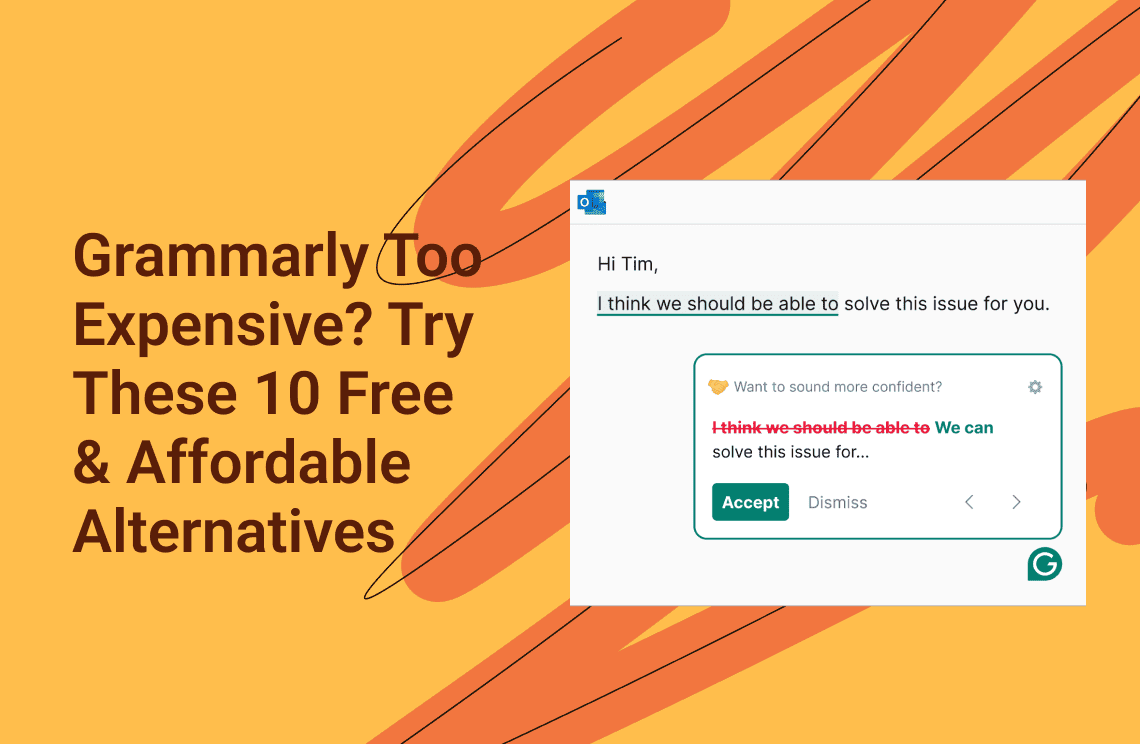
Let’s be honest—Grammarly isn’t cheap. With plans ranging from $12 to $30 per month, it can feel like a big expense, especially for students, freelance writers, or anyone who just wants solid grammar checking without a long-term commitment. It’s no surprise that many people start looking for free alternatives or even think about using cracked versions.
But cracked software comes with real risks. It often hides malware, puts your data in danger, and offers zero updates or support. The good news? You don’t need to go that route. There are plenty of legitimate grammar tools available—many of them free—that can match Grammarly for everyday use and even outperform it in specific areas.
If you’re on a tight budget, need specialized writing features, or simply want a reliable grammar checker without paying a high subscription fee, this guide is for you. Below, we’ve rounded up the 10 best Grammarly alternatives in 2025. Some offer powerful free plans, others cost far less than Grammarly, and a few excel where Grammarly falls short. Let’s find the right writing assistant for your needs—safe, legal, and affordable.
What Is Grammarly?
Grammarly is an AI-powered writing assistant that helps you catch grammar, spelling, punctuation, and style issues in real time. Launched in 2009, it has grown into one of the most widely used writing tools in the world, with over 30 million daily users.
Grammarly works across many platforms. You can use it as a browser extension, desktop app, mobile keyboard, or web editor. It integrates smoothly with Gmail, Google Docs, Microsoft Word, social media, and most websites where you write. As you type, it analyzes your text and suggests ways to improve clarity, tone, and overall correctness.
Grammarly offers three main plans:
Free: Basic grammar and spelling checks
Premium ($12–30/month): Advanced grammar and style suggestions, tone detection, a plagiarism checker, and vocabulary improvements
Business ($15–25 per user/month): Team tools, shared style guides, and writing analytics
While Grammarly is powerful and easy to use, its premium plans can feel expensive. For many users, the ongoing cost simply isn’t worth it, which is why free and lower-cost alternatives have become so popular.
Why Is Grammarly So Expensive?
Grammarly’s pricing mainly comes from the technology behind it. The tool relies on advanced AI models that process billions of sentences every day, which requires huge computing resources and constant system maintenance. On top of that, Grammarly invests heavily in research and development to keep its suggestions accurate across different writing styles, topics, and platforms.
Premium features also add to the cost. The plagiarism checker, for example, scans your text against billions of web pages and academic sources. This requires expensive data licensing and frequent database updates. Features like tone analysis, style rewriting, and vocabulary enhancement also depend on more complex AI processing than basic grammar checks.
For many users, though, this level of sophistication is more than they actually need. Students, casual writers, and non-native speakers often just want clear grammar and spelling corrections. For them, paying a monthly subscription for advanced tools they rarely use can feel unnecessary, which is why more affordable or free alternatives make a lot of sense.
Top 10 Grammarly Alternatives in 2025
1. Free & Open Source Options
1.1 LanguageTool – Best Free Option for Multiple Languages
If Grammarly feels too expensive or too English-focused, LanguageTool is one of the best alternatives you can use right now. It’s open-source, privacy-friendly, and supports far more languages than Grammarly—all with a very usable free plan.
| Category | Detail |
| Core Advantage | Multilingual support and strong privacy protection |
| Best For | Non-native English writers, multilingual users, and anyone who prefers a privacy-first tool |
Why LanguageTool Stands Out
- Supports 30+ languages LanguageTool checks not only English, but also German, Spanish, French, Portuguese, and many more. Grammarly mainly focuses on English, which limits its usefulness for global users.
- Generous free usage The free version allows up to 10,000 characters per check, which is enough for emails, essays, posts, and short articles.
- Privacy-focused by design LanguageTool is based in Europe and follows GDPR rules. Your text is not stored, making it a safer choice for sensitive or personal writing.
- Real-time grammar and style checks It highlights grammar, spelling, and style issues as you type, with simple color markers that are easy to understand.
- Custom dictionary You can add names, technical terms, or brand words so they don’t get flagged again.
Free vs. Premium: What You Get
| Feature | Free Version | Premium Version |
| Grammar & spelling | Yes | Yes |
| Style suggestions | Basic | Advanced |
| Character limit | 10,000 per check | 100,000+ per check |
| AI rephrasing | Very limited | Unlimited |
| Advanced checks (wordiness, passive voice) | No | Yes |
| App & integrations | Browser extensions | Desktop app + MS Word |
the premium plan is much cheaper than Grammarly and makes sense if you write long documents regularly.
Where LanguageTool Falls Short
- No plagiarism checker
If plagiarism detection is important to you, this may be a deal-breaker. - Simpler tone analysis
It doesn’t analyze tone or intent as deeply as Grammarly. - Free plan limits
Long documents may need to be checked in parts.
Overall, LanguageTool is one of the strongest free Grammarly alternatives available, especially if you write in more than one language or care about privacy.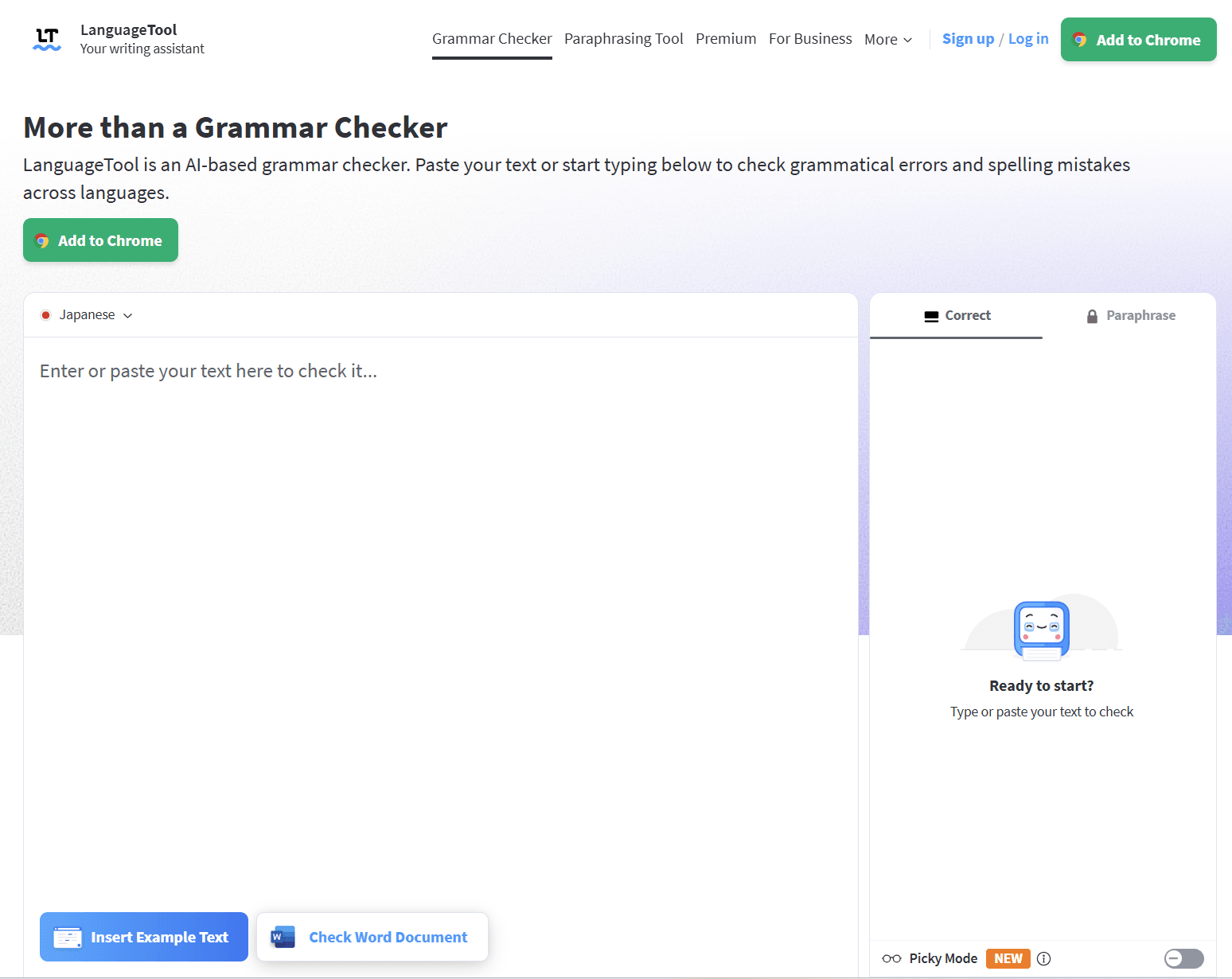
1.2 Hemingway Editor – Best for Readability and Clear Writing
The Hemingway Editor is built for one goal: making your writing clear and easy to read. Instead of fixing grammar details, it helps you cut long sentences, avoid jargon, and reduce passive voice. Think of it as a clarity coach, not a full grammar checker.
| Category | Detail |
| Core Strength | Readability and simplicity |
| Best For | Bloggers, marketers, business writers, and anyone writing for a general audience |
Why Hemingway Is Useful
- Readability grade score
It shows the reading level of your text. Keeping it around Grade 8–10 helps your content feel clear and approachable. - Color-coded suggestions
Issues are easy to spot at a glance:- Yellow: Hard-to-read sentences
- Red: Very confusing sentences
- Purple: Words that can be simplified
- Blue: Adverbs
- Green: Passive voice
- Free web version with full features
All core readability tools are available for free online, with no account required. - Clean, distraction-free interface
The simple layout helps you focus. You can also export clean HTML, which is handy for blogs and CMS platforms.
Free vs. Desktop App
| Feature | Free Web Version | Desktop App |
| Readability analysis | Yes | Yes |
| Price | Free | $19.99 one-time |
| Internet needed | Yes | No |
| Grammar & spelling | Basic (browser-based) | Built-in |
| File export | Limited | Word, PDF, full formatting |
Limitations
- Not a full grammar checker
It focuses on style, not detailed grammar fixes. - No real-time typing support
You need to paste your text into the editor.
Hemingway works best as a second-step editor to improve clarity after basic grammar checks.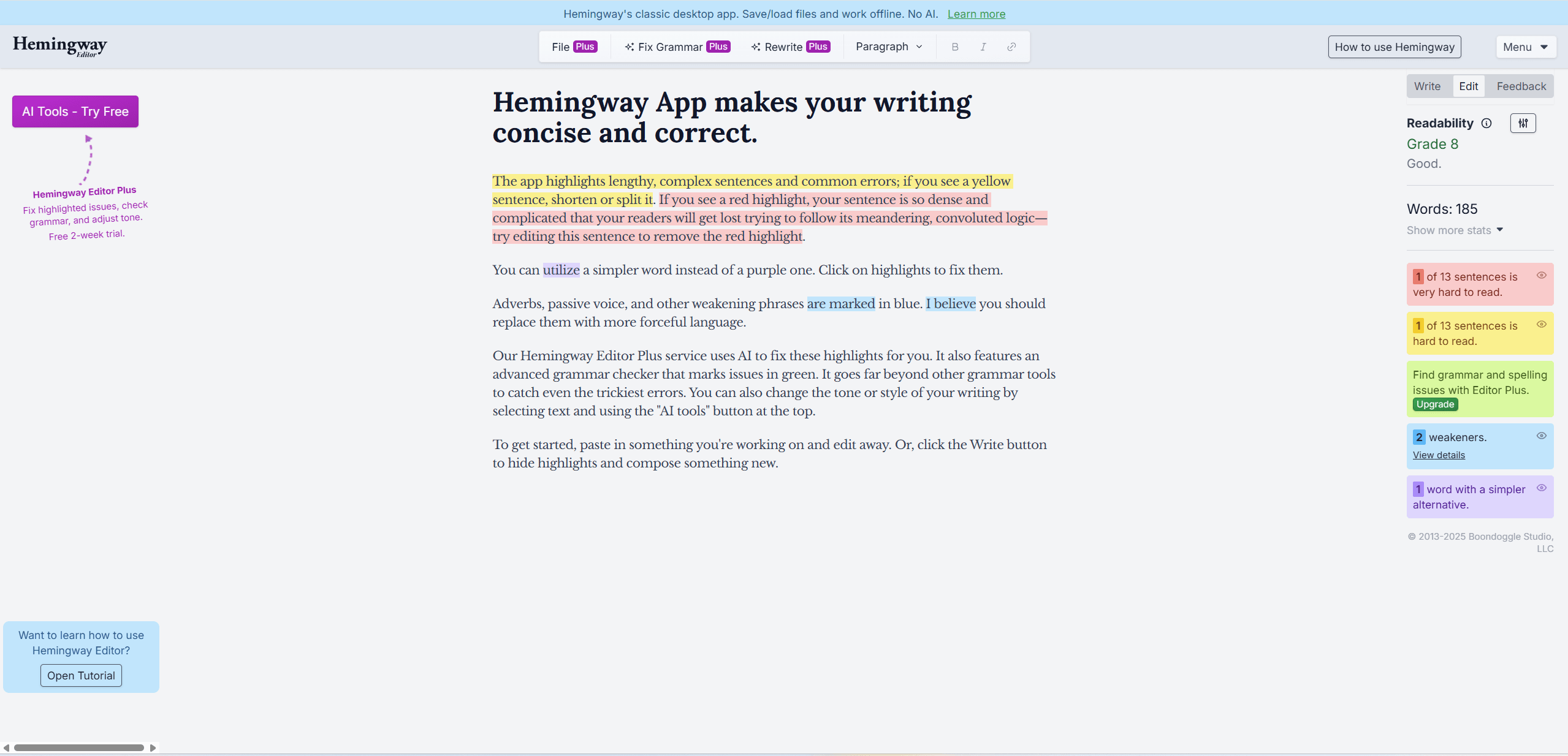
1.3 Slick Write – Best Free Tool for Deep Writing Analytics
Slick Write is an underrated free grammar and style checker that focuses on data-driven writing improvement. It doesn’t look modern, but it delivers detailed reports that many paid tools lock behind subscriptions. If you like numbers, structure, and measurable feedback, Slick Write offers serious value at no cost.
| Category | Detail |
| Core Strength | Advanced writing analytics for free |
| Best For | Advanced writers, students, and SEO-focused users who want detailed insights into sentence flow and word usage |
Why Slick Write Is Worth Using
- Completely free with no limits
There are no character limits and no premium upsells. You can analyze long articles or essays in one go. - Detailed style and flow analysis
Slick Write generates clear reports on:- Sentence length and structure to spot monotony
- Flow charts that highlight awkward or repetitive sections
- Readability scores (ARI) similar to Hemingway
- Vocabulary usage, including adverbs, adjectives, and transitions
- Prepositional phrase checker
This unique metric helps you reduce wordiness caused by overusing phrases like “of,” “in,” and “with.” - Associator tool for idea expansion
Click on any word to see related terms, synonyms, and phrases—useful when you’re stuck or want stronger wording. - Privacy-friendly
Your text isn’t stored or reused, which is important for academic or professional writing.
Limitations
- Outdated interface
You need to paste your text and run a manual check. It’s not a real-time editor like Grammarly. - Basic grammar accuracy
Grammar and spelling checks are weaker than AI-based tools. It works best alongside a simple spell checker. - Limited integrations
Browser extensions exist, but they mainly send text to the web editor. There’s no deep Google Docs or Word integration.
Slick Write is best used as an analysis tool, not a replacement for real-time grammar correction.
2. Freemium Tools with Strong Free Tiers
2.1 QuillBot – Best for Paraphrasing and Academic Tasks
QuillBot focuses on AI-powered rewriting, making it especially useful for students, researchers, and writers who need to rephrase content while keeping the original meaning. While it began as a paraphrasing tool, it has grown into a practical all-in-one writing assistant for rewriting, summarizing, and academic work.
| Category | Detail |
| Core Strength | Paraphrasing and citation generation |
| Best For | Students, researchers, and writers who frequently reword text, summarize sources, or create academic citations |
Why QuillBot Is Useful
- Strong free paraphraser
The free plan lets you rewrite up to 125 words per check using Standard and Fluency modes. It’s great for fixing awkward sentences, avoiding repetition, or getting past writer’s block. - Free citation generator
One of QuillBot’s biggest advantages. You can generate unlimited citations in APA, MLA, Chicago, and many other formats—completely free. - Built-in grammar checker
QuillBot includes a basic grammar checker, so your rewritten text stays clean without switching tools. - Free summarizer
You can summarize texts up to 1,200 words, which is helpful for research notes and long articles. - Easy integrations
It works with browser extensions, Google Docs, and Microsoft Word, making it easy to use in daily writing.
Free vs. Premium
| Feature | Free | Premium |
| Paraphrase limit | 125 words | Unlimited |
| Writing modes | 2 modes | 9 modes |
| Summarizer limit | 1,200 words | 6,000 words |
| Plagiarism check | No | Yes |
| Citation generator | Unlimited | Unlimited |
| Speed | Standard | Faster |
Limitations
- Advanced modes are paid
Formal, creative, and expand/shorten modes require Premium. - Grammar is not the main focus
Grammar and style checks are lighter than tools like Grammarly or LanguageTool.
QuillBot works best as a rewriting and research tool, not a full grammar replacement.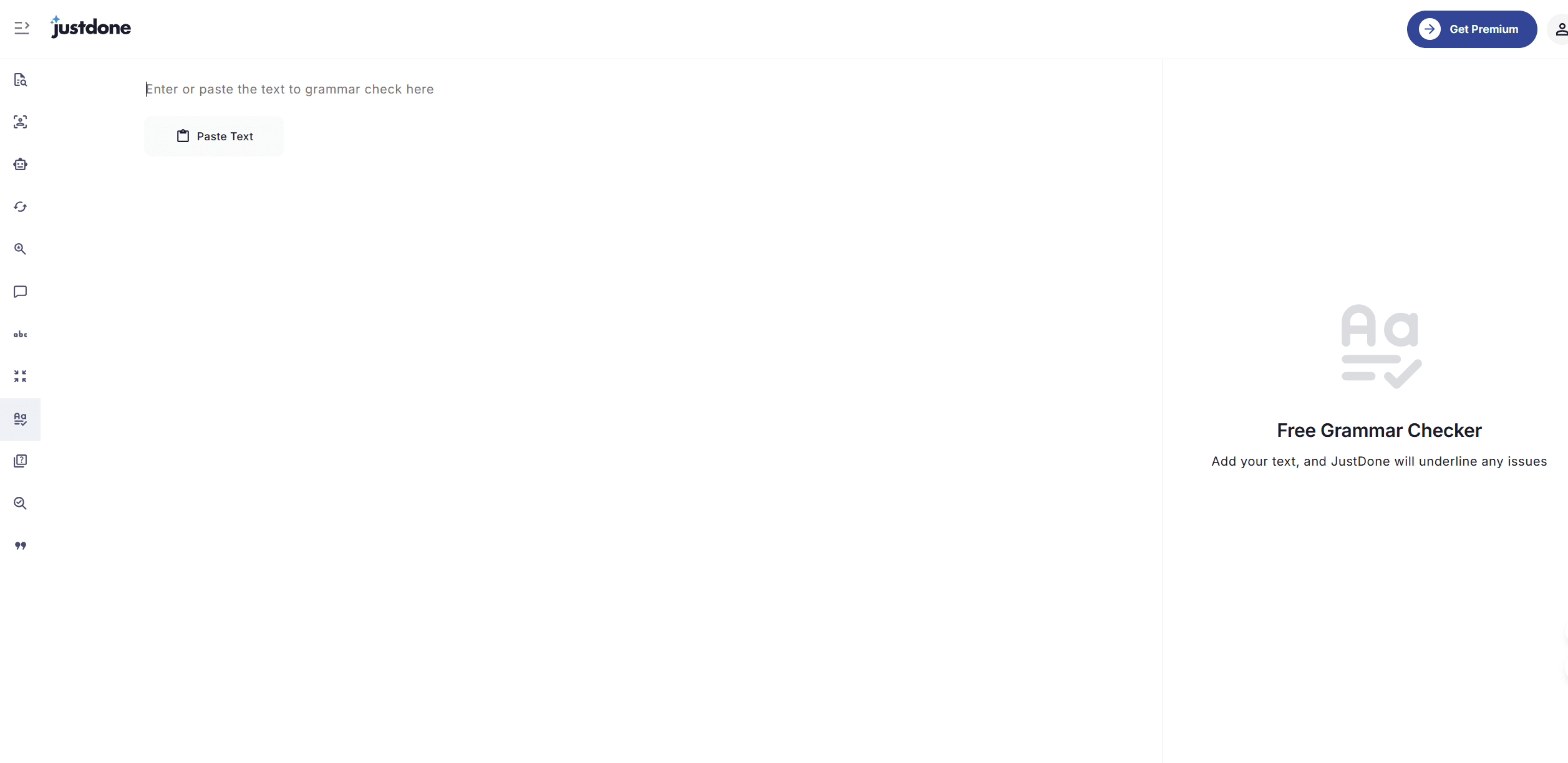
2.2 Wordtune – Best for AI Rewriting and Tone Control
Wordtune focuses on rewriting for clarity and tone, not traditional proofreading. It understands the meaning of your sentence and suggests better ways to express the same idea. This makes it ideal when your grammar is fine, but your wording doesn’t sound quite right.
| Category | Detail |
| Core Strength | Context-aware rewrites and tone adjustment |
| Best For | Professionals, email writers, and social media managers who need the right tone for different audiences |
Why Wordtune Is Useful
- AI-powered sentence rewrites
Select a sentence and Wordtune generates multiple alternatives with different wording and structure, often improving flow and clarity instantly. - Tone and style hints (free preview)
Full tone switching (formal, casual) is a paid feature, but even the free suggestions often improve tone naturally. - Sentence length control
You can ask Wordtune to shorten or expand a sentence, which is helpful for fitting content into word or character limits. - Strong real-time integrations
Wordtune works directly in Google Docs, Gmail, Outlook, and most web text fields via browser extensions. - “Spices” feature (Premium)
Premium users can add examples, explanations, or counterpoints to strengthen weak sentences.
Free vs. Premium
| Feature | Free | Premium |
| Daily rewrites | 10 per day | Unlimited |
| Rewrite function | Yes | Yes |
| Expand / Shorten | No | Yes |
| Formal / Casual tone | No | Yes |
| “Spices” feature | No | Yes |
| Team features | No | Business plan |
Limitations
- Very limited free usage
The daily rewrite cap makes it unsuitable for long documents. - Not a grammar checker
Wordtune improves wording and tone, but doesn’t focus on grammar accuracy.
Wordtune works best as a polishing tool for important sentences, emails, or social posts.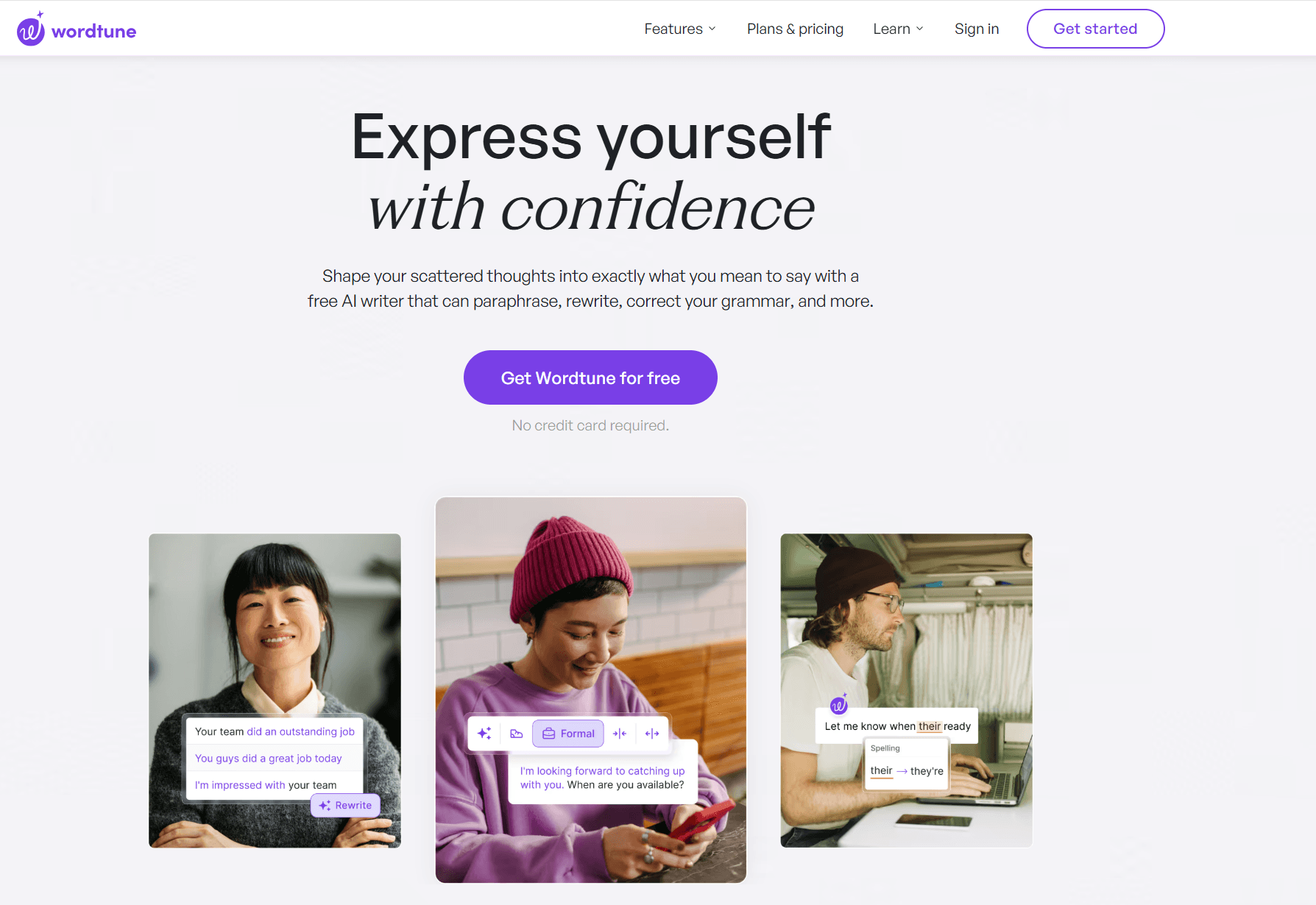
2.3 ChatGPT / Google Gemini – Best Free AI Writing Assistants
 For pure flexibility and power, AI chatbots like ChatGPT and Google Gemini are the strongest free options available. Instead of acting like traditional grammar checkers, they work as writing partners that can rewrite, simplify, or reshape entire paragraphs based on clear instructions.
| Category | Detail |
| Core Strength | Context-aware rewriting with custom instructions |
| Best For | Writers working on long-form content, complex ideas, or structural revisions |
Why AI Chatbots Are So Powerful
- Advanced AI models for free
Both tools offer strong free models that can analyze grammar, clarity, and tone far beyond basic rule-based checkers. - Custom prompts for precise control
You can give detailed instructions like: “Fix grammar, make it more formal, and shorten it by 20%.” This level of control isn’t possible with most dedicated tools. - Learn while you edit
You can ask the AI to explain why a change was made, which helps you improve your writing over time. - Handles long text well
AI chatbots are good at reviewing large sections of text and keeping style consistent across paragraphs. - File-based editing
You can upload full documents and ask for proofreading, summaries, or rewrites without pasting text piece by piece.
ChatGPT vs. Google Gemini (Quick Comparison)
| Aspect | ChatGPT | Google Gemini |
| Free model | GPT-4o-mini | Gemini 1.5 Flash |
| Workflow | Copy and paste with prompts | Works well inside Google Docs and Gmail |
| Strengths | Clear logic, structured edits | Fast responses, strong Google integration |
| Best use | Long-form and technical writing | Everyday writing and quick edits |
Limitations
- Not real-time
You need to pause writing, paste text, and wait for a response. - Occasional inaccuracies
AI can sometimes change correct technical terms or make unnecessary edits. - Extension risks
Be careful with third-party browser extensions claiming full AI integration, as they may pose privacy or security risks.
AI chatbots are excellent for deep rewriting and learning, but they work best when paired with a dedicated grammar checker for final accuracy.
2.4 Microsoft Editor – Best Value for Microsoft 365 Users
Microsoft Editor is Microsoft’s built-in, AI-powered writing assistant. It isn’t a separate tool you buy—it comes integrated into Word, Outlook, and other Microsoft apps. If you already pay for Microsoft 365, Editor’s premium features are included at no extra cost, making it a strong and convenient Grammarly alternative.
| Category | Detail |
| Core Strength | Native Microsoft integration and bundled value |
| Best For | Students, professionals, and teams who already use Microsoft 365 |
Why Microsoft Editor Makes Sense
- Built directly into Microsoft apps
Editor works inside Word, Outlook, and PowerPoint with no setup. It feels natural and doesn’t interrupt your workflow. - Premium features included with Microsoft 365
If you have a Personal or Family plan, you unlock advanced tools at no extra cost, including:- Style and clarity refinements
- Formal, casual, or professional tone suggestions
- Passive voice and conciseness checks
- Plagiarism detection (Similarity Checker)
- Free basic version for everyone
Even without a subscription, you can use basic grammar and spelling checks in Word for the Web and Microsoft Edge with a free Microsoft account. - Supports multiple languages
Editor works with over 20 languages, making it useful for basic multilingual writing.
Free vs. Microsoft 365
| Feature | Free (Web / Browser) | With Microsoft 365 |
| Grammar & spelling | Basic | Advanced |
| Style suggestions | Limited | Full |
| Tone control | No | Yes |
| Plagiarism check | No | Yes |
| Where it works | Web apps, Edge extension | Desktop + web apps |
Limitations
- Less advanced than dedicated tools
Its suggestions are helpful, but not as detailed as Grammarly Premium or LanguageTool. - Best inside the Microsoft ecosystem
If you mainly write in Google Docs or other platforms, it’s less convenient. - Plagiarism is subscription-only
This feature requires a Microsoft 365 plan.
For Microsoft 365 users, Editor is a high-value, zero-extra-cost writing assistant that’s already at your fingertips.
3. Budget-Friendly Premium Alternatives
3.1 ProWritingAid – Best Comprehensive and Affordable Alternative
ProWritingAid is one of the most feature-rich alternatives to Grammarly. It goes beyond basic corrections, analyzing your writing from multiple angles. This makes it ideal for authors, creative writers, and anyone working with long, complex documents—at a fraction of Grammarly’s cost.
| Category | Detail |
| Core Strength | In-depth reports and genre-specific style suggestions |
| Best For | Authors, creative writers, bloggers, and content creators who want detailed feedback on style, pacing, and clarity |
Why ProWritingAid Stands Out
- 20+ detailed writing reports
It checks your text for a wide range of issues:- Sticky sentences: Highlights sentences with too many unnecessary words.
- Pacing: Shows where a narrative or document may drag or move too quickly.
- Readability & repeats: Flags overused words and tracks sentence variety.
- Genre-specific suggestions: Adjusts advice based on whether you’re writing a novel, business plan, or academic paper.
- Affordable pricing with lifetime option
Cheaper than Grammarly Premium, with a rare lifetime license for long-term value. - Integration with popular tools
Works with Scrivener, MS Word, and Google Docs, making it ideal for writers managing complex projects. - AI-powered “Sparks”
Offers rephrasing suggestions similar to Wordtune, improving clarity and flow.
Free vs. Premium
| Feature | Free | Premium |
| Grammar & spelling | Basic | Advanced style and contextual checks |
| Reports access | Up to 10 reports per document | Unlimited access to all 20+ reports |
| Document length | Up to 500 words (online) | Unlimited, desktop apps included |
| Plagiarism checker | No | Yes, available in packages |
- Learning curve
The wide array of reports can overwhelm beginners. It takes time to identify the most useful ones for your writing. - Interface
Functional but less sleek than Grammarly’s modern design. - Free version limitations
The 500-word limit makes the free plan suitable mainly for testing, not full-length documents. Heavy users will need Premium.
ProWritingAid is ideal for writers who want detailed feedback and long-term value without paying Grammarly’s high subscription fees.
3.2 Ginger Software – Best for ESL and Translation Support
Ginger is a versatile writing assistant that combines grammar checking with powerful translation tools. It’s especially useful for ESL learners, international professionals, and anyone who communicates across multiple languages.
| Category | Detail |
| Core Strength | Translation and personalized learning |
| Best For | ESL students, international users, and those who benefit from text-to-speech or context-based correction |
Why Ginger Stands Out
- Built-in translation (40+ languages)
Instantly translate text into over 40 languages, a feature Grammarly does not offer. - Personal Trainer (Premium)
Analyzes your frequent mistakes and generates customized lessons to help you improve your writing over time. - Text-to-speech
Read your text aloud to catch errors by ear, useful for accessibility and proofreading, especially for dyslexia or visual impairments. - One-click corrections
Quickly fixes grammar, spelling, and punctuation errors in a single step, speeding up editing for longer texts. - Cross-platform support
Available on Mac, Windows, mobile, and as an MS Office add-in, making it accessible wherever you write.
Free vs. Premium
| Feature | Free | Premium |
| Character limit | ~350–450 per check | Unlimited |
| Grammar & spelling | Basic | Advanced style and context-aware corrections |
| Unique features | Sentence rephraser, translation | Personal Trainer, text-to-speech, unlimited translation |
| Integration | Browser extensions | Desktop apps, MS Office add-ins |
Limitations
- Highly limited free plan
The character cap makes it suitable only for short sentences or testing the tool. - Accuracy concerns
Some users report that grammar checking is less robust than AI-driven competitors like Grammarly or ProWritingAid. - No plagiarism checker
Unlike other top tools, Ginger lacks a plagiarism detection feature.
Ginger is ideal for ESL users and multilingual professionals who need translation and learning features alongside basic grammar checks.
4. Mobile-First Solutions
4.1 CleverType – Best Mobile-First AI Keyboard
CleverType transforms your smartphone keyboard into a full-featured AI writing assistant, combining grammar checking, paraphrasing, translation, and ChatGPT-like functionality. It’s perfect for mobile-first users who write emails, messages, or social media posts on the go.
| Category | Detail |
| Core Strength | AI keyboard integration and affordability |
| Best For | Mobile users, social media managers, and international writers who want AI assistance directly in their typing flow |
Why CleverType Stands Out
- Seamless keyboard integration
Provides real-time grammar, tone, and rephrasing suggestions in any mobile app—WhatsApp, Gmail, Notes, and more—without switching apps. - All-in-one AI capabilities
- Grammar fixes: Real-time corrections
- Tone shifting: Adjust sentences to formal, casual, professional, or witty
- Translation: Context-aware translation in 40+ languages
- AI replies & content generation: Generate smart responses or content
- ChatGPT access: Quick queries and writing assistance
- Non-native speaker support
Suggestions and explanations help phrases sound natural and fluent. - Excellent value
Premium pricing is significantly lower than Grammarly, giving mobile users a highly affordable, versatile AI tool.
Free vs. Premium
| Feature | Free | Premium |
| Grammar & spelling | Basic + limited AI assistance | Unlimited access to grammar, paraphrasing, and translation |
| AI tools | Limited | Full access to 30+ AI assistants |
| Platform | Mobile keyboard (iOS/Android) | Mobile + Chrome extension, full cross-platform support |
| Value proposition | Functional AI keyboard replacement | Complete, budget-friendly AI writing suite |
Limitations
- Third-party keyboard required
Some users may be cautious about typing privacy, though CleverType has a stated privacy policy. - Desktop is secondary
While a Chrome extension exists, the main strength is the mobile keyboard. Desktop-focused writers may prefer other tools.
CleverType is ideal for anyone who writes primarily on mobile and wants AI-powered support without paying Grammarly-level prices.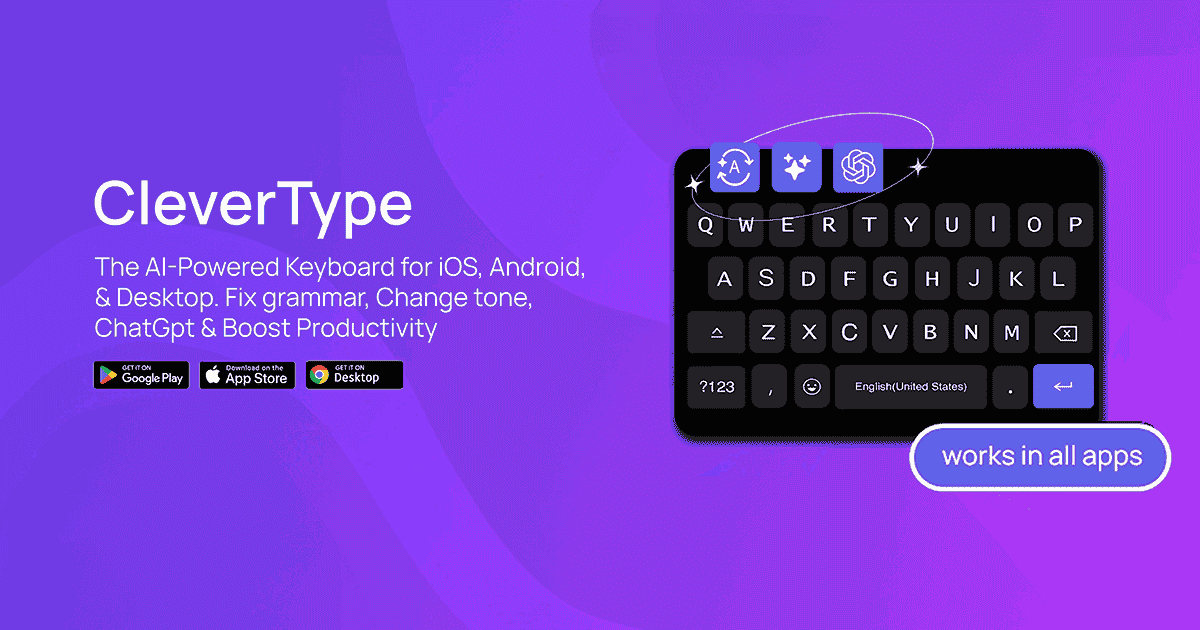
Comparison of the 10 Best Grammarly Alternatives
| Tool | Best For | Free Tier Strength | Premium Strength | Unique Advantage | Main Limitation |
| 1. LanguageTool | Multilingual writing & privacy | Generous free checks (10k chars) | Advanced style, longer checks | Strong multilingual support + privacy | No plagiarism checker |
| 2. Hemingway Editor | Readability & clarity | Full readability analysis | N/A (one‑time app purchase) | Excellent readability scoring | Not a full grammar checker |
| 3. QuillBot | Paraphrasing & academic tasks | Paraphrasing + summarizer | More modes + plagiarism | Citation generator included | Grammar is secondary |
| 4. Slick Write | Deep writing analytics | Unlimited, detailed reports | N/A | Very strong flow & style data | Outdated UI, not real‑time |
| 5. Wordtune | AI rewrites & tone control | 10 AI rewrites/day | Unlimited builds & tone control | Strong contextual rewrites | Not focused on grammar |
| 6. ChatGPT / Google Gemini | Custom rewriting & deep edits | Very powerful free AI | More context & model options | Custom prompts + explanation | Not real‑time in docs |
| 7. Microsoft Editor | MS ecosystem users | Basic grammar/spelling | Full style + similarity check | Built into Word/Outlook | Best in Microsoft apps |
| 8. ProWritingAid | Comprehensive writing feedback | Limited word count | Full reports + desktop tools | Deep, genre‑specific reports | Free word limit |
| 9. Ginger Software | ESL & translation | Basic checks + translation | Personal Trainer + TTS | Integrated translation + lessons | Small free character limit |
| 10. CleverType | Mobile AI writing | Free keyboard + basics | Full AI tools & assistants | AI keyboard w/ ChatGPT access | Privacy concern for keyboard |
How to Choose Based on Your Needs
Quick Feature Highlights
| Feature | Tools That Offer It (Tier Notes) |
| Advanced grammar & style | LanguageTool (Premium), ProWritingAid (Premium), Microsoft Editor (with 365), Wordtune (Premium) |
| Real‑time correction in typing apps | CleverType, Microsoft Editor (web/desktop), LanguageTool extensions |
| Multilingual support | LanguageTool, Ginger, CleverType |
| Paraphrasing / rewrites | QuillBot, Wordtune, ChatGPT/Gemini, CleverType |
| Readability & flow analysis | Hemingway, Slick Write, ProWritingAid |
| Plagiarism checking | Microsoft Editor (365), ProWritingAid (paid), QuillBot (paid) |
| Mobile keyboard support | CleverType, Ginger (mobile app), Microsoft Editor (mobile) |
| Citation & academic tools | QuillBot (free), ProWritingAid (paid), ChatGPT/Gemini (via prompt) |
Best full Grammarly alternative overall: LanguageTool
Strong free tier + great value premium, plus privacy and multilingual support.
Best for readability: Hemingway Editor
Focuses on making writing clear and simple.
Best for paraphrasing: QuillBot
Excellent for rewording and summarizing.
Best for deep analytics: ProWritingAid
Detailed reports and genre‑specific feedback.
Best for mobile writing: CleverType
AI assistance directly in your keyboard.
Best AI writing partner: ChatGPT / Gemini
Custom prompts and large‑context rewriting.
Best for MS users: Microsoft Editor
Great value if you already use Word/Outlook with Microsoft 365.
Best for ESL learners: Ginger
Translation + Personalized Trainer features.
Best free deep analysis: Slick Write
Unlimited style reports and word usage metrics.
Best for tone shifts: Wordtune
Simple tone and rewrite options directly in writing flow.
From Grammar to Finish: Why PDF Agile Matters
Now that you’ve explored the top Grammarly alternatives, you have the tools to perfect your text safely and effectively. But your work isn’t truly finished until your document is finalized, formatted, and secure.
The Final Polish: What Your Grammar Checker Can’t Do
After hours of refining your content with one of the tools above, it’s ready for your client, printer, or audience. The professional standard for sharing your work? A PDF document.
Here’s the problem: once your content is exported as a PDF, your grammar checker can no longer intervene. Need to fix a last-minute typo, reduce a large file for email, or password-protect a confidential report? Traditional grammar tools can’t help.
The Solution: PDF Agile
PDF Agile is the essential companion to any writing workflow. It lets you:
- Edit Text Directly in the PDF
Make last-minute corrections or tweak sentences without returning to the original Word file. - Compress and Convert
Reduce file size for easier sharing or convert your PDF to and from Word, Excel, PPT, or other formats. - Secure Your Work
Add passwords, permissions, or restrictions to protect sensitive information and ensure compliance.
Why PDF Agile Matters
Think of your grammar tool as perfecting the words, while PDF Agile handles the professional presentation. Together, they ensure your documents are polished, secure, and ready to impress—every time.
Use a free or affordable grammar tool to refine your writing, then let PDF Agile finalize, protect, and optimize your document for professional delivery.