A successful photography business relies not only on creativity but also on professionalism — especially when it comes to billing and client communication. Having a clear, well-designed photography invoice ensures that every project, from weddings to commercial shoots, is billed accurately and transparently.
With PDF Agile’s Free Photography Invoice Template, photographers can easily record shoot details, apply customized rates, and send polished invoices within minutes. It’s free to download, editable, and printable — perfect for all visual professionals.
1. What Is a Photography Invoice Template?
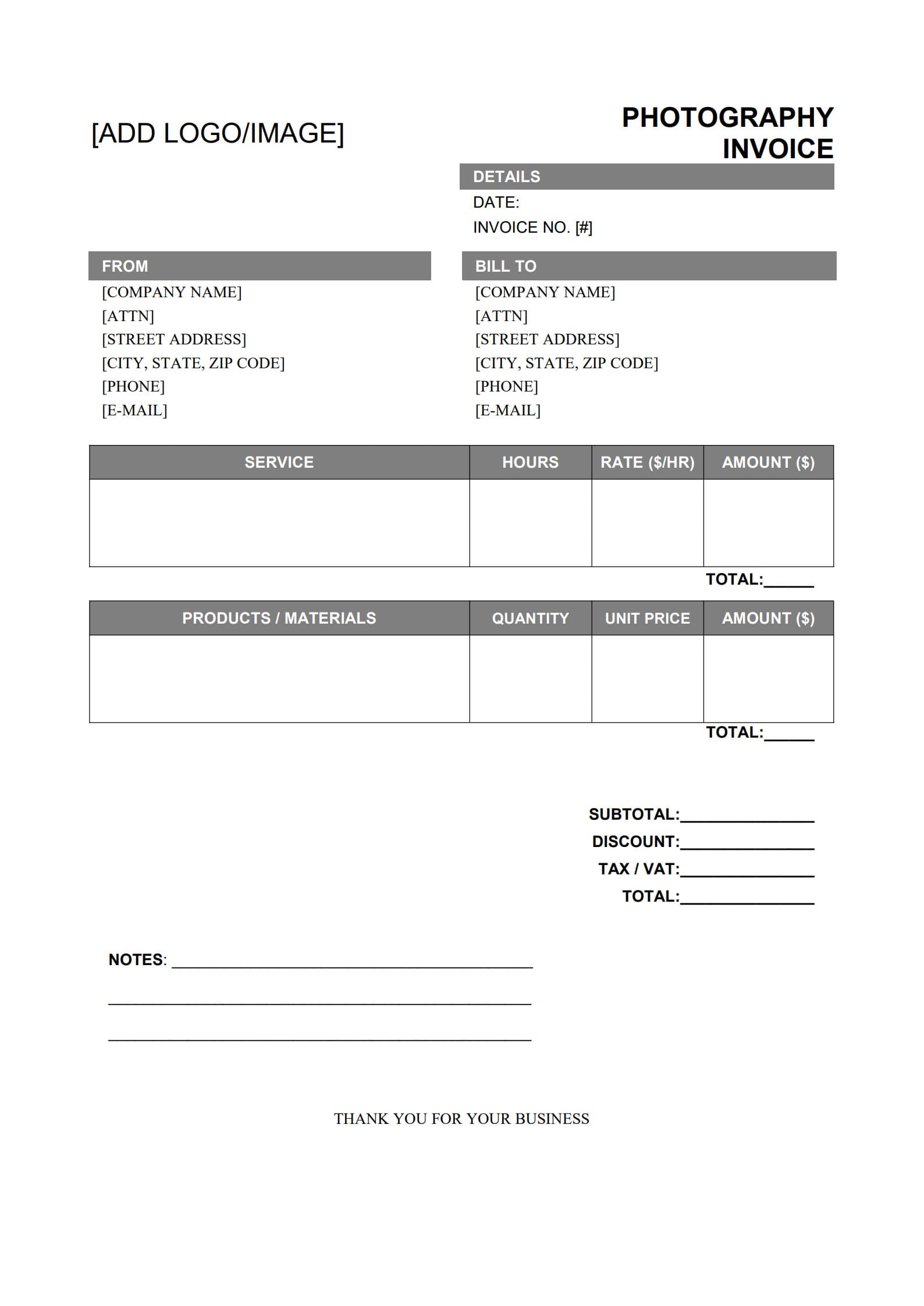
A photography invoice template is a ready-to-use document that helps photographers bill clients for their services. It lists all essential details of a job — including the session type, hours, fees, and usage rights — in a transparent, professional format.
A typical photoshoot invoice template includes:
- Photographer’s name, business logo, and contact information
- Client’s name and contact details
- Description of photographic services (e.g., portraits, weddings, events, product shoots)
- Shooting date, hours worked, and hourly or package rates
- Travel or editing fees, if applicable
- Licensing or image usage terms
- Total amount and payment instructions
By using PDF Agile, photographers can download and edit their invoices effortlessly. You don’t need design skills — just open, fill, and send it professionally.
2. Why a Photography Invoice Is Important for Professionals
Whether you’re a freelance photographer or managing a studio, organized bill format for photography sets the tone for professionalism and reliability.
Here’s why invoices for photography matters:
- Clarity and Transparency: A well-documented invoice helps clients understand exactly what they are paying for — from shoot time to retouching.
- Proper Record-Keeping: It simplifies your business accounting and tax reporting.
- Smooth Client Relations: Clear invoices reduce misunderstandings about costs or licensing.
- Faster Payments: Providing accurate details and due dates encourages prompt transactions.
Using a consistent invoicing format through PDF Agile saves hours of manual work so you can focus on creativity instead of admin tasks.
3. How to Create and Customize a Photography Invoice with Template (Step Guide)
Creating your photography invoice with PDF Agile is straightforward and efficient. Follow these simple steps to craft a professional document tailored to your brand.
Step 1: Download the Photography Invoice Template
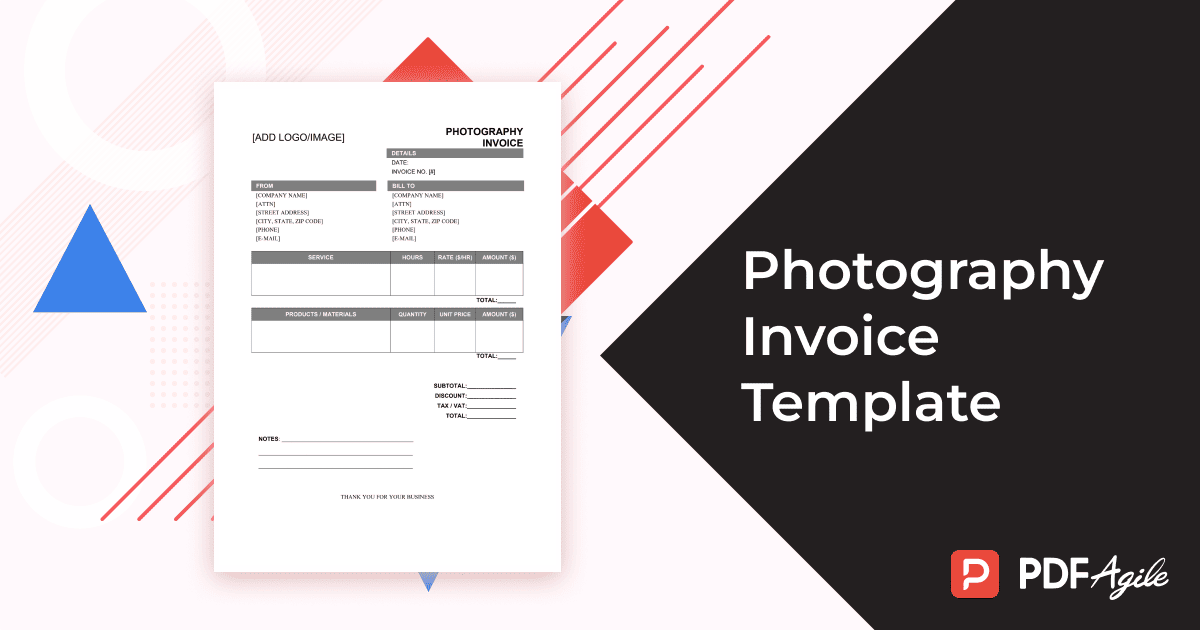
Visit PDF Agile’s free template library and choose the Photography Invoice Template. Download the PDF file to your device. It’s designed for easy editing and high-quality printing.
Click “Use Template” button on the right side of this page, so you can start in right away.
Step 2: Edit and Personalize
Open the template using PDF Agile. Add your studio name, logo, website, and business contact details. You can also change colors, fonts, or headers to align with your photography brand identity.
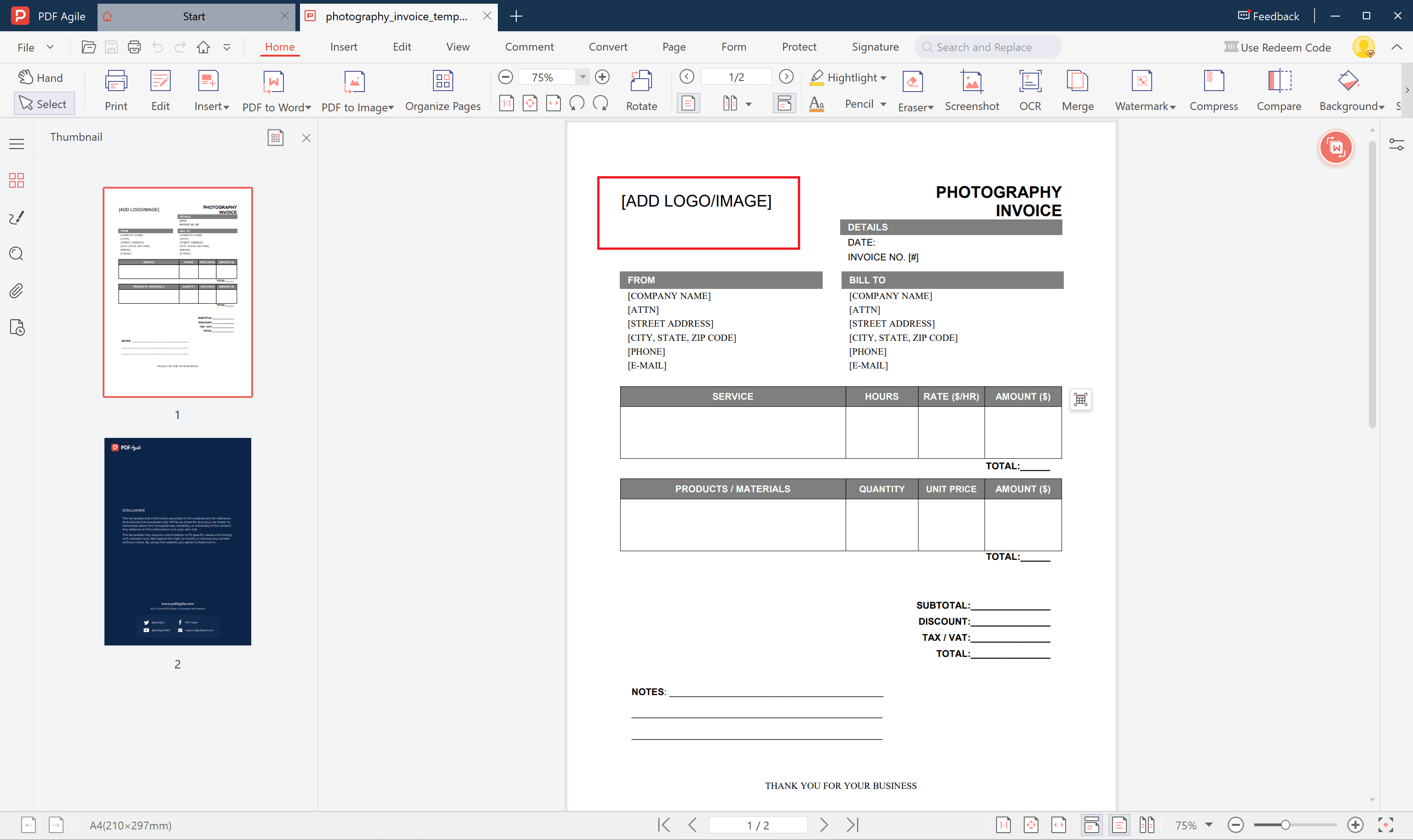
Step 3: Fill In the Session Details
Include all necessary information:
- Client information
- Event or session type
- Shooting date, duration, and location
- Itemized list of services (shooting, editing, printing, travel, licensing)
- Rates and totals automatically calculated by the editable fields
Step 4: Save, Print, or Send
When complete, save your file as a secure PDF. You can print it for in-person delivery or attach it to your client’s email. With PDF Agile, your document layout stays clean and professional.
4. Tips for Managing Payment Schedules and Licensing in Photography
Photographers often face unique payment and licensing challenges. Here are several best practices to manage them professionally:
- Use Deposits Wisely: Require a non-refundable booking deposit to secure your shoot date.
- Define Payment Milestones: For longer projects (weddings, commercial campaigns), split payments into stages — deposit, shoot completion, and final delivery.
- Clarify Licensing Terms: Always specify image usage rights — whether for personal use, advertising, or publication — and price accordingly.
- Document Everything: Keep digital copies of invoices and signed contracts organized for future reference.
- Offer Multiple Payment Methods: Accept online transfers, e-wallets, or digital payment links to speed up client response.
With these strategies — combined with PDF Agile’s flexible editing and saving features — managing your billing process becomes far more straightforward.
5. FAQs about Photography Invoice Template
5.1 Should I charge deposits before shooting?
Yes, it’s recommended. Deposits protect your schedule from last-minute cancellations and secure the client’s booking. A standard deposit is 20–50% of the total contract value.
5.2 What’s the best way to handle travel and editing fees?
List them as separate line items in your invoice. This keeps your primary photography rate clear and ensures every additional cost is transparent to the client.
5.3 Can I send invoices digitally to wedding clients?
Absolutely. With PDF Agile, you can email a secure, editable PDF version directly to clients. It looks professional, is easy to store, and supports electronic recordkeeping.
Conclusion
A well-prepared photography invoice isn’t just a financial document — it reflects your professionalism and respect for your craft. With PDF Agile’s Free, Editable Photography Invoice Template, you can create, customize, and send invoices in minutes, ensuring every session is properly documented and every payment runs smoothly.