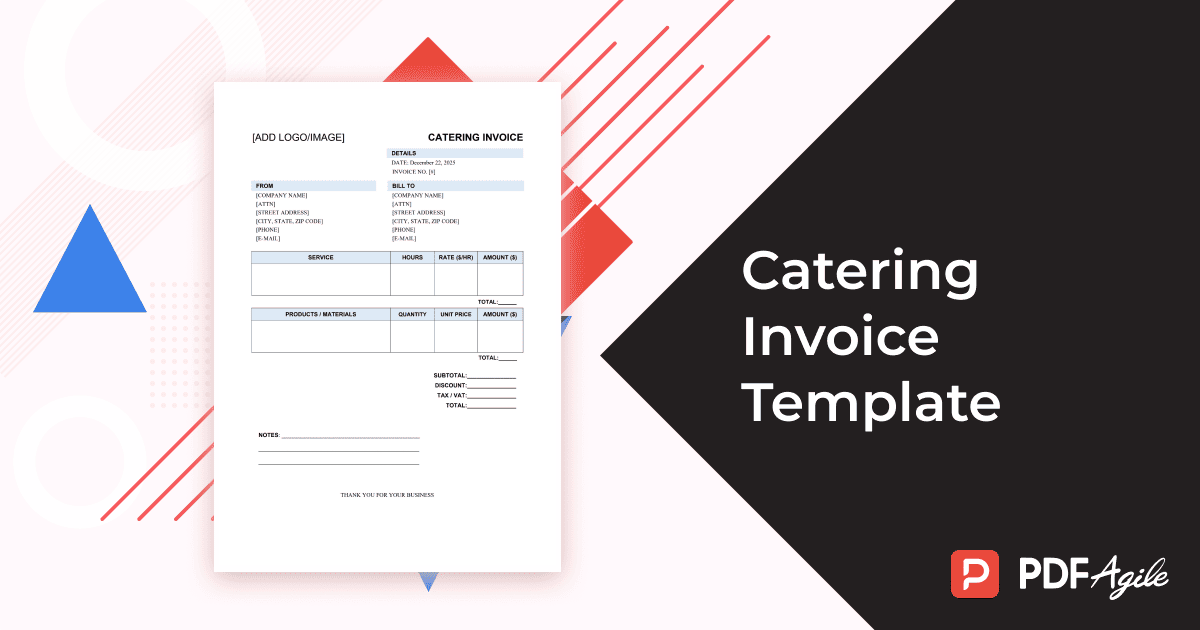
For caterers, event planners, and food service providers, invoicing is a key step in maintaining professional business operations and ensuring clear payment tracking. A Catering Invoice Template helps you organize service details, food costs, rental items, and deposits — all within a single, polished document.
This guide explains what a catering invoice is, how it differs from a general service invoice, the essential elements to include, and a step-by-step process to create one using PDF Agile.
1. What Is a Catering Invoice and Who Uses It?
A catering invoice is an official billing document issued by a caterer or catering company to clients after an event or food service has been provided. It lists all relevant costs such as food, staffing, venue setup, transportation, and tax.
Catering invoices are used by:
- Independent caterers and chefs.
- Event planners coordinating food services.
- Restaurants or hospitality companies offering off-site catering.
- Corporate or private clients booking catering for meetings, weddings, or parties.
This invoice ensures both parties clearly understand the charges for the services provided and establishes a professional, trackable payment process.
2. How Catering Invoices Differ from General Service Invoices
While a service invoice simply charges for time or service, a catering invoice is more detailed and specialized. It often covers multiple cost categories such as food, beverages, tableware rentals, service staff, delivery, and venue preparation.
Here’s how catering invoices differ:
- Comprehensive line items – They include both products (food and drinks) and services (setup, serving, cleanup).
- Event-specific details – Such as event date, guest count, menu type, and dietary accommodations.
- Deposits and balances – Many catering contracts require upfront deposits and a final balance due after the event.
- Variable pricing structures – Costs are often calculated per guest rather than per hour.
In short, a catering invoice acts as both a financial summary and a confirmation of what was promised and delivered.
3. Main Elements Every Catering Invoice Must Include
To make your invoice complete and professional, ensure the following components are present:
- Business Information – Caterer’s name, logo, contact details, and business address.
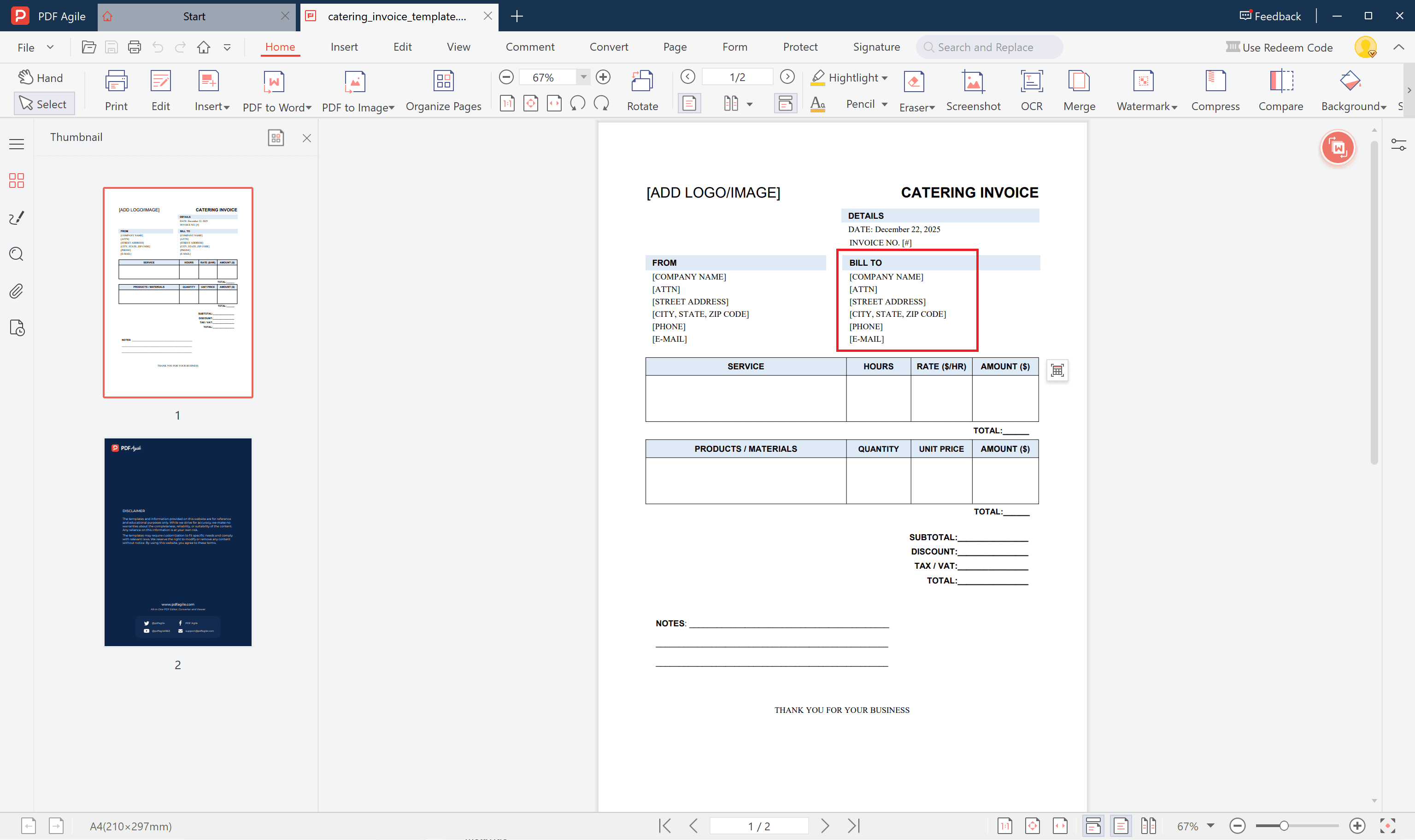
- Client Information – Client name, contact, company (if applicable), and billing address.
- Invoice Details – Invoice ID, date issued, due date, and event reference number.
- Event Information – Event type (wedding, corporate lunch, banquet), date, location, and guest count.
- Itemized Costs – Breakdown of menu items, beverage packages, staffing fees, rentals, setup or cleanup charges, and transport costs.
- Subtotal, Taxes, and Total Due – Clearly define each to prevent misunderstandings.
- Payment Terms – Include deposit amounts, payment deadlines, accepted methods, and cancellation policy.
- Notes or Special Instructions – Add any thank-you messages, feedback requests, or catering disclaimers.
- Signatures – Authorized sign-off by both caterer and client confirms agreement on the billed services.
Having these details organized ensures accuracy, transparency, and easy recordkeeping for both you and your client.
4. Steps to Write a Professional Catering Invoice with Template (PDF or Word)
With PDF Agile, you can create a professional catering invoice in just a few minutes.
Follow these simple steps:
Step 1: Download a Ready-to-Use Template
Go to PDF Agile and search for Catering Invoice Template – Free Printable PDF and download it.
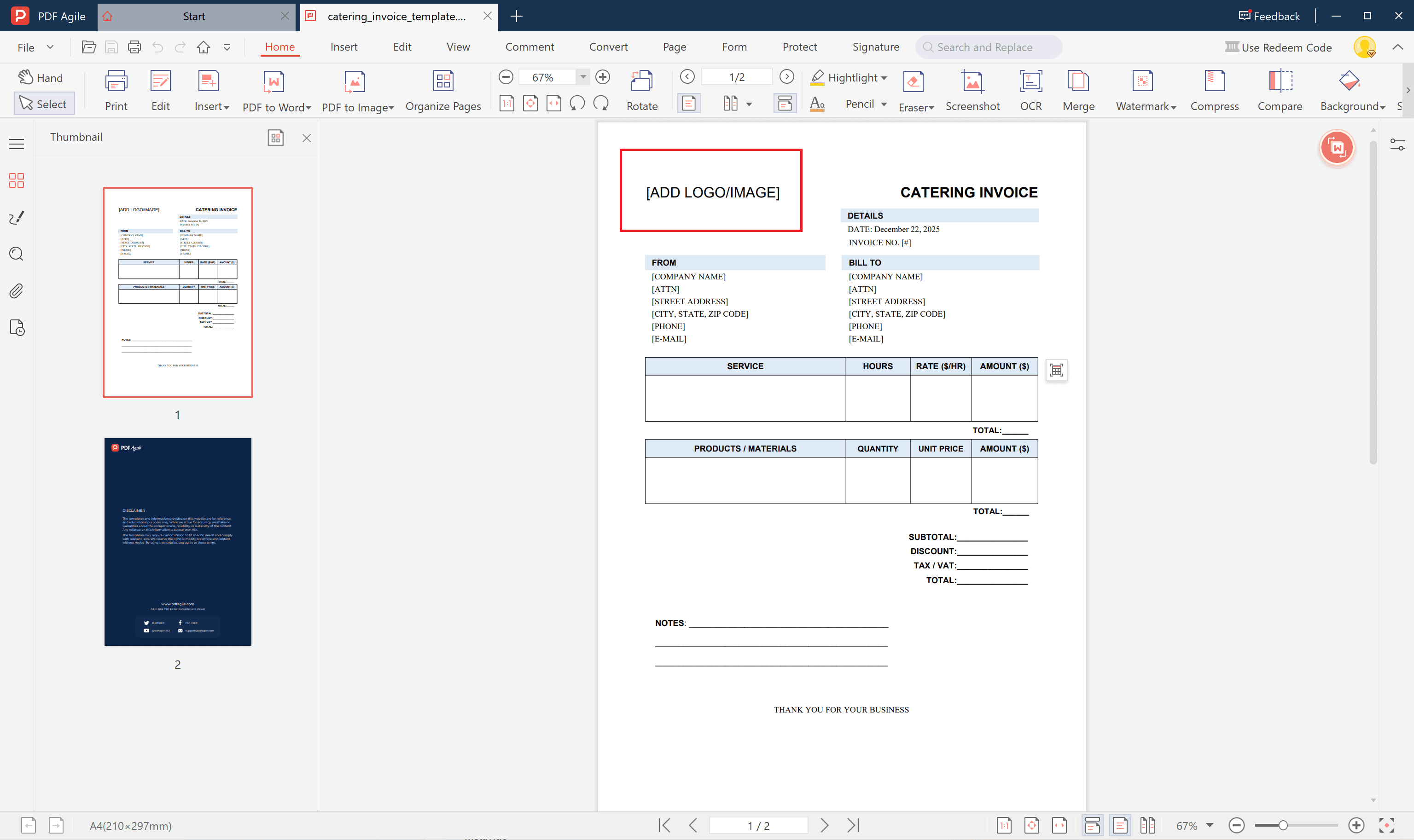
Step 2: Customize Branding and Layout
Insert your business logo, adjust fonts and colors to match your branding.
Step 3: Fill in Client and Event Details
Step 4: Add Itemized Pricing and Taxes (with PDF to Word Editing Support)
List each charge individually — food, drinks, staff, rentals, delivery — and let PDF Agile automatically calculate taxes and totals.
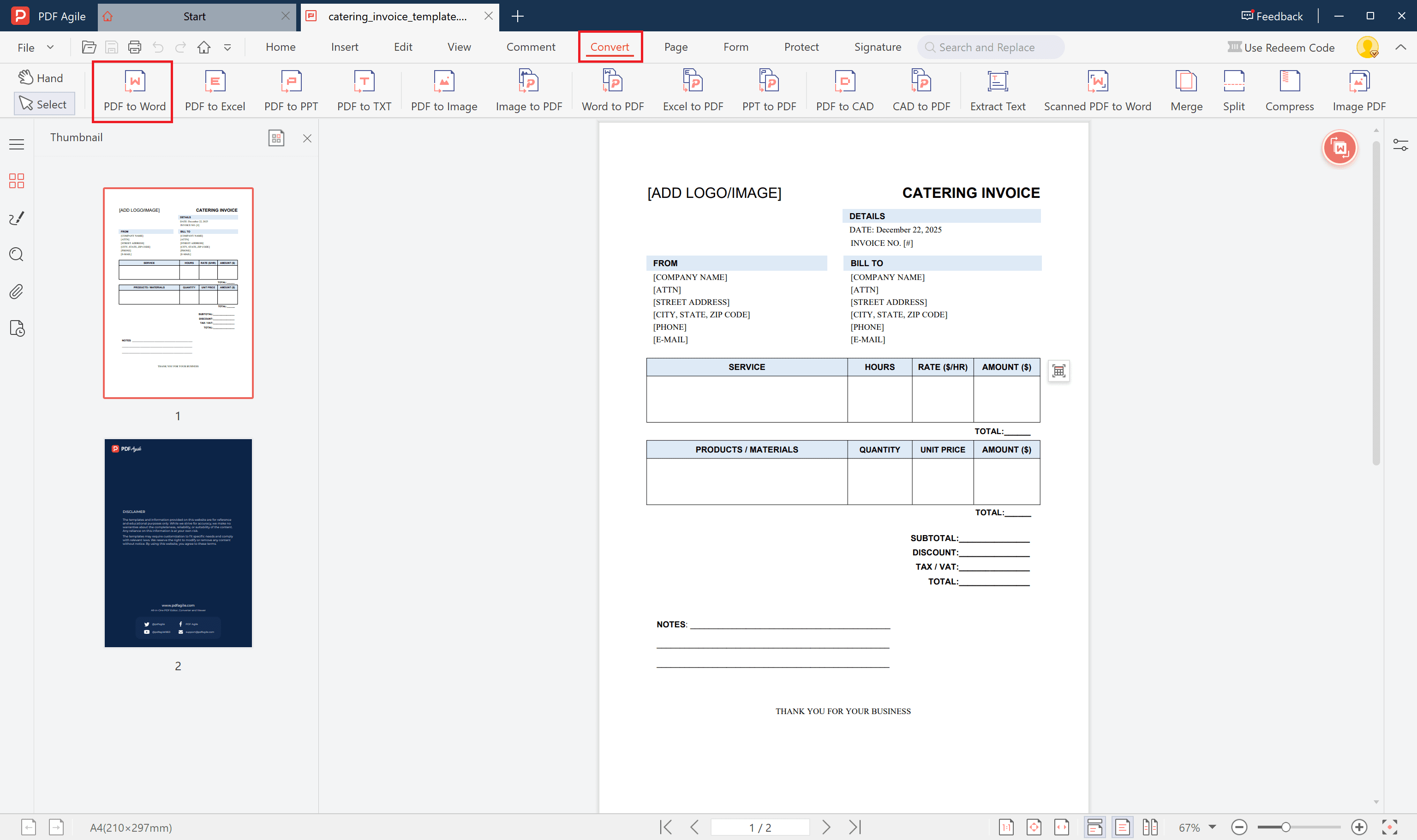
If you’d like to make further text or table edits in Word, simply use PDF Agile’s “PDF to Word” feature to convert your PDF invoice into an editable Word document. You can then easily adjust prices, quantities, or descriptions, and save it back as a PDF for final delivery.
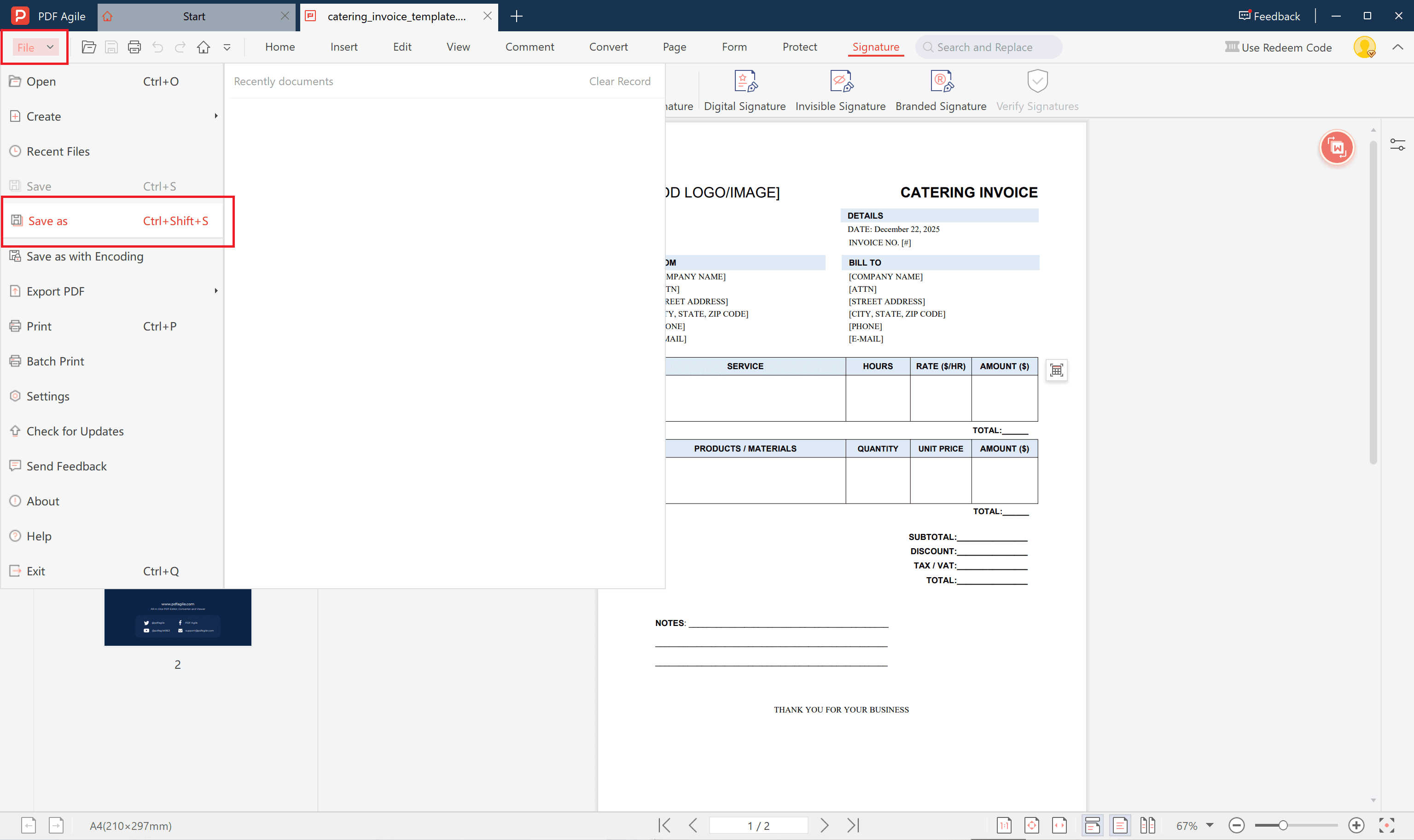
Step 5: Save and Send
Following these steps ensures that every invoice you issue looks professional, consistent, and complete — from quote to final payment.
5. Tips for Managing Catering Payments and Deposits
Efficient payment management helps build lasting client trust and smooth operations. Here are several proven practices:
- Request deposits upfront – A 30–50% deposit secures bookings and covers preliminary costs.
- Use clear payment timelines – Example: “Final payment due 5 days before the event.”
- Provide multiple payment options – Credit cards, bank transfers, or online links increase convenience.
- Track all invoices digitally – Keep organized records using PDF Agile folders or integrations.
- Send polite reminders – Automated reminders a few days before due dates help avoid late payments.
- Issue receipts immediately – This confirms payment and strengthens professional reliability.
By maintaining consistent invoicing and deposit procedures, caterers reduce uncertainty and keep their financial flow predictable.
Conclusion
A detailed and well-structured Catering Bill Template helps streamline client billing, reduce confusion, and project a polished, professional image.
With PDF Agile, creating, editing, and sending customized catering invoices becomes simple and efficient — allowing you to spend more time focusing on your clients and their events.
Download your free printable catering invoice template from PDF Agile today and simplify your catering billing process!