When you charge clients based on hours worked, professionalism and accuracy in your billing process make all the difference. A clear, well-structured hourly billing invoice demonstrates transparency, builds trust, and helps you get paid on time.
With PDF Agile’s Free, Editable, and Printable Hourly Billing Invoice Template, you can easily record work hours, customize details, and send polished invoices within minutes — no complicated setup, no formatting issues.
1. What Is an Hourly Billing Invoice Template?
An hourly billing invoice template is a pre-designed document that allows freelancers, contractors, and professionals to bill clients according to the number of hours worked.
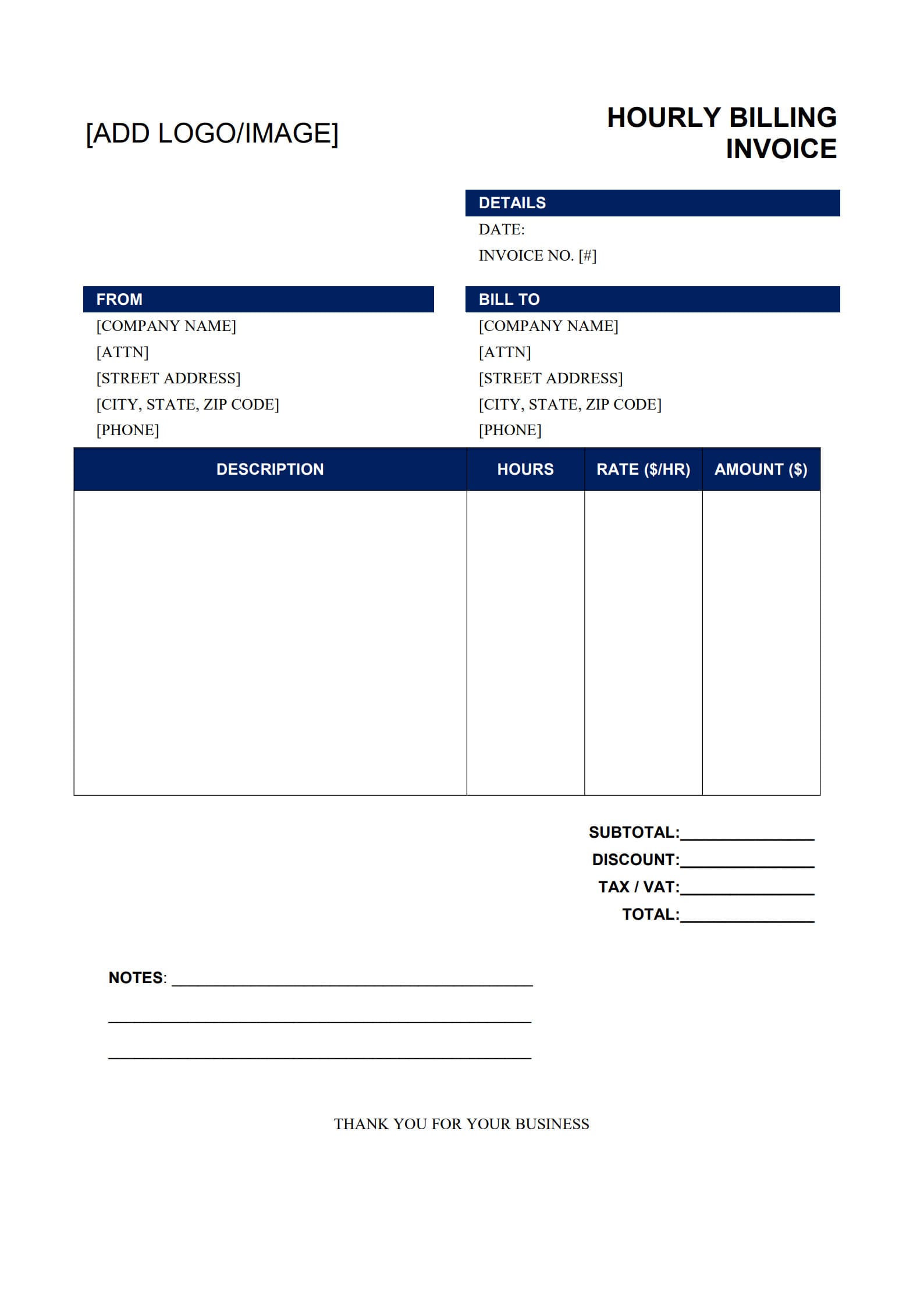
An hourly billing invoice template typically includes these sections:
- Business name, address, and contact information
- Client information
- List of tasks or services performed
- Hours worked and hourly rate
- Subtotal, taxes, and total amount due
- Payment instructions and due date
Using an editable format such as PDF Agile’s template, you can easily input your data, make visual adjustments, and maintain consistent branding. The file remains clean, printable, and shareable — ideal for professional use.
2. Why Hourly Billing Is Important for Freelancers
Hourly billing remains one of the most transparent and flexible payment methods in freelancing.
Key advantages of hourly work invoice:
- Transparency: Clients see exactly how their money is spent and how much time each task requires.
- Fair Compensation: You’re paid for the actual time invested — including revisions, meetings, or research.
- Flexibility: Perfect for ongoing or evolving projects, such as design, technical support, or consulting.
- Performance Insight: Tracking hours helps freelancers understand productivity and project efficiency.
By using a structured hourly invoice template, both you and your clients share a clear, documented understanding of your work value.
3. How to Fill Out an Hourly Billing Invoice (Guided Example)
Filling your invoice with PDF Agile is simple. Follow the steps below to create a professional document ready for sending in minutes.
Step 1: Download the Template
Visit PDF Agile’s official template center and download the free Hourly Billing Invoice Template (PDF). The file is 100% free and fully customizable.
Click “Use Template” button on the right side of this page, so you can start in right away.
Step 2: Edit and Customize
Open your template using PDF Agile. Replace placeholder text with your business name, logo, and contact information. You can also modify font, color, or layout to align with your branding style.
Step 3: Fill in Your Project Details
Enter your client’s information, describe the services provided, record hours worked, and specify your hourly rate. The built-in fields automatically calculate totals — reducing manual errors and saving time.
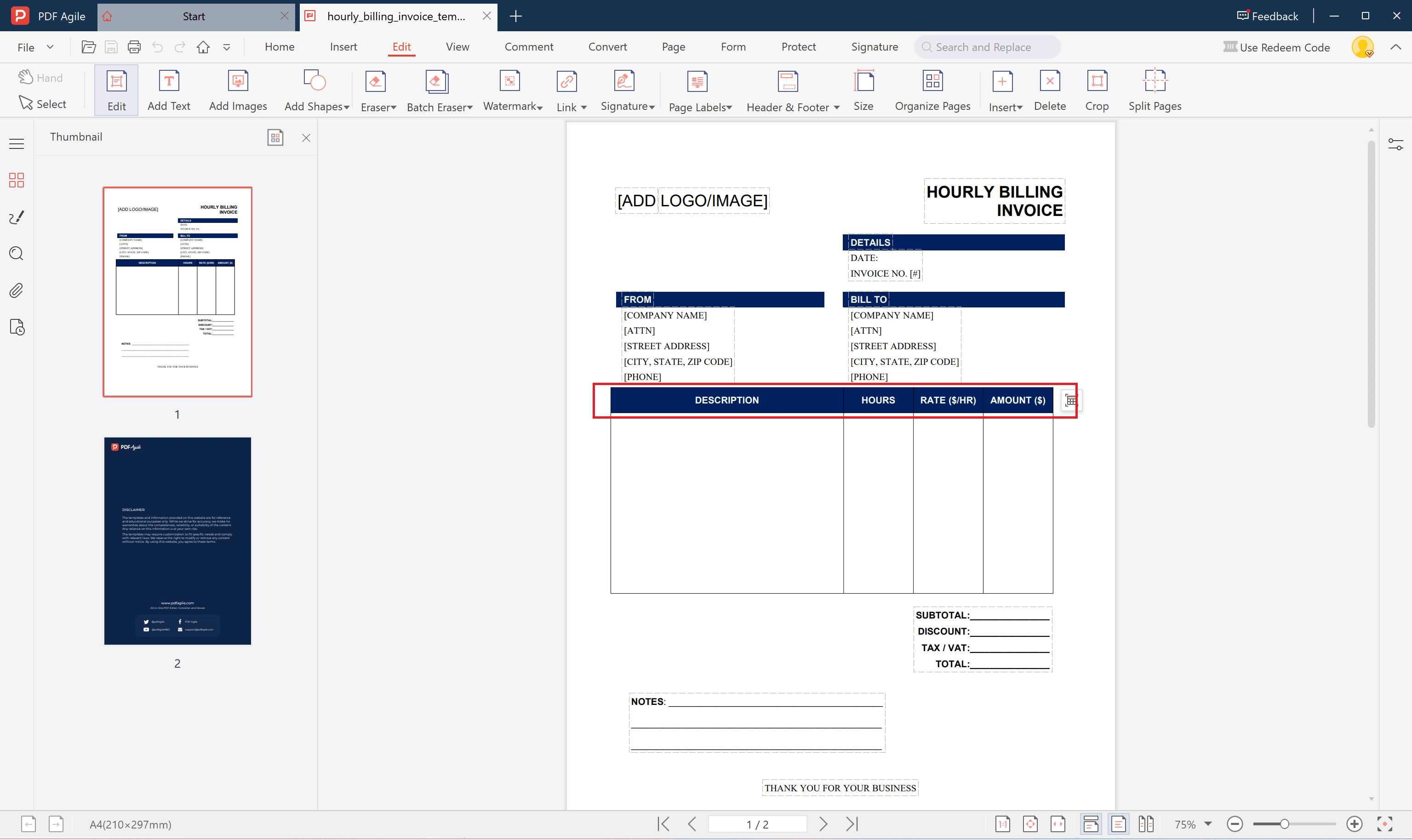
Step 4: Save and Send
When complete, click “Save As” to export your invoice as a secure PDF. You can then:
- Print it for mailing; or
- Send it directly to your client via email.
Your invoice is now neat, professional, and ready for payment processing.
4. Common Challenges in Hourly Billing and How to Solve Them
Even experienced freelancers face difficulties managing time-based payments. Here are common issues and their solutions:
- Unclear Time Tracking: Use reliable tools (Clockify, Toggl, Harvest) to record sessions accurately.
- Missed Payment Deadlines: Add a clear Due Date field in every invoice and set gentle reminders.
- Invoice Misunderstandings: Be descriptive with tasks so clients easily understand the billed hours.
- Manual Errors: Rely on PDF Agile’s automatic calculation fields instead of spreadsheets or notes.
Maintaining an organized invoicing system avoids disputes and saves administrative effort.
5. Tips to Track and Record Work Hours Accurately
To make your hourly invoices more reliable and consistent, apply these best practices:
- Track Time Daily: Record hours immediately after you finish tasks — accuracy declines over time.
- Use Descriptive Labels: Note which task or project each time entry belongs to.
- Set Common Billing Intervals: Round to 15 or 30 minutes for simplicity.
- Review Before Sending: Ensure each listed task matches recorded time logs.
- Keep Documentation: Save copies of invoices and time sheets for future reference or audits.
By combining time tracking with an editable tool like PDF Agile, you simplify both data accuracy and invoicing speed.
6. FAQs about Hourly Billing Invoice Template
6.1 How do I calculate partial hours in invoices?
Convert minutes into decimals — for instance, 15 minutes = 0.25 hours, 30 minutes = 0.5 hours. This keeps calculations consistent and easy to verify.
6.2 Can I include overtime or weekend charges?
Yes. Bill them as separate line items on your invoice with clear rate differences and a short note explaining the additional charge.
6.3 How to attach time logs to an invoice?
Export your time logs from your tracking tool (as PDF or CSV), then attach them along with your invoice email. Clients appreciate the extra transparency and organization.
Conclusion
An hourly billing invoice doesn’t have to be complicated. With PDF Agile’s Free, Editable, and Printable Hourly Billing Invoice Template, freelancers can easily download, customize, fill, and send accurate invoices in just a few steps.
This approach not only saves time but also ensures every billed hour is clearly documented — helping you get paid faster and reinforcing your professional image.