Freelance and professional consultants often provide high-value, time-based services — but getting paid promptly starts with a well-prepared invoice. This guide explains what a consulting invoice is, when to issue it, and how to fill it out correctly using our free downloadable template.
1. What Is a Consulting Invoice Template?
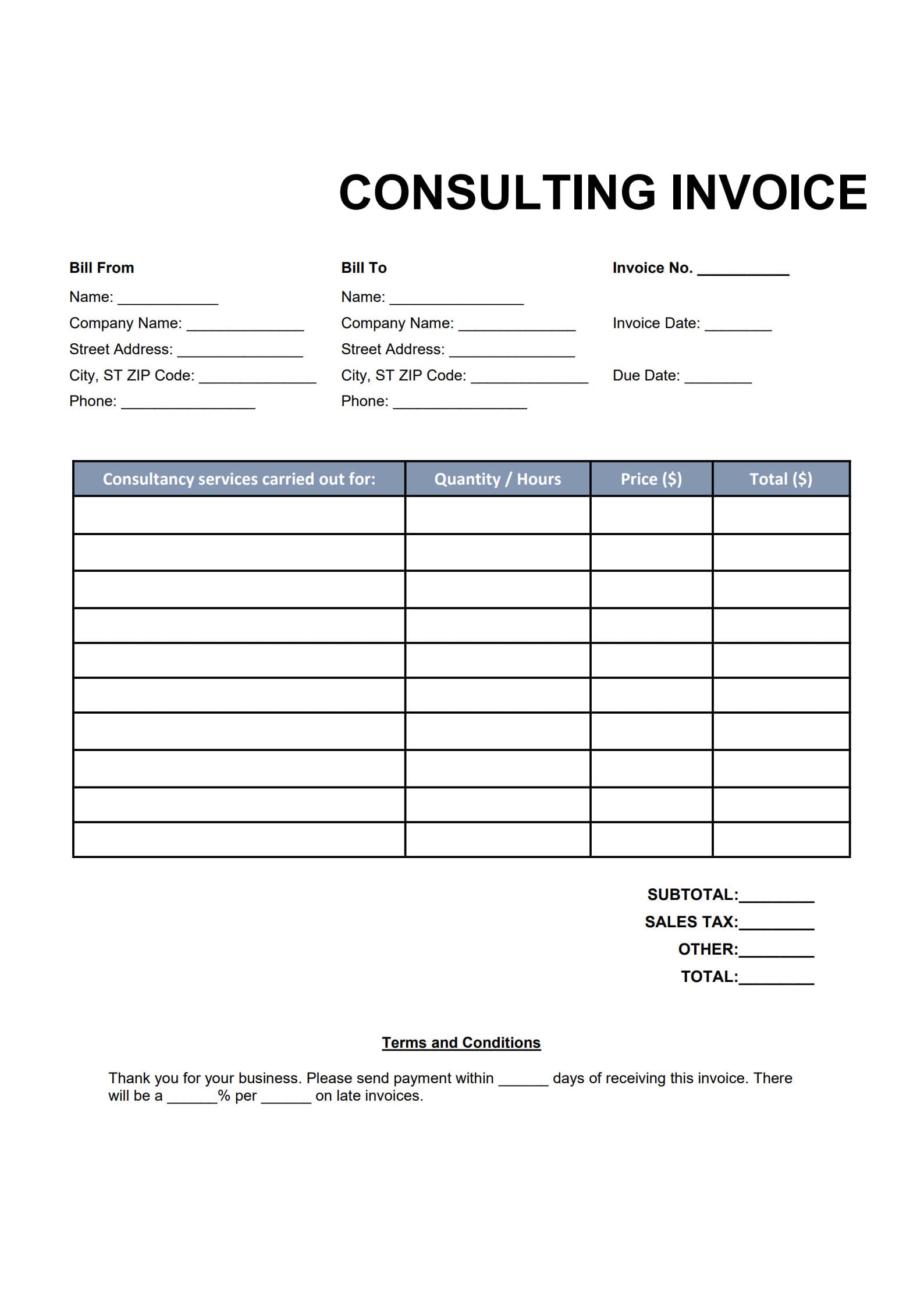
A consulting invoice template is a ready-made billing form used by consultants, freelancers, or advisory firms to request payment for their services.
It outlines all essential billing details — such as service descriptions, hourly rates or project fees, total amount due, and payment terms — in a clean and professional format.
Using a standardized invoice template for consulting services:
- Ensures consistent and accurate invoices
- Reduces manual formatting errors
- Makes it easier for clients to process payments quickly
2. When Consultants Should Issue an Invoice
The right time to send your consulting invoice can vary based on your contract or project type:
- After project completion – for one-time or short-term consulting tasks
- At predefined milestones – when the project involves multiple phases
- Monthly or biweekly – for ongoing retainer or advisory work
Setting a clear billing schedule in your service agreement helps avoid confusion and ensures smoother cash flow.
3. How to Write a Professional Consulting Invoice with Template (Step-by-Step)
Creating a consulting invoice is straightforward when you follow these four simple steps:
Step 1: Download the Editable Consultant Billing Template (PDF)
Get a professional Consulting Invoice Template (editable PDF or Excel version). Open the file and start customizing it.
Click “Use Template” button on the right side of this page, so you can start in right away.
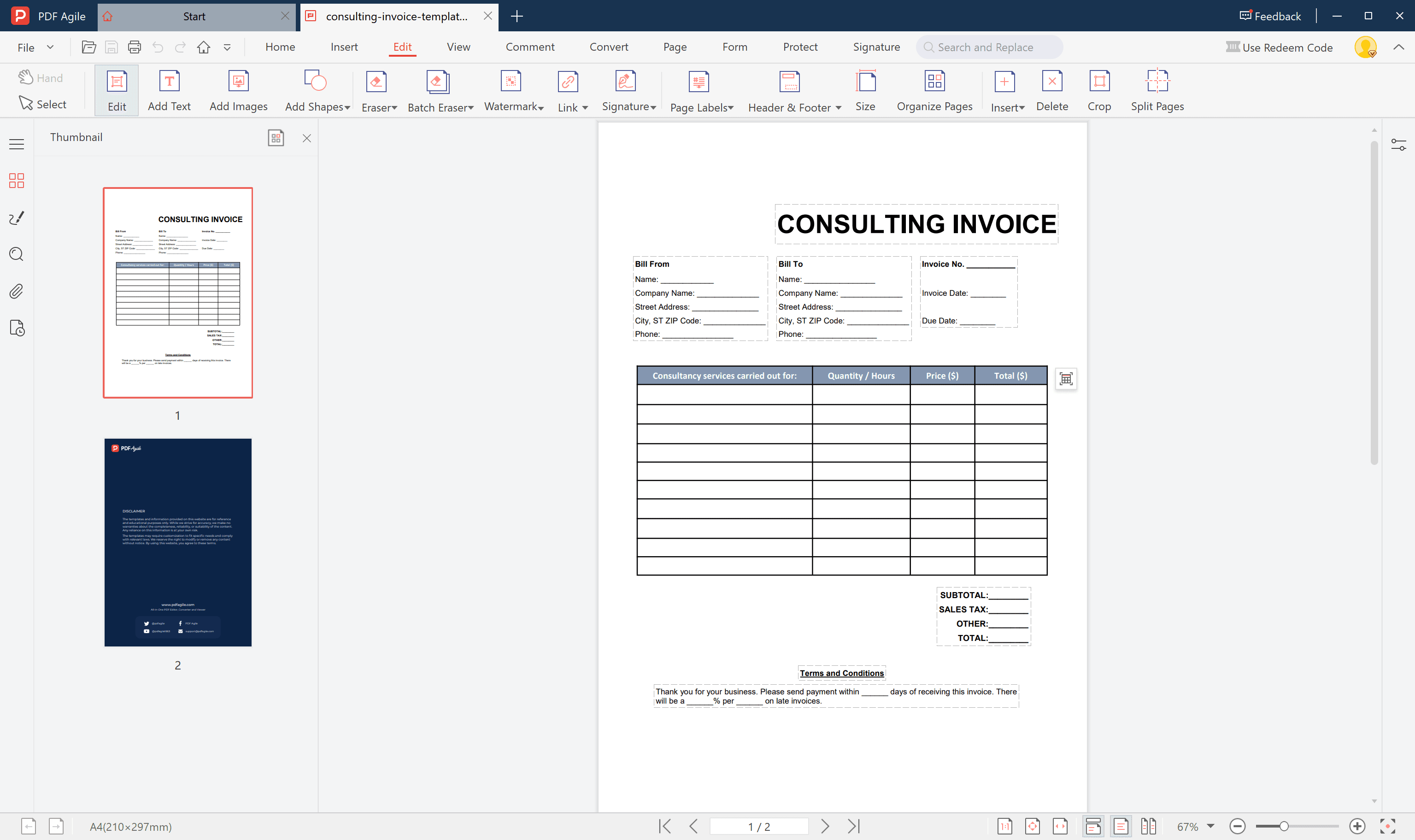
Step 2: Fill in Consulting Invoice Details
Add your business or personal details, the client’s name and address, and invoice information such as:
- Invoice number
- Issue date and due date
- Service description, hours, and rate
Step 3: Review and Save
Double-check all line items, taxes, and totals.
Then click “Save as” to finalize your invoice.
Step 4: Send the Invoice
Email the finished invoice directly to your client or upload it to their preferred billing platform. Keep a copy for your records.
Following these simple steps ensures your consulting invoices look tidy, accurate, and ready for client approval.
4. Common Mistakes to Avoid in Invoicing as a Consultant
Even experienced consultants can make invoicing mistakes that delay payments. Watch out for these common issues:
- Missing essential info (no invoice number, date, or due date)
- Unclear service descriptions (clients don’t remember what’s being billed)
- Not specifying payment terms
- Forgetting taxes or total amount due
- Sending invoices late — which pushes payment dates further
Avoiding these errors helps keep your invoicing process efficient and professional.
5. Tips to Keep Consulting Payments Transparent and On Time
Make your consulting payment process smoother by following these best practices:
- State clear terms on every invoice (e.g., “Payment due within 14 days”)
- Use milestone or retainer billing for long projects
- Send invoices promptly after service delivery
- Include preferred payment methods (bank transfer, PayPal, etc.)
- Politely follow up if payments become overdue
Transparent billing strengthens trust and professionalism between you and your clients.
6. FAQs about Consulting Invoice Template
6.1 How do I handle milestone-based consulting payments?
Break your project into deliverable stages and issue an invoice after each milestone is approved. Clearly state the total project value and how much is due at each stage.
6.2 What’s the ideal payment term for consultants?
A 14- or 30-day term is standard. Shorter terms (7–14 days) are useful for independent consultants who need steady cash flow.
6.3 Can I charge late fees for consulting invoices?
Yes — as long as it’s mentioned in your contract or invoice terms. Common practice is to charge a small late fee (e.g., 1–2% per month) on overdue payments.