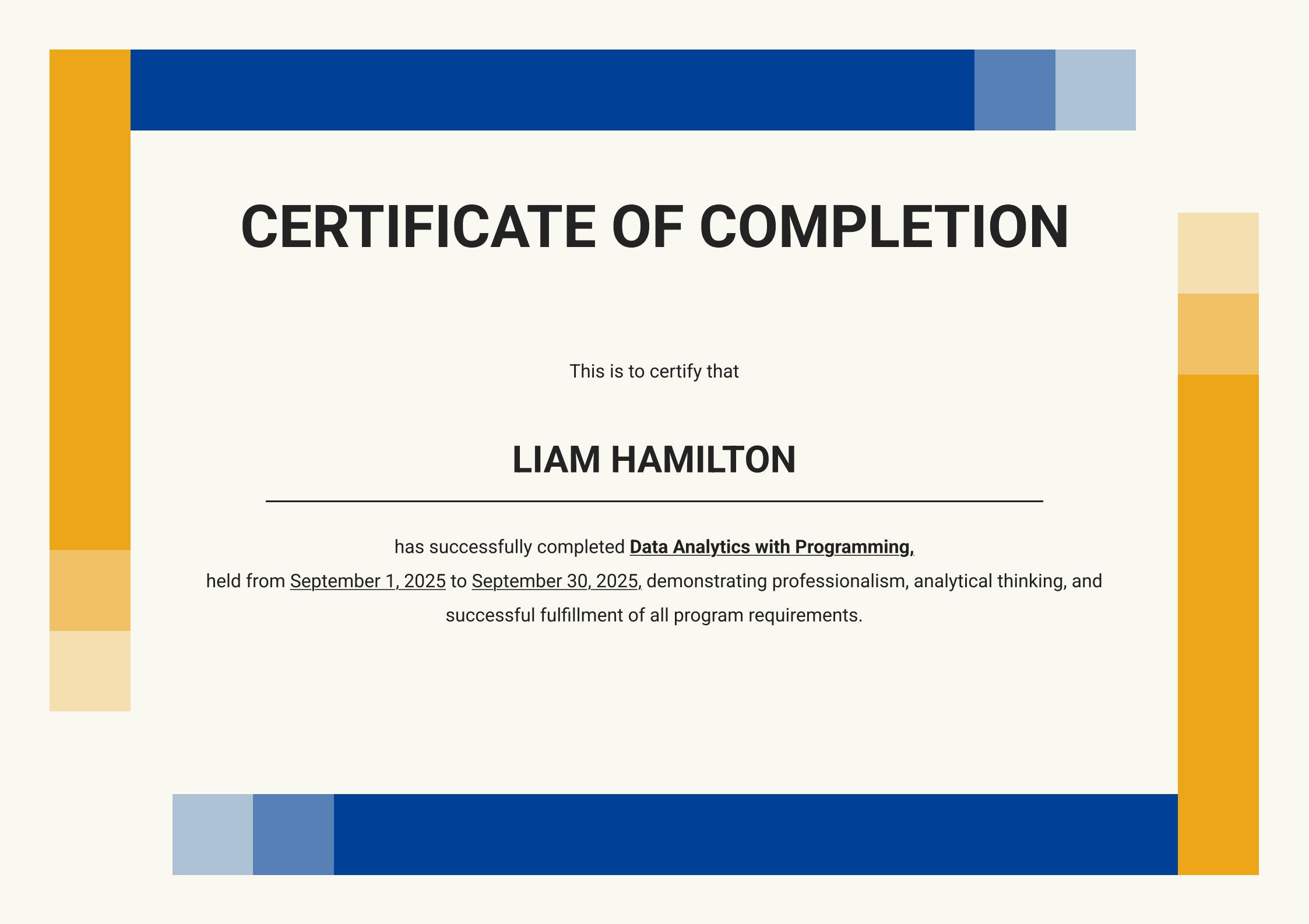
Are you looking for a professional and easy way to design your own Certificate of Completion? Whether you’re rewarding trainees, students, or workshop participants, a beautifully designed certificate adds a professional touch and recognition to their achievement. With PDF Agile, you can easily edit, personalize, and print your certificate of completion template—all within minutes.
1. What Is a Certificate of Completion Template?
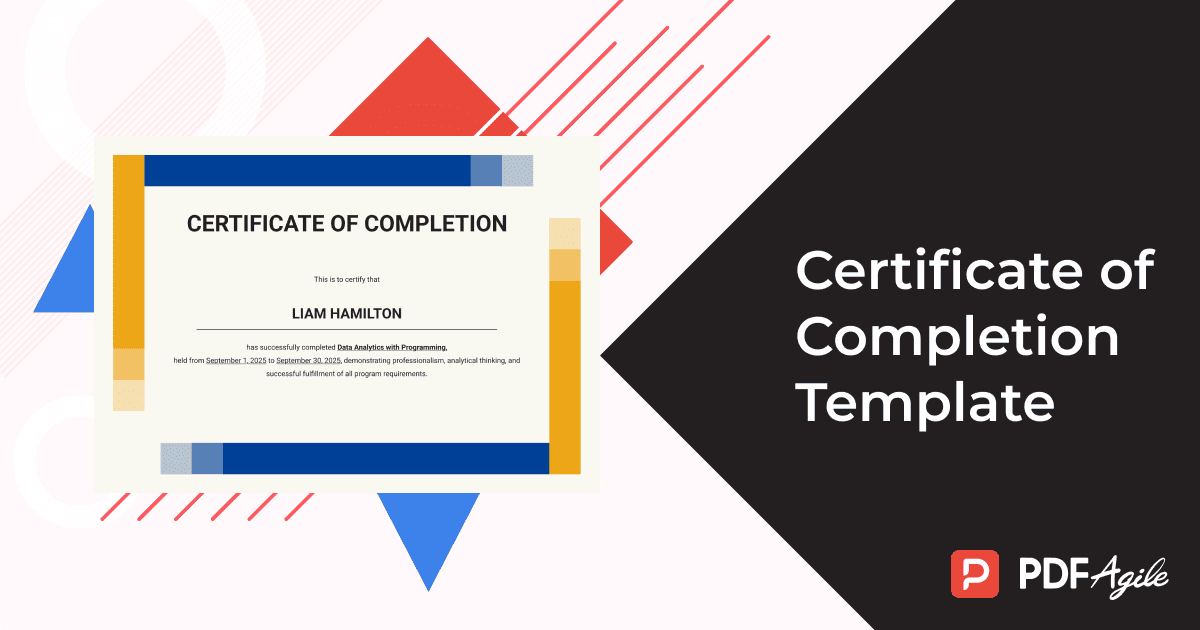
A Certificate of Completion Template is a pre-designed format that allows you to create official-looking certificates quickly.
It typically includes:
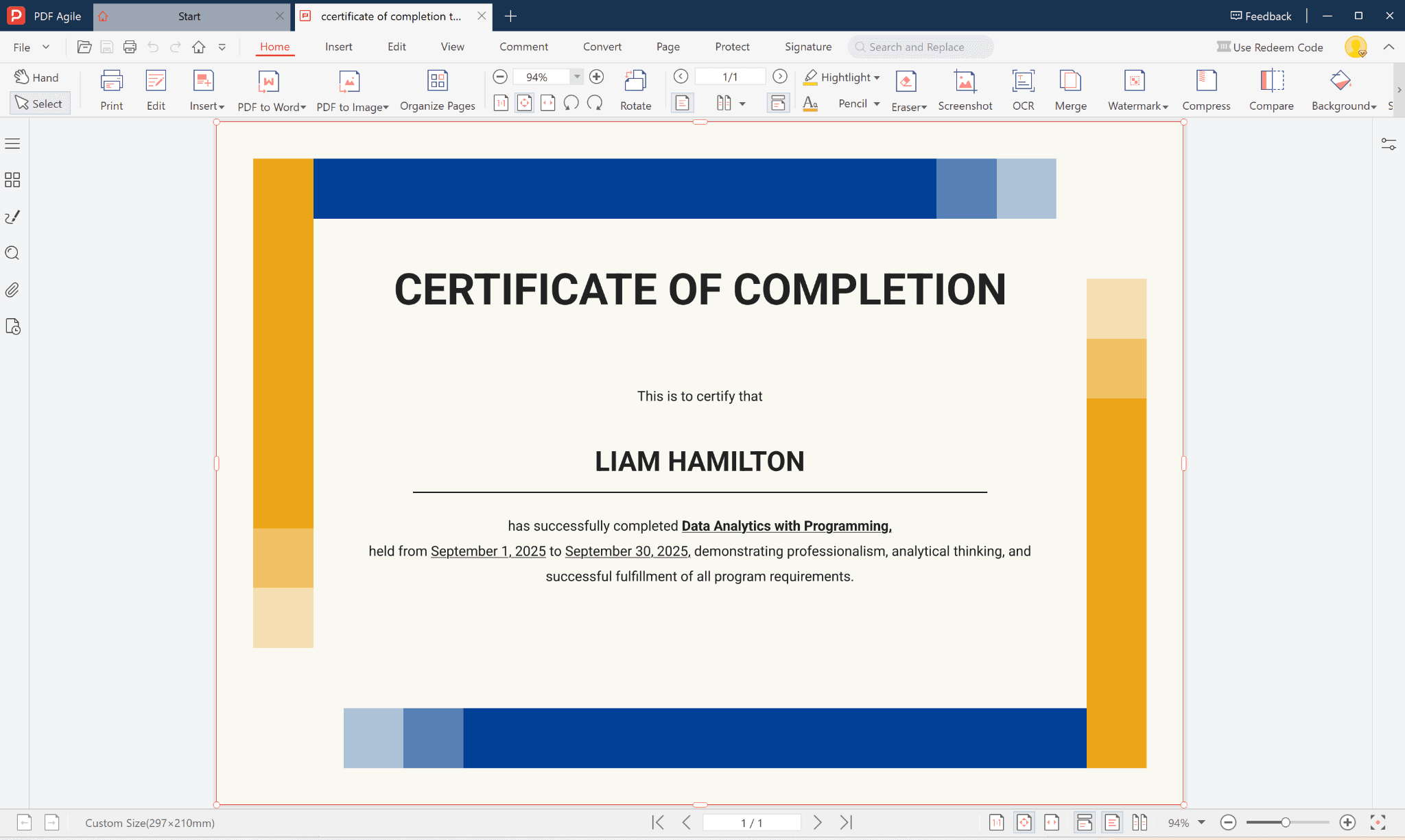
- Certificate title: “Certificate of Completion”
- Recipient name: e.g. Liam Hamilton
- Certification statement: “This is to certify that…”
- Program or course name: Data Analytics with Programming
- Duration: September 1, 2025 – September 30, 2025
- Authorized signature or organization name
- Date of issue
By using a ready-made template, you don’t need to worry about design, alignment, or layout — just fill in the fields, customize, and print.
2. How to Edit a Certificate of Completion Template Using PDF Agile
With PDF Agile, editing templates is simple even if you don’t have design experience.
Follow these steps to create your own professional certificate:
- Download the Template
Visit the PDF Agile website and download the Certificate of Completion Template.
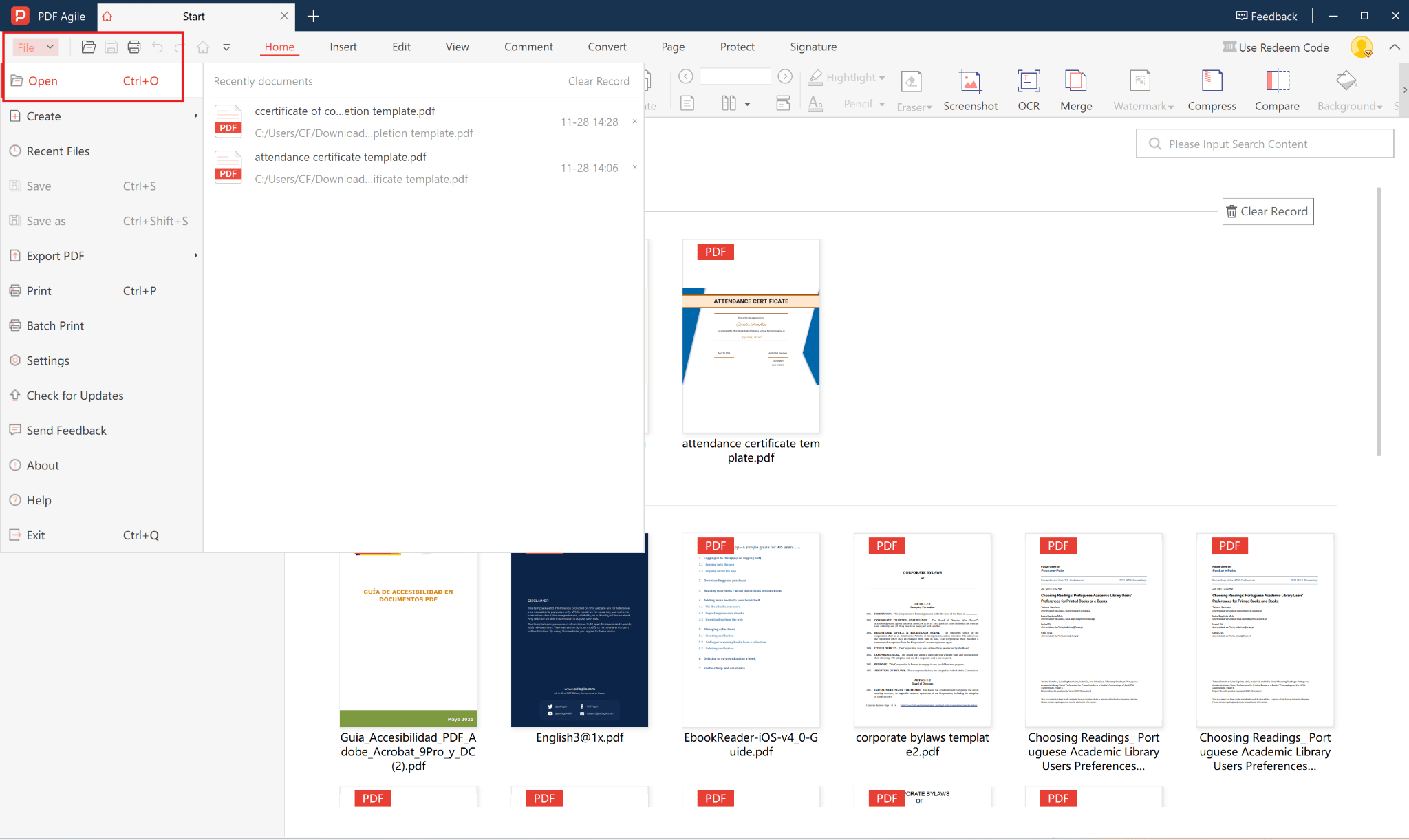
- Open in PDF Agile
Launch PDF Agile and open the downloaded template.
Click File → Open → Select your template.
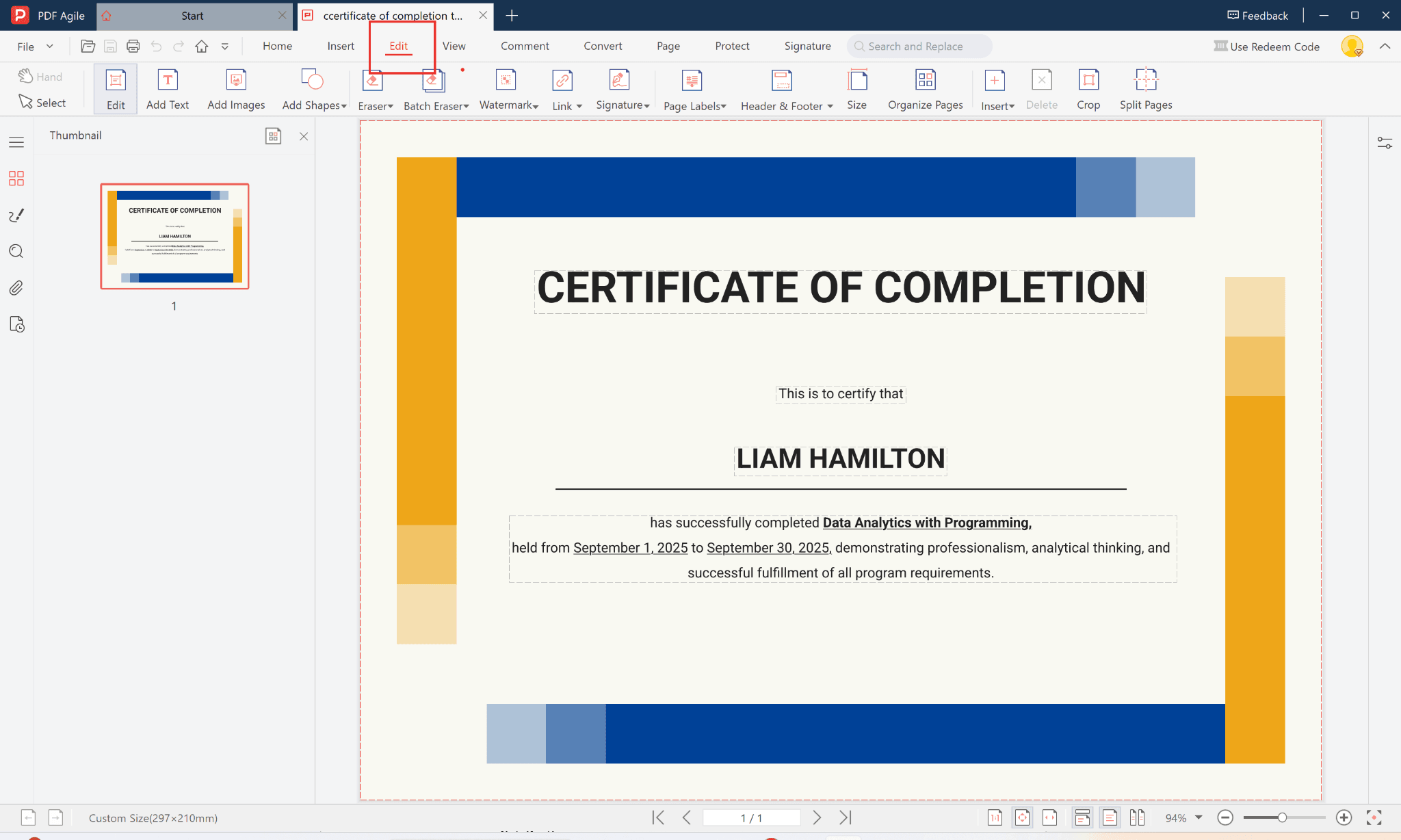
- Edit Text Fields
Replace placeholder text such as Liam Hamilton or Data Analytics with Programming with your participant’s real information.You can also modify it under the Edit PDF toolbar.
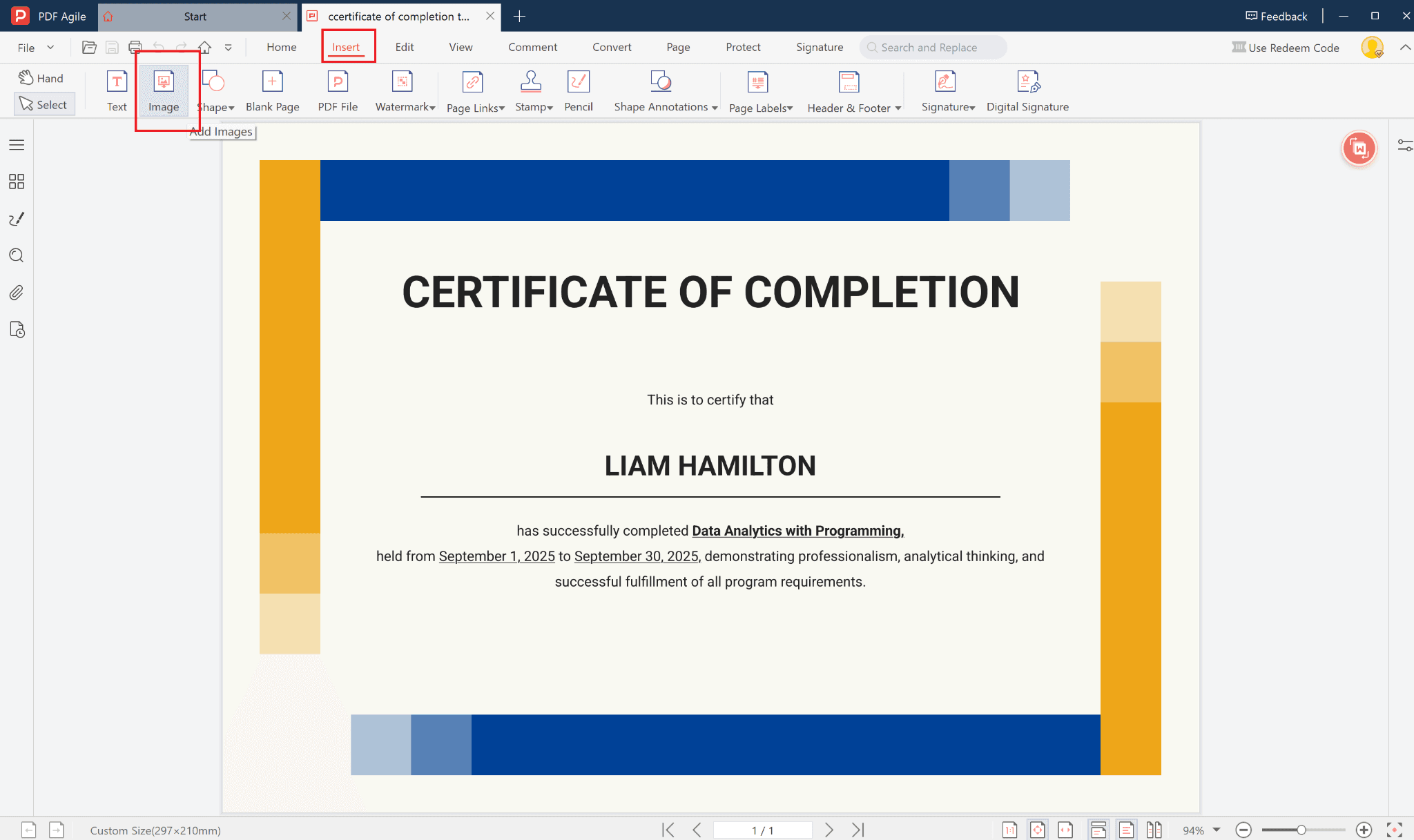
- Insert Your Logo or Signature
Click Add Image to upload your company or school logo.Add the signature of the authorized person to make it official.
- Adjust Dates and Course Details
Update the training dates and course name to match your event.
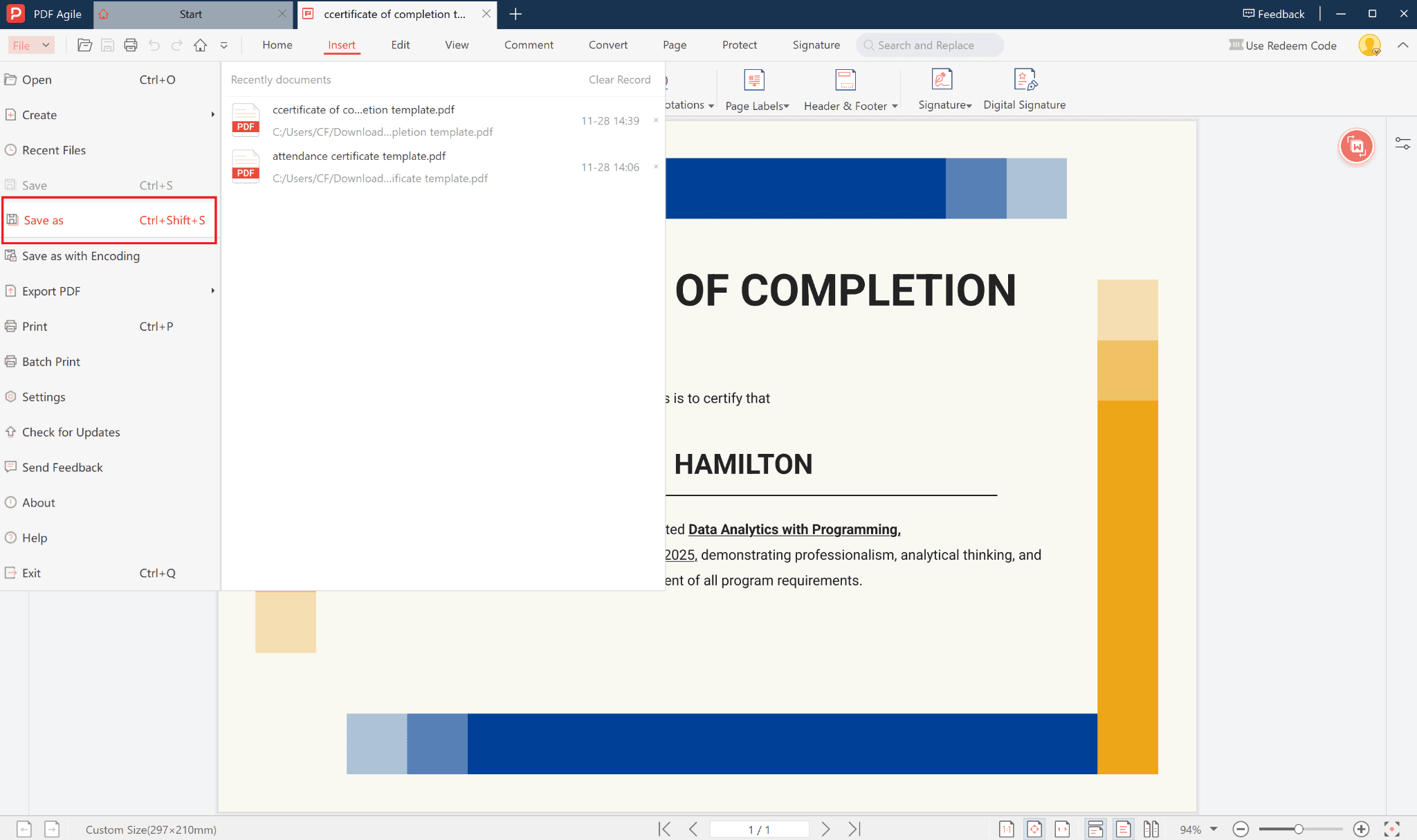
- Save or Export
Once done, click File → Save As to save your edited version.You can export the final certificate as a PDF for printing or digital distribution.
3. Editable and Printable Certificate of Completion Template
With PDF Agile, everything is editable — from names and titles to fonts and layout. After finalizing, you can print directly or send a digital copy via email. This makes it ideal for:
- Corporate training sessions
- Online courses and workshops
- Schools and universities
- Employee recognition programs
4. Why Choose PDF Agile?
- Easy Editing: Modify text, logos, and designs without affecting layout.
- All-in-One Platform: PDF editing, merging, splitting, and conversions—all in one tool.
- Professional Results: Maintain high-resolution quality for both digital and print versions.
- Free to Download and Use – Perfect for small businesses or educational organizations.
5. Conclusion
Creating a professional Certificate of Completion doesn’t need to be complicated.
With PDF Agile, you can download, edit, and print your templates seamlessly.
Recognize achievement, motivate participants, and leave a lasting impression — all within a few minutes.
Start designing your certificate today with PDF Agile — user-friendly, customizable, and beautifully professional.