Recognizing participation is a meaningful way to show appreciation and maintain good records for every event. Whether you’re hosting a professional seminar, training session, or academic workshop, an attendance certificate helps participants feel valued and provides official proof of attendance.
PDF Agile offers a free, editable Attendance Certificate Template that lets you design and personalize your own certificate in just minutes. With this ready-to-use PDF file, you can easily add participant names, event details, and official signatures—all without needing any design experience.
1. What Is an Attendance Certificate?
An Attendance Certificate is an official document given to participants to confirm their presence at a specific event or program. It usually includes the attendee’s name, the event title, the date and location, and the organizer’s signature.
This type of certificate is commonly used for:
- Business seminars and conferences
- Educational workshops and webinars
- Corporate or employee training programs
- Student activities and community events
It does not indicate performance or grades—it simply acknowledges participation.
2. Attendance Certificate Format Overview
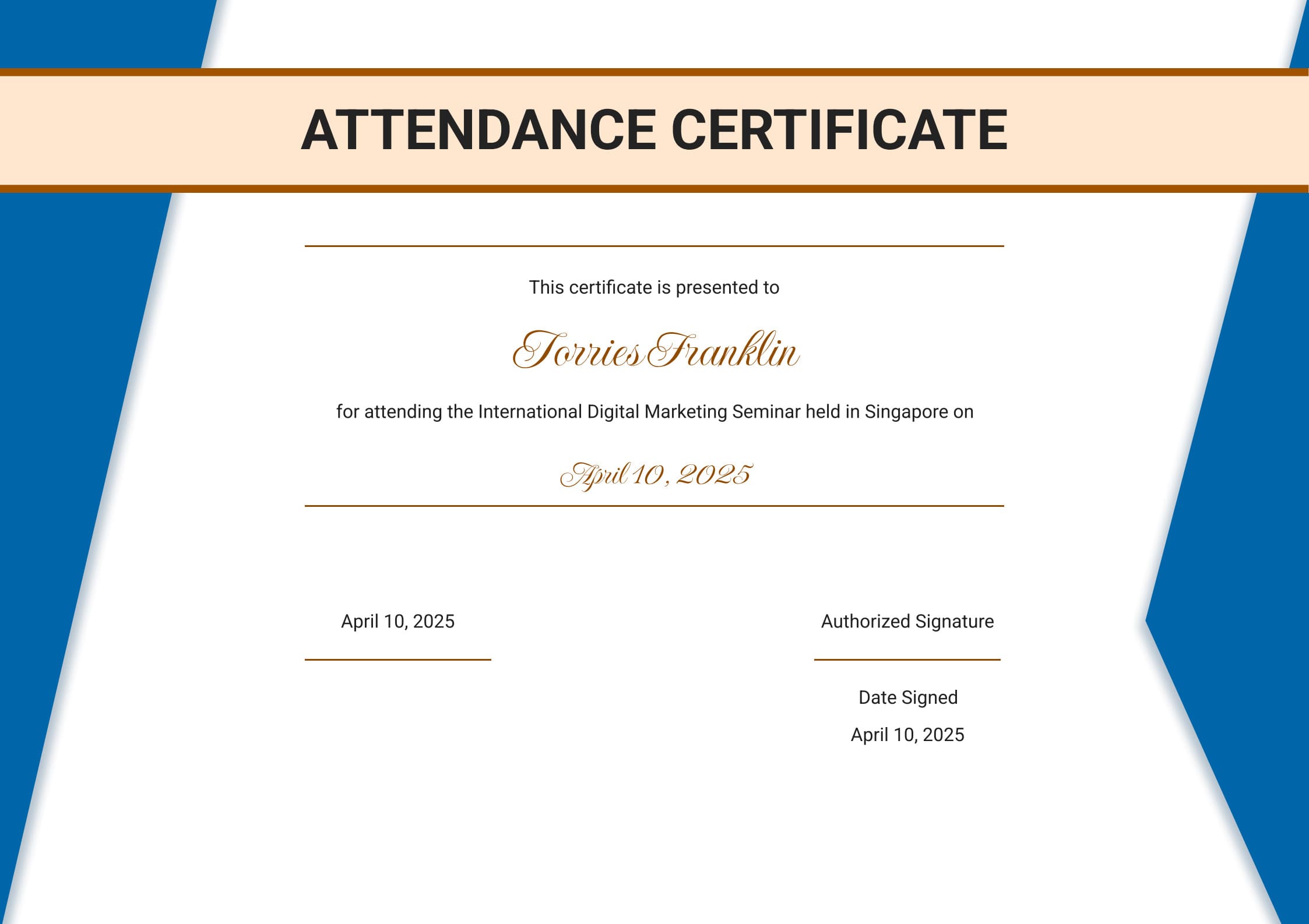
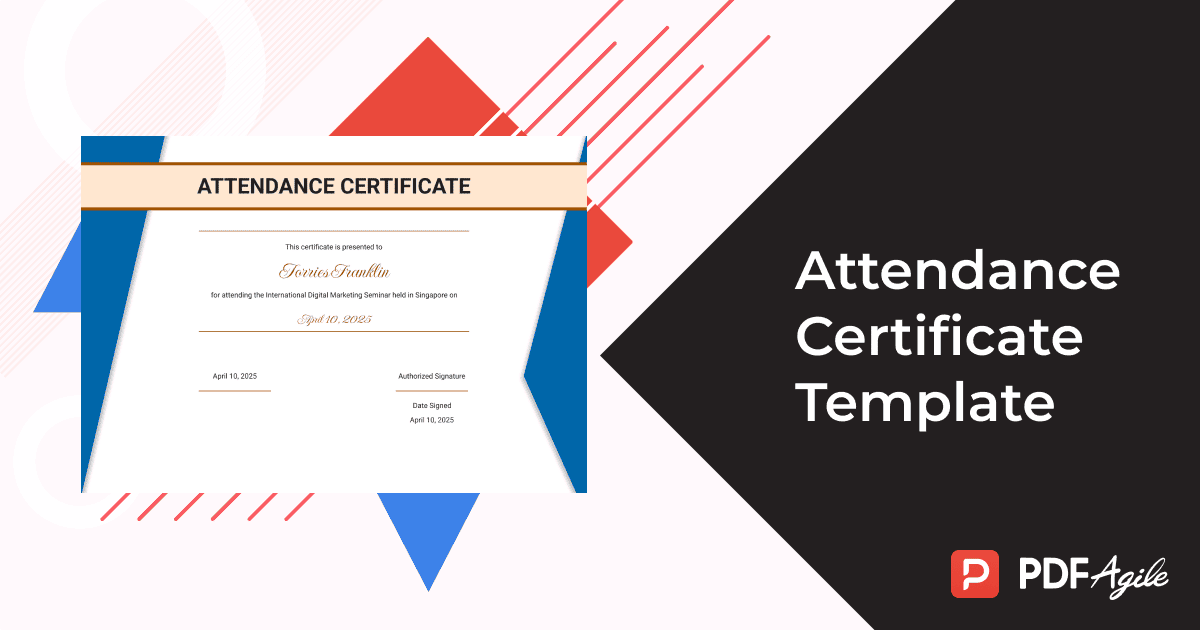
The free certificate template provided by PDF Agile includes the following structure:
Title: Attendance Certificate
Presented to: (Name of attendee)
Event: For attending the International Digital Marketing Seminar held in Singapore
Authorized by:(Name or Organization)
Date: April 10, 2025
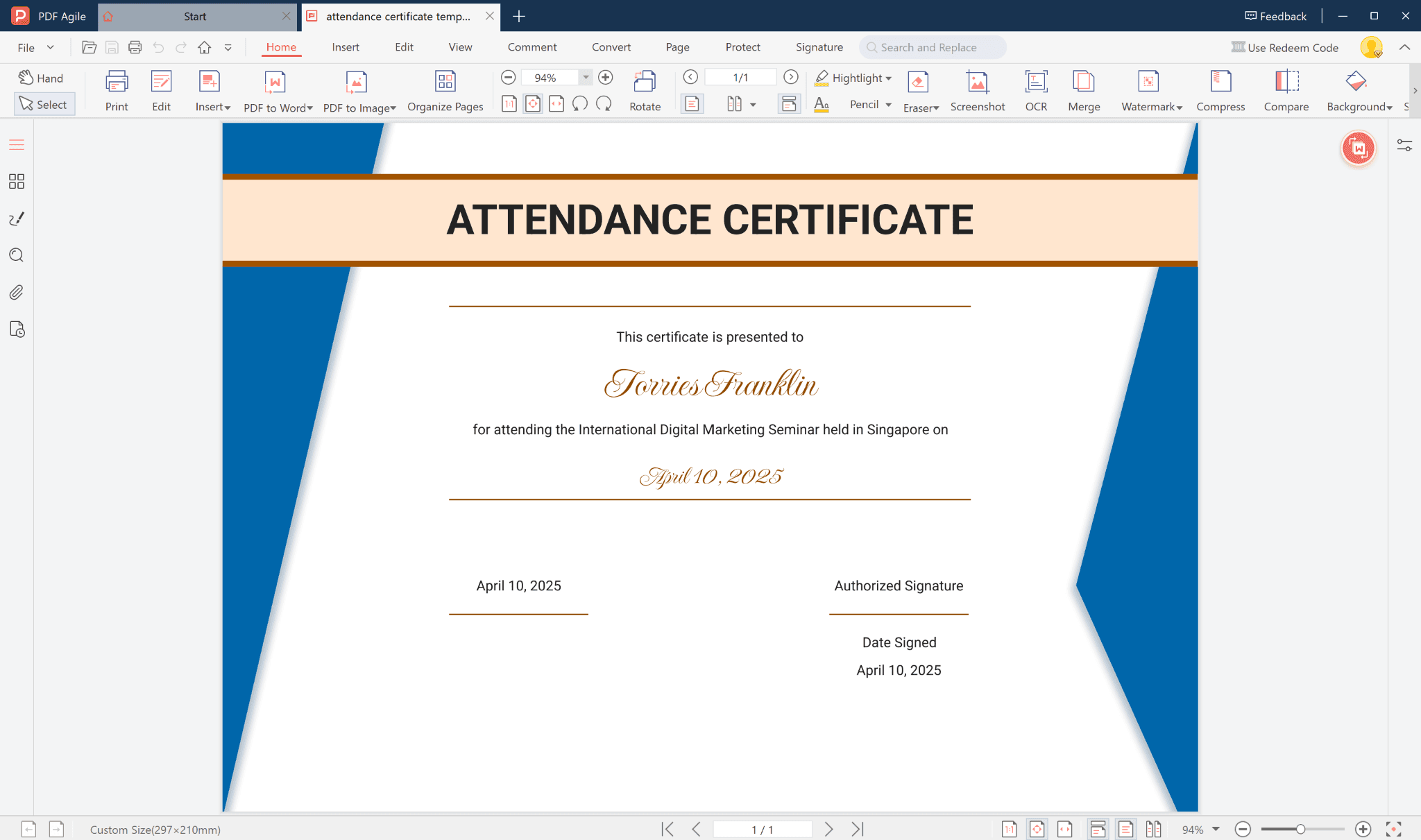
This simple yet professional layout is ideal for both corporate and educational purposes, offering a clean and credible design.
3. Key Elements of the Attendance Certificate Template
Each section of the certificate plays a specific role in giving it a formal appearance:
- Certificate Title – Displays the main heading clearly at the top.
- Recipient Name – Editable field to enter the participant’s full name.
- Event Details – Explains the type of activity, purpose, and location.
- Signature Field – Space for an authorized person’s signature.
- Issuance Date – Indicates when the certificate was granted.
All these sections can be modified to match your organization’s style and specific event.
4. How to Customize Attendance Certificate Template with PDF Agile
PDF Agile allows you to easily customize this certificate without complicated design software. Just follow these simple steps:
- Download the free Attendance Certificate Template from PDF Agile.
- Open the file using PDF Agile software.
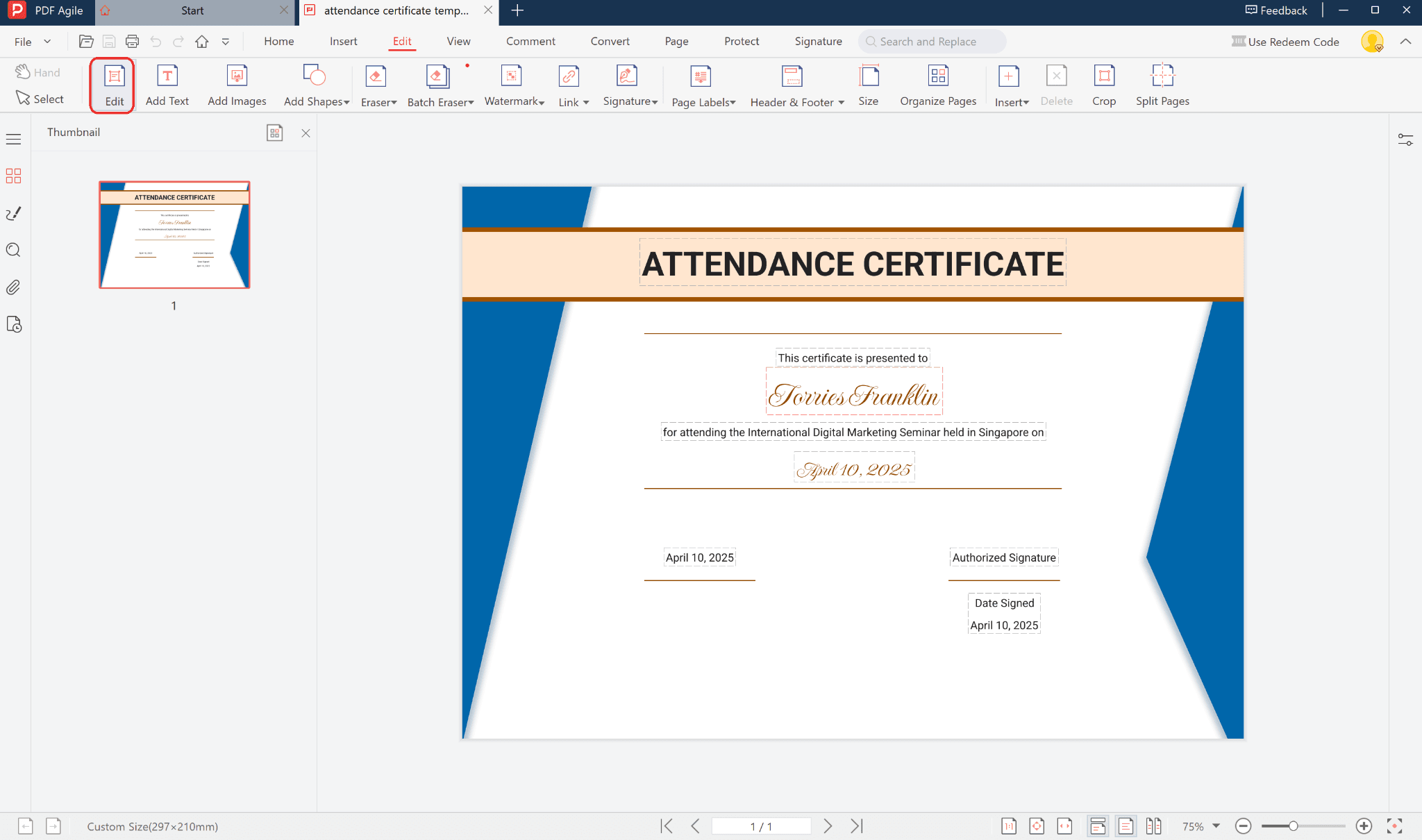
- Click on any editable field to modify the attendee’s name, date, event title, and organizer information.
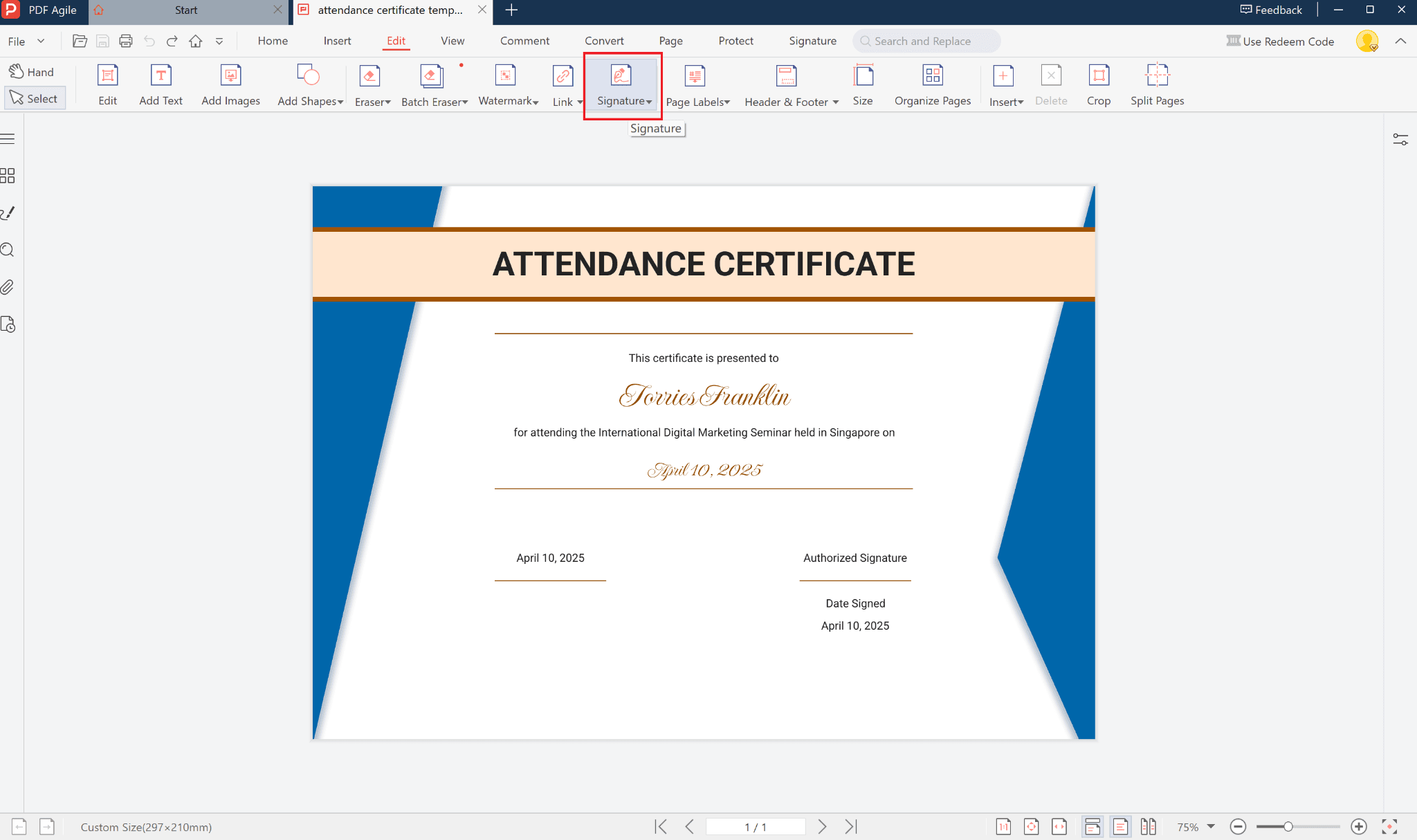
- Add your organization’s logo or digital signature for an official touch.
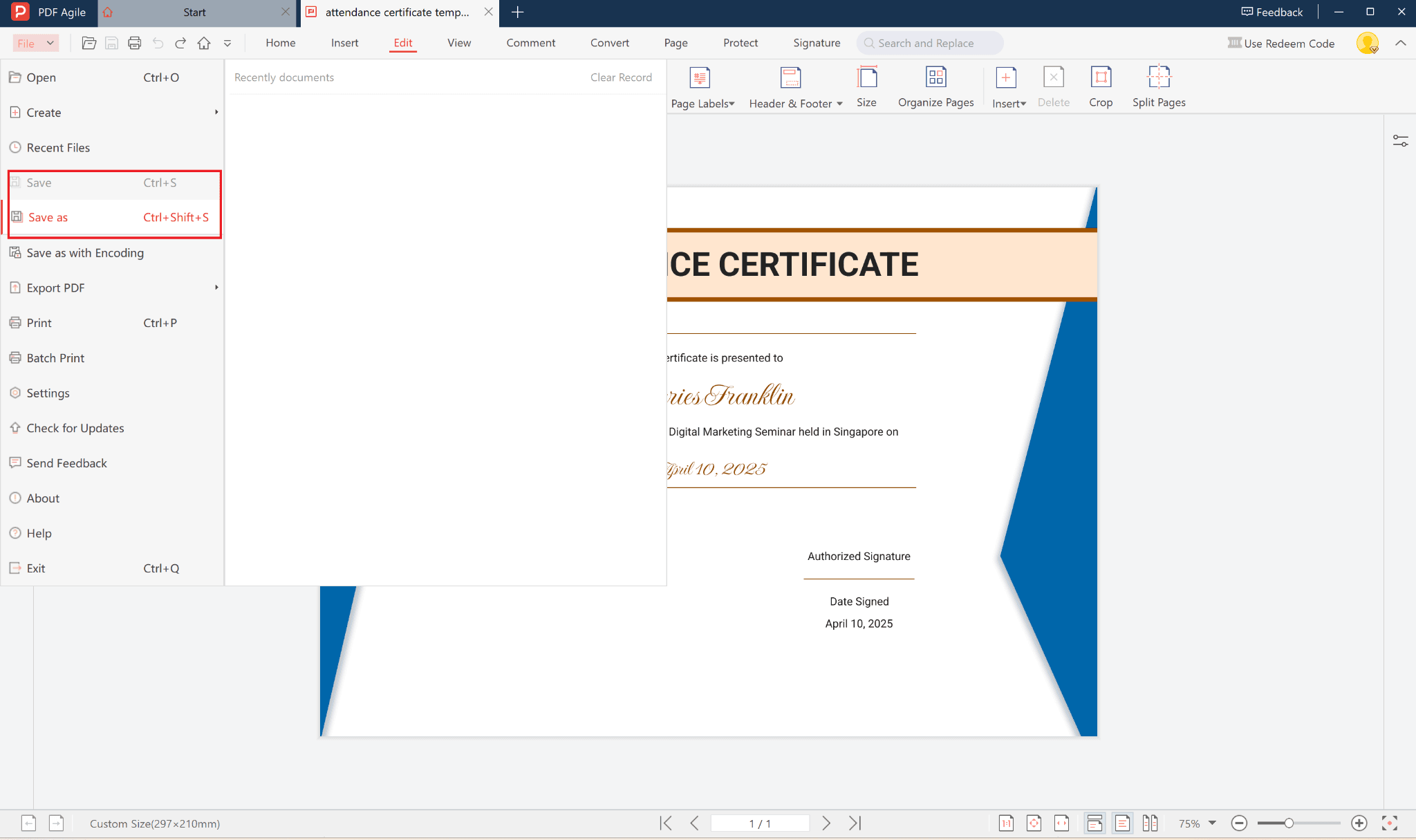
- Save or Export the completed certificate as a final PDF or print-ready file.
This process is fast, intuitive, and perfect for both beginners and professionals.
5. Benefits of Using PDF Agile
There are many advantages to using PDF Agile’s free templates:
- Free and fully editable PDF format
- Professional design suitable for any event type
- Time-saving—create certificates in minutes
- Customizable—adjust fonts, colors, and text
- Multi-platform support on Windows, Mac, and web browsers
With PDF Agile, your document creation process becomes simpler and more efficient.
6. Conclusion
An Attendance Certificate is a simple yet powerful way to document participation and show appreciation. Thanks to PDF Agile’s free template, you can design a polished, professional certificate in just a few clicks—no technical skills required.
Empower your organization with professional-looking documents and keep your event records organized with PDF Agile.